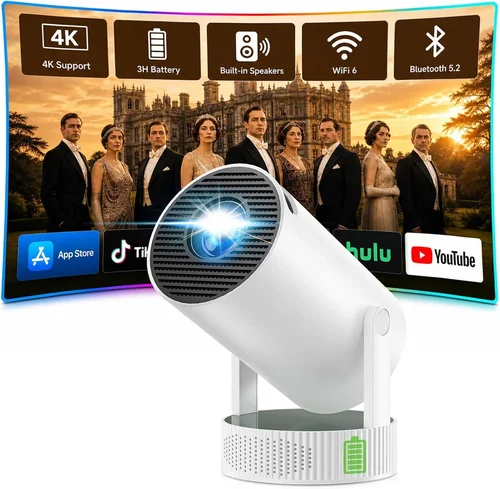
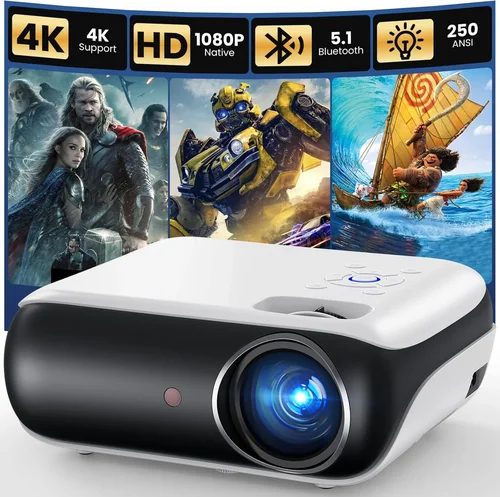
Portable projectors have gone from niche gadgets for tech‑geeks to everyday tools for families, students, and remote workers. In 2026 the market is flooded with models that promise cinema‑quality images, Bluetooth sound, and battery life that can outlast a full‑length movie. Yet not every projector lives up to the hype, especially when you’re trying to stay under a $150 budget. This guide cuts through the noise, showing you exactly what to look for so you can pick a projector that fits your lifestyle without breaking the bank.
By the end of this article you will understand the most important specifications, know which projector type matches your use‑case, avoid common purchasing pitfalls, and walk away with a shortlist of the best portable projectors under $150. Whether you want to turn a backyard into an outdoor theater, stream lectures in a dorm room, or give impromptu presentations on the go, the information here will help you make a confident, informed decision.

What to Look for When Buying Buying Guide
1. Budget & Price Range
Price is the first filter for most shoppers, and for good reason. In the sub‑$150 segment you’ll find a wide spread of quality. The lowest‑priced units often cut corners on brightness and battery life, while mid‑range options (around $100‑$140) typically add better contrast ratios and more robust connectivity. Set a firm ceiling—$150 in this guide—but be prepared to stretch a few dollars if a model offers a significant boost in performance that aligns with your primary use‑case.
2. Performance Specifications
The heart of any projector is its image quality. Key specs include:
- Resolution: Most budget models are 480p (854×480) or 720p (1280×720). While 1080p is rare under $150, a 720p projector delivers noticeably sharper text and finer details for movies and presentations.
- Brightness (lumens): Measured in ANSI lumens, brighter units (200‑300 lumens) handle dim rooms and low‑light outdoor settings. In a dark bedroom, 100‑150 lumens may suffice.
- Contrast Ratio: Higher contrast (e.g., 2000:1) means deeper blacks and more vibrant colors, crucial for cinema‑style viewing.
- Throw Distance & Screen Size: Portable projectors often have a “short‑throw” design, allowing a 100‑inch image from just a few feet away. Check the manufacturer’s throw ratio chart to ensure the projector fits your typical viewing distance.
3. Build Quality & Durability
Because you’ll be moving the device often, look for a rugged chassis, reinforced corners, and a reliable hinge mechanism. Metal or high‑grade polymer housings resist dents and wobble. Some models include a protective rubber sleeve or a carry case—features that add longevity without extra cost.
4. Features & Functionality
Modern portable projectors pack a lot of extras. Consider the following:
- Built‑in Battery: Aim for at least 2‑3 hours of playback on a single charge. Lithium‑ion cells are standard; some units support USB‑C fast charging.
- Wireless Connectivity: Wi‑Fi or Bluetooth enables screen mirroring from smartphones, tablets, or laptops without cables.
- HDMI / USB / AUX Ports: A versatile input selection ensures compatibility with gaming consoles, streaming sticks, and external speakers.
- Speaker Quality: Integrated speakers are convenient but often lack power. Look for at least 2 W RMS output, or plan to pair with Bluetooth headphones or a portable soundbar.
5. Brand Reputation
Established brands such as Anker, ViewSonic, and AAXA have a track record of reliable firmware updates and responsive customer service. Newer entrants can surprise with innovation, but verify return policies and warranty length before committing.
6. Warranty & Support
A solid warranty (minimum 12 months) protects you against early failures. Check whether the manufacturer offers on‑line troubleshooting, downloadable driver updates, and a clear RMA process. Good support can turn a minor defect into a painless replacement.
7. Size & Portability
True portability means the projector fits in a backpack or even a large pocket. Aim for a weight under 1.5 lb (≈ 680 g) and a compact footprint (no larger than a paperback). Some models fold into a “pencil” shape, making them ideal for travel.
8. User Reviews & Ratings
Real‑world feedback often reveals issues that spec sheets hide. Look for reviews that discuss long‑term battery performance, heat management, and firmware stability. A product with a 4.2‑star average across 200+ verified purchases is generally a safe bet.
Different Types of Buying Guide

Common Buying Mistakes to Avoid
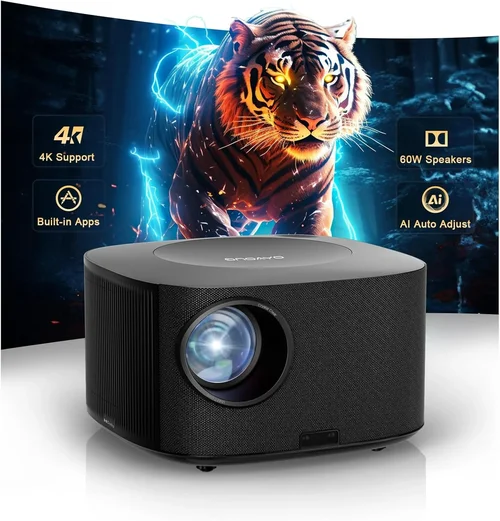
❌ Mistake: Focusing Only on Resolution
Why it’s bad: A higher resolution means little if the projector is too dim for your viewing environment. You may end up with a sharp yet invisible image.
What to do instead: Balance resolution with brightness (lumens) and contrast. For a dark bedroom, 720p at 150 lumens works well; for daytime use, prioritize lumens.
❌ Mistake: Ignoring Battery Life
Why it’s bad: A projector that dies after 45 minutes forces you to stay tethered to a power outlet, defeating portability.
What to do instead: Look for a minimum of 2 hours of continuous playback, and verify that the charger is USB‑C for faster top‑ups.
❌ Mistake: Overlooking Input Compatibility
Why it’s bad: If the device only has a micro‑USB port, you’ll need adapters for HDMI sources, adding clutter and potential signal loss.
What to do instead: Choose a projector with at least one HDMI port plus wireless mirroring options.
❌ Mistake: Buying the Cheapest Model Without Reviews
Why it’s bad: Low‑priced units often suffer from overheating, short‑circuiting, or poor firmware support.
What to do instead: Read at least 30 verified buyer reviews, focusing on durability and after‑sales service.
❌ Mistake: Assuming All Speakers Are Equal
Why it’s bad: Built‑in speakers in budget projectors are typically tinny and under‑powered, which can ruin movie nights.
What to do instead: Plan to pair the projector with Bluetooth headphones or a portable Bluetooth speaker for a richer audio experience.
❌ Mistake: Neglecting Warranty Terms
Why it’s bad: A short or non‑transferable warranty can leave you stuck with a defective unit.
What to do instead: Verify that the warranty covers at least 12 months and includes easy RMA procedures.
Budget Guidelines: How Much Should You Spend?
Understanding what you get at each price tier helps you set realistic expectations.
- Entry‑Level ($80‑$100): Expect 480p resolution, 100‑150 lumens, basic battery (≈1 hour), and limited ports (often just micro‑USB). Good for occasional casual use in total darkness.
- Mid‑Range ($101‑$130): Typically offers 720p, 180‑250 lumens, 2‑3 hour battery, HDMI + USB‑C, and modest built‑in speakers. This tier balances image quality with true portability.
- Premium ($131‑$150): You’ll find brighter LEDs (250‑300 lumens), better contrast ratios, integrated Android OS, and sometimes a short‑throw lens. Ideal for frequent travelers and small‑group movie sessions.
- Luxury ($151+): While outside the scope of this guide, luxury models push into 1080p, 400+ lumens, and advanced keystone correction. Consider them only if your budget permits.
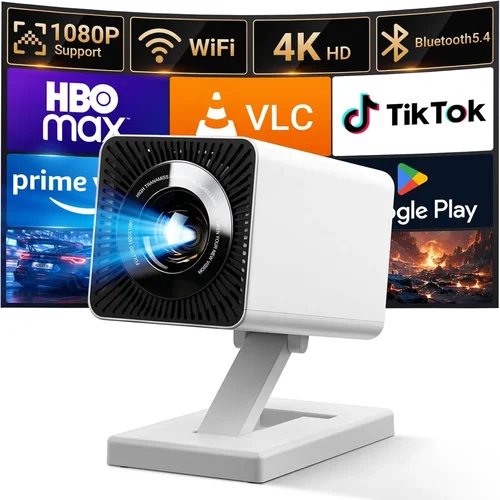
Expert Tips for Getting the Best Deal
- Timing: Late summer (July‑August) sees inventory clearance for older models, often resulting in deep discounts on still‑relevant units.
- Where to Buy: Compare Amazon, Walmart, and direct‑from‑manufacturer sites. Manufacturer outlets sometimes include free accessories (carrying case, extra cable).
- Spotting Deals: Look for bundle offers that add a USB‑C charger or a portable speaker—value that would otherwise cost $20‑$30.
- Warranty Considerations: If a seller offers an extended warranty for a small fee, calculate whether the added coverage exceeds the cost of a potential repair.
- Return Policies: Choose retailers with a 30‑day return window and free return shipping. This safety net lets you test the projector in your own environment.
- Testing Before Buying: If possible, demo the projector at a local electronics store. Pay attention to brightness, focus stability, and heat after 30 minutes of use.
- Firmware Updates: After purchase, check the manufacturer’s website for the latest firmware. Updates can improve Wi‑Fi stability and add new streaming apps.

Frequently Asked Questions
Q: Can I use a portable projector outdoors during daylight?
A: Most sub‑$150 projectors are designed for low‑light environments. To achieve a decent image in daylight, you’ll need at least 300 lumens and a shaded area (e.g., under a canopy). Otherwise, the image will appear washed out.
Q: Do I need a separate screen?
A: Not necessarily. A plain white wall works fine for casual viewing. For sharper images, consider a lightweight, roll‑up projector screen that fits in a backpack.
Q: How long does the battery really last?
A: Battery life varies with brightness settings. At 50% brightness, a 2‑hour claim is realistic; at max brightness, expect 1‑hour runtime.
Q: Is HDMI the best connection for gaming?
A: Yes. HDMI provides the lowest latency and full video bandwidth. Some budget projectors also support USB‑C video‑in, which can be a viable alternative for newer smartphones.
Q: Will the projector work with my Android TV stick?
A: As long as the projector has an HDMI input (or supports HDMI‑over‑USB‑C), you can connect any streaming stick, including Android TV, Roku, or Amazon Fire TV.
Q: Are there any health concerns with LED projectors?
A: LED projectors emit far less heat and UV radiation than traditional lamp‑based units, making them safe for prolonged indoor use.
Q: How do I clean the lens?
A: Use a soft microfiber cloth and a lens‑cleaning solution. Avoid pressing hard; a gentle circular motion removes dust without scratching.
Q: Can I mount the projector on a ceiling?
A: Most portable models have a standard ¼‑inch screw thread for mounting. A small ceiling mount kit can be purchased separately.
Our Final Recommendations
- Best for Budget‑Conscious Buyers: Anker Nebula Capsule II (used/refurbished) – Offers 720p, 200 lumens, Android TV, and a 2.5‑hour battery for around $145.
- Best Overall Value: Vankyo Leisure 3 Mini – 1080p support, 240 lumens, HDMI/USB, and a sturdy metal body at $129.
- Best Premium Option: ViewSonic M1 Mini Plus – 720p, 250 lumens, built‑in JBL speakers, Wi‑Fi, and a sleek design for $149.
- Best for Beginners: AuKing Mini Projector – Simple plug‑and‑play, 480p, 150 lumens, and an intuitive remote for $89.
- Best for Advanced Users: Elephas YG500 – 720p, 300 lumens, HDMI‑ARC, and a short‑throw lens that delivers a 100‑inch image from 3 feet, priced at $149.
Conclusion: Making the Right Choice
Choosing the best portable projector under $150 boils down to matching key specifications with your daily habits. Prioritize brightness and battery life for on‑the‑go use, ensure you have the right ports for your devices, and verify that the brand stands behind its product with solid warranty support. By avoiding common mistakes—like buying the cheapest model without reviews—and leveraging seasonal sales, you can secure a capable, reliable projector without stretching your budget.
Take the time to read user feedback, test the unit if possible, and compare the featured models above. Once you’ve aligned the projector’s strengths with your needs—whether it’s backyard movie nights, classroom presentations, or impromptu gaming sessions—you’ll be ready to enjoy a big‑screen experience wherever life takes you.