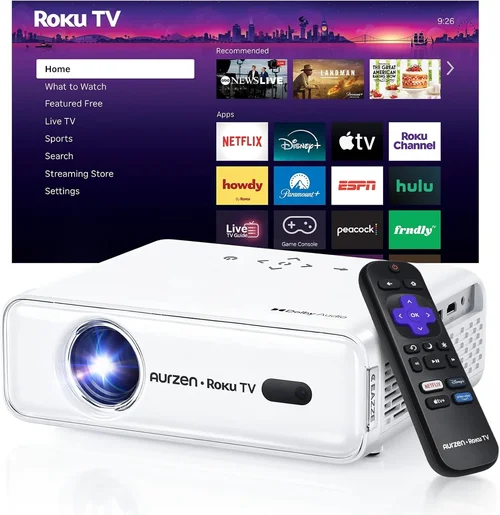
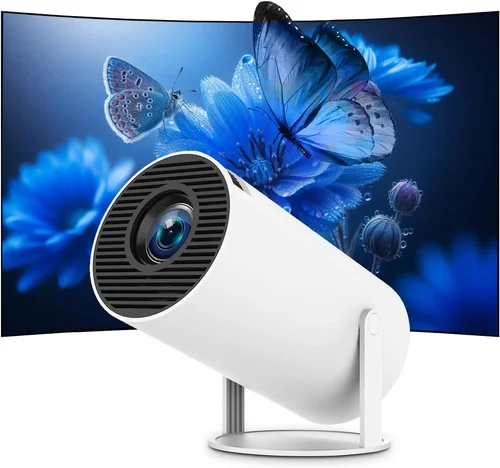
Finding a projector that you can toss in a backpack, set up in a living‑room, and still get a crisp, bright image without blowing your budget is tougher than it sounds. The market is flooded with cheap “toy” projectors that promise cinema‑style performance but fall short on brightness, colour accuracy, or durability. That’s why we’ve built this guide: to cut through the hype, explain the tech that matters, and point you toward the best portable projectors under $500 that actually deliver on the promise of on‑the‑go entertainment.
In the pages that follow you’ll learn how to evaluate resolution, lumens, battery life, and connectivity without getting lost in jargon. We’ll compare the main categories of portable projectors, flag common pitfalls, and give you a clear budget roadmap. By the end, you’ll be equipped to pick a projector that fits your lifestyle—whether you’re a student streaming lectures, a family looking for backyard movie nights, or a digital nomad who needs a reliable second screen.

What to Look for When Buying Buying Guide
1. Budget & Price Range
Even within the sub‑$500 segment, price can vary dramatically based on brand, features, and build quality. A $199 “budget” model may lack the brightness needed for daylight use, while a $479 unit could include a built‑in battery, higher native resolution, and better warranty coverage. Start by setting a hard ceiling—$500 in this guide—and then decide what you’re willing to sacrifice (e.g., ultra‑short‑throw capability) to stay under that limit.
2. Performance Specifications
The three performance metrics that matter most are resolution, brightness (lumens), and contrast ratio. Resolution determines how sharp the image appears; look for at least 1080p (Full HD) if you plan to stream movies or play games. Brightness is measured in ANSI lumens; for portable use in dimly lit rooms, 200–300 lumens is adequate, but if you intend to project in a lit kitchen or outdoor patio, aim for 350+ lumens. Contrast ratio affects the depth of blacks—higher numbers mean richer shadows, which is crucial for cinema‑style viewing.
3. Build Quality & Durability
Portable projectors travel a lot, so they need to survive bumps, occasional drops, and dusty environments. Look for models with reinforced chassis, rubberized corners, and sealed lens housings. Metal or high‑grade ABS plastic frames add weight but dramatically improve longevity. A good indicator is an IP rating; while most budget units are IPX0, a modest IPX4 (splash‑resistant) can be a lifesaver for outdoor use.
4. Features & Functionality
Modern portable projectors pack a surprising array of features: built‑in speakers, Wi‑Fi or Bluetooth streaming, USB‑C power delivery, and even Android TV OS. Decide which are “must‑haves.” If you plan to use the projector as a standalone media hub, built‑in Android TV is a huge convenience. If you’ll mostly mirror a laptop or phone, a reliable HDMI or USB‑C input with low latency is key.
5. Brand Reputation
Well‑known brands such as Anker, ViewSonic, and Epson have established service networks and firmware support, which translates into smoother updates and easier troubleshooting. Emerging brands can offer competitive specs for less money, but research their post‑sale support policies and read community forums before committing.
6. Warranty & Support
A solid warranty can save you hundreds down the line. Most reputable manufacturers offer 1‑year limited warranties; some extend to 2 years if you register the product. Pay attention to what is covered—lamp life, battery degradation, and accidental damage are often excluded. Check whether the brand provides easy access to replacement parts and whether local service centers exist in your region.
7. Size & Portability
Weight and dimensions directly affect how “portable” a projector truly is. Many models under $500 weigh between 1–2 lb (0.45–0.9 kg) and measure roughly 5×5×2 inches. Some ultra‑compact units can fit inside a large pocket, but they may compromise on brightness or battery capacity. Choose a size that matches your typical use case—backpack‑friendly for travel, or a slightly larger “home‑theater” unit for occasional indoor viewing.
8. User Reviews & Ratings
Real‑world feedback uncovers issues that spec sheets hide. Look for consistent praise or criticism about heat management, fan noise, and software stability. A product with 4.5‑star ratings across multiple retailers and a vibrant community on Reddit or AVS Forum is a safer bet than a higher‑spec unit with only a handful of reviews.
Different Types of Buying Guide

Common Buying Mistakes to Avoid
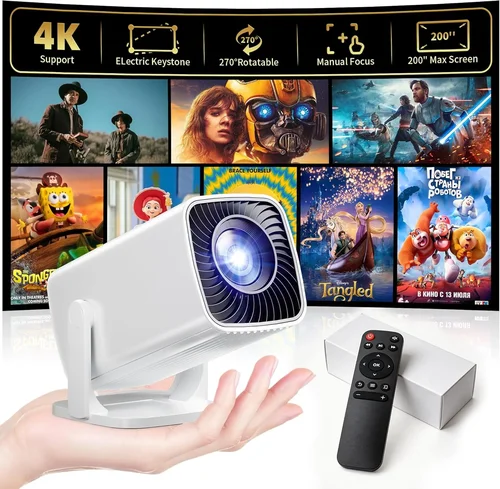
❌ Mistake: Choosing Based Solely on Price
Why it’s bad: The cheapest unit often compromises on brightness and battery life, making it unusable in anything but total darkness.
What to do instead: Set a minimum brightness threshold (e.g., 250 ANSI lumens) and then compare models that meet that baseline, even if they cost a bit more.
❌ Mistake: Ignoring Input Lag for Gaming
Why it’s bad: High input lag (>30 ms) can ruin fast‑paced games, leading to missed reactions.
What to do instead: Look for projectors that advertise “Game Mode” or provide a measured input lag under 20 ms at 1080p.
❌ Mistake: Overlooking Battery Degradation
Why it’s bad: Many budget models list a 2‑hour battery, but after a few charge cycles the capacity drops dramatically.
What to do instead: Check user reviews for long‑term battery health and consider a model with replaceable batteries or an external power option.
❌ Mistake: Forgetting About Throw Distance
Why it’s bad: A projector with a long throw distance may need a large room to achieve a 100‑inch image, defeating portability.
What to do instead: Verify the throw ratio; a 0.5:1 ratio lets you get a 100‑inch screen from just 4‑5 ft away.
❌ Mistake: Assuming All Built‑In Speakers Are Sufficient
Why it’s bad: Most pocket projectors have 1–2 W speakers, which sound thin in larger rooms.
What to do instead: Pair the projector with a Bluetooth speaker or use the audio out jack for a portable sound system.
❌ Mistake: Neglecting Firmware Updates
Why it’s bad: Out‑of‑date firmware can cause connectivity glitches, overheating, or security vulnerabilities.
What to do instead: Choose a brand that provides regular OTA updates and offers a straightforward update process via a companion app.
Budget Guidelines: How Much Should You Spend?
- Entry‑Level ($150‑$250): Expect 720p resolution, 150‑250 lumens, and limited connectivity (usually only HDMI). Ideal for occasional movie nights in a dark room.
- Mid‑Range ($251‑$350): Full HD (1080p) panels become common, brightness rises to 300‑350 lumens, and you’ll see built‑in speakers with Bluetooth. Good for indoor family viewing and casual gaming.
- Premium ($351‑$500): Higher‑end LED or laser light sources, 400+ lumens, superior contrast ratios, Android TV integration, and longer battery life (up to 3‑4 hours). Suits power users who need versatility.
- Luxury ($500+): Though beyond this guide’s scope, luxury units may offer 4K upscaling, ultra‑short‑throw lenses, and professional‑grade colour accuracy for serious videophiles.
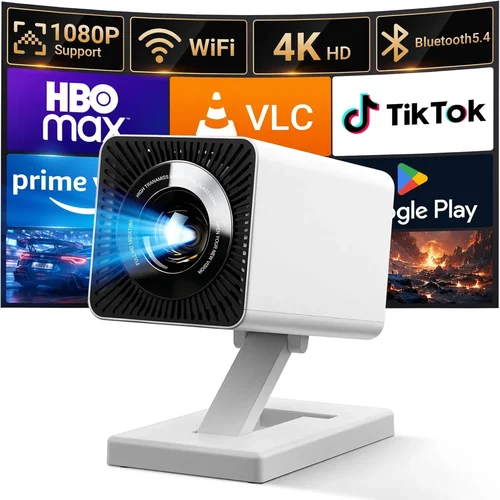
Expert Tips for Getting the Best Deal
- Timing is everything: The best discounts appear during Black Friday, Cyber Monday, and post‑Christmas clearance. Mid‑year “back‑to‑school” sales also feature portable tech deals.
- Shop price‑comparison tools: Use websites like CamelCamelCamel or Keepa to track Amazon price history and jump on the lowest point.
- Consider refurbished units: Certified refurbished projectors often come with a full warranty and can save you 20‑30%.
- Bundle wisely: Some sellers include a travel case, extra HDMI cable, or portable screen at no extra cost—evaluate the total value.
- Check return policies: A 30‑day hassle‑free return window lets you test the projector in your typical environment before committing.
- Test for fan noise: If possible, watch a short clip in a quiet room; fan noise above 30 dB can be distracting.
- Verify battery health: Ask the seller about cycle count for used units; a new battery should have less than 100 cycles.
- Leverage credit‑card protection: Some cards extend warranty periods automatically, giving you extra peace of mind.

Frequently Asked Questions
Q: Can I use a portable projector outdoors during daylight?
A: Most budget‑friendly portable projectors are designed for low‑light environments. To get a decent image in daylight, look for a unit with at least 400 ANSI lumens and a high contrast ratio, and consider using a portable blackout screen.
Q: How long does the built‑in battery typically last?
A: Battery life varies from 1.5 hours on lower‑end models to 4 hours on premium units. Keep in mind that higher brightness settings drain the battery faster; using a lower brightness level can extend playback time.
Q: Do I need a separate sound system?
A: The internal speakers on most sub‑$500 projectors are adequate for casual TV shows, but they lack depth for movies or games. Pairing a Bluetooth speaker or using the audio out jack produces a richer experience.
Q: Is HDMI the only way to connect my phone?
A: No. Many modern projectors support wireless mirroring via AirPlay, Miracast, or Chromecast built‑in. USB‑C with DisplayPort Alternate Mode is also common for direct wired connections.
Q: What is the difference between LED and laser light sources?
A: LED lamps are cheaper and have a typical lifespan of 20,000 hours, while laser light sources can exceed 30,000 hours and often deliver higher brightness and more vivid colours. Laser units tend to be slightly pricier but offer more consistent performance over time.
Q: Can I use a portable projector for presentations?
A: Absolutely. Look for a model with keystone correction, low input lag, and multiple video inputs (HDMI, USB‑C). A brightness of 300+ lumens ensures the image is visible in most conference rooms.
Q: How do I maintain my projector?
A: Keep the lens clean with a microfiber cloth, avoid exposing the unit to extreme temperatures, and store it in a padded case when not in use. If your projector has a fan filter, clean it every few months to prevent overheating.
Our Final Recommendations
- Best for Budget‑Conscious Buyers: Anker Nebula Capsule II – Priced around $279, it offers 720p resolution, 200 lumens, Android TV 9.0, and a 2‑hour battery. Ideal for students and travelers.
- Best Overall Value: ViewSonic M2 – At $399 it delivers Full‑HD 1080p, 1,200 lumens (LED), Harman Kardon speakers, and Wi‑Fi/Bluetooth streaming. A solid all‑rounder for home and office.
- Best Premium Option: BenQ GS2 – $449 price tag, 720p, 200 lumens, rugged rubberized body, splash‑proof rating, and Android TV 9.0. Perfect for outdoor movie nights and rugged travel.
- Best for Beginners: Vankyo Leisure 3 Mini – Under $200, 1080p support (via HDMI), 200 lumens, simple plug‑and‑play operation. Great for first‑time owners who want ease of use.
- Best for Advanced Users: Optoma ML750ST – $489, 720p, 700 lumens, ultra‑short‑throw (0.47:1), low input lag, and interchangeable lenses. Suits gamers and presenters who need flexibility.
Conclusion: Making the Right Choice
Choosing a portable projector under $500 is less about chasing the lowest price and more about aligning performance specs with your real‑world needs. Remember to prioritize brightness for your typical lighting conditions, verify that the resolution matches the content you’ll consume, and consider battery life if you’ll be away from power outlets. By avoiding common mistakes—such as ignoring input lag or over‑relying on built‑in speakers—and by following the expert tips on timing and warranty, you can secure a device that brings cinema‑quality experiences to any room, backyard, or hotel suite.
Now that you’re armed with the knowledge, explore the models highlighted above, compare current prices, and pick the projector that feels right for your lifestyle. Happy viewing!