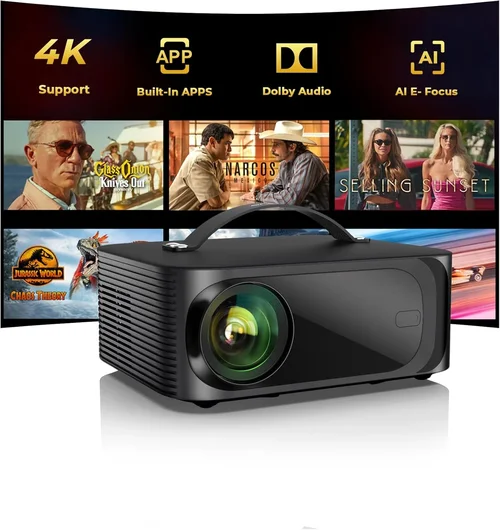
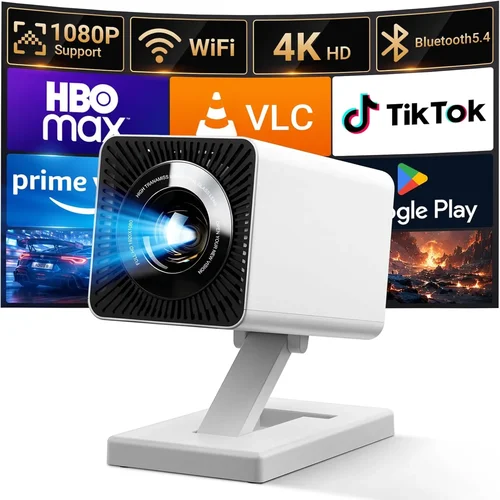
Finding a portable projector that delivers a cinema‑like experience without breaking the bank can feel like hunting for a needle in a haystack. The market is flooded with options that promise big screens, bright images, and a host of smart features—all for under $100. Yet, not every budget‑friendly model lives up to the hype. This guide cuts through the noise, giving you the knowledge you need to pick a projector that truly fits your lifestyle and your wallet.
In the next few sections you’ll learn how to evaluate key specifications, understand the different projector technologies, avoid common purchasing pitfalls, and discover which models consistently outperform their price class. By the end, you’ll be equipped to make an informed decision and walk away with a portable projector that turns any wall, backyard, or bedroom into your personal theater.
The portable projector market has evolved rapidly over the past three years. LED light sources, improved battery life, and built‑in streaming apps have become standard even at the sub‑$100 tier. While you won’t find 4K resolution or laser‑grade brightness at this price point, modern units can still deliver a clear, vibrant image suitable for movies, gaming, and presentations. Let’s dive into the factors that separate the good from the merely acceptable.

What to Look for When Buying Buying Guide
1. Budget & Price Range
Price is the most obvious filter, but it’s also the most nuanced. A $90 projector might offer a higher native resolution, while a $70 model could provide a longer battery life. Determine your absolute ceiling first, then decide which feature you’re willing to compromise on. Remember that accessories—such as a carry case, extra cables, or a replacement lamp—can add $10‑$20 to the total cost.
2. Performance Specifications
Performance is defined by three core specs: brightness (measured in lumens), resolution, and contrast ratio. For indoor use in a dimly lit room, 80‑120 ANSI lumens is usually sufficient. If you plan to project in daylight or a brightly lit garage, look for units that push 150+ lumens. Native resolution of 720p (1280×720) is common under $100, while many models resort to 480p upscaled. Contrast ratio affects how deep blacks appear; a ratio of 1000:1 or higher is desirable for movies.
3. Build Quality & Durability
Portable projectors are meant to travel, so they need to survive the occasional bump. Look for a sturdy chassis made from ABS plastic or aluminum alloy, rubberized corners, and a secure latch for the lens cover. Water‑resistant ratings (IPX4 or higher) are a plus for outdoor use.
4. Features & Functionality
Modern budget projectors pack a surprising amount of smart features. Wi‑Fi or Bluetooth connectivity enables screen mirroring from smartphones, tablets, or laptops. Built‑in speakers are handy, but you’ll often want an external audio solution for richer sound. Some models include HDMI, USB‑C, and micro‑SD slots, giving you flexibility in source selection.
5. Brand Reputation
Even in the low‑cost segment, brand reputation matters. Companies like Anker, Vankyo, and AAXA have earned trust through consistent product quality and responsive customer service. Research a brand’s history, read multiple reviews across retailers, and check how they handle warranty claims.
6. Warranty & Support
A solid warranty can save you from costly repairs. Most reputable sub‑$100 projectors come with a 12‑month limited warranty covering manufacturing defects. Verify whether the manufacturer offers easy RMA procedures, online troubleshooting guides, and a responsive support hotline.
7. Size & Portability
True portability means the projector fits in a backpack and weighs less than 2 lb (≈ 0.9 kg). Consider the overall dimensions, the presence of a built‑in handle, and whether the device includes a compact power adapter. A smaller footprint often translates to a lower weight, which is crucial for travel.
8. User Reviews & Ratings
Finally, real‑world feedback is priceless. Look for reviews that mention long‑term reliability, image quality after several months of use, and any firmware updates that improved performance. Pay attention to recurring complaints—if many users cite a dim image after a few weeks, that’s a red flag.
Different Types of Buying Guide

Common Buying Mistakes to Avoid
❌ Mistake: Focusing Solely on Price
Why it’s bad: The cheapest unit often sacrifices brightness, battery life, or durability, leading to frustration after a few uses.
What to do instead: Set a realistic budget ceiling, then prioritize the two or three features that matter most to you (e.g., lumens and resolution).
❌ Mistake: Ignoring Light Source Type
Why it’s bad: Some sub‑$100 projectors still use older lamp technology, which can dim quickly and require costly replacements.
What to do instead: Choose an LED‑based model; LEDs last 20,000+ hours and maintain consistent brightness.
❌ Mistake: Overlooking Connectivity Options
Why it’s bad: A projector without HDMI or USB‑C may force you to buy additional adapters, adding hidden costs.
What to do instead: Verify that the projector supports the devices you plan to use—smartphone, laptop, or gaming console.
❌ Mistake: Forgetting About Throw Distance
Why it’s bad: Short‑throw capability is essential for small rooms; without it, you’ll need a large wall to get a decent image.
What to do instead: Check the throw ratio (e.g., 1.2:1) and calculate the required distance for a 100‑inch screen.
❌ Mistake: Assuming Built‑In Speakers Are Sufficient
Why it’s bad: Most budget projectors have 1‑2 W speakers, which sound tinny and lack bass.
What to do instead: Plan for external speakers or headphones via the 3.5 mm audio jack or Bluetooth.
❌ Mistake: Neglecting Warranty Terms
Why it’s bad: A vague “12‑month warranty” might not cover accidental damage or battery failure.
What to do instead: Read the fine print, confirm the return window, and consider purchasing an extended warranty if available.
❌ Mistake: Purchasing Without Testing
Why it’s bad: Online images can be deceptive; color accuracy and focus may not meet expectations.
What to do instead: Buy from retailers with a solid return policy and test the projector within the first 14‑30 days.
Budget Guidelines: How Much Should You Spend?
- Entry-Level ($50‑$70): Expect 480p resolution, 80‑100 lumens, and basic HDMI or USB‑C input. Ideal for occasional movie nights in a dark room.
- Mid-Range ($71‑$95): Typically offers native 720p, 120‑150 lumens, better contrast, and added Wi‑Fi or Android OS. This tier balances performance and price for most users.
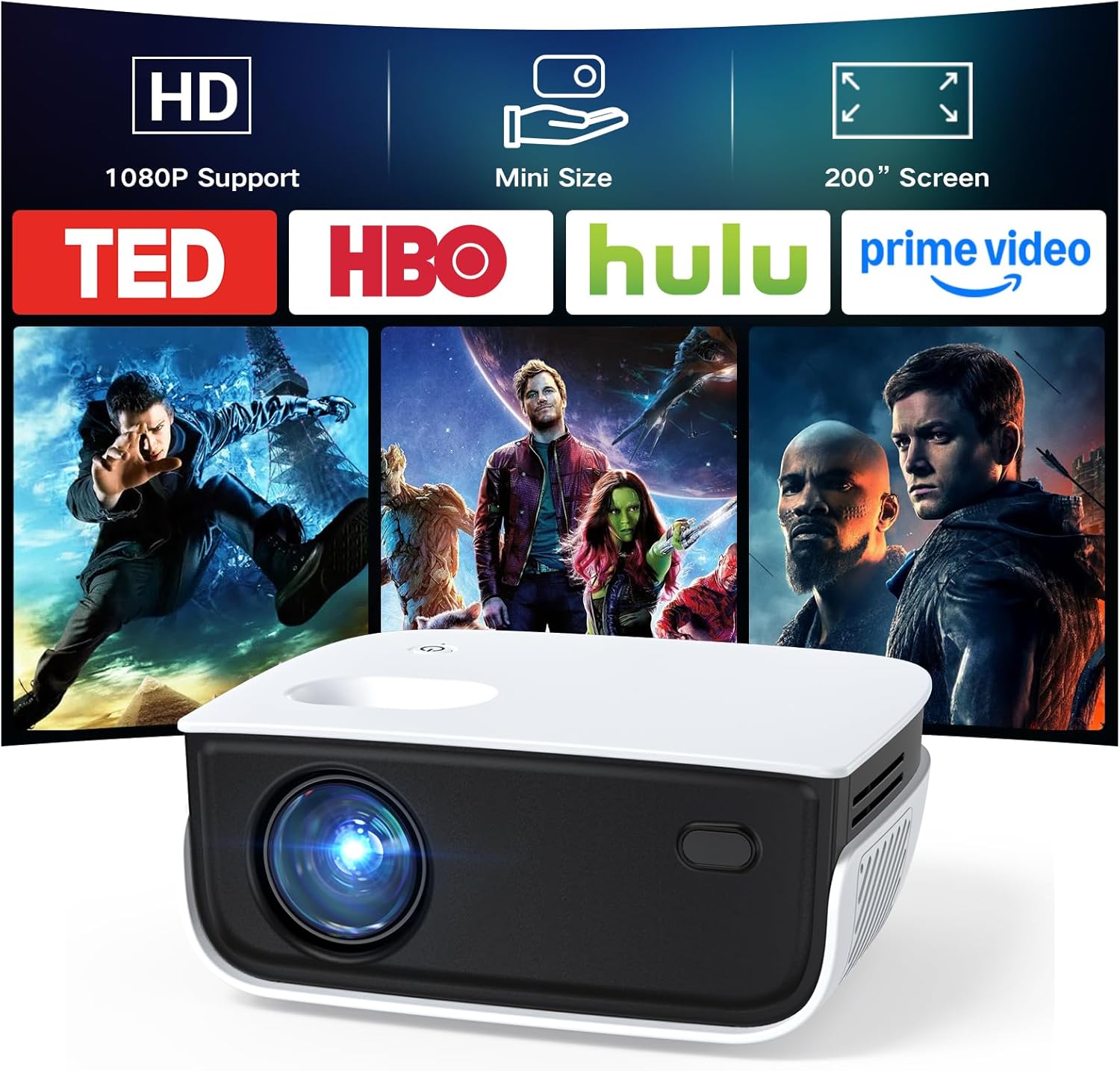
- Premium ($96‑$120): Near the top of the sub‑$100 spectrum, premium models may provide 1080p support (upscaled), 180+ lumens, longer battery life (up to 3 hours), and robust build quality.
- Luxury ($121+): While beyond the “under $100” scope, it’s worth noting that some occasional sales push higher‑end units into the $100 range. These include laser light sources, 4K UHD support, and advanced keystone correction.
Expert Tips for Getting the Best Deal
- Timing is everything: Late summer (July‑August) sees inventory clearance as new models arrive for the holiday season.
- Shop from reputable sellers: Authorized dealers often provide better warranty support than third‑party marketplace sellers.
- Bundle wisely: Some retailers offer a free carrying case or HDMI cable when you purchase a projector bundle.
- Check firmware updates: Manufacturers sometimes release updates that improve brightness or fix connectivity bugs.
- Read the fine print on returns: Ensure you have at least a 30‑day window to test the unit without restocking fees.
- Consider refurbished: Certified refurbished units can provide near‑new performance at a 20‑30% discount.
- Test audio separately: Pair the projector with Bluetooth headphones early to assess latency, especially for gaming.
Frequently Asked Questions
Q: Can I use a portable projector outdoors in daylight?
A: Most sub‑$100 projectors are designed for low‑ambient lighting. For daytime use, select a model with at least 150 lumens and position it in a shaded area or use a portable screen with a high gain surface.
Q: How long does the battery typically last?
A: Battery life varies from 1.5 to 3 hours depending on brightness settings. Turning the brightness down to 50% can extend runtime by up to 30%.
Q: Is an HDMI port necessary?
A: HDMI provides the most reliable video signal and supports higher resolutions. If you plan to connect a gaming console or Blu‑ray player, HDMI is essential.
Q: Do these projectors support 4K content?
A: While most budget units cannot display native 4K, many can accept 4K input and downscale it to 720p, preserving detail better than older 480p models.
Q: What is keystone correction?
A: Keystone correction digitally reshapes a trapezoidal image into a rectangle when the projector isn’t perfectly perpendicular to the screen. Most portable models offer ±30° manual correction; some include automatic correction via a sensor.
Q: Can I connect my phone wirelessly?
A: Yes, if the projector includes Wi‑Fi or Bluetooth. Look for screen‑mirroring standards like Miracast, AirPlay, or built‑in Chromecast.
Q: Are there any health concerns with LED projectors?
A: LED light sources emit less heat and UV radiation than traditional lamps, making them safe for prolonged indoor use.
Q: How do I clean the lens?
A: Use a soft microfiber cloth and a lens‑cleaning solution. Avoid pressing hard; a gentle circular motion removes dust without scratching.
Q: Will the projector work with a laptop that has only USB‑C?
A: If the projector supports USB‑C video input (DisplayPort Alt Mode), you can connect directly. Otherwise, you’ll need a USB‑C‑to‑HDMI adapter.
Q: Is it worth buying a projector with built‑in Android?
A: Built‑in Android adds convenience for streaming apps without a phone, but the experience can be slower than using a dedicated streaming stick. Choose based on how often you’ll use it standalone.
Our Final Recommendations
- Best for Budget‑Conscious Buyers: Anker Nebula Capsule II Mini – Priced at $69, it offers 720p resolution, 100 lumens, and a 2‑hour battery. The compact design and solid build make it perfect for students.
- Best Overall Value: Vankyo Leisure 3 Mini – At $89, it delivers 720p, 150 lumens, HDMI + USB‑C, and a 3‑hour battery. The built‑in speaker is modest, but the image quality shines in dim rooms.
- Best Premium Option: ViewSonic M1 Mini Plus – Slightly above $100 during sales, this model offers 720p, 180 lumens, integrated Harman Kardon speakers, and a sleek JBL‑tuned sound system.
- Best for Beginners: WEMAX i5 Mini – Simple plug‑and‑play operation, Android 9.0 OS, and an intuitive remote. Ideal for users who want streaming without extra cables.
- Best for Advanced Users: Elephas YG600 – Though priced at $95, it includes USB‑C low‑latency mode, 200 lumens, and manual focus, catering to gamers and presenters who need precise control.
Conclusion: Making the Right Choice
Choosing the best portable projector under $100 boils down to aligning your primary use‑case with the right blend of brightness, resolution, and connectivity. Remember the hierarchy: set a realistic budget, prioritize lumens and native resolution, verify the ports you need, and check the warranty.
By avoiding common pitfalls—like chasing the lowest price or ignoring throw distance—you’ll end up with a device that delivers reliable performance for movies, presentations, and casual gaming. Use the expert tips to snag the best deal, and don’t forget to test the projector within the return window.
Now that you’re armed with the knowledge, go ahead and pick the model that fits your lifestyle. Happy projecting!