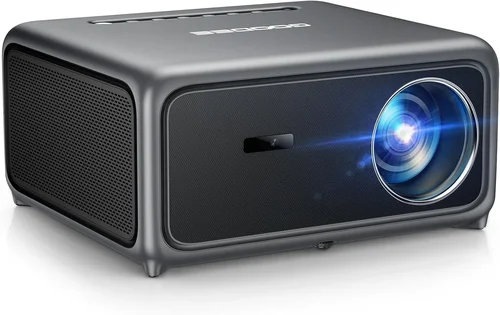
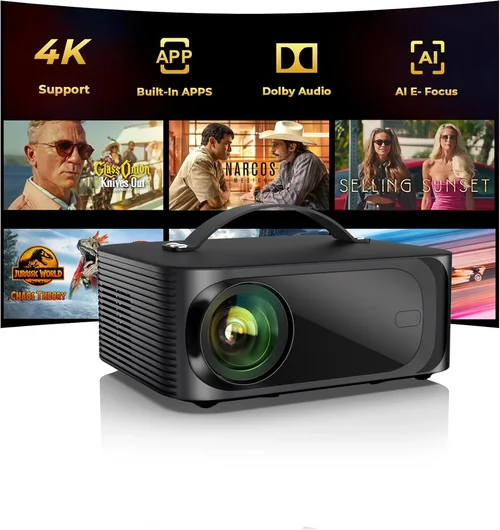
Finding the perfect projector under $3,000 in 2023 can feel like searching for a needle in a haystack. The market is packed with options that promise cinema‑grade picture quality, yet many of them either break the bank or fall short on essential features. That’s why this guide exists – to cut through the hype, compare real‑world performance, and help you make a confident purchase without overspending.
In the pages that follow you will discover exactly what matters most when evaluating a projector in the $2,000–$3,000 bracket, see a clear side‑by‑side comparison of the most common types, avoid the pitfalls that trip up most buyers, and walk away with a shortlist of models that truly deliver value. Whether you are setting up a home theater, a gaming den, or a portable office solution, the insights here will keep you on track.
The projector landscape has evolved dramatically over the past few years. Light‑engine technology has shifted from traditional lamp‑based units to laser and LED hybrids, brightness levels have climbed, and smart connectivity is now standard rather than a bonus. By understanding these trends and how they intersect with your own needs, you can choose a device that not only fits your budget but also stands the test of time.

What to Look for When Buying Buying Guide
1. Budget & Price Range
The first line of any buying decision is the budget. For projectors under $3,000 you can expect a solid blend of performance and features, but you must still prioritize. Determine the absolute ceiling you are willing to spend, then allocate portions of that budget to the most critical specs – typically brightness and resolution. Remember that accessories (screen, mounting hardware, cables) can add $200‑$400, so factor those in early.
2. Performance Specifications
Performance is the heart of a projector’s value proposition. Key numbers to watch include:
- Brightness (ANSI lumens): For ambient‑light rooms aim for 2,500 – 3,500 lumens. Dark home theaters can get away with 1,500 – 2,000 lumens.
- Resolution: 1080p (Full HD) is the baseline; many models now offer 4K UHD or “4K‑enhanced” (pixel‑shift) technology.
- Contrast Ratio: Higher contrast delivers deeper blacks. Look for at least 10,000:1; laser models often exceed 20,000:1.
- Throw Ratio: Determines how far the projector must be from the screen. Short‑throw units (0.8 – 1.2) are great for small rooms, while standard throw (1.5 – 2.5) suits larger spaces.
3. Build Quality & Durability
A projector is a long‑term investment. Metal housings, reinforced lenses, and reliable cooling systems protect against overheating and wear. Check for user‑replaceable lamp or laser modules – this can extend the device’s lifespan by years and reduce total cost of ownership.
4. Features & Functionality
Modern projectors are more than just picture machines. Essential features to consider include:
- Connectivity: HDMI 2.0 or higher, USB‑C, Wi‑Fi, Bluetooth, and Ethernet ports.
- Smart OS: Built‑in Android TV, Roku, or proprietary platforms enable streaming without extra devices.
- Lens Shift & Keystone Correction: Allows flexible placement without image distortion.
- 3D Support: If you plan to watch 3D content, ensure the projector is compatible with your glasses.
5. Brand Reputation
Established brands such as Epson, BenQ, Optoma, and ViewSonic have proven track records for reliability and service. While newer entrants can surprise with innovation, a reputable brand often means easier access to firmware updates, spare parts, and knowledgeable support staff.
6. Warranty & Support
Warranty length varies from 1 to 3 years, with some manufacturers offering extended laser warranties up to 5 years. Look for on‑site service options, responsive customer support hotlines, and clear policies on accidental damage coverage.
7. Size & Portability
If you need a projector that moves from room to room or travels for presentations, weight and footprint matter. Compact “pico” projectors can be under 1 kg, but they typically sacrifice brightness. For a home theater, a larger, heavier unit is acceptable and often provides better heat dissipation.
8. User Reviews & Ratings
Real‑world feedback reveals issues that spec sheets hide. Scan reviews on Amazon, B&H, and dedicated AV forums for recurring complaints about fan noise, lamp life, or firmware glitches. Prioritize models with a consistent 4‑star rating or higher across multiple retailers.
Different Types of Buying Guide

Common Buying Mistakes to Avoid
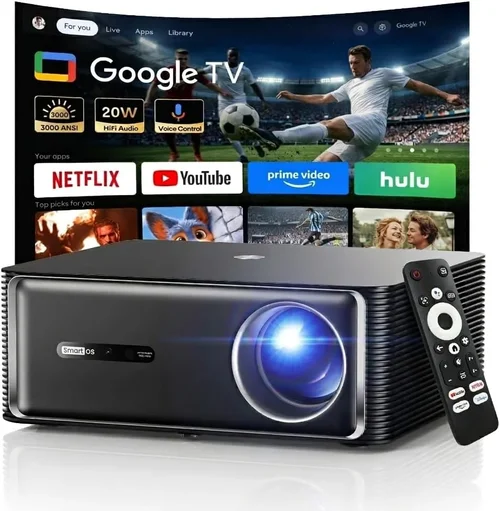
❌ Mistake: Ignoring Ambient Light
Why it’s bad: Buying a dim projector for a bright living room leads to washed‑out images and constant frustration.
What to do instead: Measure the room’s typical lighting and aim for at least 3,000 ANSI lumens if you can’t control light sources.
❌ Mistake: Over‑Focusing on Resolution Alone
Why it’s bad: A 4K panel with insufficient brightness or poor contrast will still look dull.
What to do instead: Balance resolution with brightness, contrast, and color accuracy. In many cases 1080p with high lumens outperforms low‑lumens 4K.
❌ Mistake: Forgetting Lens Shift & Keystone
Why it’s bad: Without adequate lens shift, you may need to place the projector at awkward angles, causing distortion.
What to do instead: Choose a model with at least ±10% vertical lens shift and digital keystone correction for flexible placement.
❌ Mistake: Assuming All Lamps Are Equal
Why it’s bad: Replacing a lamp can cost $150‑$300 and may require professional service.
What to do instead: Prefer laser or LED light sources for longer life and lower ongoing costs.
❌ Mistake: Neglecting Input Lag for Gaming
Why it’s bad: High input lag ruins the gaming experience, especially in fast‑paced shooters.
What to do instead: Look for a gaming mode or input lag below 30 ms at 1080p/60 Hz.
❌ Mistake: Buying Without a Proper Screen
Why it’s bad: A plain wall can cause hotspotting and reduced contrast.
What to do instead: Invest in a matte white or gray gain screen that matches your projector’s brightness level.
Budget Guidelines: How Much Should You Spend?
Understanding how far your money can stretch helps you set realistic expectations.
- Entry‑Level ($1,500 – $2,000): Expect 1080p resolution, 1,800‑2,200 lumens, and a lamp life of 3,000‑4,000 hours. Ideal for dark rooms and occasional movie nights.
- Mid‑Range ($2,000 – $2,500): You’ll find 4K‑enhanced models, laser or LED light sources, higher contrast (10,000:1+), and built‑in smart platforms. This tier balances performance and future‑proofing.
- Premium ($2,500 – $3,000): True 4K UHD, laser light engines, advanced color processing (HDR10, HLG), and robust connectivity. Best for enthusiasts who want cinema‑grade quality without stepping into the $5,000+ arena.
- Luxury ($3,000+): While outside the scope of this guide, these units often include dual‑laser engines, 4K native panels, and professional‑grade calibration tools.
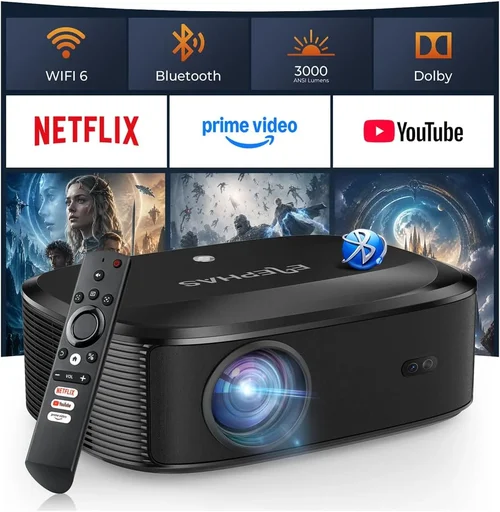
Expert Tips for Getting the Best Deal
- Timing is everything: Black Friday, Cyber Monday, and post‑holiday sales often shave 15‑30% off MSRP.
- Retailer comparison: Check Amazon, B&H, Best Buy, and direct manufacturer sites. Some retailers offer bundle packages (screen + wall mount) that provide extra value.
- Open‑box and refurbished: Certified refurbished units from the manufacturer can be up to 25% cheaper and come with full warranty.
- Coupon stacking: Combine manufacturer promo codes with retailer coupons for maximum savings.
- Warranty extension: If you plan heavy use, a paid extended warranty on a laser model can be cheaper than future lamp replacements.
- Test before you buy: Visit a local AV store to view the projector in person. Pay attention to fan noise, color accuracy, and uniformity.
- Check firmware updates: A recent firmware patch can fix color banding or improve HDMI handshake stability.

Frequently Asked Questions
Q: Does a higher lumen rating always mean a better picture?
A: Not necessarily. While brightness is crucial for well‑lit rooms, an excessively bright image can look harsh in dark environments. Balance lumens with contrast ratio and screen gain for the best overall experience.
Q: Can I use a projector for both movies and gaming?
A: Yes, but prioritize low input lag and a high refresh rate (120 Hz if possible). Many mid‑range models now include a “Game Mode” that reduces processing delay.
Q: How long do laser projectors actually last?
A: Most laser light engines are rated for 20,000‑30,000 hours, which translates to 5‑8 years of daily 4‑hour use before brightness degrades noticeably.
Q: Is a 4K‑enhanced projector worth the extra cost?
A: 4K‑enhanced (pixel‑shift) models upscale a 1080p chip to approximate 4K detail. They offer sharper images than native 1080p at a lower price than true 4K, making them a solid compromise for most home users.
Q: Do I need a separate sound system?
A: Most projectors have basic stereo speakers that are adequate for casual viewing, but for true cinema immersion you’ll want a dedicated soundbar or surround‑sound system.
Q: What screen material should I choose?
A: Matte white screens are versatile, while gray (high‑gain) screens improve perceived contrast in bright rooms. Choose a screen gain that matches your projector’s brightness.
Q: Are there any safety concerns with laser projectors?
A: Modern laser projectors are Class 1, meaning they are safe for typical consumer use. They are sealed units, so there’s no risk of laser exposure under normal operation.
Q: How important is HDR support?
A: HDR (High Dynamic Range) expands color volume and contrast. If you watch HDR content on streaming services, a projector with HDR10 or HLG support will deliver a noticeably richer picture.
Q: Can I mount the projector ceiling‑mounted?
A: Absolutely. Ensure the model has adequate ventilation clearance and consider a ceiling mount kit with a quick‑release plate for easy maintenance.
Our Final Recommendations
- Best for Budget‑Conscious Buyers: Epson Home Cinema 2150 – 2,500 lumens, 1080p, lamp life up to 7,500 hours, and built‑in Android TV. Offers a solid feature set at around $1,800.
- Best Overall Value: BenQ TK800M – 3,000 lumens, true 4K UHD, HDR‑10, and low input lag (≈15 ms). Priced near $2,300, it balances cinematic quality with gaming performance.
- Best Premium Option: Optoma CinemaX P2 – Ultra‑short‑throw 4K laser, 3,000 lumens, 2,500:1 contrast, and integrated Harman/Kardon sound. Ideal for living‑room installations, retailing around $2,999.
- Best for Beginners: ViewSonic M2 – LED‑based, 1,200 lumens, portable, Wi‑Fi casting, and a sleek design. Easy setup and friendly UI make it perfect for first‑time owners at $1,599.
- Best for Advanced Users: LG HU85LA – 4K laser, 2,700 lumens, 2,500:1 contrast, and extensive color calibration tools. Though slightly above $3,000, it’s a worthy stretch for enthusiasts seeking ultimate image fidelity.
Conclusion: Making the Right Choice
Choosing the best projector under $3,000 in 2023 comes down to aligning your viewing environment, usage patterns, and long‑term expectations with the specifications that truly matter. By focusing on brightness, contrast, light‑engine type, and smart features, you can avoid common pitfalls and invest in a unit that delivers cinema‑quality experiences without breaking the bank.
Remember to evaluate ambient light, prioritize a reputable brand, and take advantage of seasonal discounts. With the recommendations and tips provided here, you’re equipped to walk into a store—or click “add to cart”—with confidence, knowing you’ve selected the projector that best fits your lifestyle and budget.
Ready to transform your movie nights, gaming sessions, or presentations? Start comparing models, check the latest deals, and bring home a projector that turns any space into a visual masterpiece.