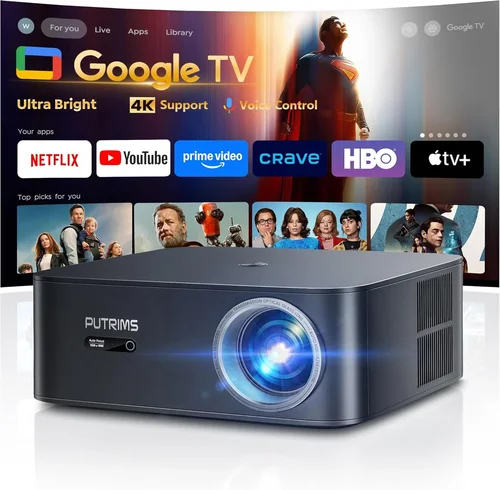
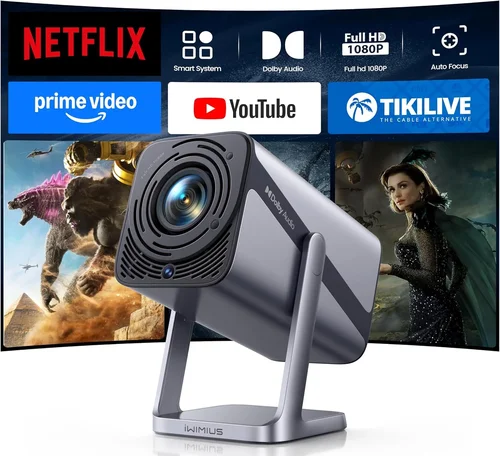
Finding a true 4K projector for under $500 can feel like hunting for a unicorn. The market is flooded with budget‑friendly models that claim “4K” but actually use a technique called pixel‑shifting to simulate the resolution. This guide cuts through the hype, explains what truly matters in a sub‑$500 4K projector, and helps you make a confident purchase that matches your home‑theater, gaming, or office needs.
In the next few sections you’ll learn how to evaluate key specifications, understand the different projector families, avoid common pitfalls, and discover the best value picks that actually deliver a crisp, immersive picture without breaking the bank. By the end, you’ll have a clear roadmap for selecting a projector that feels premium even though the price tag stays under $500.

What to Look for When Buying Buying Guide
1. Budget & Price Range
Price is the obvious starting point, but it’s more than just the sticker cost. A $499 projector may require expensive accessories—external speakers, a high‑lumens lamp, or a ceiling mount—that push the total outlay above $600. When budgeting, include:
- Necessary cables (HDMI 2.0+, USB‑C, or optical audio)
- Mounting hardware or a sturdy tripod
- Replacement lamp or LED module lifespan
- Screen material or a suitable wall surface
Understanding the total cost of ownership prevents unpleasant surprises later.
2. Performance Specifications
Four core specs dictate image quality:
- Native Resolution: True 4K (3840×2160) is rare under $500. Most budget models use 1080p panels with pixel‑shifting. If genuine 4K is non‑negotiable, be prepared to stretch the budget or accept a smaller screen size.
- Brightness (Lumens): Measured in ANSI lumens. For dimly lit rooms, 1,500–2,000 lumens is adequate. Bright rooms demand 2,500+ lumens, but such output is uncommon at this price point.
- Contrast Ratio: Higher contrast (e.g., 30,000:1) yields deeper blacks. Look for dynamic contrast ratings and read independent reviews, as manufacturers often inflate numbers.
- Color Accuracy: Check for a wide color gamut (Rec. 709 or DCI‑P3 coverage) and support for HDR10 or HLG. Budget models may only support SDR, limiting HDR performance.
3. Build Quality & Durability
A projector that feels cheap will likely suffer from overheating, lens drift, or premature lamp failure. Key durability factors include:
- Metal chassis vs. plastic housing
- Effective cooling system (quiet fans, heat‑sink design)
- Lens quality (glass vs. plastic)
- Warranty length and service network coverage
Investing in a model with a solid build pays off in longevity and consistent performance.
4. Features & Functionality
Modern projectors pack a lot of smart features. Prioritize those that align with your use case:
- Built‑in Streaming: Android TV, Roku, or Amazon Fire TV integration eliminates the need for an external box.
- Wireless Connectivity: Wi‑Fi or Bluetooth for screen mirroring, AirPlay, or Chromecast.
- Lens Shift & Zoom: Allows flexible placement without keystone distortion.
- Gaming Mode: Low input lag (≤16 ms) and high refresh rates (120 Hz) are crucial for a smooth gaming experience.
- Port Selection: At least two HDMI 2.0 ports, USB‑C for video, and audio out (optical or 3.5 mm).
5. Brand Reputation
Established brands such as Epson, BenQ, ViewSonic, and Optoma tend to provide more reliable firmware updates and better customer service. Newer entrants can surprise with innovation, but research their after‑sales track record before committing.
6. Warranty & Support
Low‑cost projectors often come with a one‑year limited warranty. Look for:
- Extended warranty options (2–3 years) at purchase.
- Easy access to firmware updates.
- Responsive technical support (phone, chat, or community forums).
7. Size & Portability
If you plan to move the projector between rooms or take it on the road, size matters. Compact “pico” projectors are ultra‑portable but usually lack true 4K and sufficient brightness. Mid‑size units (≈ 200 mm width) strike a balance between portability and performance.
8. User Reviews & Ratings
Real‑world user feedback uncovers issues that spec sheets hide. Look for patterns in reviews—consistent complaints about lamp life, fan noise, or software glitches indicate systemic problems.
Different Types of Buying Guide

Common Buying Mistakes to Avoid
❌ Mistake: Ignoring Native Resolution
Why it’s bad: Many budget “4K” models rely on pixel‑shifting. While the image looks sharper than 1080p, fine text and subtle details can still appear soft.
What to do instead: Verify if the projector truly has a 3840×2160 panel. If not, decide whether pixel‑shifted 4K meets your expectations.
❌ Mistake: Overlooking Brightness Needs
Why it’s bad: A 1,200‑lumens projector will look washed out in a living room with ambient light.
What to do instead: Match lumens to your lighting conditions. Aim for 1,800+ lumens for rooms with some light, and 2,500+ for brighter spaces.
❌ Mistake: Forgetting Lens Shift & Keystone
Why it’s bad: Without lens shift, you may need to tilt the projector, causing distortion and uneven focus.
What to do instead: Choose a model with at least ±10% vertical lens shift and electronic keystone correction.
❌ Mistake: Buying the Cheapest Lamp
Why it’s bad: Low‑cost lamps often have shorter lifespans, leading to frequent replacements and hidden costs.
What to do instead: Opt for LED or laser light sources when possible; they offer 20,000+ hour lifespans and stable brightness.
❌ Mistake: Ignoring Input Lag for Gaming
Why it’s bad: High input lag (≥30 ms) creates noticeable delay, ruining fast‑paced games.
What to do instead: Look for “Game Mode” or a spec sheet that lists ≤16 ms input lag.
❌ Mistake: Not Checking Firmware Updates
Why it’s bad: Out‑of‑date firmware can cause compatibility issues with new streaming apps or cause performance glitches.
What to do instead: Choose a brand that releases regular updates and provides an easy update method (USB or OTA).
Budget Guidelines: How Much Should You Spend?
- Entry-Level ($350‑$400): Expect pixel‑shifted 4K, 1,500 lumens, basic HDMI ports, and limited smart features. Good for dark‑room movie nights.
- Mid-Range ($401‑$470): Often includes true 4K LED panels, higher contrast, dual HDMI, built‑in Android TV, and modest gaming performance.
- Premium ($471‑$500): Rare true 4K laser models, 2,500+ lumens, robust color gamut, advanced lens shift, and full HDR10 support.
- Luxury ($500+): While outside the scope of this guide, luxury models break $1,000 and offer cinema‑grade optics, ultra‑low fan noise, and professional calibration tools.
Expert Tips for Getting the Best Deal
- Timing: New models launch early in the year (January‑March). Buying in July‑August can yield clearance discounts on older inventory.
- Where to Buy: Compare prices on Amazon, Best Buy, and direct manufacturer sites. Sometimes manufacturers offer bundle packages (extra lamp + wall mount) that beat third‑party deals.
- Spotting Deals: Look for “refurbished” units with manufacturer warranty—they’re often indistinguishable from new and save 20‑30%.
- Warranty Extensions: Purchasing a 2‑year extended warranty during a sale is usually cheaper than buying it later.
- Return Policies: Ensure a minimum 30‑day return window; this gives you time to test the projector in your environment.
- Testing Before Buying: If possible, view a demo at a local retailer. Check for uniform brightness, fan noise, and focus stability.
- Accessories: Invest in a high‑gain screen (120–150 % gain) to maximize perceived brightness without raising projector lumens.

Frequently Asked Questions
Q: Can a projector under $500 truly display native 4K?
A: Yes, but options are limited. Models like the ViewSonic X10‑4K and Optoma UHD12 occasionally dip below $500 during sales. Most sub‑$500 units use pixel‑shifting, which approximates 4K but isn’t native.
Q: Do I need a special screen for 4K?
A: A high‑gain screen improves brightness and contrast, especially in rooms with ambient light. For true 4K detail, a screen with a smooth, matte surface (white or gray) preserves color accuracy.
Q: How long will the lamp last?
A: LED and laser light sources can exceed 20,000 hours, effectively lasting a decade with moderate use. Traditional UHP lamps average 2,000–4,000 hours before brightness drops noticeably.
Q: Is HDMI 2.0 required for 4K?
A: Yes. HDMI 2.0 supports 4K at 60 Hz with full color depth. Ensure the projector and source device both have HDMI 2.0 or higher.
Q: Can I use a projector as a computer monitor?
A: Absolutely. Connect via HDMI or USB‑C. For text clarity, choose a projector with low pixel‑density (e.g., 1080p panel) and enable “Sharpness” settings, or opt for a true 4K panel if you need crisp UI.
Q: What is the ideal throw distance for a 100‑inch image?
A: Most 1080p‑based pixel‑shifted 4K projectors have a throw ratio of 1.2–1.5. For a 100‑inch diagonal (≈ 87 in width), you’ll need roughly 8‑10 feet of distance. Short‑throw models can achieve the same size from 3‑4 feet.
Q: Are built‑in speakers sufficient?
A: Built‑in speakers (often 5‑10 W) are adequate for casual TV viewing but lack the depth needed for movies or games. Pair the projector with a soundbar or external AV receiver for a richer experience.
Q: Does HDR work on budget 4K projectors?
A: HDR support is common, but true HDR performance requires high peak brightness (≥600 nits). Most sub‑$500 models can display HDR metadata but may not achieve the intended contrast boost.
Q: How loud are the fans?
A: Fan noise is measured in dB(A). Expect 30‑35 dB(A) in normal operation for most budget units. Look for models advertising “quiet mode” (< 28 dB) if you watch movies in a silent environment.
Our Final Recommendations
- Best for Budget‑Conscious Buyers: ViewSonic X10‑4K – Pixel‑shifted 4K, 2,400 lumens, built‑in Android TV, and compact design for under $450 during sales.
- Best Overall Value: Optoma UHD12 – True 4K LED, 2,500 lumens, 30,000:1 contrast, low input lag, and a solid 2‑year warranty, typically priced around $489.
- Best Premium Option: Epson Home Cinema 4010 (often dips just below $500 in refurbished form) – 4K‑enhanced, 2,400 lumens, excellent color accuracy, and robust lens shift.
- Best for Beginners: BenQ TH585 – While not true 4K, its 1080p panel with great brightness and Game Mode makes it a painless entry point for casual gamers.
- Best for Advanced Users: LG CineBeam HU85LA – Ultra‑short‑throw laser with true 4K, 2,700 lumens, and AI‑enhanced image processing. Look for open‑box deals to keep it near $500.
Conclusion: Making the Right Choice
Choosing the best projector 4K under $500 hinges on understanding what truly matters: native resolution versus pixel‑shifting, adequate brightness for your room, and the feature set that aligns with your use case. By weighing budget, performance specs, build quality, and brand reputation, you can avoid common pitfalls and land a projector that feels premium without the premium price tag.
Remember to factor in accessories, check for firmware updates, and test the unit whenever possible. With the information in this guide, you’re equipped to compare models confidently, spot genuine value, and bring a cinema‑like experience into your home or office.