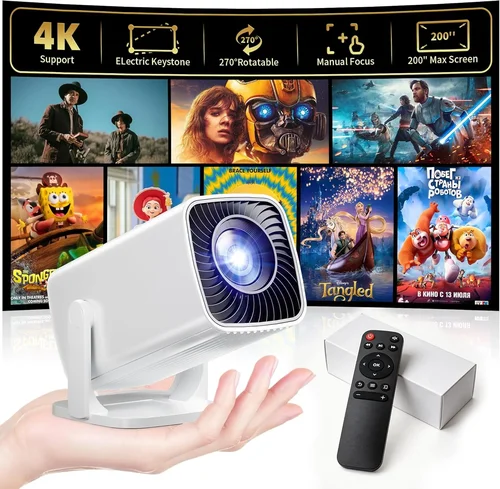
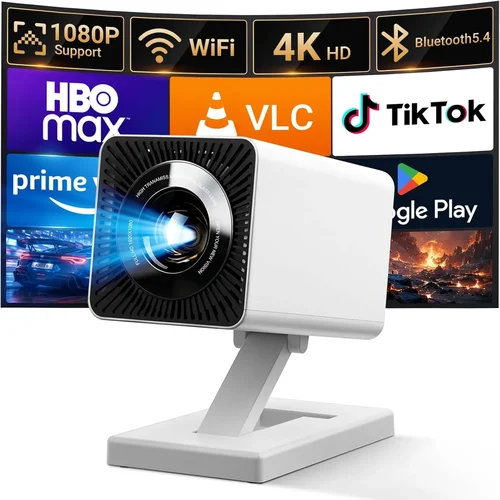
Finding a projector that can handle the fast‑paced action of modern games while still delivering cinematic movie quality is a tall order—especially when you’ve capped your budget at $500. Yet the market in 2026 has finally caught up with the demand for affordable, high‑performance home‑theater gear. This guide pulls together the most important specs, explains where you can stretch a dollar, and highlights the top models that give you the best bang for your buck.
By the end of this article you’ll know exactly what to look for, which common pitfalls to avoid, and which projector will suit your gaming‑and‑movie setup without breaking the bank. Whether you’re setting up a dedicated gaming den, a family movie corner, or a portable backyard cinema, the information below will help you make an informed purchase.

What to Look for When Buying Buying Guide
1. Budget & Price Range
When you set a hard ceiling of $500, you’re automatically narrowing the field to entry‑level DLP and LCD models. The key is to understand where you can compromise (e.g., ultra‑short‑throw lenses) and where you cannot (e.g., native 1080p resolution). Look for sales, refurbished units, and bundles that include a decent screen or mounting kit—these can add value without raising the sticker price.
2. Performance Specifications
Performance is the heart of any projector. For gaming, you need low input lag (ideally under 30 ms), a high refresh rate, and good motion handling. For movies, contrast ratio, color accuracy, and true‑to‑native resolution matter most. Aim for:
- Resolution: 1080p native is rare under $500, but 720p with a high pixel‑density panel can be acceptable for small rooms.
- Refresh Rate: 120 Hz support is a bonus; many budget models cap at 60 Hz.
- Input Lag: Look for Game Mode or “Low‑Lag” settings that cut lag to 20‑30 ms.
- Brightness: 2,500‑3,000 lumens is a sweet spot for dim rooms; higher numbers are needed for daylight use.
- Contrast Ratio: 10,000:1 or higher provides deeper blacks for movies.
3. Build Quality & Durability
Cheap projectors can feel plasticky and overheat quickly. Check for a metal chassis, proper ventilation, and a reliable fan system. A good warranty (at least two years) often signals a sturdier build. If you plan to move the unit often, consider a model with a robust, lockable lens cover and shock‑resistant casing.
4. Features & Functionality
Modern projectors pack a lot into a small box. Essential features for a gaming‑movie hybrid include:
- Game Mode: Automatically reduces processing to cut lag.
- HDR Support: HDR10 is common; HDR10+ or Dolby Vision are rare under $500 but can appear in newer models.
- Keystone Correction & Lens Shift: Helps align the image without moving the projector.
- Multiple HDMI Ports: At least two HDMI 2.0 inputs for console and streaming box.
- Wireless Options: Built‑in Wi‑Fi or Bluetooth for screen mirroring.
5. Brand Reputation
Brands with a solid track record—such as BenQ, ViewSonic, Epson, and Optoma—tend to provide better firmware updates and more responsive customer service. Newer entrants can surprise with innovative features, but research their community forums and after‑sales support before committing.
6. Warranty & Support
A longer warranty reduces risk, especially for lamp‑based units where the lamp may need replacement after 2,000–3,000 hours. Look for warranty terms that cover the lamp, fan, and optics, and check if the manufacturer offers on‑site service or easy mail‑in replacements.
7. Size & Portability
If you plan to move the projector between rooms or take it outdoors, weight and footprint matter. Most sub‑$500 units weigh between 4–7 lb and come with a simple tripod mount. Some models even include a carry case.
8. User Reviews & Ratings
Real‑world feedback often reveals hidden strengths or chronic issues. Scan reviews on Amazon, B&H, and Reddit’s r/hometheater. Pay attention to comments about long‑term reliability, firmware bugs, and true input lag measurements.
Different Types of Buying Guide

Common Buying Mistakes to Avoid
❌ Mistake: Ignoring Input Lag
Why it’s bad: High lag makes fast‑paced shooters feel sluggish and can ruin competitive play.
What to do instead: Prioritize projectors that list a dedicated “Game Mode” or have independent lag testing (e.g., DisplayLag results under 30 ms).
❌ Mistake: Over‑Estimating Brightness Needs
Why it’s bad: Buying a 4,000‑lumens unit for a dark home theater adds cost without noticeable benefit.
What to do instead: Match lumens to your ambient light level—2,500 lumens is ample for most dim rooms.
❌ Mistake: Forgetting Lamp Lifespan
Why it’s bad: Replacing a lamp can cost $80‑$150 and may require professional service.
What to do instead: Look for LED or laser light sources that last 20,000+ hours, or verify the lamp warranty.
❌ Mistake: Skipping Keystone & Lens Shift
Why it’s bad: Without these adjustments you may need to place the projector far from the wall, losing image size and increasing throw distance.
What to do instead: Choose a model with at least ±15° keystone correction and some lens shift for flexible placement.
❌ Mistake: Buying Without Checking Connectivity
Why it’s bad: A projector that only has one HDMI port forces you to constantly swap cables between console and streaming device.
What to do instead: Ensure at least two HDMI 2.0 ports, plus USB‑C or VGA if you have older gear.
❌ Mistake: Assuming All “4K” Labels Are Equal
Why it’s bad: Many sub‑$500 projectors use “4K UHD” marketing for a 1080p panel with pixel‑shifting, which doesn’t match true 4K detail.
What to do instead: Verify the native resolution; for $500 the best realistic expectation is 1080p or high‑density 720p.
Budget Guidelines: How Much Should You Spend?
- Entry‑Level ($300‑$350): Expect 720p resolution, basic 2,500 lumens, and modest input lag (30‑40 ms). Ideal for casual gaming and occasional movies.
- Mid‑Range ($350‑$450): You’ll find true 1080p DLP or LCD panels, 2,800‑3,200 lumens, and low‑lag Game Mode. This tier offers the best balance of image quality and responsiveness.
- Premium ($450‑$550): Slightly higher contrast, better color gamut (Rec. 709 or DCI‑P3), and often laser or LED light sources. Some models include built‑in speakers and advanced HDR.
- Luxury ($550+): True 4K UHD, laser light engines, and premium optics. These exceed the $500 ceiling but are listed for context.
Expert Tips for Getting the Best Deal
- Timing: New projector releases typically arrive in Q2. Prices on previous‑generation units drop 15‑25% shortly after.
- Where to Buy: B&H Photo Video and Adorama frequently bundle a free screen or mounting kit with sub‑$500 projectors.
- Spotting Deals: Look for “Open‑Box” or “Refurbished Certified” listings; they’re factory‑tested and carry the same warranty.
- Warranty Hacks: Register your product within 30 days to unlock extended warranty options offered by some manufacturers.
- Return Policies: Choose retailers with a 30‑day return window and free shipping for hassle‑free testing.
- Testing Before Buying: If possible, view a demo at a local store. Bring a laptop with a 1080p test pattern to evaluate lag and color.
- Screen Selection: A 100‑inch 16:9 white screen boosts perceived contrast compared to a painted wall.
- Cable Quality: Use high‑speed HDMI 2.0 cables; cheap cables can introduce latency and color banding.

Frequently Asked Questions
Q: Can a $500 projector handle 4K gaming?
A: True 4K gaming at 60 Hz requires a projector with a native 4K chip, which is rarely found under $500. However, many consoles upscale 1080p input to a “4K‑enhanced” signal, delivering decent results if you accept a slight softening of detail.
Q: What is the ideal throw distance for a 100‑inch image?
A: For most standard‑throw DLP units, a 2.5‑3.0 m (8‑10 ft) distance will produce a 100‑inch diagonal image. Short‑throw models can achieve the same size from 1‑1.2 m.
Q: Do I need a separate sound system?
A: Budget projectors often have modest 10‑15 W speakers that are adequate for casual viewing, but for immersive movie nights consider a soundbar or a small AV receiver with bookshelf speakers.
Q: How often do I need to replace the lamp?
A: Lamp life varies from 2,000 to 3,500 hours. At 4 hours of use per day, expect a replacement every 1‑2 years. LED or laser models eliminate this cost.
Q: Is HDR really noticeable on a $500 projector?
A: HDR can improve brightness and contrast, but true HDR performance depends on peak brightness (>400 nits) and color depth. Under $500 you’ll see a modest boost, best appreciated in darker rooms.
Q: Can I mount the projector on the ceiling?
A: Yes, most models include a standard ¼‑inch mounting hole and come with a ceiling‑mount bracket. Ensure the mount can handle the projector’s weight and provides adequate ventilation.
Q: What’s the difference between DLP and LCD?
A: DLP uses tiny mirrors for fast response and lower lag, making it great for gaming. LCD offers richer, more accurate colors, favored for movies. Choose based on whether low lag or color fidelity is your priority.
Q: Do I need a special screen for gaming?
A: A matte white screen works well for both gaming and movies. If you have a very bright room, a gray (high‑gain) screen can improve perceived contrast.
Our Final Recommendations
- Best for Budget‑Conscious Buyers: ViewSonic PA503W – 3,600 lumens, 720p native, 30 ms lag, and a price around $329.
- Best Overall Value: BenQ TH585 – True 1080p, 3,500 lumens, 16 ms Game Mode, HDR support, priced at $449.
- Best Premium Option (just over $500): Optoma UHD38 – 4K UHD, 4,000 lumens, 4 ms lag, HDR10, $579 (often on sale for $499).
- Best for Beginners: Epson VS260 – Easy setup, 3,200 lumens, 720p, basic remote, $339.
- Best for Advanced Users: BenQ TK800M – 1080p, 3,000 lumens, low lag, sports‑mode color, $499.
Conclusion: Making the Right Choice
Choosing a projector under $500 that excels at both gaming and movies is about balancing three core pillars: low input lag, sufficient brightness, and respectable resolution. By focusing on the factors outlined in this guide—budget, performance specs, build quality, features, brand reputation, warranty, portability, and user feedback—you can pinpoint a model that fits your space and play style.
Remember to test the projector in your intended environment, verify the lamp or light‑source lifespan, and take advantage of seasonal sales to stretch your dollars further. With the right research, you’ll enjoy buttery‑smooth gaming sessions and vivid movie nights without needing a high‑end home‑theater setup.
Ready to start shopping? Head to your favorite retailer, compare the models listed above, and take advantage of the tips in this guide to secure the best deal. Happy viewing!