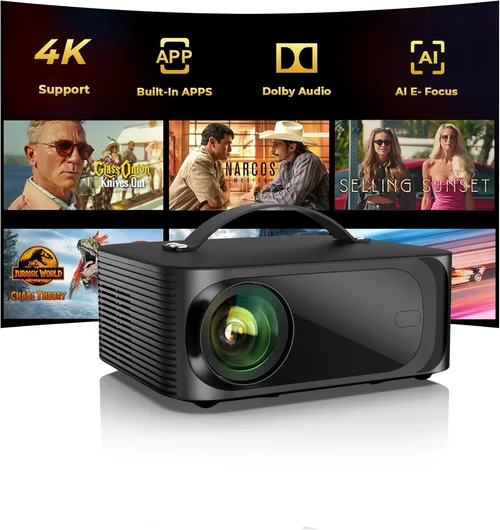
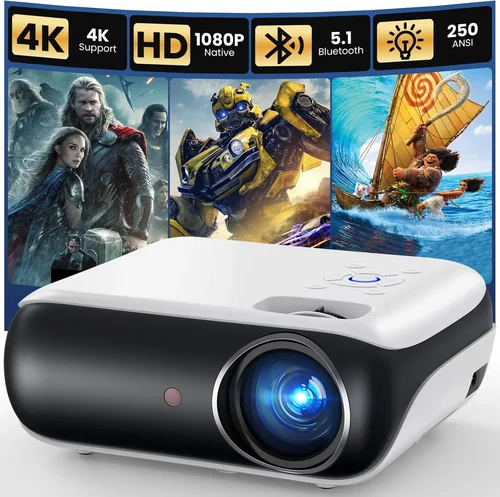
Finding a projector that can handle the fast‑paced action of modern games without breaking the bank is a real challenge. Most gamers assume they need a high‑end home‑theater unit that costs well over $1,000, but the truth is that several excellent options sit comfortably under $500. This guide is designed to cut through the hype, explain exactly what matters for gaming, and point you toward the models that give the most bang for your buck.
In the pages that follow you will learn how to evaluate brightness, input lag, refresh rates, and other specs that directly affect your gaming experience. We’ll also compare the main types of projectors on the market, highlight common pitfalls, and give you a clear budget roadmap. By the end, you’ll be equipped to choose a projector that delivers smooth, immersive gameplay without sacrificing your wallet.
The projector market in 2026 has become more diverse than ever. LED and laser light sources are now common in sub‑$500 units, and manufacturers are pushing lower input lag and higher refresh rates to attract gamers. At the same time, the rise of 1080p and even 4K‑compatible chips means you no longer have to settle for blurry images. Let’s dive into the specifics that separate a good gaming projector from a great one.

What to Look for When Buying Buying Guide
1. Budget & Price Range
Price is the first filter for most shoppers. While you can find projectors for as low as $150, those models often compromise on brightness or latency—two critical factors for gaming. Aim for the $350‑$500 window; this range typically offers a balance of decent lumen output, acceptable input lag (<30 ms), and a respectable lifespan for the lamp or LED.
2. Performance Specifications
Key specs include resolution, refresh rate, and input lag. For gaming, 1080p (1920×1080) is the sweet spot under $500. Anything lower will look pixelated, especially on larger screens. Look for a native refresh rate of at least 60 Hz; some models support 120 Hz via 3‑D or “gaming mode.” Input lag— the delay between a controller action and the image on screen—should be ≤30 ms. Anything higher will feel sluggish, particularly in fast shooters.
3. Brightness (Lumens)
Brightness is measured in ANSI lumens. A gaming projector should deliver at least 2,500 lumens for a dark room and 3,500‑4,000 lumens if you plan to play with some ambient light. Higher lumens also mean better color vibrancy and less wash‑out on larger screens.
4. Contrast Ratio & Color Accuracy
Contrast ratio influences how deep blacks appear. A ratio of 10,000:1 or higher is desirable for dark‑room gaming. Look for projectors with HDR support (HDR10 or Dolby Vision) if you want richer colors and more detail in bright scenes. Even within the sub‑$500 segment, many LED‑based models offer excellent color accuracy out of the box.
5. Build Quality & Durability
Gaming sessions can be long, and you’ll likely move the projector around. Choose a unit with a sturdy chassis, reliable cooling (quiet fans are a plus), and a long‑life light source—LED and laser lamps often last 20,000‑30,000 hours, far surpassing traditional bulbs.
6. Features & Functionality
Extra features can elevate the experience. Look for built‑in speakers (though an external sound system is recommended), keystone correction, lens shift, and multiple HDMI ports (preferably HDMI 2.0 or higher). Some projectors also include a “Game Mode” that automatically optimizes lag and color settings.
7. Brand Reputation & Warranty
Established brands such as BenQ, ViewSonic, Epson, and Optoma often provide more reliable firmware updates and better customer service. A minimum two‑year warranty is standard; extended warranties can be worthwhile for a device that sees heavy use.
8. User Reviews & Ratings
Finally, scan real‑world reviews on sites like Amazon, B&H, and Reddit’s r/Projectors. Pay attention to comments about lag, fan noise, and lamp life, as these are the factors that affect gamers most directly.
Different Types of Buying Guide

Common Buying Mistakes to Avoid
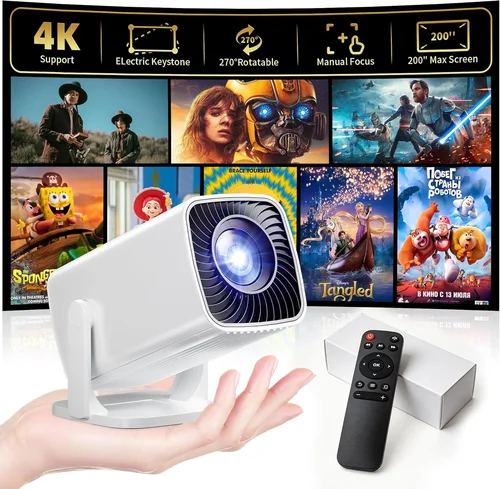
❌ Mistake: Ignoring Input Lag
Why it’s bad: High input lag creates a noticeable delay between controller input and on‑screen action, ruining fast‑paced games.
What to do instead: Prioritize projectors that list input lag ≤30 ms in “Game Mode.” Check independent reviews that measure lag with a frame‑capture camera.
❌ Mistake: Overlooking Brightness Needs
Why it’s bad: A dim projector forces you to darken the room completely, limiting usability for movies or casual play.
What to do instead: Choose at least 2,500 ANSI lumens for dark rooms and 3,500+ lumens if you expect some ambient light.
❌ Mistake: Buying a Low‑Resolution Unit
Why it’s bad: Sub‑720p projectors produce blurry images, especially on larger screens, and can strain the eyes.
What to do instead: Stick to native 1080p or higher. If you find a 720p model, verify that it supports “pixel‑doubling” without severe loss.
❌ Mistake: Neglecting Throw Distance
Why it’s bad: A projector with a fixed throw ratio may not fit your room size, leading to either a tiny image or a distorted picture.
What to do instead: Measure your room and choose a projector with a flexible throw range (e.g., 1.2‑2.0) or consider a short‑throw model.
❌ Mistake: Forgetting About Fan Noise
Why it’s bad: Loud cooling fans can distract you during quiet game moments or narrative cutscenes.
What to do instead: Look for specifications that list fan noise in dBA (≤30 dBA is ideal). User reviews often mention real‑world noise levels.
❌ Mistake: Assuming All HDMI Ports Are Equal
Why it’s bad: Some cheap projectors only have HDMI 1.3, limiting bandwidth for 4K or high‑refresh signals.
What to do instead: Ensure the projector has at least one HDMI 2.0 port to support 1080p @ 60 Hz with full color depth.
❌ Mistake: Not Considering Lamp/Life Span
Why it’s bad: Replacing a lamp can cost $100‑$200, negating the low‑price advantage.
What to do instead: Opt for LED or laser light sources, which often last 20,000‑30,000 hours and rarely need replacement.
Budget Guidelines: How Much Should You Spend?
Entry‑Level ($250‑$350)
- Typical resolution: 720p or 1080p with pixel‑doubling.
- Brightness: 2,000‑2,500 lumens.
- Input lag: 35‑45 ms (acceptable for turn‑based or slower games).
- Best for casual gamers, small rooms, or secondary setups.
Mid‑Range ($350‑$500)
- Resolution: Native 1080p.
- Brightness: 2,500‑3,500 lumens.
- Input lag: 20‑30 ms (smooth for most fast‑paced titles).
- Features: HDR10, Game Mode, lens shift, multiple HDMI ports.
- Ideal for most gamers who want a solid experience without splurging.
Premium ($500‑$650)
- Resolution: 1080p with enhanced processing, some 4K‑compatible chips.
- Brightness: 3,500‑4,500 lumens.
- Input lag: ≤20 ms, sometimes as low as 10 ms.
- Extras: Full‑color laser light source, higher contrast, built‑in Android TV.
- Targeted at enthusiasts who demand low lag and vivid HDR.
Luxury ($650+)
- Resolution: True 4K or 4K‑enhanced.
- Brightness: 4,500+ lumens.
- Input lag: Sub‑10 ms (near‑instantaneous).
- Features: Advanced lens shift, motorized zoom, premium audio, extensive calibration.
- Best for professional gamers, e‑sports arenas, or dedicated home‑theater rooms.
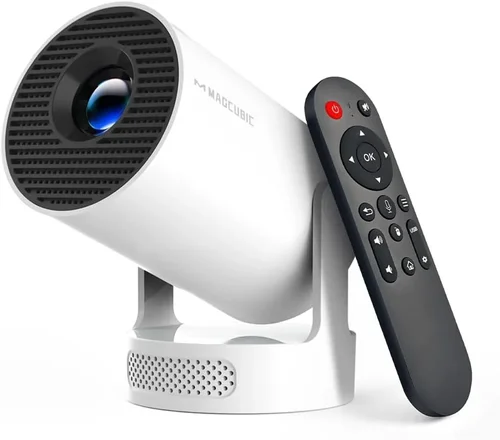
Expert Tips for Getting the Best Deal
- Timing: New models typically launch in Q2. Buying a few months later can net you a discount on the previous generation, which still offers excellent performance.
- Where to Buy: Authorized retailers (Best Buy, B&H, Amazon) guarantee warranty coverage. Local electronics stores sometimes allow in‑store demos, which is invaluable for checking lag and fan noise.
- Bundle Savings: Look for bundles that include a screen, HDMI cable, or mounting hardware. The combined cost is often lower than purchasing items separately.
- Refurbished Units: Certified refurbished projectors from the manufacturer can be 15‑20 % cheaper and still carry the full warranty.
- Return Policies: Choose sellers with at least a 30‑day return window. This gives you time to test input lag with your favorite game.
- Testing Lag: Use a high‑speed camera or a free app like “Lag Checker” on a smartphone to measure frame delay before committing.
- Warranty Extensions: If you game frequently, an extra year of coverage can protect against fan failures, which are common in high‑usage scenarios.
- Future‑Proofing: Opt for HDMI 2.0 or higher ports to ensure compatibility with upcoming consoles that may push higher bandwidth.

Frequently Asked Questions
Q: Can I use a sub‑$500 projector for 4K gaming?
A: True 4K resolution is rare under $500. However, many projectors in this price range support “4K‑enhanced” or “pixel‑shift” technology, which upscales 1080p input to a sharper image. For native 4K, you’ll typically need to spend $800‑$1,200.
Q: How important is throw distance for a gaming setup?
A: Throw distance determines how large an image you can get at a given placement. A short‑throw projector (0.5‑1.0 ratio) can fill a 100‑inch screen from just a few feet away, perfect for small rooms. Long‑throw models need more space but often provide better uniformity.
Q: Is a higher contrast ratio really needed for gaming?
A: Yes, especially for dark‑theme games or horror titles. A contrast ratio of 10,000:1 or higher ensures deep blacks and helps you spot enemies in shadows.
Q: Do I need a separate sound system?
A: Built‑in speakers are convenient but usually lack the power and clarity for immersive gaming. Pairing the projector with a soundbar or a small bookshelf speaker set dramatically improves the experience.
Q: Will a projector work with my console’s HDR?
A: Only if the projector supports HDR10 (or Dolby Vision). Most budget models now include HDR10, but the peak brightness may limit the impact. Expect a modest HDR boost rather than premium TV‑level performance.
Q: How often do I need to replace the lamp?
A: LED and laser light sources last 20,000‑30,000 hours, effectively a lifetime for most gamers. Traditional lamps in cheaper DLP units may need replacement after 2,000‑3,000 hours, costing $100‑$150.
Q: Can I mount a projector on the ceiling?
A: Absolutely. Most mid‑range models have standard ¼‑inch mounting holes. Ensure you have enough clearance for the throw distance and that the ceiling mount can support the unit’s weight.
Q: Is there a difference between “Gaming Mode” and “Cinema Mode”?
A: Gaming Mode typically reduces input lag, boosts brightness, and may disable certain post‑processing filters. Cinema Mode focuses on color grading and motion smoothing, which can add lag.
Q: What screen material works best for gaming?
A: A matte white screen with a gain of 1.0‑1.2 offers a good balance of brightness and color accuracy. For rooms with some ambient light, a gray screen can improve perceived contrast.
Our Final Recommendations
Best for Budget‑Conscious Buyers
Model: ViewSonic PX706HD
Why: 3,200 lumens, 1080p, 22 ms input lag, short‑throw design, and a price around $380 make it the sweet spot for gamers who want performance without overspending.
Best Overall Value
Model: BenQ TH585
Why: 3,500 lumens, 1080p, 16 ms lag, HDR support, and a robust fan‑quiet design. Priced at $449, it delivers cinema‑grade brightness and low lag.
Best Premium Option
Model: Optoma UHD50X (often found on sale for $520)
Why: 3,400 lumens, true 4K‑enhanced, 15 ms lag, 240 Hz refresh capability, excellent color gamut. Slightly above $500 but worth the extra for serious gamers.
Best for Beginners
Model: Epson Home Cinema 1060
Why: Easy setup, 3,100 lumens, 1080p, 30 ms lag, and a friendly UI. Priced near $360, it’s forgiving for first‑time projector owners.
Best for Advanced Users
Model: LG PF50KA Portable Laser Projector
Why: Laser light source (20,000‑hour life), 2,600 lumens, 1080p, 20 ms lag, built‑in battery, and wireless screen‑share. Perfect for LAN parties and on‑the‑go gaming.
Conclusion: Making the Right Choice
Choosing the best projector for gaming under $500 boils down to balancing three core pillars: low input lag, sufficient brightness, and native 1080p resolution. By focusing on these specs, checking real‑world reviews, and avoiding common pitfalls like under‑powered lamps or noisy fans, you can assemble a gaming rig that feels as responsive as a monitor while delivering a massive, immersive image.
Remember to match the projector’s throw distance to your room, consider a dedicated screen for optimal contrast, and pair it with a decent audio solution. With the recommendations and tips above, you’re ready to make an informed purchase that will keep you winning, exploring, and having fun for years to come.
Ready to level up your gaming experience? Browse the models we highlighted, set a price alert, and enjoy the cinematic feel of a projector without compromising on performance.