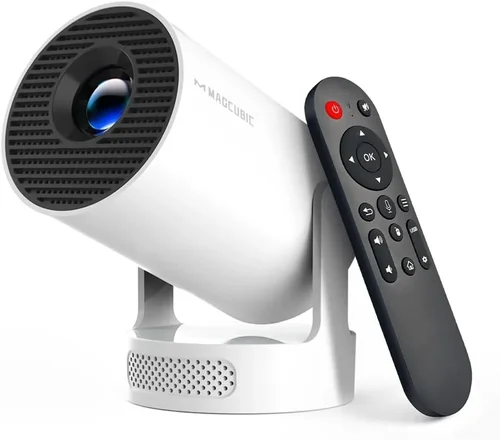
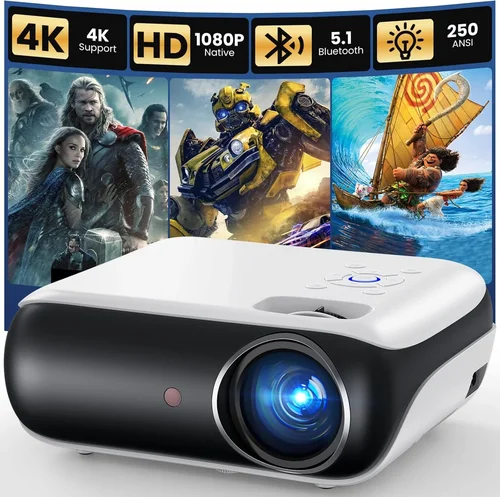
Finding a projector that delivers a decent picture without breaking the bank can feel like hunting for a needle in a haystack. In 2026 the market is flooded with tiny pico‑projectors, budget DLP units, and even refurbished home‑theater models that claim to cost less than a dinner for two. Yet not every low‑priced option will satisfy a movie night, a gaming session, or a backyard presentation. This guide cuts through the noise, helping you understand exactly what you can expect from a projector under $100 and how to pick the one that fits your lifestyle.
By the end of this article you’ll know which specifications truly matter at this price point, which types of projectors are worth considering, and how to avoid the common pitfalls that turn a “great deal” into a disappointment. Whether you’re a college student looking for a portable screen for dorm rooms, a parent wanting a simple way to stream cartoons on the living‑room wall, or a small‑business owner seeking an affordable presentation tool, the insights below will steer you toward a confident purchase.

What to Look for When Buying Buying Guide
1. Budget & Price Range
Under $100 is a tight budget for any projector, which means you’ll inevitably make trade‑offs. Knowing exactly how much you can stretch—$50, $75, $99—helps you set realistic expectations. At the low end you’ll mostly find LED pico‑projectors with limited brightness (under 200 lumens) and basic connectivity. As you approach $100, DLP models with 250‑300 lumens and better contrast become available. Decide early whether you’re willing to compromise on size, resolution, or lamp life to stay within your budget.
2. Performance Specifications
The three pillars of projector performance are brightness, resolution, and contrast ratio. Brightness, measured in lumens, determines how well the image will show in ambient light. For a budget unit, aim for at least 200 lumens if you plan to use it in a dimly lit room; anything lower will need near‑darkness. Resolution influences detail—most cheap projectors are 480p (854×480) or 720p (1280×720). While 1080p is rare under $100, a higher native resolution reduces pixelation on larger screens. Contrast ratio, the difference between the darkest black and brightest white, affects perceived depth; look for a ratio of 500:1 or better.
3. Build Quality & Durability
Budget projectors are often built from plastic shells that can crack under pressure. Check user reviews for reports of overheating, loose ports, or fragile lenses. A solid hinge mechanism and a well‑secured fan are good signs of durability. If you plan to travel with the unit, consider a compact design with a protective case or a ruggedized exterior.
4. Features & Functionality
Even low‑priced models now include useful extras: built‑in speakers, USB‑C power delivery, wireless mirroring (Miracast or AirPlay), and SD‑card slots. While a built‑in speaker is convenient, its sound quality is usually thin; budget a separate Bluetooth speaker if audio matters. Connectivity options matter—HDMI is a must for most devices, while USB‑C can power the projector directly from a laptop or phone, eliminating the need for a separate adapter.
5. Brand Reputation
Established brands such as Epson, BenQ, ViewSonic, and Anker often offer entry‑level models that benefit from better component sourcing and customer service. Newer or off‑brand manufacturers may provide attractive specs on paper, but after‑sales support can be hit‑or‑miss. Research the brand’s warranty length, availability of replacement parts, and presence of an online support community.
6. Warranty & Support
A one‑year limited warranty is standard for budget projectors. Look for manufacturers that offer easy RMA processes and responsive email or chat support. Some retailers extend the warranty for an additional fee—this can be worthwhile if you plan heavy use or live in a climate that stresses electronics.
7. Size & Portability
If you need a projector that fits in a backpack, weight and dimensions become critical. Pico‑projectors under $100 typically weigh 200‑400 g and measure roughly 5×3×2 inches. Larger “mini” projectors may be a bit heavier but often deliver higher brightness. Decide whether you’ll mount the unit on a ceiling, place it on a table, or carry it around, and choose a size that aligns with that use case.
8. User Reviews & Ratings
Numbers on a spec sheet only tell part of the story. Dive into Amazon, Best Buy, and specialist forums to see real‑world feedback. Pay attention to recurring complaints—excessive fan noise, color washout, or short lamp life. Positive trends such as “works great with Android phones” or “stable Wi‑Fi mirroring” can validate a model’s strengths.
Different Types of Buying Guide

Common Buying Mistakes to Avoid
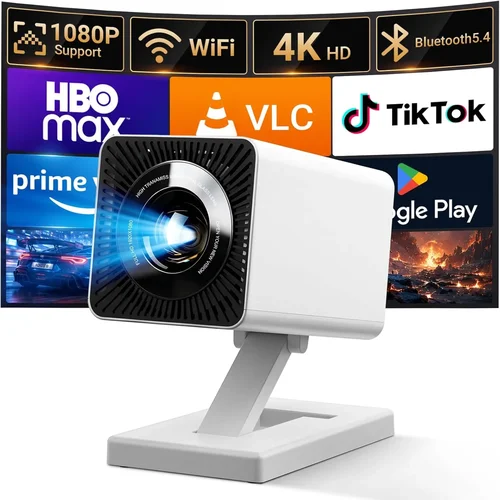
❌ Mistake: Ignoring Ambient Light
Why it’s bad: A projector rated at 180 lumens will appear washed out in a room with any stray light, turning movie night into a blurry disappointment.
What to do instead: Measure the typical lighting in your intended space. If you can’t guarantee darkness, aim for at least 250 lumens or invest in blackout curtains.
❌ Mistake: Overvaluing Native Resolution
Why it’s bad: Many sub‑$100 units claim “1080p support” but actually downscale a lower native panel, resulting in soft images.
What to do instead: Focus on native resolution (the panel’s actual pixel count). A true 720p panel will look sharper than an 1080p‑upscaled 480p panel.
❌ Mistake: Forgetting About Audio
Why it’s bad: Built‑in speakers on cheap projectors are often tinny and underpowered, leaving you scrambling for external speakers.
What to do instead: Budget for a Bluetooth or wired speaker, or choose a model with a 3.5 mm audio out that can connect to a soundbar.
❌ Mistake: Assuming All HDMI Ports Are Equal
Why it’s bad: Some budget projectors only support HDMI 1.4, limiting 4K input and sometimes causing latency with gaming consoles.
What to do instead: Verify the HDMI version and check for “HDMI‑CEC” support if you plan to control the projector via your TV remote.
❌ Mistake: Neglecting Lamp Life & Replacement Cost
Why it’s bad: LED lamps last longer, but cheap DLP units may use replaceable lamps that wear out after 2,000 hours, incurring extra cost.
What to do instead: Choose an LED‑based model for a virtually maintenance‑free experience, or factor lamp replacement into your total cost of ownership.
❌ Mistake: Buying the Cheapest Option Without a Return Policy
Why it’s bad: A defective unit can’t be tested before purchase, and without a clear return window you may be stuck with a non‑functional projector.
What to do instead: Purchase from retailers that offer at least 30‑day returns and keep the original packaging for easy shipping.
Budget Guidelines: How Much Should You Spend?
- Entry‑Level ($50‑$70): Expect pico‑projectors with 150‑200 lumens, 480p resolution, basic HDMI, and minimal build quality. Ideal for occasional presentations in a dark room.
- Mid‑Range ($71‑$90): You’ll find mini DLP units with 250‑300 lumens, true 720p panels, better contrast, and added features like USB‑C power and Bluetooth audio.
- Premium ($91‑$110): While still under $100 is rare, sales often push higher‑spec models into this bracket. Look for refurbished home‑theater projectors with 400+ lumens, 1080p native panels, and robust warranty coverage.
- Luxury ($111+): Not covered in this guide, but for those willing to stretch, 4K home‑theater projectors with high dynamic range become possible.
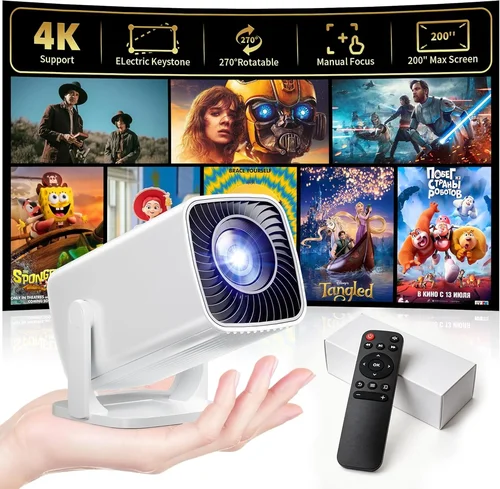
Expert Tips for Getting the Best Deal
- Timing: New models launch in Q2; older inventory is marked down in Q3 and Q4. Buying in August can net you a fresh‑in‑box unit at a 30% discount.
- Where to buy: Amazon and Newegg have the widest selection and user reviews. Specialty retailers like B&H Photo offer knowledgeable staff and easy returns for tech gear.
- Spotting deals: Look for bundles that include a screen, HDMI cable, or portable case—these add value without raising the base price.
- Warranty considerations: If a retailer offers an extended warranty for $15, compare that cost against the likely repair price of a lamp or fan.
- Return policies: Choose sellers with a 30‑day return window and free return shipping. Test the projector in a dark room within the first week.
- Testing before buying: If possible, view a demo unit in‑store. Check for uniform brightness, color accuracy, and fan noise at full load.
- Firmware updates: Some budget models receive performance tweaks via firmware. Verify the manufacturer provides an easy download portal.

Frequently Asked Questions
Q: Can a projector under $100 display 1080p content?
A: Most sub‑$100 projectors have a native resolution of 480p or 720p. They can accept a 1080p signal but will downscale it, which may look softer. If true 1080p is essential, consider a refurbished model on sale that crosses the $100 threshold.
Q: How large of a screen can I get with a $90 projector?
A: Image size is determined by throw distance. A typical mini projector can produce a 100‑inch diagonal image from 6‑8 feet away. Keep in mind that larger images spread the same lumen output over a bigger area, reducing perceived brightness.
Q: Do I need a separate screen?
A: Not strictly. A smooth white wall works, but a matte white projection screen improves contrast and reduces hotspots. For under $100 budgets, a portable 80‑inch screen can be found for $30‑$40.
Q: Are Bluetooth speakers necessary?
A: Built‑in speakers are usually inadequate for movies. Pairing a Bluetooth speaker or using the 3.5 mm audio out dramatically improves the experience, especially for dialogue‑heavy content.
Q: What is the difference between LED and DLP?
A: LED projectors use light‑emitting diodes for illumination, offering longer lamp life and lower power consumption. DLP (Digital Light Processing) uses a chip with tiny mirrors, typically delivering higher brightness and sharper contrast. At the low‑end, DLP units often outperform LED in brightness but may have a shorter lamp life.
Q: Can I use my smartphone as a source?
A: Yes. Most budget projectors include HDMI‑MHL adapters, USB‑C video‑out, or wireless mirroring (Miracast/AirPlay). Check the specific connectivity options before buying.
Q: How long will the lamp last?
A: LED lamps can last 20,000‑30,000 hours, effectively the lifetime of the projector. DLP units with replaceable lamps usually rate 2,000‑3,000 hours. Frequent use in bright rooms can shorten lamp life.
Q: Is fan noise a problem?
A: Budget projectors often have small cooling fans that can be audible (30‑35 dB). If you’re sensitive to background noise, look for models that advertise “quiet mode” or have fan‑speed controls.
Q: Do I need a ceiling mount?
A: Not required. Most low‑budget projectors are designed for tabletop use with a short‑throw lens. However, a simple ceiling mount kit can free up space and improve image stability.
Our Final Recommendations
- Best for Budget‑Conscious Buyers: Anker Nebula Capsule II (often found on sale for $89). Compact, 200 lumens, Android 9 OS, and a 360‑minute battery make it perfect for dorm rooms.
- Best Overall Value: Vankyo Leisure 3 Mini DLP (~$95). Offers 250 lumens, 720p native resolution, HDMI + USB‑C, and a decent built‑in speaker for occasional movie nights.
- Best Premium Option (Refurbished): Epson VS250 (refurbished around $99). True 800×600 SVGA panel, 3200 lumens (factory spec), and Epson’s reliable lamp technology.
- Best for Beginners: DR.J Professional Mini Projector (~$70). Simple plug‑and‑play, 150 lumens, and a user‑friendly remote.
- Best for Advanced Users: ViewSonic M2e (used) (often listed under $100 on secondary markets). Full‑HD 1080p, 1200 lumens, Harman Kardon speakers, and Wi‑Fi/Bluetooth connectivity.
Conclusion: Making the Right Choice
Choosing a projector under $100 is less about finding a “perfect” machine and more about matching realistic performance to your specific needs. Prioritize brightness if you’ll be in a lit room, native resolution for crisp detail, and reliable connectivity for the devices you own. Remember that a modest extra dollar can unlock a DLP engine, a better contrast ratio, or a longer warranty—invest where it matters most to you.
Take the time to read user reviews, test the unit if possible, and buy from a retailer with a solid return policy. With the right research, you can enjoy big‑screen entertainment, presentations, or gaming without spending a fortune.