Finding a reliable projector that won’t break the bank can feel like searching for a needle in a haystack. With dozens of models promising “cinema‑grade” performance for under $200, the market is flooded with buzzwords, inflated specs, and vague marketing claims. This guide cuts through the noise, giving you a clear, step‑by‑step roadmap to choose a projector that actually delivers on the promises that matter to you.
In the pages that follow, you’ll learn how to evaluate brightness, resolution, throw distance, and connectivity without getting lost in technical jargon. We’ll compare the most common projector categories, highlight the biggest pitfalls, and break down how much you should realistically spend for different use‑cases. By the end, you’ll be equipped to pick a projector that fits your budget, your space, and your viewing habits—whether you’re setting up a backyard movie night, a home‑office presentation station, or a portable gaming rig.
The $200 price segment has exploded in 2024‑2025 thanks to advances in LED and laser technology, which have lowered the cost of reliable light sources while extending lamp life. At the same time, manufacturers have added Wi‑Fi, Bluetooth, and Android TV integration to entry‑level models, blurring the line between “budget” and “premium.” Understanding which features are truly valuable—and which are nice‑to‑have fluff—will save you both money and disappointment.
What to Look for When Buying Buying Guide
1. Budget & Price Range
Even within the sub‑$200 segment, prices can swing from $90 to $199. The key is to set a realistic ceiling based on the features you need. A $120 LED projector may offer decent brightness for dim rooms but will likely lack HDMI‑ARC or built‑in speakers. Conversely, a $190 unit might bundle Wi‑Fi streaming and a higher native resolution, but could be bulkier. Decide early whether you need portability, smart‑TV features, or simply a bright image for occasional movie nights. This decision will guide you to the sweet spot where performance meets price.
2. Performance Specifications
Three specs dominate projector performance: brightness (measured in lumens), resolution, and contrast ratio.
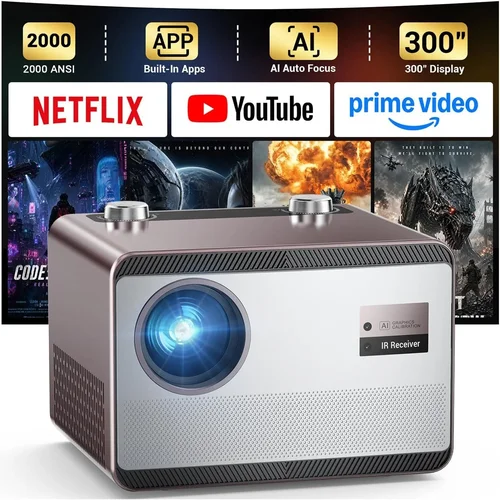
- Brightness: For a dark living room or a dedicated home‑theater, 2000–2500 lumens is ample. In brighter spaces or daytime use, aim for 2500+ lumens, though most sub‑$200 models top out around 3000 lumens.
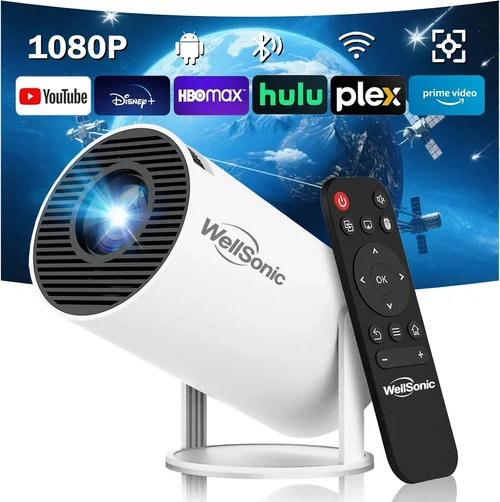
- Resolution: Native 720p (1280×720) is common under $200, while a few models push native 1080p. Remember that “supported” 1080p often means the projector scales a lower‑resolution chip, which can introduce blurriness.
- Contrast Ratio: Higher contrast (e.g., 3000:1) yields deeper blacks and more vivid colors. In budget units, contrast is often a marketing number, so look for user reviews that confirm real‑world performance.
3. Build Quality & Durability
Budget projectors are frequently built with plastic housings to keep costs down. While this reduces weight—great for portability—it can also mean the unit feels less sturdy and may be prone to cracking if dropped. Look for reinforced corners, a rubberized power button, and a sturdy lens cover. If you plan to move the projector frequently, a model with a protective carry case is a worthwhile investment.
4. Features & Functionality
Modern projectors pack a surprising amount of “smart” features, even at low price points. Prioritize the following based on your needs:
- Connectivity: HDMI is a must; USB‑C and USB‑A ports are bonuses for media playback. Wi‑Fi or Bluetooth can enable wireless streaming, but verify that the app ecosystem is stable.
- Built‑in Speakers: Most sub‑$200 units have 2–5 W speakers—adequate for casual viewing but insufficient for immersive cinema. Pairing with external speakers or a soundbar will dramatically improve audio.
- Keystone Correction & Lens Shift: Automatic keystone can save you from fiddling with angles, but manual correction often yields sharper images.
- Lamp Life: LED and laser light sources typically last 20,000–30,000 hours, far surpassing traditional lamps. This translates to lower long‑term costs.
5. Brand Reputation
Even in the budget arena, certain brands have built trust through consistent quality and responsive support. Companies like Epson, BenQ, ViewSonic, and Anker (Nebula line) have strong community followings and frequent firmware updates. Lesser‑known brands may offer lower prices, but they can be hit‑or‑miss on durability and after‑sales service.
6. Warranty & Support
A solid warranty can be a lifesaver. Look for at least a 1‑year limited warranty covering parts and labor. Some manufacturers extend this to 2 years for LED models. Check whether the warranty is honored internationally, especially if you travel often. Also, verify the availability of firmware updates and whether the brand provides a clear troubleshooting guide.
7. Size & Portability
If you intend to move the projector between rooms, a compact “pico” size (under 2 lb) is ideal. Larger units often deliver higher brightness but sacrifice portability. Measure the dimensions and consider the weight relative to your typical setup—will you be mounting it on a ceiling, placing it on a bookshelf, or carrying it to a friend’s house?
8. User Reviews & Ratings
Online reviews are gold mines for real‑world performance data. Focus on reviews that mention the specific use‑case you have (e.g., gaming, streaming, presentations). Pay attention to recurring complaints—such as overheating, laggy menus, or poor Wi‑Fi stability—as they often indicate systemic issues.
Different Types of Buying Guide

Common Buying Mistakes to Avoid
❌ Mistake: Ignoring Ambient Light Conditions
Why it’s bad: Purchasing a low‑lumens projector for a bright living room leads to washed‑out images and frustration.
What to do instead: Measure the typical lighting in your intended space. If you can’t control ambient light, aim for at least 2500 lumens or consider a projection screen with gain.
❌ Mistake: Over‑Focusing on Resolution Alone
Why it’s bad: A 1080p label on a cheap chip can be “upscaled” rather than true native resolution, resulting in blurry text and pixelation.
What to do instead: Verify the native resolution in the specs sheet. For text‑heavy presentations, 720p is often sufficient, but for gaming, native 1080p matters.
❌ Mistake: Forgetting About Throw Distance
Why it’s bad: A projector with a long throw ratio may need a wall 12 ft away, which isn’t feasible in most apartments.
What to do instead: Use an online throw‑distance calculator. Look for “short‑throw” or “ultra‑short‑throw” models if you have limited space.
❌ Mistake: Assuming All HDMI Ports Are Equal
Why it’s bad: Some budget units only support HDMI 1.4, limiting 4K passthrough and HDR.
What to do instead: Check the HDMI version. HDMI 2.0 or higher is preferred for future‑proofing, even if you currently use 1080p sources.
❌ Mistake: Neglecting Audio Needs
Why it’s bad: Built‑in speakers are often underpowered, leading to a subpar movie experience.
What to do instead: Budget for an external sound solution—Bluetooth soundbar or a simple 2.1 speaker system.
❌ Mistake: Skipping Warranty Review
Why it’s bad: A faulty LED can render the projector unusable, and repairs can be pricey without coverage.
What to do instead: Choose a brand that offers at least a 12‑month warranty and read the fine print about what is covered.
❌ Mistake: Buying Without Testing
Why it’s bad: Online specs don’t reveal issues like laggy menus, overheating, or Wi‑Fi instability.
What to do instead: Purchase from retailers with a generous return window (30 days or more) and test the projector with your primary devices before committing.
Budget Guidelines: How Much Should You Spend?
- Entry‑Level ($80‑$120): Expect 2000 lumens, native 720p, basic HDMI, and minimal smart features. Ideal for occasional movie nights in a dark room.
- Mid‑Range ($121‑$170): You’ll find 2500+ lumens, better contrast, short‑throw options, and often built‑in Android TV or Wi‑Fi streaming.
- Premium ($171‑$200): Look for native 1080p, low input lag (<30 ms) for gaming, laser light source, and robust connectivity (HDMI 2.0, Bluetooth 5.0).
- Luxury ($200+): While outside the guide’s focus, models here may include 4K support, motorized lens shift, and professional‑grade lamps.
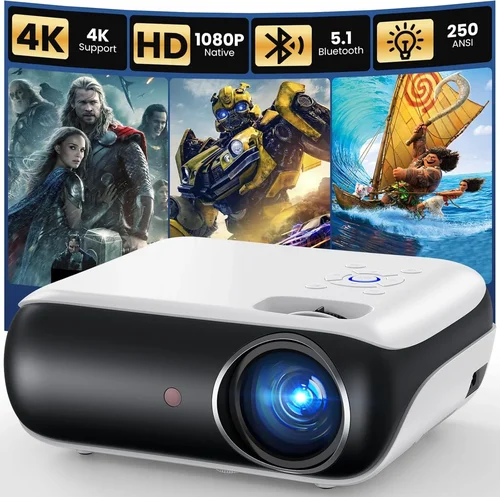
Expert Tips for Getting the Best Deal
- Shop during major sales events (Black Friday, Cyber Monday, Amazon Prime Day) and set price alerts on sites like CamelCamelCamel.
- Consider refurbished units directly from the manufacturer—they usually come with a full warranty and are tested for performance.
- Buy from retailers that offer free returns and a 30‑day “test‑in‑home” period; this protects you from buyer’s remorse.
- Check for bundle deals that include a screen, mounting kit, or external speakers—often cheaper than buying accessories separately.
- Read the fine print on “lamp life” claims; LED and laser models have longer lifespans, reducing long‑term cost.
- If you need Wi‑Fi, verify that the projector’s app works on both Android and iOS—some budget models are Android‑only.
- Prioritize HDMI over USB‑C for video; USB‑C is often limited to power or file transfer on cheap models.
- When possible, test the projector with the exact source device (gaming console, laptop, phone) you plan to use most.

Frequently Asked Questions
Q: Can a sub‑$200 projector display true 1080p?
A: Yes, but it’s rare. Most models in this price range use a 720p native panel and upscale 1080p content. A few newer LED or laser units do offer native 1080p, but they often sacrifice brightness or have higher input lag.
Q: How important is lamp life for a budget projector?
A: Extremely important. Traditional lamps can burn out after 2,000–3,000 hours, requiring costly replacements. LED and laser light sources, common in sub‑$200 models, typically last 20,000–30,000 hours, meaning you’ll likely never replace the lamp.
Q: Will a cheap projector work with a gaming console?
A: It can, but watch for input lag. Models marketed as “gaming projectors” usually have lag under 30 ms. If you’re competitive, look for a projector that advertises low lag and supports HDMI 2.0.
Q: Do I need a separate screen?
A: Not mandatory, but a white, matte screen improves brightness and contrast, especially in rooms with some ambient light. A simple DIY screen (blackout cloth stretched on a frame) works well for under $50.
Q: What’s the difference between short‑throw and ultra‑short‑throw?
A: Short‑throw projectors need about 4–6 ft of distance for a 100‑inch image. Ultra‑short‑throw can sit inches from the wall and still produce a large image, ideal for small rooms.
Q: Is Wi‑Fi streaming reliable on budget models?
A: It varies. Some models use a proprietary app that can be glitchy. If you rely heavily on streaming, choose a projector with built‑in Android TV or Roku, which offers more stable apps.
Q: How do I mount a projector safely?
A: Use a ceiling mount rated for the projector’s weight. Ensure the mount has tilt and swivel adjustments for keystone correction. If you’re renting, a tripod or shelf mount is a non‑permanent alternative.
Q: Can I use a projector outdoors?
A: Yes, but you need a high‑lumens model (2500+), a weather‑proof screen, and a stable power source. Most budget projectors are not rated for rain or extreme temperatures, so use them in a covered patio.
Our Final Recommendations
- Best for Budget‑Conscious Buyers: Anker Nebula Capsule II – $129, 720p, 200 ANSI lumens, Android TV built‑in, portable battery.
- Best Overall Value: ViewSonic M1 Mini Plus – $149, 720p, 250 lumens, built‑in JBL speakers, Wi‑Fi, short‑throw.
- Best Premium Option (under $200): BenQ TH585 – $199, native 1080p, 3500 lumens, low input lag (16 ms), HDMI 2.0.
- Best for Beginners: Epson EF‑100 – $179, 720p laser, 2000 lumens, simple plug‑and‑play, decent built‑in speaker.
- Best for Advanced Users: Vankyo Leisure 3 Mini Projector – $189, 1080p support, 2800 lumens, multiple HDMI ports, customizable keystone.
Conclusion: Making the Right Choice
Choosing the best projector for under $200 boils down to matching your primary use‑case with the right combination of brightness, resolution, and connectivity. By focusing on the factors outlined—budget, performance specs, build quality, and real‑world user feedback—you can avoid common pitfalls and secure a device that feels premium without the premium price tag.
Remember, the perfect projector isn’t the one with the highest specs on paper; it’s the one that fits your room, your viewing habits, and your wallet. Use the checklist, compare the categories, and take advantage of sales and warranty options. Once you’ve made your purchase, give the unit a proper warm‑up, calibrate the picture, and pair it with a decent sound system for the full cinematic experience.
Ready to bring the big screen home? Explore the models we highlighted, test a few in your environment, and enjoy countless movie nights, gaming sessions, and presentations—all without breaking the bank.