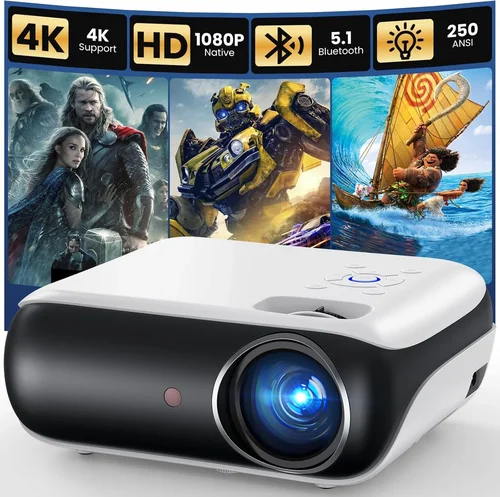
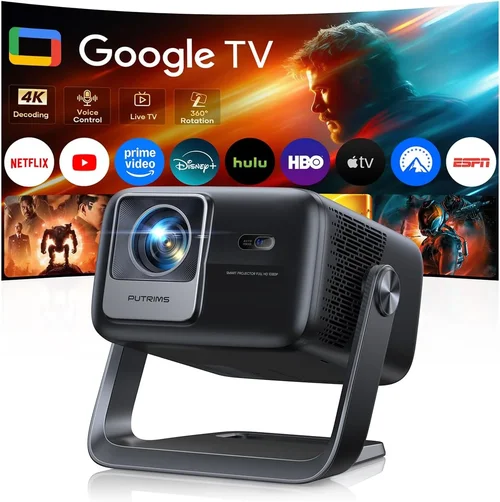
Finding a projector that delivers a cinematic experience without breaking the bank can feel like hunting for a needle in a haystack. The market is jam‑packed with models promising bright images, smart features, and portable designs—all for under $300. This guide cuts through the noise, giving you a clear roadmap so you can choose the best projector for under 300 dollars with confidence.
By the end of this article you’ll understand the most important specifications, know which type of projector fits your lifestyle, avoid common buying pitfalls, and walk away with a shortlist of top‑rated models that truly deliver value. Whether you’re setting up a home theater in a dorm room, need a portable screen for backyard movie nights, or simply want a bigger picture for work presentations, we’ve got you covered.
The budget projector segment has evolved dramatically over the past few years. LED and laser light sources have become more affordable, Android‑based smart projectors are now commonplace, and throw distances have been optimized for small spaces. This means you no longer have to sacrifice image quality for price. Let’s dive into the factors that separate a decent $200 projector from a truly impressive one.

What to Look for When Buying Buying Guide
1. Budget & Price Range
While the headline says “under $300,” it’s still wise to define a narrower budget band. Prices can vary by a few dollars between retailers, and occasional flash sales can push a $320 model into your range. Decide whether you’re comfortable paying the upper limit for extra features (like built‑in speakers or Android TV) or if you prefer a strict $200 ceiling for a more basic unit. Remember, the cheapest option often means compromises in brightness, contrast, or connectivity.
2. Performance Specifications
Brightness (lumens) – Measured in ANSI lumens, this tells you how vivid the picture will be in a lit room. For sub‑$300 projectors, 2,000–2,500 lumens is a realistic target. Anything lower will require a dark environment.
Resolution – Native resolution matters more than advertised “HD” or “Full HD” labels. Most budget models offer 720p (1280×720) panels; a few reach true 1080p. If you plan to stream 4K content, a 720p projector will still display it, but the image will be downscaled.
Contrast Ratio – Higher contrast yields deeper blacks and more detail in dark scenes. Look for a ratio of at least 2,000:1; premium budget units may push 5,000:1.
Throw Ratio & Screen Size – Throw ratio determines how far the projector needs to be from the screen for a given image size. A 0.9:1 ratio is ideal for short‑throw setups, while 1.5:1–2.0:1 works well for typical living‑room distances.
3. Build Quality & Durability
Even at lower price points, a solid chassis can make a big difference in longevity. Metal housings dissipate heat better than thin plastic, reducing the risk of premature lamp failure. Check user reviews for any recurring overheating issues and verify that the fan operates quietly—no one wants a whirring distraction during a movie.
4. Features & Functionality
Connectivity – HDMI is a must; look for at least one HDMI 1.4 port. USB‑A for media playback, USB‑C for Power‑Delivery, and a 3.5 mm audio jack are nice extras. Wi‑Fi and Bluetooth are common in Android‑based units, enabling streaming without a dongle.
Built‑in Speakers – Most budget projectors include 2–5 W speakers. They’re adequate for casual viewing but consider external soundbars for a richer experience.
Smart OS – Android TV, Roku, or proprietary smart platforms add apps like Netflix, YouTube, and Amazon Prime directly on the projector. If you value plug‑and‑play convenience, prioritize a model with an integrated OS.
Keystone Correction & Lens Shift – Automatic keystone correction (±30°) helps when you can’t place the projector perfectly square to the screen. Lens shift is rarer at this price but offers more precise alignment without image distortion.
5. Brand Reputation
While lesser‑known brands can surprise you with great performance, sticking with established manufacturers (Epson, BenQ, ViewSonic, Optoma) often guarantees better firmware updates, more reliable customer service, and easier access to replacement parts.
6. Warranty & Support
A solid warranty (minimum 1‑year) signals confidence from the maker. Look for on‑site service or at least a hassle‑free RMA process. Some brands also offer extended warranties for an extra fee—worth considering if you plan heavy usage.
7. Size & Portability
If you’ll be moving the projector between rooms or taking it on the road, weight and form factor matter. Compact “pico” projectors can weigh under 1 lb, but they usually sacrifice brightness. A mid‑size portable unit (around 3‑4 lb) often hits the sweet spot between portability and performance.
8. User Reviews & Ratings
Before finalizing a purchase, scan Amazon, Best Buy, and specialist forums for real‑world feedback. Pay attention to recurring complaints (e.g., lamp life, Wi‑Fi stability) and note how the manufacturer responds—active support is a good sign.
Different Types of Buying Guide

Common Buying Mistakes to Avoid
❌ Mistake: Focusing Solely on Price
Why it’s bad: The cheapest unit often lacks essential features like HDMI 2.0, adequate brightness, or a decent warranty.
What to do instead: Set a minimum spec threshold (e.g., 2,000 lumens, 720p native) before hunting for deals. A $260 model that meets these basics will serve you far longer than a $180 unit that fails in everyday use.
❌ Mistake: Ignoring Ambient Light Conditions
Why it’s bad: A projector that shines bright in a dark basement will look washed out in a living‑room with curtains.
What to do instead: Measure typical lighting and choose a lumen rating that exceeds it by at least 30 %. If you can’t control light, consider a projector with an HDR‑compatible panel for better contrast.
❌ Mistake: Overlooking Input Lag for Gaming
Why it’s bad: High input lag (above 50 ms) can make fast‑paced games feel sluggish.
What to do instead: Look for models that advertise “Game Mode” or have a measured input lag under 30 ms. Even budget units often include a low‑lag option.
❌ Mistake: Forgetting About Lamp/LED Lifespan
Why it’s bad: Replacing a lamp can cost $80‑$120, erasing any savings.
What to do instead: Prefer LED or laser light sources, which typically last 20,000 hours or more, effectively eliminating future replacement costs.
❌ Mistake: Assuming All “HD” Projectors Are Equal
Why it’s bad: Some manufacturers label a 720p panel as “Full HD” by upscaling content, which can blur details.
What to do instead: Verify the native resolution in the spec sheet. True 1080p units under $300 are rare but do exist; otherwise, accept 720p as the baseline.
❌ Mistake: Neglecting Audio Needs
Why it’s bad: Built‑in speakers are often tinny, leading to a disappointing viewing experience.
What to do instead: Budget for an external sound solution—soundbars, Bluetooth speakers, or a simple 2.1 system—to complement the projector.
Budget Guidelines: How Much Should You Spend?
- Entry-Level ($150‑$200): Expect 720p resolution, 1,800‑2,000 lumens, basic HDMI connectivity, and minimal smart features. Ideal for occasional movie nights in a dark room.
- Mid-Range ($200‑$260): This tier offers 720p–1080p panels, 2,200‑2,500 lumens, improved contrast, and often an Android TV or Roku interface. Good for regular home‑theater use and casual gaming.
- Premium ($260‑$300): Look for true 1080p, 2,500+ lumens, short‑throw optics, advanced color processing, and robust wireless options. Perfect for bright rooms and serious gamers.
- Luxury ($300+): While beyond the scope of this guide, luxury models push 4K resolution, laser light sources, and high‑end audio integration. Consider them only if your budget can stretch.
Expert Tips for Getting the Best Deal
- Timing: Major sales events (Black Friday, Cyber Monday, Amazon Prime Day, back‑to‑school) typically offer 20‑30 % discounts on electronics.
- Retailers: Compare Amazon, Best Buy, Walmart, and manufacturer websites. Some brands run exclusive bundles (e.g., extra HDMI cable, wall mount) that add value.
- Open‑Box & Refurbished: Certified refurbished units can be up to 15 % cheaper and still carry the full warranty.
- Coupon Stacking: Combine manufacturer coupons with retailer promo codes for additional savings.
- Warranty Extension: If you plan heavy use, buying a 2‑year extension during the initial purchase is often cheaper than purchasing later.
- Return Policy: Verify a 30‑day return window. Testing the projector in your intended environment (room size, lighting) is crucial.
- Testing Before Buying: If possible, view a demo unit in‑store. Pay attention to color accuracy, fan noise, and keystone correction.
- Bundle Smartly: Pair your projector with a budget screen (e.g., 100‑inch blackout cloth) rather than relying on a wall, which can degrade image quality.

Frequently Asked Questions
Q: Can I use a budget projector for gaming?
A: Yes, but prioritize low input lag (≤30 ms) and a refresh rate of at least 60 Hz. Models with a dedicated “Game Mode” usually reduce processing delay. Also, make sure the projector supports HDMI 1.4 or higher for HDCP 2.2 if you play console games.
Q: Do I need a separate screen?
A: Not strictly. A white wall works, but a matte white or gray screen improves contrast and reduces hotspotting. For sub‑$300 budgets, a 100‑inch blackout cloth is an affordable upgrade.
Q: How long does the LED lamp last?
A: LED light sources typically last 20,000–30,000 hours, which translates to 5‑10 years of weekly use. This far exceeds traditional lamps, which need replacement every 2‑3 years.
Q: Is HDMI‑ARC important?
A: HDMI‑ARC simplifies audio routing to a soundbar or AV receiver. While not essential for basic setups, it’s a nice convenience if you plan a more elaborate home‑theater system.
Q: Can I mount the projector on the ceiling?
A: Most budget units have a standard 1/4‑20 mounting thread compatible with ceiling brackets. Ensure the projector’s weight is within the bracket’s limit (usually up to 5 lb).
Q: What is the difference between “lumens” and “LED‑lumens”?
A: Traditional lumens measure brightness of a lamp. LED‑lumens are a marketing term that can be misleading. Always look for ANSI lumens for a true comparison.
Q: Are there any hidden costs?
A: Potential extras include a proper screen, external speakers, HDMI cables, and a ceiling mount. Budget an additional $50‑$100 for these accessories.
Q: How do I clean the projector lens?
A: Use a microfiber cloth and a lens cleaning solution. Avoid pressing hard; a gentle circular motion is sufficient. Always turn off and unplug the unit before cleaning.
Q: Will a projector work with a gaming console?
A: Absolutely. Connect the console via HDMI. Just ensure the projector supports the console’s output resolution (e.g., 1080p) and has sufficient HDMI bandwidth.
Q: Do I need to calibrate my projector?
A: Basic calibration (brightness, contrast, color temperature) can improve picture quality. Many budget models include preset picture modes (Cinema, Sports, Game) that are sufficient for most users.
Our Final Recommendations
- Best for Budget‑Conscious Buyers: ViewSonic M1 Mini Plus – $179. Compact, 2500 lumens, Android TV built‑in, and a built‑in JBL speaker for surprisingly good audio.
- Best Overall Value: Epson EF‑100 – $259. LED light source, 2000 lumens, true 720p, excellent color accuracy, and a flexible lens shift for easy placement.
- Best Premium Option (still under $300): BenQ TH585 – $299. 1080p resolution, 3500 lumens, low input lag (16 ms), and a dedicated Game Mode—ideal for gamers who want a bright image in a lit room.
- Best for Beginners: Anker Nebula Capsule II – $279. Android TV 9.0, 720p, portable design, and a built‑in 8 W speaker. Plug‑and‑play with no extra cables.
- Best for Advanced Users: Optoma GT1080HDR – $289. Short‑throw, 1080p, HDR support, 3800 lumens, and a 20 ms input lag—perfect for home‑theater enthusiasts with limited space.
Conclusion: Making the Right Choice
Choosing the best projector for under 300 dollars comes down to balancing brightness, resolution, and the features you actually need. Start by defining your primary use case—movie nights, gaming, or presentations—then match those requirements to the specifications outlined above. Remember that a slightly higher price within this range often unlocks a brighter lamp, better contrast, and a more reliable smart platform.
Take advantage of seasonal sales, read user reviews, and don’t forget to budget for a decent screen and external audio. With the right research, you can bring a cinematic experience to your home without spending a fortune.
Ready to start your projector hunt? Use the recommendations and buying checklist in this guide to narrow down your options, and enjoy countless evenings of big‑screen entertainment.