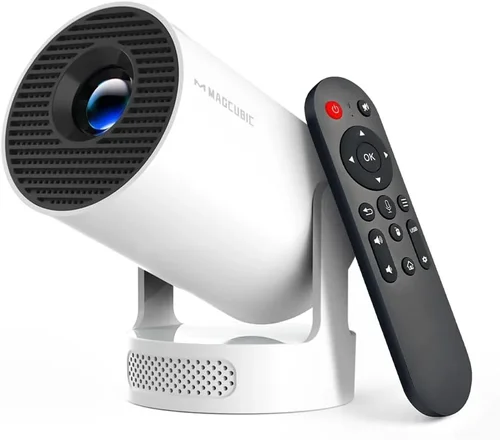
Finding a projector that delivers a cinema‑like experience without breaking the bank can feel like hunting for a unicorn. Yet, in 2026 the market is brimming with models that punch well above their $500 price tag. This guide cuts through the noise, giving you a clear roadmap to choose the best projector under $500 for home entertainment, gaming, or office use.
By the end of this article you will understand the most important specifications, know which projector type fits your environment, avoid common purchasing pitfalls, and walk away with a shortlist of top‑rated units that truly shine for the price. Whether you’re setting up a backyard movie night or a compact home office, the insights here will help you make an informed, confident decision.

What to Look for When Buying Buying Guide
1. Budget & Price Range
Even within the sub‑$500 segment there is a wide spread of value. Some models sit just under $300 and are great for casual use, while others approach the $500 ceiling and offer near‑premium features. Define how much you’re willing to spend before you start comparing specs; this prevents you from being swayed by flashy marketing that exceeds your financial comfort zone.
2. Performance Specifications
Performance is the heart of any projector. Focus on these core specs:
- Brightness (lumens): For dark rooms aim for 2,500–3,000 ANSI lumens. In brighter living spaces look for at least 3,500 lumens.
- Resolution: 1080p (Full HD) is now the baseline for quality images. 4K UHD is rare under $500, but some models use pixel‑shifting to simulate 4K.
- Contrast Ratio: Higher ratios (10,000:1 or above) deliver deeper blacks and richer colors.
- Throw Ratio: Determines how far the projector must be from the screen. A 1.2:1 ratio is versatile for most rooms.
3. Build Quality & Durability
Projectors in this price range often use plastic housings, but look for reinforced corners, sturdy lens caps, and a reliable cooling system. A well‑designed fan reduces overheating, extending lamp life and maintaining image consistency.
4. Features & Functionality
Modern projectors are more than just light sources. Key features to evaluate include:
- Built‑in Speakers: Useful for casual movie nights; aim for at least 5 W per channel.
- Wireless Connectivity: Wi‑Fi or Bluetooth for streaming from phones, tablets, or laptops.
- HDMI & USB Ports: Multiple inputs prevent constant cable swapping.
- Keystone Correction & Lens Shift: Simplifies placement and reduces distortion.
- Short‑Throw Capability: Ideal for small rooms; a 0.8:1 throw can project a 100‑inch image from under a foot away.
5. Brand Reputation
Established brands such as Epson, BenQ, ViewSonic, and Optoma have proven track records for firmware updates, customer service, and consistent quality. Newer entrants may offer innovative features but research warranty policies and user forums before committing.
6. Warranty & Support
A solid warranty (minimum 2 years) protects you against early failures. Check if the manufacturer offers on‑site repair, a responsive helpline, and easy access to replacement lamps or LED modules.
7. Size & Portability
If you plan to move the projector between rooms or take it on the road, weight under 5 lb and a compact form factor are essential. Carrying cases and quick‑release mounts add convenience.
8. User Reviews & Ratings
Real‑world feedback reveals hidden strengths or chronic issues. Prioritize models with an average rating of 4 stars or higher across multiple retail platforms, and read both positive and negative comments to gauge consistency.
Different Types of Buying Guide

Common Buying Mistakes to Avoid
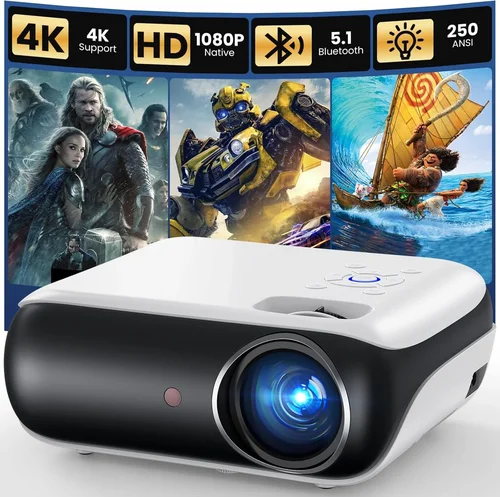
❌ Mistake: Ignoring Ambient Light Conditions
Why it’s bad: A projector rated at 2,500 lumens looks fantastic in a dark home theater but will appear washed out in a bright living room.
What to do instead: Measure the typical lighting in your intended space. If you cannot control ambient light, aim for at least 3,500 lumens and consider a high‑contrast panel.
❌ Mistake: Over‑focusing on Resolution Alone
Why it’s bad: A 1080p projector with poor brightness and low contrast can deliver a worse experience than a 720p model with superior light output.
What to do instead: Balance resolution with brightness, contrast, and throw distance. For casual movie nights, 720p may be sufficient if other specs excel.
❌ Mistake: Forgetting Lamp Lifespan Costs
Why it’s bad: Some budget models use replaceable lamps that cost $80‑$120 each, adding hidden expenses.
What to do instead: Look for LED or laser light sources that last 20,000+ hours and incur no recurring lamp fees.
❌ Mistake: Skipping Connectivity Tests
Why it’s bad: A projector may have HDMI but lack HDMI‑ARC or fail to support 4K HDR input, limiting your device choices.
What to do instead: Verify that the ports match your primary sources (gaming console, streaming stick, laptop) and that the firmware supports the needed video formats.
❌ Mistake: Buying Without a Screen
Why it’s bad: Projecting onto a plain wall can cause color bleed, reduced contrast, and hotspotting.
What to do instead: Invest in a proper projection screen or a high‑gain white wall paint; even a low‑cost 100‑inch screen dramatically improves image quality.
❌ Mistake: Assuming All Short‑Throw Units Are Portable
Why it’s bad: Some short‑throw models are heavy and require a fixed mount, defeating portability.
What to do instead: Check weight and mounting options. If you need to move it often, prioritize a lightweight short‑throw or a pico projector.
Budget Guidelines: How Much Should You Spend?
Understanding what you receive at each price tier helps you set realistic expectations.
- Entry-Level ($200‑$300): Typically 720p resolution, 2,000–2,500 lumens, basic HDMI input, and modest contrast. Great for occasional movies in dark rooms or as a backup display.
- Mid‑Range ($301‑$400): Full HD 1080p, 2,800–3,200 lumens, built‑in speakers, and wireless mirroring. This is the sweet spot for most families and gamers.
- Premium ($401‑$500): Near‑premium features such as short‑throw optics, LED/Laser light sources, higher contrast ratios, and advanced keystone/lens‑shift. Ideal for small home theaters or dedicated gaming setups.
- Luxury ($500+): Rare in the sub‑$500 market, but some sales bring 4K‑enhanced or ultra‑short‑throw models just under the line. Expect top‑tier image fidelity and extensive connectivity.
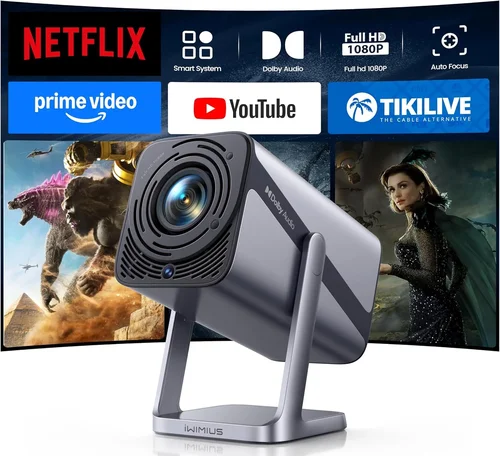
Expert Tips for Getting the Best Deal
- Timing: Major sales events (Black Friday, Prime Day, post‑Christmas) often feature bundle offers that include a screen or mounting kit.
- Where to Buy: Compare prices across Amazon, Best Buy, B&H Photo, and the manufacturer’s own website. Some retailers offer exclusive extended warranties.
- Spotting Deals: Look for “open‑box” or “refurbished” units with full warranties—they’re essentially new at 30‑40% less.
- Warranty Considerations: Register the product within 30 days to unlock extended coverage; many brands provide an additional year if you register online.
- Return Policies: Choose sellers with at least a 30‑day return window. Test the projector in your intended lighting to ensure satisfaction.
- Testing Before Buying: If possible, view a demo in a store. Bring a laptop or phone to check HDMI and wireless performance on the spot.
- Accessory Savings: Purchase a universal ceiling mount and a 4K HDMI cable during the same sale to avoid extra shipping costs.
- Future‑Proofing: Opt for a model with firmware‑upgrade capability; this can add HDR or streaming support years after purchase.

Frequently Asked Questions
Q: Can a projector under $500 replace my TV?
A: Yes, if you have a dark or controllable lighting environment and are willing to invest in a decent screen. A 1080p projector with 3,000+ lumens can easily outsize a 55‑inch 4K TV in perceived screen area.
Q: How long do LED projectors last?
A: LED light sources typically last 20,000–30,000 hours, which translates to 5–7 years of daily two‑hour use before noticeable brightness loss.
Q: Do I need a special screen for short‑throw projectors?
A: A smooth white screen works well, but a high‑gain (1.2–1.5) screen maximizes brightness at short distances and reduces hotspotting.
Q: Is keystone correction enough to fix image distortion?
A: Keystone helps with minor trapezoidal distortion, but for larger offsets lens shift or ceiling mounting yields a cleaner image with less pixel stretching.
Q: Will Bluetooth audio latency affect gaming?
A: Yes, Bluetooth can introduce 30‑80 ms delay, noticeable in fast‑paced games. For gaming, use wired speakers or a headphone jack instead of Bluetooth.
Q: Are projector lamps interchangeable?
A: Most budget models use proprietary lamps. Always purchase the exact model number recommended by the manufacturer to avoid compatibility issues.
Q: How much space do I need for a 100‑inch image?
A: With a 1.2:1 throw ratio, you’ll need roughly 10 feet of distance from lens to screen. Short‑throw units can achieve the same size from 4‑5 feet.
Q: Do I need a separate sound system?
A: Built‑in speakers are convenient but limited (usually < 10 W total). For immersive movies or games, a soundbar or external speaker system is recommended.
Our Final Recommendations
- Best for Budget‑Conscious Buyers: ViewSonic PA503W – 3,600 lumens, 1280×800 WXGA, lightweight, and under $250. Perfect for occasional movie nights.
- Best Overall Value: BenQ TH585 – 3,500 lumens, 1080p, low input lag (16 ms), and short‑throw capability. Priced at $449, it balances performance and price.
- Best Premium Option: Epson Home Cinema 2150 – 2,500 lumens (laser), 1080p, 2500:1 contrast, lens shift, and wireless mirroring. Often found on sale for just under $500.
- Best for Beginners: Optoma HD146X – Plug‑and‑play simplicity, 3,600 lumens, 1080p, and a user‑friendly menu. Around $370.
- Best for Advanced Users: LG PF50KA – Portable pico with LED light source, 1080p, battery operation, and built‑in streaming apps. Slightly higher at $499 but offers unmatched flexibility.
Conclusion: Making the Right Choice
Choosing the best projector under $500 boils down to matching your environment, usage habits, and budget to the right blend of brightness, resolution, and features. Remember to assess ambient light, verify connectivity, and factor in long‑term costs such as lamp replacement or accessories. By following the guidelines, avoiding common pitfalls, and considering the curated recommendations above, you’ll enjoy a cinema‑quality experience without overspending.
Ready to upgrade your viewing setup? Browse the models highlighted, compare current deals, and take advantage of seasonal sales to secure the best price. Happy projecting!