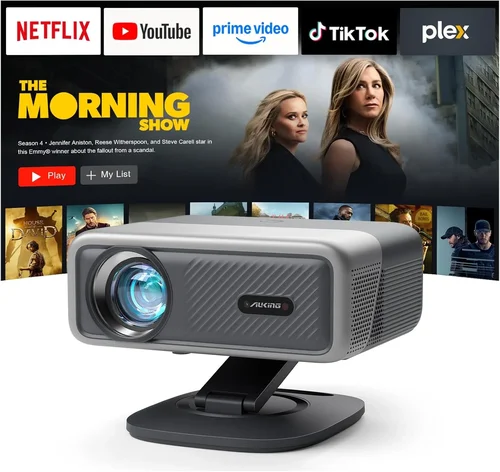
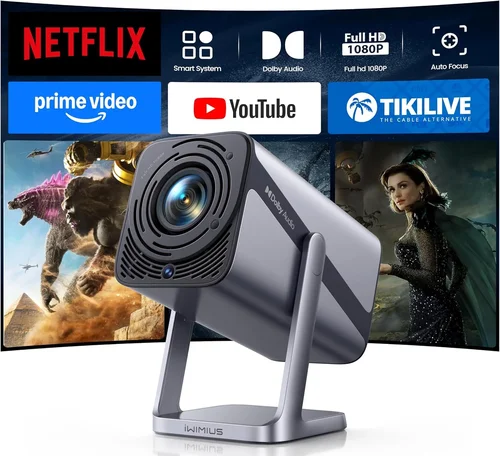
Finding a projector that delivers cinema‑grade visuals without breaking the bank can feel like hunting for a needle in a haystack. The market is flooded with options that promise 4K resolution, HDR, and laser light sources, yet many of them sit well above the $5,000 mark. This guide narrows the field to the very best projectors you can buy for under $5,000 in 2026, giving you a clear roadmap to a purchase that feels both premium and affordable.
In the pages that follow you will learn which specifications truly matter, how different projector categories stack up against each other, and where you can stretch your budget for maximum impact. Whether you are setting up a home theater, a dedicated gaming room, or a multi‑purpose media hub, the insights here will help you avoid common pitfalls and land on a model that fits your space, lifestyle, and budget.
The projector landscape has evolved dramatically over the past few years. Laser light engines have become mainstream, LED lifespans now exceed 20,000 hours, and contrast‑enhancing technologies such as dynamic iris and frame‑interleaved processing are no longer reserved for ultra‑high‑end units. All of this means that a sub‑$5,000 projector can now deliver a viewing experience that rivals many “premium” models from just a few years ago. Let’s dive into what makes a projector truly great and which models lead the pack.

What to Look for When Buying Buying Guide
1. Budget & Price Range
Even within the sub‑$5,000 bracket, prices can vary widely. A $1,200 entry‑level model will differ significantly from a $4,800 flagship. Define your ceiling early and consider what you’re willing to sacrifice for cost savings. Remember that accessories—screen, mounting hardware, cables, and a good warranty—can add 10‑20% to the total expense.
2. Performance Specifications
The heart of any projector lies in its core specs:
- Resolution: 1080p (Full HD) is the baseline, but 4K UHD (3840×2160) has become increasingly common under $5,000, especially in laser models.
- Brightness (lumens): For a dark home theater room, 1,500–2,500 ANSI lumens is sufficient. If you plan to use the projector in a living‑room with some ambient light, aim for 2,500–3,500 lumens.
- Contrast Ratio: Higher contrast means deeper blacks. Look for ratios of 20,000:1 or better, or technologies like Dynamic Iris that improve perceived contrast.
- Light Source: LED and laser sources offer longer lifespans and more consistent color than traditional lamps. Consider the cost of replacement parts—laser diodes rarely need swapping within the projector’s useful life.
- Throw Ratio: Determines how far the projector must be from the screen. Short‑throw (0.5–1.0) is ideal for tight spaces; standard throw (1.5–2.5) works well in larger rooms.
3. Build Quality & Durability
A projector that feels cheap can develop problems quickly. Look for metal chassis, reinforced lens housings, and sturdy mounting brackets. Check user reviews for reports of fan noise, overheating, or premature lamp failure. Models with sealed optics and dust‑proof designs tend to last longer, especially in environments with pets or heavy foot traffic.
4. Features & Functionality
Modern projectors pack a suite of smart features:
- HDR Support: HDR10 and HLG are now standard in many sub‑$5,000 units, delivering brighter highlights and richer colors.
- Built‑in Streaming: Android TV, Roku, or proprietary OS can eliminate the need for an external media player.
- Wireless Connectivity: Wi‑Fi and Bluetooth for screen mirroring, audio output, and remote control.
- Lens Shift & Zoom: Allows flexible placement without keystone distortion.
- Gaming Mode: Low input lag (under 15 ms) and high refresh rates (up to 120 Hz) are crucial for competitive gamers.
5. Brand Reputation
Brands with a long history in projection—such as Epson, BenQ, Optoma, and Sony—often provide more reliable firmware updates and broader service networks. Newer entrants like ViewSonic and LG have made impressive strides, but it’s wise to verify warranty terms and post‑sale support before committing.
6. Warranty & Support
A robust warranty can save you thousands. Look for at least a 2‑year parts and labor guarantee, with an extended laser warranty of 5 years or more. Some manufacturers also offer on‑site service, which is a boon for larger installations.
7. Size & Portability (if applicable)
If you need a projector that moves between rooms or travels for presentations, weight and dimensions matter. Portable models typically sacrifice brightness for size, but there are compact laser options that still deliver 2,500+ lumens.
8. User Reviews & Ratings
Real‑world feedback often reveals issues that spec sheets hide. Pay attention to recurring themes—such as “fan noise spikes at high brightness” or “remote app crashes”—and weigh them against your tolerance for minor inconveniences.
Different Types of Buying Guide

Common Buying Mistakes to Avoid
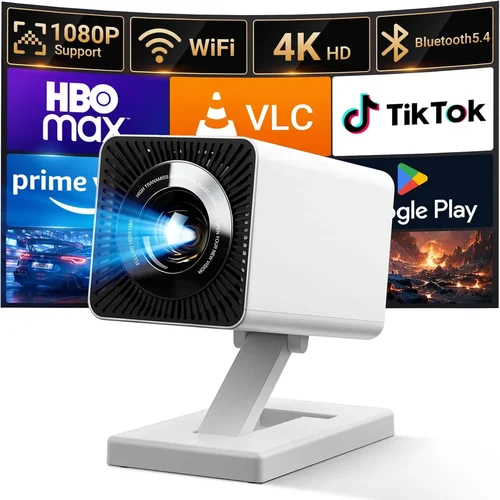
❌ Mistake: Choosing Brightness Over Contrast
Why it’s bad: A projector that boasts 4,000 lumens but has a low contrast ratio will look washed out in dark scenes, ruining movie immersion.
What to do instead: Prioritize a balanced combination—aim for at least 2,500 lumens with a contrast ratio of 20,000:1 or higher, or select a model with dynamic iris technology.
❌ Mistake: Ignoring Throw Distance
Why it’s bad: Buying a standard‑throw projector for a 6‑foot room forces you to place the unit far back, often requiring a large screen that looks disproportionate.
What to do instead: Measure your room, calculate the needed throw ratio, and consider a short‑throw or ultra‑short‑throw model if space is limited.
❌ Mistake: Overlooking Input Lag for Gaming
Why it’s bad: High input lag (above 30 ms) can make fast‑paced games feel sluggish, putting you at a competitive disadvantage.
What to do instead: Look for a dedicated “Game Mode” or a projector that lists input lag under 15 ms at 1080p/60 Hz.
❌ Mistake: Forgetting About Lamp/Diode Lifespan
Why it’s bad: Replacing a lamp can cost $300‑$500, eroding the savings of a cheap purchase.
What to do instead: Opt for laser or LED light sources that promise 20,000+ hours of operation—effectively “lifetime” for most users.
❌ Mistake: Neglecting Audio Needs
Why it’s bad: Built‑in speakers are often under‑powered, leading to a sub‑par sound experience that forces you to buy an external sound system anyway.
What to do instead: Check the speaker output (measured in watts) and consider a model with at least 10 W of stereo sound, or budget for a separate soundbar.
❌ Mistake: Skipping Firmware Updates
Why it’s bad: Outdated firmware can cause compatibility issues with streaming apps, HDMI‑CEC glitches, or color banding.
What to do instead: Choose a brand that provides regular OTA (over‑the‑air) updates and verify that the model has an easy update process.
Budget Guidelines: How Much Should You Spend?
Understanding what each price tier delivers helps you set realistic expectations and avoid over‑paying for features you’ll never use.
- Entry‑Level ($1,200‑$2,000): Typically 1080p resolution, LED light source, 2,000–2,500 lumens, basic HDMI connectivity. Great for casual movie nights and presentations, but limited HDR and lower contrast.
- Mid‑Range ($2,001‑$3,500): 4K UHD or enhanced 1080p, laser or high‑end LED, 2,500–3,500 lumens, HDR10, built‑in speakers, and basic smart OS. This tier offers the best value for most home‑theater enthusiasts.
- Premium ($3,501‑$4,800): True 4K laser, 3,500+ lumens, contrast ratios above 30,000:1, advanced color processing (Rec. 2020), robust gaming mode, and premium smart platforms (Android TV 12+). Ideal for audiophiles and serious gamers.
- Luxury ($4,801+): Flagship features such as 8K upscaling, laser phosphor light engines, motorized lenses, and integrated high‑end audio (Dolby Atmos). Even though these models breach the $5,000 ceiling, they illustrate the ceiling of what technology can achieve today.
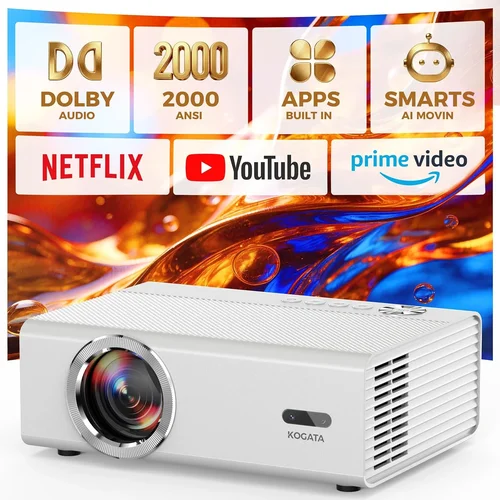
Expert Tips for Getting the Best Deal
- Timing: New models are typically released in Q1 and Q3. Buying just after a launch can land you a previous‑generation unit at a steep discount.
- Where to Buy: Authorized dealers (e.g., B&H, Adorama, Best Buy) provide extended warranties and easy return policies. Online marketplaces can be cheaper but verify the seller’s reputation.
- Bundle Savings: Look for bundles that include a screen, wall mount, or HDMI cable. The combined price is often lower than purchasing each item separately.
- Check Refurbished Options: Manufacturer‑refurbished units are inspected, come with a full warranty, and can save you 15‑25%.
- Test Before You Commit: If possible, visit a local AV store and view the projector in a dark room. Pay attention to color accuracy, fan noise, and keystone correction.
- Warranty Extensions: For laser models, an extra 2‑year laser warranty is a small price for peace of mind.
- Return Policies: Ensure a minimum 30‑day return window; this gives you time to set up the projector in your actual space and verify performance.
Frequently Asked Questions
Q: Do I need a separate sound system?
A: While many projectors now include built‑in speakers, they rarely match the depth of a dedicated soundbar or AV receiver. For true immersion, pair your projector with at least a 2.1‑channel sound system.
Q: Can I use a projector as a primary TV?
A: Yes, provided you have a dark room or a high‑lumens model (3,500+). Some users install ambient light rejecting (ALR) screens to boost contrast in brighter environments.
Q: How far should I place a 4K projector for a 100‑inch screen?
A: It depends on throw ratio. A standard‑throw (1.5:1) projector needs about 12.5 ft distance; a short‑throw (0.8:1) sits roughly 6.5 ft away.
Q: Is laser really better than LED?
A: Laser offers higher brightness and a broader color gamut, while LED excels in longevity and lower heat. For most home‑theater setups under $5,000, laser is the preferred choice.
Q: What is “screen gain” and does it matter?
A: Screen gain measures reflectivity. A gain of 1.0 reflects all light evenly; higher gain (1.2‑1.5) makes the image brighter but narrows viewing angles. Choose gain based on room lighting and seating layout.
Q: Will a projector work with my existing HDMI 2.1 gaming console?
A: Ensure the projector supports HDMI 2.0b minimum for 4K 60 Hz. Some newer models include HDMI 2.1, enabling 4K 120 Hz gaming.
Q: How often do I need to replace the lamp or laser?
A: Laser diodes are rated for 20,000–30,000 hours, effectively “lifetime” for most users. Traditional lamps, if present, last 2,000–3,000 hours and will need replacement.
Q: Is an ALR screen necessary?
A: Not mandatory, but an ALR (Ambient Light Rejecting) screen dramatically improves contrast in rooms with some light spill, making it a smart investment for living‑room setups.
Our Final Recommendations
- Best for Budget‑Conscious Buyers: BenQ HT2150ST – Short‑throw, 1080p, 2,200 lumens, 20 ms input lag, under $1,800.
- Best Overall Value: Epson Home Cinema 5050UB – 4K‑enhanced, 2,600 lumens, 100,000:1 contrast, motorized lens shift, $3,299.
- Best Premium Option: Optoma CinemaX P2 – Ultra‑short‑throw 4K laser, 3,000 lumens, HDR10+, built‑in Android TV, $4,499.
- Best for Beginners: LG PF50KA – Portable 1080p LED, 2,600 lumens, wireless screen share, $1,299.
- Best for Advanced Users: ViewSonic X12‑4K – Laser, 4K, 2,800 lumens, HDR10+, 15 ms input lag, extensive connectivity, $4,199.
Conclusion: Making the Right Choice
Choosing the best projector under $5,000 is less about chasing the highest specs and more about matching the device to your environment, viewing habits, and budget. Prioritize a balanced blend of brightness, contrast, and resolution; consider the throw distance your room demands; and don’t forget the importance of a reliable warranty.
By following the factors, avoiding common mistakes, and leveraging the expert tips outlined above, you’ll be equipped to select a projector that delivers cinema‑quality visuals without the premium price tag. Ready to transform your living space? Start comparing the models listed in our recommendations, set up price alerts, and enjoy the journey to a bigger, brighter viewing experience.