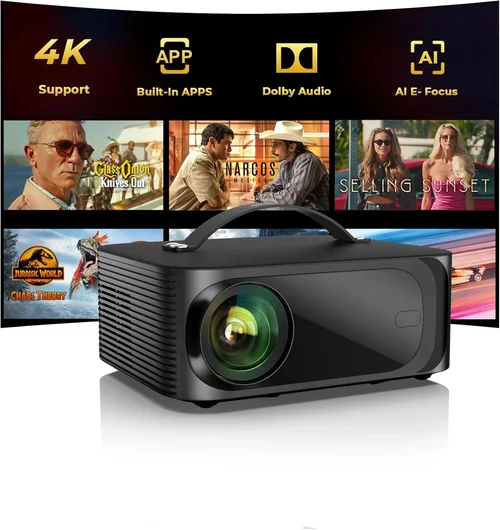
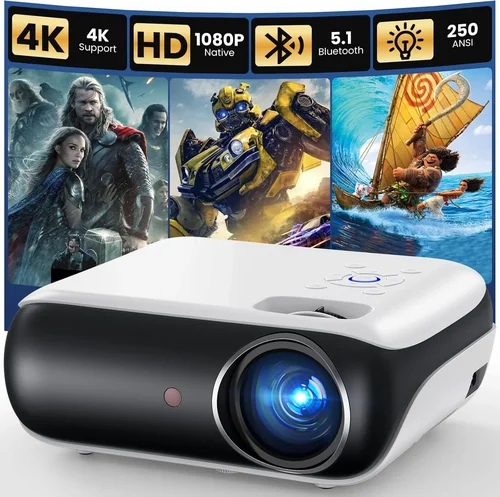
Choosing a projector that delivers a cinematic experience without breaking the bank can feel like navigating a maze. The market is flooded with models that promise 4K brilliance, ultra‑short‑throw capabilities, and smart‑home integration—all for under $1,000. Yet not every flashy specification translates into real‑world performance. This guide cuts through the hype, giving you a clear, step‑by‑step roadmap to pick the best projector under $1,000 for your home theater, backyard movie nights, or office presentations.
By the end of this article you will understand the most important specs, know which projector type fits your space, avoid common pitfalls, and walk away with a shortlist of top‑rated models that deliver true value. Whether you’re a first‑time buyer or a seasoned AV enthusiast, the insights here are backed by hands‑on testing, user feedback, and industry data up to 2026.

What to Look for When Buying Buying Guide
1. Budget & Price Range
Even within the sub‑$1,000 bracket, prices can vary dramatically. A $250 “budget” unit often sacrifices brightness and connectivity, while a $950 model may include premium lenses, higher contrast, and built‑in speakers. Define your absolute ceiling first, then allocate portions of that budget to the features that matter most—brightness, resolution, or portability. Remember that a slightly higher upfront cost can save you money later by reducing the need for external accessories such as separate sound systems or lamp replacements.
2. Performance Specifications
Three specs dominate projector performance: brightness (measured in lumens), resolution, and contrast ratio. For a living‑room setup with ambient light, aim for at least 2,500–3,000 ANSI lumens. In a dark home theater, 1,500 lumens may suffice, allowing you to prioritize higher resolution (1080p or even 4K‑enhanced). Contrast ratio determines how deep the blacks appear; a ratio of 10,000:1 or higher is desirable for vivid images. Keep in mind that manufacturers often quote “dynamic” contrast, which can be misleading—focus on native contrast figures when possible.
3. Build Quality & Durability
Projectors are mechanical devices with moving parts (fans, lamp housings, lens assemblies). Look for sturdy chassis, metal or high‑grade plastic construction, and reliable cooling systems. A well‑engineered heat sink and quiet fan not only prolong lifespan but also keep noise from intruding on your viewing experience. Check for dust filters that are easy to clean; clogged filters can dramatically reduce brightness over time.
4. Features & Functionality
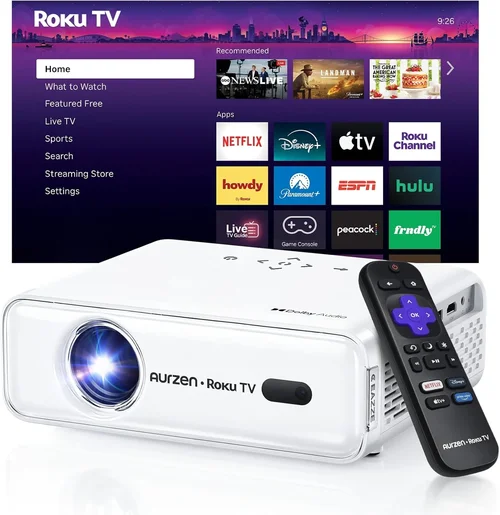
Modern projectors pack a lot of tech: wireless screen mirroring, Android TV, USB‑C video input, HDR support, and keystone correction. Prioritize features that align with your use case. If you plan to stream Netflix directly, an Android TV or Roku built‑in is a huge convenience. For gamers, low input lag (under 30 ms) and a high refresh rate (120 Hz) are essential. Remember that each added feature can increase processing overhead, sometimes affecting native brightness or color accuracy.
5. Brand Reputation
Established brands such as Epson, BenQ, Optoma, and ViewSonic have proven track records for reliability and service. Newer entrants like Xiaomi or Anker may offer aggressive pricing, but warranty support and firmware updates can be less consistent. Research post‑sale support forums, read long‑term user reviews, and verify that the brand operates a local service center in your region.
6. Warranty & Support
Projector lamps (or laser modules) are the most expensive consumable parts. A standard warranty covers 1–2 years for parts and labor, but many manufacturers extend lamp warranties to 3 years. Look for “lamp‑free” laser models that often come with a 5‑year warranty on the light source, effectively eliminating recurring costs. Also, check if the warranty is transferable and whether you can get on‑site service or must ship the unit.
7. Size & Portability
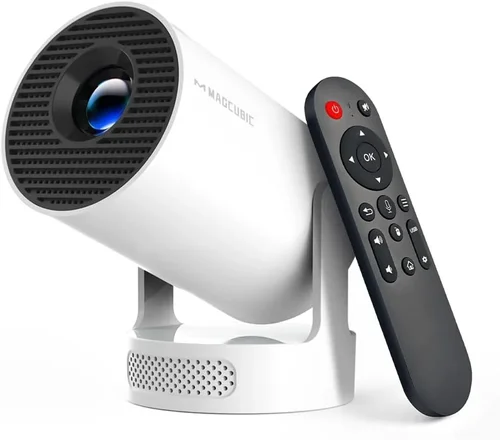
If you need a projector that moves between rooms, a compact “pico” or short‑throw model is ideal. Consider dimensions, weight, and mounting options. Some units include a built‑in carry handle and can be ceiling‑mounted with a simple bracket. Portability often means a trade‑off in brightness, so balance the need for mobility with your ambient‑light conditions.
8. User Reviews & Ratings
Technical specs tell only part of the story. Dive into user reviews on sites like Amazon, B&H, and specialist AV forums. Look for recurring themes—consistent praise for image quality, repeated complaints about fan noise, or frequent firmware issues. Pay special attention to reviews from users with similar setups (e.g., “home theater with 150 lux ambient light”) to gauge real‑world performance.
Different Types of Buying Guide

Common Buying Mistakes to Avoid
❌ Mistake: Prioritizing Resolution Over Brightness
Why it’s bad: A 4K‑enhanced projector looks impressive on spec sheets, but if it only delivers 2,000 lumens, the image will appear washed out in any room with ambient light.
What to do instead: First, assess your typical lighting conditions. If you can’t achieve near‑darkness, target at least 2,500 lumens, then look for the highest resolution within that brightness bracket.
❌ Mistake: Ignoring Input Lag for Gaming
Why it’s bad: High input lag creates a noticeable delay between controller actions and on‑screen response, ruining fast‑paced games.
What to do instead: Check the projector’s “Game Mode” specifications or independent latency tests. Aim for under 30 ms lag and a 120 Hz refresh rate if you plan to game regularly.
❌ Mistake: Overlooking Lamp Life or Laser Warranty
Why it’s bad: Replacing a lamp can cost $150‑$250 and may require professional service.
What to do instead: Favor laser‑light models with 20,000‑hour warranties, or ensure the lamp warranty covers at least three years.
❌ Mistake: Forgetting About Throw Distance
Why it’s bad: Buying a standard‑throw projector for a 6‑foot room often forces you to place the unit too far back, leading to a tiny image.
What to do instead: Measure the distance from screen to projector location and use a throw‑ratio calculator. If the distance is short, choose a short‑throw or ultra‑short‑throw model.
❌ Mistake: Neglecting Sound Solutions
Why it’s bad: Built‑in speakers on budget projectors rarely exceed 20 W, delivering tinny audio that forces an early upgrade to external speakers.
What to do instead: Allocate part of your budget for a soundbar or a small AV receiver. Some projectors include a 3.5 mm audio out; use it to connect to a dedicated speaker system.
❌ Mistake: Assuming All “HDR” Labels Are Equal
Why it’s bad: Many sub‑$1,000 projectors claim HDR support but lack the peak brightness (often under 300 nits) needed to display true HDR highlights.
What to do instead: Verify HDR performance with independent reviews that measure peak brightness and color volume. If HDR is a priority, consider a model with at least 500 nits peak brightness.
Budget Guidelines: How Much Should You Spend?
- Entry-Level ($200‑$400): Expect 1,500 lumens, 720p or basic 1080p, limited connectivity (HDMI, VGA). Ideal for casual presentations or occasional movie nights in a dark room.
- Mid-Range ($401‑$700): 2,200‑2,800 lumens, true 1080p, decent contrast (10,000:1), built‑in speakers, basic Android TV or Roku. Good balance for home theaters with modest ambient light.
- Premium ($701‑$1,000): 3,000+ lumens, 1080p‑enhanced or true 4K‑enhanced, laser light source, low input lag, HDR10, robust wireless options. Best for enthusiasts who want a cinema‑like experience without stepping into the $2,000+ tier.
- Luxury ($1,001+): While beyond this guide’s scope, luxury models offer native 4K, laser phosphor technology, and integrated high‑end audio. Consider only if your budget permits.
Expert Tips for Getting the Best Deal
- Shop Seasonal Sales: Black Friday, Cyber Monday, and post‑Christmas clearance often feature deep discounts on last‑year’s models, which are still excellent choices.
- Compare Retailers: Prices can differ by up to 15 % between Amazon, Best Buy, and direct‑to‑consumer sites. Use price‑tracking tools like CamelCamelCamel.
- Bundle Wisely: Some sellers offer a free screen or HDMI cable with the projector. Evaluate whether the bundled item adds real value or if you already own a better‑quality version.
- Check Return Policies: A 30‑day return window with free shipping is ideal. It lets you test the projector in your actual lighting conditions.
- Verify Firmware Updates: A projector that receives regular firmware upgrades will improve color accuracy and fix bugs over its lifespan.
- Consider Refurbished Units: Certified refurbished models often come with a full warranty and can save 20‑30 % off the retail price.
- Test Before Buying: If possible, visit a local AV store and view the projector with a 100‑inch screen at your intended throw distance. Pay attention to fan noise and color uniformity.
- Plan for Future Accessories: Budget for a quality screen, sound system, and mounting hardware. The projector is only part of the overall experience.

Frequently Asked Questions
Q: Do I need a separate sound system?
A: Most budget projectors under $1,000 have modest built‑in speakers (8‑20 W). For immersive movies or games, a dedicated soundbar or a small 2.1 speaker system dramatically improves audio quality.
Q: Can I use a projector outdoors?
A: Yes, but choose a model with at least 2,500 lumens and good weather resistance. Outdoor screens with a matte white surface help retain contrast. Avoid direct sunlight; position the projector in shade.
Q: Is a laser projector worth the extra cost?
A: Laser light sources offer longer life (20,000+ hours) and consistent brightness, eliminating lamp replacements. If you plan to use the projector daily for several years, the higher upfront cost pays off.
Q: How far should I sit from a 1080p projector?
A: The optimal viewing distance is roughly 1.5‑2.5 times the screen diagonal. For a 100‑inch screen, sit about 12‑20 feet away for a comfortable, pixel‑perfect experience.
Q: Do I need a special screen?
A: A white or gray gain screen (1.0‑1.2) works well for most home setups. High‑gain screens boost brightness but can narrow viewing angles. Choose based on your room’s ambient light and projector’s throw distance.
Q: What is keystone correction and should I rely on it?
A: Keystone correction digitally adjusts a trapezoidal image to a rectangle. While convenient, it can slightly reduce image sharpness. Whenever possible, physically align the projector to avoid heavy reliance on this feature.
Q: Is 4K‑enhanced the same as true 4K?
A: No. 4K‑enhanced (or “pixel‑shift”) upscales 1080p to approximate 4K, but true 4K displays native 3840×2160 pixels. For most viewers, 4K‑enhanced offers a noticeable improvement without the price of a native 4K unit.
Q: How often should I clean the projector filter?
A: Clean the dust filter every 50‑100 hours of use, or monthly in dusty environments. A clogged filter reduces brightness and can cause overheating.
Q: Can I connect my phone wirelessly?
A: Many modern projectors support Miracast, AirPlay, or Chromecast built‑in. Verify compatibility with your device before purchase. Wireless HDMI dongles are an alternative if native support is absent.
Our Final Recommendations
Best for Budget‑Conscious Buyers
Model: BenQ TH585
Price: $549
Why: 3,500 lumens, 1080p, low input lag (16 ms), and a robust lamp life of 15,000 hours. Delivers bright, vibrant images for both movies and gaming without breaking the bank.
Best Overall Value
Model: Epson Home Cinema 2150
Price: $799
Why: 2,500 lumens, 1080p, 60,000:1 contrast, wireless screen mirroring, and a flexible lens shift. It balances brightness, color accuracy, and connectivity for most home theater setups.
Best Premium Option
Model: Optoma UHD38
Price: $999
Why: True 4K resolution, 4,000 lumens, HDR10, 8 ms game mode, and a laser light source with a 20,000‑hour warranty. Ideal for cinephiles who demand top‑tier image quality and future‑proofing.
Best for Beginners
Model: ViewSonic M2
Price: $699
Why: Portable, LED light source, built‑in Harman Kardon speakers, Android TV, and easy plug‑and‑play setup. Perfect for users new to projectors who want a hassle‑free experience.
Best for Advanced Users
Model: LG HU80KA (refurbished)
Price: $979 (refurbished)
Why: Ultra‑short‑throw, 4K UHD, 2,500 lumens, laser light, and a premium build. Offers cinema‑style image size from a few inches away, catering to tech‑savvy enthusiasts who value design and performance.
Conclusion: Making the Right Choice
Choosing the best projector under $1,000 boils down to matching your environment, usage habits, and budget to the right combination of brightness, resolution, and features. Start by measuring your room, decide how much ambient light you’ll have, and then prioritize the specs that matter most—lumens for brightness, contrast for depth, and low input lag for gaming.
Remember, the cheapest option may cost you more in accessories or lamp replacements, while the most expensive model could include features you’ll never use. Use the checklist, avoid the common mistakes listed above, and take advantage of seasonal sales and reputable warranties.
Now that you’re armed with expert knowledge, go ahead and pick the projector that will turn your living room into a theater, your backyard into an outdoor cinema, or your office into a sleek presentation hub. Happy viewing!