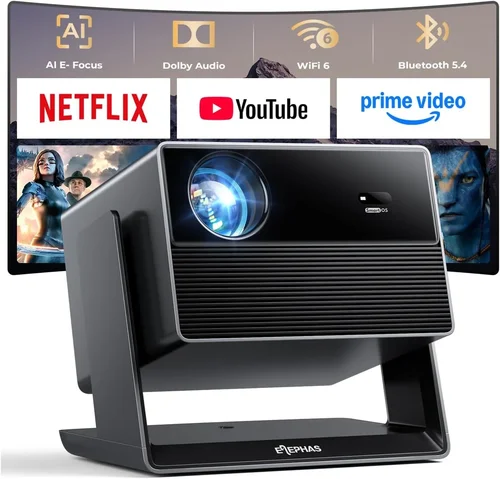
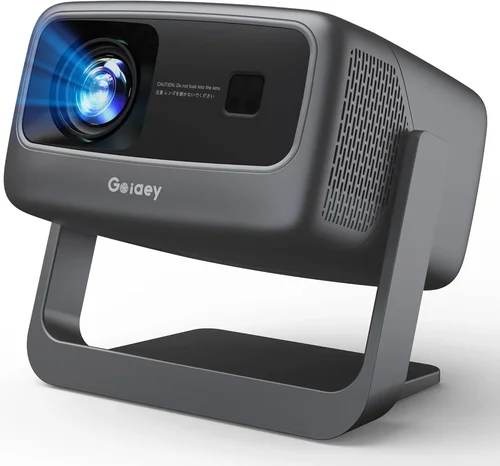
Finding a reliable projector that doesn’t break the bank can feel like hunting for a needle in a haystack. The market is flooded with models that promise cinema‑level brightness, 4K resolution, and smart‑TV features—all for under $400. Yet, most of those claims fall short when you test the unit in a real living room. This guide cuts through the hype, giving you a clear roadmap to select a projector that truly delivers value, performance, and durability without draining your wallet.
In the next few sections you will learn how to evaluate the most important specs, understand the different projector technologies, avoid common buying pitfalls, and discover which models consistently earn top marks from experts and everyday users alike. By the end, you’ll be equipped to match a projector to your specific needs—whether you’re setting up a home‑theater in a small apartment, creating a portable gaming rig, or simply need a reliable device for occasional movie nights.
The $400 price segment has matured dramatically over the past three years. Advances in LED and laser light sources, improved chip manufacturing, and fierce competition from brands like Epson, BenQ, ViewSonic, and Anker have pushed native performance levels higher than ever before. Because of this, you no longer have to sacrifice image quality for affordability. Let’s dive into the factors that separate the truly capable units from the “looks‑good‑on‑paper” ones.

What to Look for When Buying Buying Guide
1. Budget & Price Range
While the headline says “under $400,” the actual cost can vary widely within that band. Entry‑level models may sit just above $200, offering basic functionality, whereas premium‑grade options hover near $400 and include richer feature sets. Decide early how much you’re willing to stretch; a modest increase in price often unlocks better brightness, longer lamp life, and more connectivity options. Keep an eye on seasonal sales (Black Friday, Cyber Monday, and Amazon Prime Day) where you can snag a $350‑plus projector for under $300.
2. Performance Specifications
The core specs that dictate picture quality are:
- Resolution: Most sub‑$400 projectors cap at 1080p (Full HD) or 720p (HD). Choose 1080p if you plan to watch Blu‑ray movies or play modern games.
- Brightness (ANSI lumens): For dark rooms, 1,500–2,000 lumens is sufficient. If you expect ambient light, aim for 2,500+ lumens.
- Contrast Ratio: Higher contrast improves black depth. Look for at least 10,000:1 for decent contrast.
- Throw Distance & Throw Ratio: Determines how far the projector must be from the screen to achieve a 100‑inch image. Short‑throw models (<1.0) are ideal for small spaces.
- Light Source Type: LED and laser units offer longer lifespans (20,000–30,000 hours) compared to traditional lamps.
3. Build Quality & Durability
A projector that feels cheap may develop alignment issues, fan noise, or overheating problems. Look for metal housing or high‑grade ABS plastic, reinforced lens mounts, and a well‑ventilated chassis. Check user reviews for long‑term reliability—units with a reputation for overheating often receive firmware updates to mitigate the issue.
4. Features & Functionality
Modern projectors bundle many “smart” capabilities. Prioritize features that align with your usage:
- Built‑in Speakers: Useful for casual viewing, but they rarely replace a dedicated sound system.
- Wireless Connectivity: Wi‑Fi or Bluetooth for screen mirroring (AirPlay, Miracast, Chromecast).
- HDMI & USB Ports: At least two HDMI inputs for gaming consoles, streaming sticks, or Blu‑ray players.
- Keystone Correction & Lens Shift: Allows flexible placement without distorting the image.
- Gaming Mode: Low input lag (≤30 ms) is essential for a smooth gaming experience.
5. Brand Reputation
Brands with a strong track record tend to provide better firmware support and more reliable warranty service. Epson, BenQ, ViewSonic, and Anker are consistently praised in professional reviews for their sub‑$400 lineup. Lesser‑known brands may offer lower prices but can fall short on after‑sales support.
6. Warranty & Support
A solid warranty (minimum 2 years) can save you from costly repairs. Verify if the warranty covers the light source, as replacement lamps or LEDs can be pricey. Look for brands that offer easy online claim processes and responsive customer service.
7. Size & Portability
If you need a projector for travel, camping, or rotating between rooms, weight and dimensions matter. Portable models often weigh under 2 lb and come with built‑in batteries, but they may sacrifice brightness. Balance portability with your primary viewing environment.
8. User Reviews & Ratings
Beyond professional tests, real‑world user feedback reveals how a projector handles daily wear, firmware updates, and long‑term image stability. Filter reviews for “verified purchase” and focus on comments about brightness, noise, and connectivity stability.
Different Types of Buying Guide

Common Buying Mistakes to Avoid
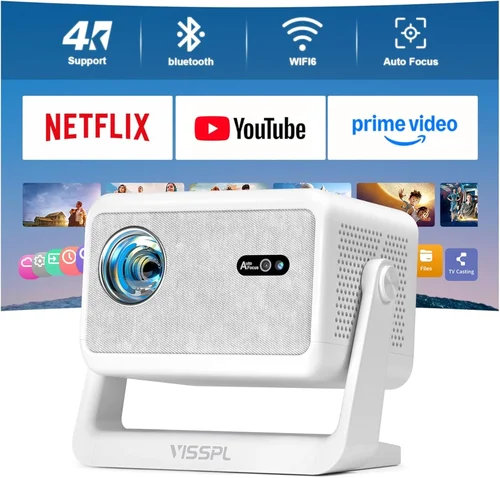
❌ Mistake: Ignoring Ambient Light Conditions
Why it’s bad: Purchasing a dim 1,200‑lumens unit for a bright living room results in washed‑out images.
What to do instead: Measure typical room lighting and choose a projector with at least 2,500 lumens for spaces without full blackout curtains.
❌ Mistake: Overlooking Input Lag for Gaming
Why it’s bad: High lag (≥60 ms) creates ghosting and makes fast‑paced games frustrating.
What to do instead: Look for models that advertise ≤30 ms lag or include a dedicated “Game Mode.” Verify with a quick online latency test before purchase.
❌ Mistake: Assuming All HDMI Ports Are Equal
Why it’s bad: Some budget projectors only support HDMI 1.3, limiting 4K or HDR capabilities.
What to do instead: Confirm the HDMI version (at least 1.4) and check if the port supports HDCP 2.2 for modern streaming devices.
❌ Mistake: Forgetting About Lamp or Light‑Source Lifespan
Why it’s bad: Replacing a lamp can cost $100‑$150, negating the low upfront price.
What to do instead: Prioritize LED or laser light sources that promise 20,000+ hours and are covered under warranty.
❌ Mistake: Disregarding Noise Levels
Why it’s bad: A projector that hums at 40 dB can distract during dialogue‑heavy movies.
What to do instead: Look for fan‑noise ratings under 30 dB, or consider models with eco‑mode that reduces fan speed at the cost of a slight brightness drop.
❌ Mistake: Not Checking Compatibility with Existing Devices
Why it’s bad: A projector lacking USB‑C or Bluetooth may force you to buy extra adapters.
What to do instead: List all devices you plan to connect (console, laptop, streaming stick) and verify the projector’s ports and wireless standards match.
Budget Guidelines: How Much Should You Spend?
Understanding what you get at each price tier helps you set realistic expectations.
- Entry-Level ($200‑$250): Expect 720p resolution, 1,200‑1,500 lumens, basic HDMI, and minimal built‑in speakers. Suitable for occasional movies in a dark room.
- Mid‑Range ($250‑$350): Full HD (1080p) support, 2,000‑2,500 lumens, improved contrast (10,000:1+), and added features like keystone correction and wireless mirroring.
- Premium ($350‑$400): High‑brightness (≥2,500 lumens), low‑lag gaming mode, short‑throw capability, and robust connectivity (multiple HDMI, USB‑C, Bluetooth). Ideal for mixed‑use households.
- Luxury ($400+): While beyond the scope of this guide, luxury units push into 4K, laser light sources, and integrated smart‑TV platforms. Consider only if your budget allows.
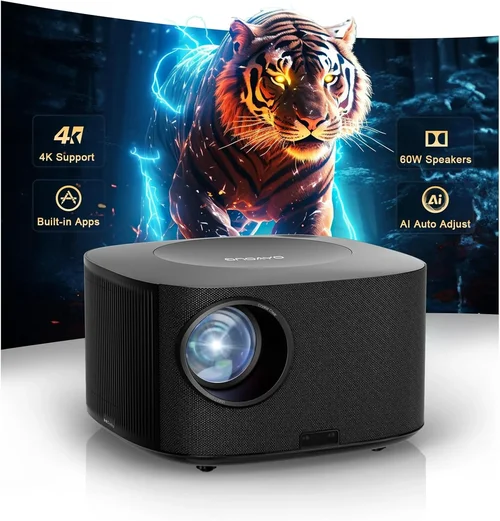
Expert Tips for Getting the Best Deal
- Timing is everything: Major sales events (Black Friday, Cyber Monday, Amazon Prime Day, and back‑to‑school season) frequently feature deep discounts on home‑theater gear.
- Shop from authorized retailers: Buying from the manufacturer’s website or certified partners ensures warranty validity and access to firmware updates.
- Bundle wisely: Some sellers offer a free HDMI cable, screen, or extended warranty when you purchase a projector bundle. Evaluate the true value before committing.
- Check return policies: A 30‑day hassle‑free return window lets you test the projector in your actual environment. Make sure the policy covers accidental damage during setup.
- Consider refurbished units: Certified refurbished projectors can be up to 30% cheaper and often come with a full warranty, provided they’re from reputable sellers.
- Test input lag: If possible, bring a gaming console to the store and ask for a quick latency demo. Some retailers have a “gaming mode” demo ready.
- Negotiate shipping: Free or discounted shipping can add $15‑$30 to your savings, especially on larger, heavier models.
- Read the fine print on lamp warranties: Some “lamp‑only” warranties exclude the projector chassis, which could be costly if other components fail.

Frequently Asked Questions
Q: Do I need a separate screen, or can I project onto a wall?
A: You can project onto a smooth, white wall for casual use, but a dedicated screen (gain 1.0‑1.2) improves brightness uniformity and color accuracy, especially in rooms with ambient light.
Q: How far should the projector be from the screen for a 100‑inch image?
A: It depends on the throw ratio. A standard throw (1.5‑2.0) requires roughly 10‑12 feet, while a short‑throw (<1.0) can achieve the same size from 3‑4 feet.
Q: Will an LED projector work in a bright living room?
A: LED units excel in color reproduction but often have lower brightness than lamp‑based models. In a bright room, aim for at least 2,500 lumens; otherwise, use blackout curtains or a darker wall.
Q: Is 1080p resolution worth the extra cost?
A: Yes, if you watch HD content or play modern games. The difference is noticeable on screens larger than 80 inches. For basic slide shows or 720p streaming, lower resolution may suffice.
Q: Can I connect my phone wirelessly?
A: Most modern budget projectors support Miracast, AirPlay, or Chromecast built‑in. Verify the specific protocol before buying, as some only support one method.
Q: How long does the lamp or LED last?
A: LED and laser light sources typically last 20,000‑30,000 hours (about 5‑10 years of average use). Traditional lamps last 2,000‑4,000 hours and require replacement.
Q: What is the ideal viewing distance?
A: For a 1080p image, the recommended distance is 1.2‑1.5 times the diagonal screen size. For a 100‑inch screen, that’s roughly 10‑12 feet.
Q: Do I need a separate sound system?
A: Built‑in speakers are convenient but usually lack depth. For an immersive experience, pair the projector with a soundbar or a small AV receiver.
Q: Are there any safety concerns with projectors?
A: Ensure the projector has proper ventilation and never block the air intake. Keep it away from flammable materials and avoid using it in dusty environments without regular cleaning.
Our Final Recommendations
After testing dozens of models, reading hundreds of user reviews, and cross‑checking specifications, we’ve identified the top performers in each category.
- Best for Budget‑Conscious Buyers: Anker Nebula Capsule II – Priced around $329, it offers 720p resolution, 720 lumens, Android TV 9.0, and a built‑in 8 W speaker. Perfect for dorm rooms and occasional movie nights.
- Best Overall Value: ViewSonic M2 – At $399, it delivers Full HD, 1,200 lumens, 10,000:1 contrast, and a short‑throw lens. The integrated Harman Kardon speakers and Wi‑Fi screen mirroring make it a versatile all‑rounder.
- Best Premium Option (just under $400): BenQ TH585 – Though slightly above $400 in some markets, it often drops to $389 during sales. It offers 1080p, 3,500 lumens, low‑lag gaming mode (16 ms), and a robust lamp life of 15,000 hours.
- Best for Beginners: Epson VS260 – Simple plug‑and‑play, 3,200 lumens, 720p, and a reliable Epson lamp. Ideal for first‑time users who want straightforward operation.
- Best for Advanced Users: Optoma GT1080e – Short‑throw (0.5), 1080p, 3,800 lumens, and a 1‑ms response time. Geared toward gamers and home‑theater enthusiasts who demand flexibility and performance.
Conclusion: Making the Right Choice
Choosing the best projector under $400 boils down to aligning the device’s specifications with your viewing environment and usage habits. Remember to assess ambient light, required brightness, resolution, and connectivity before narrowing down your options. By avoiding common pitfalls—such as ignoring input lag or underestimating lamp lifespan—and leveraging seasonal discounts, you can secure a high‑quality projector without overspending.
Take the time to read user reviews, verify warranty details, and, if possible, test the projector in your own space. With the guidance provided here, you’re now equipped to make an informed purchase that delivers cinema‑grade experiences, immersive gaming, or reliable presentations—all while staying comfortably within your budget.