
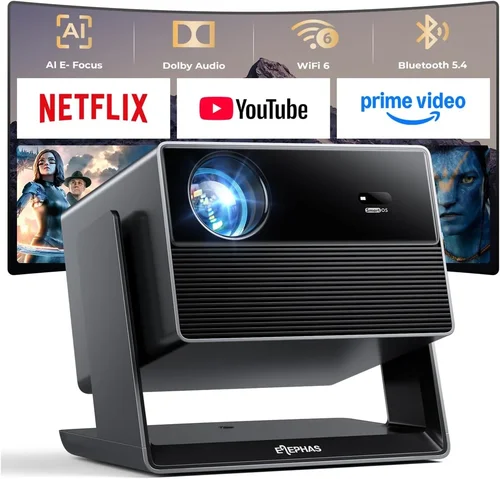
Choosing the right projector can feel like navigating a maze of specs, brands, and price tags. With a budget of 100 000 ₹ (approximately $1,200 USD) you have enough room to get a device that delivers cinema‑grade brightness, sharp images, and smart features without breaking the bank. This guide walks you through everything you need to know so you can make a confident purchase that fits your living room, office, or backyard setup.
In the pages that follow you’ll discover which specifications truly matter, how different projector types stack up, common pitfalls to avoid, and expert tips for snagging the best deal. By the end, you’ll be equipped to pick a projector that matches your viewing habits, space constraints, and budget.

What to Look for When Buying Buying Guide
1. Budget & Price Range
Even within a 100 000 ₹ ceiling, price can vary widely based on brand, technology, and included accessories. Set a realistic ceiling that includes taxes, shipping, and any optional lenses or mounting kits. Remember that a lower price often means compromises in brightness or lifespan, while a slightly higher spend can unlock features like 4K resolution or longer lamp life.
2. Performance Specifications
Key metrics include:
- Resolution: 1080p (Full HD) is the sweet spot for most home users. Some 4K‑enhanced models use pixel‑shifting to approximate true 4K at a lower cost.
- Brightness (lumens): For dim rooms, 2,000–2,500 ANSI lumens suffice. If you plan to watch in daylight or a bright living room, aim for 3,000+ lumens.
- Contrast Ratio: Higher contrast yields deeper blacks. Look for at least 10,000:1 for a respectable picture.
- Throw Distance: Determines how far the projector must sit from the screen. Short‑throw models can sit close to the wall, ideal for small spaces.
3. Build Quality & Durability
A sturdy chassis, quality cooling fans, and reliable lamp or laser modules extend a projector’s life. Metal housings resist warping, while sealed optics protect against dust. Check user reviews for any recurring overheating or component failures.
4. Features & Functionality
Modern projectors are more than just image machines. Look for:
- Smart OS: Android TV, Roku, or proprietary platforms let you stream without extra hardware.
- Connectivity: HDMI 2.0, USB‑C, Wi‑Fi, Bluetooth, and Ethernet give flexible source options.
- Audio: Built‑in speakers are convenient, but a 3.5 mm jack or Bluetooth output is essential for better sound.
- Lens Shift & Keystone Correction: Enables precise image placement without moving the projector.
5. Brand Reputation
Established brands like Epson, BenQ, ViewSonic, and Optoma have proven track records for reliability and support. New entrants may offer aggressive pricing but verify warranty terms and after‑sales service before committing.
6. Warranty & Support
Look for at least a 2‑year warranty covering the lamp or laser module. Some manufacturers include extended service plans for an additional fee. Easy access to authorized service centers can save you time and money down the line.
7. Size & Portability
If you intend to move the projector between rooms or take it outdoors, weight and footprint matter. Portable pico projectors are lightweight but often sacrifice brightness, while larger home‑theater units stay stationary.
8. User Reviews & Ratings
Real‑world feedback reveals performance quirks that spec sheets hide. Pay attention to recurring themes—such as fan noise, menu navigation, or firmware stability—when scanning reviews on sites like Amazon, Flipkart, and specialist forums.
Different Types of Buying Guide

Common Buying Mistakes to Avoid
❌ Mistake: Ignoring Ambient Light Conditions
Why it’s bad: A projector rated at 2,000 lumens will look washed out in a bright living room, ruining the viewing experience.
What to do instead: Measure the typical light level of your room. If you cannot control ambient light, aim for 3,000 lumens or consider a high‑gain screen.
❌ Mistake: Over‑Focusing on Resolution Only
Why it’s bad: A 4K‑capable projector with 1,500 lumens will still produce a dim, grainy picture in most homes.
What to do instead: Balance resolution with brightness, contrast, and throw distance to meet real‑world usage.
❌ Mistake: Forgetting About Lamp Life
Why it’s bad: Replacing a lamp can cost ₹10 000‑₹20 000, adding unexpected expense.
What to do instead: Look for laser or LED light sources that last 20,000+ hours, or check the lamp warranty period.
❌ Mistake: Neglecting Connectivity Options
Why it’s bad: You might end up buying extra adapters or streaming sticks.
What to do instead: Ensure the projector has HDMI 2.0, USB‑C, and Wi‑Fi if you plan to stream directly.
❌ Mistake: Choosing the Smallest Size for Portability
Why it’s bad: Ultra‑compact models often compromise on brightness and color accuracy.
What to do instead: Determine if you truly need portability. If the unit will stay in one room, a larger, brighter model is wiser.
Budget Guidelines: How Much Should You Spend?
- Entry‑Level (₹55 000 – ₹70 000): Expect 1080p resolution, 2,000–2,500 lumens, basic HDMI connectivity, and a modest warranty. Ideal for casual movie nights in dark rooms.
- Mid‑Range (₹70 000 – ₹85 000): Gains include higher brightness (2,800–3,200 lumens), better contrast, short‑throw options, and integrated Android TV. This tier suits most families.
- Premium (₹85 000 – ₹100 000): Laser or high‑end LED light sources, 4K‑enhanced imaging, advanced lens shift, and robust build quality. Perfect for home‑theater enthusiasts who want future‑proofing.
- Luxury (₹100 000+): True 4K laser projectors with HDR10+, ultra‑low fan noise, and professional‑grade color accuracy. Typically overkill for the average consumer but worth noting for comparison.
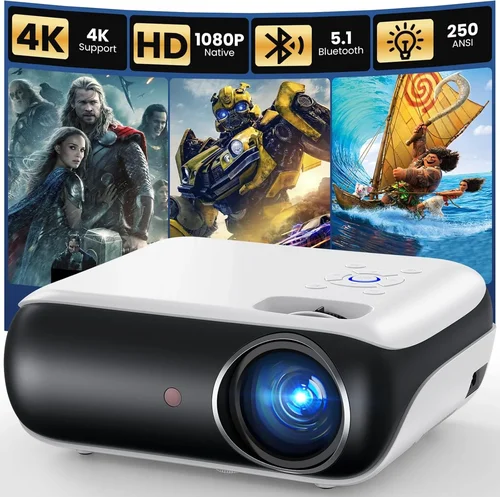
Expert Tips for Getting the Best Deal
- Buy during off‑season months (July–September) when retailers clear inventory.
- Compare prices across Amazon, Flipkart, and authorized brand stores; use price‑trackers like Keepa.
- Check for bundled accessories (screen, ceiling mount, extra lamp) that can add value.
- Read the fine print on warranty—some brands require registration within 30 days.
- Prefer retailers with a 30‑day return policy; you can test the projector in your home environment.
- If possible, visit a physical store to view the image quality in person before purchasing.
- Consider refurbished units from certified sellers; they often come with full warranty at a lower price.

Frequently Asked Questions
Q: Can I use a projector as a primary TV?
A: Yes, if you choose a model with at least 2,500 lumens and a low input lag for gaming. Pair it with a high‑gain screen to improve daylight performance.
Q: What is the difference between LED and laser light sources?
A: LED lamps have a shorter lifespan (≈5,000 hours) but are cheaper. Laser modules last 20,000 hours+, maintain color consistency, and often require less cooling.
Q: Do I need a special screen?
A: While a plain white wall works, a dedicated projector screen enhances contrast and color accuracy. For bright rooms, opt for a high‑gain (≥1.2) screen.
Q: How far should the projector be from the screen?
A: It depends on the throw ratio. A standard 1.5‑2.0 throw ratio at 100‑inch screen will sit 3‑4 ft away; short‑throw models can be as close as 1‑2 ft.
Q: Is HDMI 2.1 necessary?
A: For 4K @ 60 Hz content, HDMI 2.0 is sufficient. HDMI 2.1 becomes important for 8K or high‑refresh‑rate gaming, which is beyond the 100 000 ₹ segment.
Q: Will a projector work with my Android phone?
A: Most modern projectors support screen mirroring via Miracast, Chromecast built‑in, or USB‑C HDMI‑Alt Mode. Check the spec sheet for “wireless casting” support.
Q: How often do I need to replace the lamp?
A: Lamp lifespan is measured in hours. With typical home use (4 hours/day), a 4,000‑hour lamp lasts about 2‑3 years. Laser units rarely need replacement.
Our Final Recommendations
- Best for Budget‑Conscious Buyers: Epson EB‑S41 – 3,600 lumens, 1080p, HDMI, and a solid warranty at ~₹65 000.
- Best Overall Value: BenQ TH585 – 3,500 lumens, low input lag, Android TV, and a short‑throw lens for ₹78 000.
- Best Premium Option: Optoma UHZ65 – Laser light source, 4K‑enhanced, 3,000 lumens, HDR10+, priced at ₹98 000.
- Best for Beginners: ViewSonic M2 – Portable, Full HD, built‑in Harman Kardon speakers, HDMI‑C, around ₹70 000.
- Best for Advanced Users: LG CineBeam HU85LA – Ultra short‑throw, 4K laser, AI‑enhanced picture, at the top of the budget.
Conclusion: Making the Right Choice
Investing in a projector under 100 000 ₹ doesn’t mean you have to settle for subpar performance. By focusing on the right mix of brightness, resolution, throw distance, and smart features, you can create a home‑cinema experience that rivals a traditional TV. Remember to assess your room’s lighting, decide on the essential connectivity, and factor in long‑term costs like lamp replacement.
Use the checklist above, compare the highlighted models, and take advantage of seasonal sales to lock in the best price. Happy viewing!