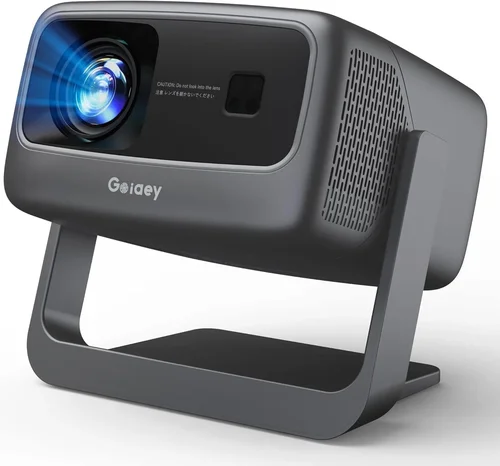
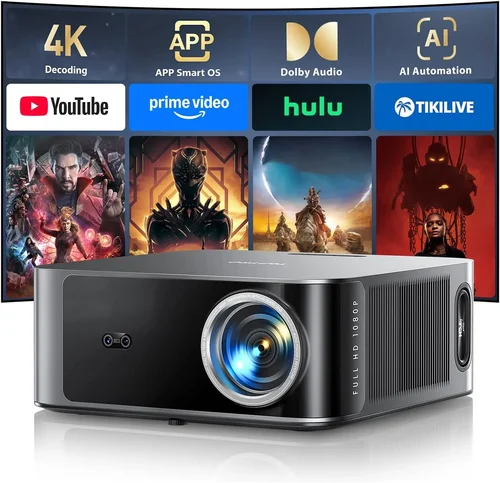
Choosing a projector when you have a $1,000 ceiling can feel like walking a tightrope between performance and price. The market is flooded with options that promise cinema‑grade picture, gaming‑ready latency, or ultra‑portable design, yet many of them either fall short on brightness or overpromise on features you’ll never use. This guide cuts through the noise, giving you a clear roadmap so you can invest confidently and get the most value for every dollar.
In the pages ahead you’ll learn which specifications truly matter for home entertainment, how to match a projector to your room’s lighting and layout, and which models consistently earn top marks from both experts and everyday users. By the end, you’ll be equipped to pick a device that fits your budget, your space, and your viewing habits without second‑guessing your decision.
The projector landscape in 2026 has evolved dramatically. LED and laser light sources now dominate the sub‑$1,000 segment, offering longer lifespans and more consistent color than traditional lamps. At the same time, manufacturers have refined throw ratios, added smart‑TV platforms, and improved built‑in speakers, making it easier than ever to set up a “plug‑and‑play” home theater. Understanding these trends is the first step toward a purchase that feels future‑proof.

What to Look for When Buying Buying Guide
1. Budget & Price Range
Even within the $1,000 ceiling, price variance can be significant. Entry‑level models may hover around $400, while premium offerings inch close to $999. Knowing how much you’re willing to spend helps narrow the field and prevents you from chasing features that inflate cost without adding real value to your use case.
2. Performance Specifications
Key specs include brightness (measured in lumens), contrast ratio, resolution, and color accuracy. For a living‑room with ambient light, aim for at least 2,500–3,000 lumens. If you can control lighting, 1,800–2,200 lumens may suffice. A native 1080p panel is the sweet spot for most buyers; 4K‑enhanced models exist under $1,000 but often rely on pixel‑shifting, which can affect sharpness.
3. Build Quality & Durability
Projectors in this price tier vary from lightweight plastic shells to rugged metal chassis. Look for sturdy hinges, a sealed lamp compartment (or a lamp‑free LED/laser source), and a reliable cooling system. A well‑built unit will survive frequent moves and maintain calibration over years of use.
4. Features & Functionality
Smart OS integration (Android TV, Roku, or proprietary platforms) can turn a projector into an all‑in‑one entertainment hub. Check for HDMI 2.0 or 2.1 ports, USB‑C video input, and wireless screen‑mirroring options like AirPlay or Miracast. Built‑in speakers are convenient, but don’t expect cinema‑level audio; external soundbars are usually a better choice.
5. Brand Reputation
Established brands such as Epson, BenQ, Optoma, and ViewSonic typically offer better firmware support and easier access to replacement parts. Newer entrants like Anker (Nebula) bring innovative designs, but verify warranty policies and community support before committing.
6. Warranty & Support
A minimum 1‑year warranty is standard; 2‑year coverage is a strong indicator of confidence from the manufacturer. Look for on‑site service options, responsive customer support channels, and clear policies regarding lamp or laser module replacement.
7. Size & Portability (if applicable)
For renters or frequent movers, a compact, lightweight projector (under 5 lb) with short‑throw capability can be a game‑changer. Consider the dimensions, mounting options, and whether the unit includes a built‑in battery for true portability.
8. User Reviews & Ratings
Real‑world feedback often reveals quirks that spec sheets hide—like fan noise, remote latency, or firmware bugs. Prioritize models with a large volume of reviews averaging 4 stars or higher, and read both positive and negative comments to gauge consistency.
Different Types of Buying Guide

Common Buying Mistakes to Avoid
❌ Mistake: Ignoring Ambient Light
Why it’s bad: A projector rated at 2,500 lumens may look brilliant in a dark home theater, but the same unit can appear washed out in a bright living room.
What to do instead: Measure the typical lighting conditions in your intended space. If you can’t fully darken the room, aim for 3,000+ lumens or choose a model with high contrast and HDR support.
❌ Mistake: Over‑Focusing on Resolution Alone
Why it’s bad: Spending most of your budget on 4K‑enhanced tech while neglecting brightness or contrast can result in a dull picture that never satisfies.
What to do instead: Prioritize native 1080p performance first, then consider 4K‑enhanced options only if they also meet brightness and contrast requirements.
❌ Mistake: Forgetting About Throw Distance
Why it’s bad: Buying a long‑throw projector for a small bedroom forces you to place the unit far away, creating a tiny image or requiring a ceiling mount.
What to do instead: Calculate the throw distance using the projector’s throw ratio and your desired screen size. Short‑throw models are ideal for rooms under 10 ft.
❌ Mistake: Ignoring Input Lag for Gaming
Why it’s bad: High input lag (over 30 ms) can make fast‑paced games feel sluggish, ruining the experience.
What to do instead: Look for a “Game Mode” or specifications listing ≤ 20 ms lag. Test the projector with a console if possible.
❌ Mistake: Assuming Built‑In Speakers Are Sufficient
Why it’s bad: Most sub‑$1,000 projectors have modest 2‑10 W speakers that lack depth and volume for larger rooms.
What to do instead: Budget for an external sound solution—soundbar or bookshelf speakers—and ensure the projector has audio out (3.5 mm or optical).
❌ Mistake: Skipping Firmware Updates
Why it’s bad: Out‑of‑date firmware can cause compatibility issues with streaming apps, HDMI‑CEC glitches, or even stability problems.
What to do instead: Choose a brand with a clear update path and check community forums for regular firmware releases.
Budget Guidelines: How Much Should You Spend?
Understanding what each price tier delivers helps you set realistic expectations and avoid overpaying.
- Entry‑Level ($400‑$600): Expect 1080p resolution, 2,000–2,400 lumens, basic HDMI connectivity, and minimal smart features. Ideal for occasional movie nights in a dark room.
- Mid‑Range ($600‑$800): You’ll see brighter LEDs or low‑cost lasers, improved contrast ratios (10,000:1+), and often a built‑in Android TV or Roku platform. Good for everyday use with moderate ambient light.
- Premium ($800‑$1,000): These units blend high brightness (≥ 3,000 lumens), superior color gamuts (DCI‑P3), low input lag, and robust connectivity (HDMI 2.1, USB‑C). They suit gamers, sports fans, and semi‑dedicated home theaters.
- Luxury ($1,000+): While beyond the scope of this guide, luxury models push 4K native resolution, laser sources with 20,000+ lumens, and premium optics. Consider only if your budget is flexible.
Expert Tips for Getting the Best Deal
- Timing: New models typically launch in Q2. Buying older generations in Q3/Q4 can yield 15‑30% price drops.
- Retailers: Compare prices across Amazon, Best Buy, B&H, and direct manufacturer sites. Some brands offer exclusive bundles (e.g., free screen or extended warranty) when purchased directly.
- Deal Hunting: Use price‑tracking tools like CamelCamelCamel or Keepa to monitor fluctuations and receive alerts when a target price is hit.
- Warranty Extension: If you plan heavy use, consider purchasing an extended warranty that covers the laser module, especially for LED units with limited warranty on the light source.
- Return Policies: Verify a no‑questions‑asked return window (ideally 30 days). This gives you time to test the projector in your actual environment.
- Testing: If possible, view a demo unit in a store with ambient lighting similar to your home. Bring a laptop or phone to test connectivity and latency.
- Bundling: Look for bundles that include a high‑gain screen, ceiling mount, or HDMI cable. These add value and reduce the need for separate purchases.

Frequently Asked Questions
Q: Can I use a projector under $1,000 for outdoor movie nights?
A: Yes, provided you select a model with at least 3,000 lumens and a high contrast ratio. Outdoor screens benefit from brighter projectors to combat ambient light from the sky or nearby street lamps. Pair the projector with a weather‑proof screen and consider a portable battery pack if power outlets are scarce.
Q: Do LED projectors need a lamp replacement?
A: No. LED light sources typically last 20,000–30,000 hours, far exceeding the lifespan of traditional lamps. This translates to years of use before any brightness degradation becomes noticeable.
Q: What is the difference between native 1080p and 4K‑enhanced?
A: Native 1080p means the projector’s panel physically contains 1,920×1,080 pixels. 4K‑enhanced (or “pixel‑shift”) uses a chip that rapidly moves the image to simulate higher resolution. The result is sharper than plain 1080p but not true 4K detail.
Q: Is a short‑throw projector necessary for a small bedroom?
A: While not mandatory, a short‑throw unit (throw ratio < 0.5) allows you to place the projector close to the wall and still achieve a 100‑inch image. This reduces shadowing and eliminates the need for ceiling mounting.
Q: How important is HDR for a sub‑$1,000 projector?
A: HDR adds dynamic range, but many budget projectors lack true HDR certification. If HDR is a priority, look for models that support HDR10 and have a contrast ratio above 15,000:1 to make the effect noticeable.
Q: Can I connect a gaming console wirelessly?
A: Some projectors include Wi‑Fi screen‑mirroring (AirPlay, Miracast). However, wireless connections often introduce latency. For competitive gaming, a wired HDMI connection is recommended.
Q: Do I need a special screen?
A: A white matte screen works well for most home setups. If you have high ambient light, consider a gray or high‑gain screen to improve perceived contrast.
Q: How often should I clean the projector lens?
A: Clean the lens gently with a microfiber cloth every few months, or when you notice softness or dust spots. Avoid using harsh chemicals; a lens cleaning solution designed for optics is safest.
Q: Will a projector work with a 120 Hz TV?
A: Projectors display at a fixed refresh rate, usually 60 Hz. They cannot match the 120 Hz of modern TVs, but most video content (movies, streaming) is produced at 24–60 Hz, making this a non‑issue for typical viewing.
Our Final Recommendations
- Best for Budget‑Conscious Buyers: BenQ TH585 – 3,500 lumens, 1080p, low input lag (≈ 16 ms), and a price around $649. Ideal for gamers and bright rooms.
- Best Overall Value: Epson Home Cinema 2150 – 2,500 lumens, 1080p, wireless mirroring, and a reliable lamp‑free LED source. Priced at $879, it balances performance and features.
- Best Premium Option: Optoma UHD38 – 4,000 lumens, true 4K, 22 ms game mode, and HDR10 support. At $999, it pushes the $1,000 limit but delivers cinema‑grade brightness.
- Best for Beginners: Anker Nebula Capsule II – Compact, Android TV built‑in, 720p LED, battery operation. Easy setup for $469, perfect for casual viewing.
- Best for Advanced Users: ViewSonic X10‑4K – Portable laser, true 4K, 2,400 lumens, built‑in Harman/Kardon speakers. At $999, it offers high‑end specs in a portable form factor.
Conclusion: Making the Right Choice
Finding the best projector under $1,000 boils down to aligning your viewing environment, usage patterns, and budget. Prioritize brightness and contrast for rooms with light, verify low input lag if gaming, and consider smart‑OS integration for a streamlined experience. By avoiding common pitfalls—like neglecting ambient light or over‑valuing resolution—and following the expert tips outlined above, you can confidently select a projector that delivers immersive entertainment without breaking the bank.
Ready to upgrade your home cinema? Use the recommendations as a starting point, test a few models if you can, and enjoy the big‑screen experience that fits perfectly within your budget.