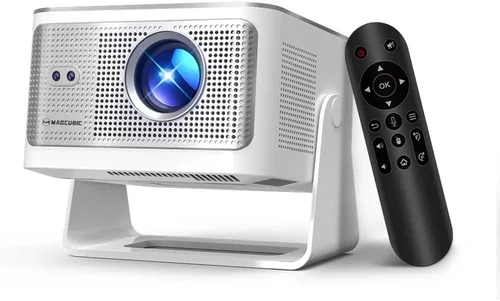
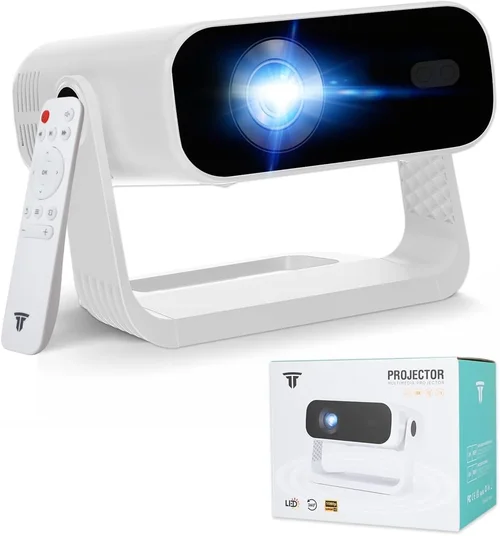
Choosing a 4K projector under $1,000 can feel like walking a tightrope between performance and price. The market is flooded with options that promise cinema‑grade visuals, but not every claim holds up when you pull the plug and test it in a real living room. This guide cuts through the hype, giving you a clear roadmap so you can buy with confidence and avoid costly regrets.
In the pages that follow you’ll discover what really matters when evaluating a 4K projector, how different technologies stack up, and which models deliver the most bang for your buck in 2026. Whether you’re setting up a home theater, a gaming den, or a portable “movie‑on‑the‑go” solution, the information here will help you match the right projector to your needs.
The 4K projector market has evolved dramatically over the past three years. Light‑engine efficiency is higher, LED and laser sources are becoming mainstream, and manufacturers are squeezing more contrast and color accuracy into units that once cost twice as much. As a result, you can now find a true 4K (or near‑4K) experience for under $1,000—provided you know which specs to prioritize.

What to Look for When Buying Buying Guide
1. Budget & Price Range
Even within the sub‑$1,000 bracket, prices can swing widely based on features like laser light sources, built‑in speakers, or advanced lens shift. Set a hard ceiling for what you’re willing to spend, then allocate portions of that budget to the most impactful specs—usually brightness and contrast. Remember that accessories (screen, mounting hardware, cables) add to the total cost.
2. Performance Specifications
The three pillars of picture quality are resolution, brightness, and contrast ratio.
- Resolution: True 4K (3840 × 2160) is rare under $1,000; most models use “4K‑enhanced” or DCI‑compatible upscaling. Look for native 1080p panels with pixel‑shifting technology if true 4K is out of reach.
- Brightness: Measured in lumens. For a dark home theater, 1,500–2,000 lumens is sufficient. If you plan to use ambient light, aim for 2,500 lumens or more.
- Contrast Ratio: Higher ratios (e.g., 30,000:1) mean deeper blacks. Laser and LED sources typically achieve better contrast than traditional lamps.
3. Build Quality & Durability
A projector is an investment; you want it to survive frequent power cycles and, in some cases, travel. Metal chassis, reinforced lens housings, and dust‑filter designs are hallmarks of durability. Check user reviews for reports of overheating or lamp‑life issues.
4. Features & Functionality
Modern projectors pack a lot of tech. Prioritize the features that match your use case:
- Lens Shift & Zoom: Allows flexible placement without keystone correction.
- HDR Support: HDR10 or HLG can boost color depth, but only if the projector’s brightness can handle it.
- Connectivity: HDMI 2.0 or 2.1, USB‑C, Wi‑Fi, and Bluetooth. Some models include built‑in streaming apps.
- Gaming Modes: Low input lag (≤ 16 ms) and high refresh rates are essential for a smooth gaming experience.
5. Brand Reputation
Established brands like Epson, BenQ, Optoma, and ViewSonic tend to offer better firmware support and more reliable warranties. Newer entrants may provide innovative tech at lower prices, but research their after‑sales track record before committing.
6. Warranty & Support
Look for at least a 2‑year warranty covering the light engine. Some manufacturers offer extended warranties or free lamp replacements. Good customer support can save you time and money if a firmware update is needed.
7. Size & Portability
If you need a projector that travels, consider weight (under 5 lb is ideal) and a compact form factor. Portable models often sacrifice brightness, so balance portability with your ambient‑light environment.
8. User Reviews & Ratings
Real‑world feedback reveals issues that spec sheets hide—like fan noise, remote latency, or color accuracy out of the box. Scan multiple review sites and focus on reviewers who share similar usage scenarios.
Different Types of Buying Guide

Common Buying Mistakes to Avoid
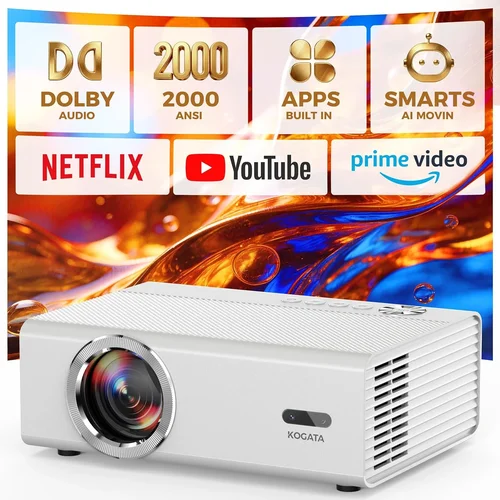
❌ Mistake: Ignoring Ambient Light
Why it’s bad: A projector rated at 1,500 lumens will look washed out in a lit living room, ruining the 4K detail you paid for.
What to do instead: Measure the typical light level in your intended space. If you can’t achieve near‑darkness, target at least 2,500 lumens and consider a high‑gain screen.
❌ Mistake: Over‑valuing Native 4K
Why it’s bad: True native 4K units under $1,000 are virtually non‑existent; you may end up paying a premium for a spec you won’t fully utilize.
What to do instead: Look for pixel‑shift technology that convincingly simulates 4K on a 1080p chip, and pair it with a good upscaler.
❌ Mistake: Forgetting Lamp/Light‑Engine Life
Why it’s bad: A cheap lamp may need replacement after 2,000 hours, adding hidden costs.
What to do instead: Choose LED or laser light sources for 20,000+ hour lifespans, or verify lamp warranty length.
❌ Mistake: Skipping Input Lag Tests
Why it’s bad: High‑resolution doesn’t matter if you experience lag while gaming.
What to do instead: Look for published input lag figures (<16 ms is ideal) or read gaming‑focused reviews.
❌ Mistake: Assuming All HDMI Ports Are Equal
Why it’s bad: Some budget models only have HDMI 1.4, limiting 4K @ 60 Hz.
What to do instead: Verify the projector has HDMI 2.0 or higher for full 4K 60 Hz support.
❌ Mistake: Neglecting Throw Distance
Why it’s bad: A short‑throw projector placed too far will produce a tiny image, forcing you to move furniture.
What to do instead: Calculate required throw distance for your screen size using the manufacturer’s throw ratio chart.
Budget Guidelines: How Much Should You Spend?
- Entry‑Level ($500‑$700): Expect 1080p native resolution with 4K‑enhancement, 1,500‑2,000 lumens, and basic HDR. Ideal for occasional movie nights.
- Mid‑Range ($700‑$900): Pixel‑shift 4K, 2,200‑2,800 lumens, improved contrast (≥ 20,000:1), and built‑in speakers. Good balance for gaming and home theater.
- Premium ($900‑$1,000): Laser or hybrid light engine, true 4K‑enhanced, HDR10, low input lag, and robust lens shift. Best for enthusiasts who demand performance.
- Luxury ($1,000+): Full‑native 4K, ultra‑high contrast (≥ 30,000:1), advanced color management, and premium warranty. Outside the scope of this guide but worth noting.
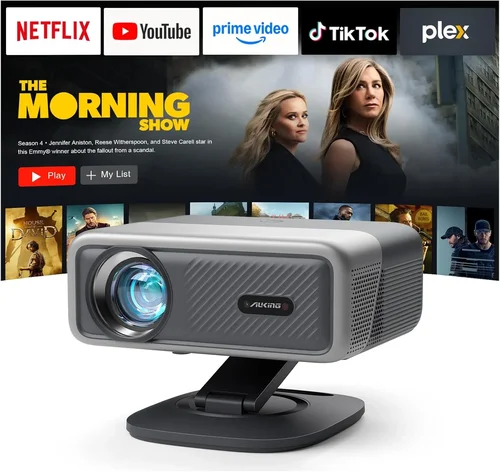
Expert Tips for Getting the Best Deal
- Buy during major sales events (Amazon Prime Day, Best Buy’s “Deal of the Day”).
- Check manufacturer refurbished units—they come with full warranties at 15‑25% less.
- Compare bundle offers that include a screen, mounting kit, or HDMI‑2.1 cable.
- Read the fine print on return policies; a 30‑day window is standard.
- Test the projector in a showroom if possible—pay attention to fan noise and color accuracy.
- Register your product online immediately to secure extended warranty options.
- Consider a separate audio solution; most budget 4K projectors have weak built‑in speakers.

Frequently Asked Questions
Q: Can I get true 4K resolution for under $1,000?
A: True native 4K panels are still expensive. Most sub‑$1,000 models use pixel‑shift technology that simulates 4K on a 1080p chip. The result is very close to native 4K, especially on larger screens.
Q: How important is HDR for a budget projector?
A: HDR adds contrast and color depth, but it also demands higher brightness. If you watch in a dark room, HDR can be noticeable even on a 2,200‑lumens unit. In bright rooms, the benefit diminishes.
Q: What lamp life should I expect?
A: LED and laser light sources last 20,000‑30,000 hours. Traditional lamps range from 2,000‑4,000 hours, after which replacement costs can be $100‑$150.
Q: Do I need a special screen for 4K?
A: A high‑gain white screen works well for most setups. For the best color accuracy, consider a gray‑gain screen if you have some ambient light.
Q: Is a short‑throw projector worth the extra cost?
A: If you have limited distance between projector and screen, a short‑throw model eliminates keystone distortion and allows a larger image without moving furniture.
Q: How do I measure input lag?
A: Use a high‑speed camera or a dedicated lag tester app. Many reviewers publish lag numbers; look for ≤ 16 ms for gaming.
Q: Will Bluetooth audio work with all projectors?
A: Most modern projectors support Bluetooth, but latency can be an issue for gaming. For critical audio sync, use wired HDMI ARC or optical connections.
Our Final Recommendations
- Best for Budget‑Conscious Buyers: BenQ TH585 – 3,500 lumens, 1080p with 4K‑enhancement, 10 ms input lag, under $650.
- Best Overall Value: Optoma UHD38 – True 4K pixel‑shift, 4,000 lumens, HDR10, 8 ms lag, priced at $950.
- Best Premium Option: Epson Home Cinema 4010 – Laser hybrid light engine, 2,500 lumens, 4K enhancement, excellent color accuracy, $1,000 (often on sale).
- Best for Beginners: ViewSonic M2 – Portable LED, 2,200 lumens, built‑in Harman Kardon speakers, easy setup, $799.
- Best for Advanced Users: LG HU85LA – Ultra‑short‑throw, 4K, laser, 2,700 lumens, premium lens shift, just above $1,000 but worth stretching for a dedicated home theater.
Conclusion: Making the Right Choice
Investing in a 4K projector under $1,000 is no longer a fantasy; it’s a realistic upgrade for anyone seeking cinematic immersion without breaking the bank. By focusing on brightness, contrast, and the right type of 4K enhancement, you can enjoy crisp, vibrant images that rival larger‑screen TVs.
Remember to match the projector to your room’s lighting, prioritize low input lag if you game, and protect your purchase with a solid warranty. Use the budgeting guide, avoid the common pitfalls listed, and take advantage of seasonal sales to secure the best deal.
Ready to bring the big screen home? Start comparing the models above, check current prices, and make a decision that aligns with your viewing habits and budget. Happy viewing!