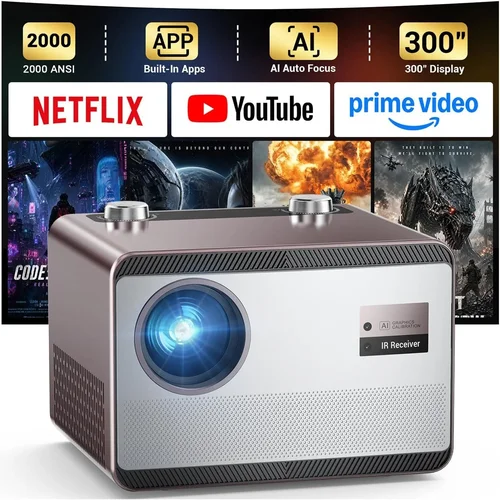
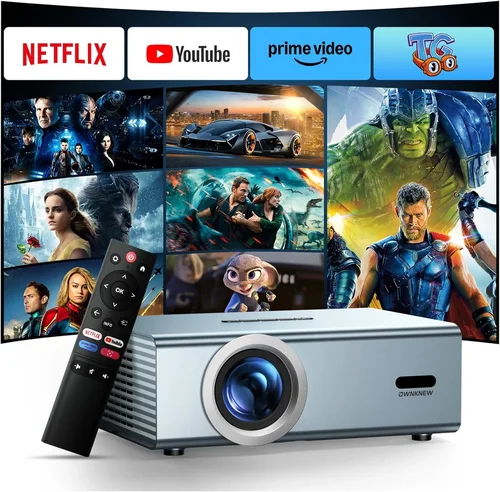
Finding a high‑quality projector that doesn’t break the bank can feel like hunting for a needle in a haystack. The market is flooded with models that promise cinema‑size images, dazzling colors, and gaming‑grade latency, yet many fall short when you actually plug them in. That’s why we’ve crafted this buying guide: to cut through the hype, spotlight the specs that truly matter, and point you toward the best projector under $1000 for a variety of use‑cases.
In the pages ahead you’ll learn how to match your viewing environment with the right brightness, resolution, and throw distance, discover which projector types excel at movies versus gaming, and avoid the common pitfalls that turn a promising purchase into a disappointment. By the end, you’ll have a clear roadmap for navigating the $500‑$999 price band and be equipped to make a confident, informed decision.
The projector landscape in 2026 has matured dramatically. LED and laser light sources have become mainstream, delivering longer lamp life and more consistent color performance. At the same time, 4K‑enhanced and true 4K models have trickled down into the sub‑$1000 segment, giving budget‑conscious shoppers access to resolution levels once reserved for premium home‑theater rigs. Let’s dive into the fundamentals you need to evaluate before you hit “Add to Cart.”

What to Look for When Buying Buying Guide
1. Budget & Price Range
Even within the “under $1000” bracket, prices can swing widely based on features like native 4K resolution, laser light engines, or built‑in smart platforms. Start by setting a firm ceiling—$800, $900, or $999—and then allocate portions of that budget to the specs that matter most to you. Remember, a lower price often means a trade‑off in brightness or lamp life, so be prepared to prioritize.
2. Performance Specifications
Brightness (lumens) determines how well a projector will perform in ambient light. For a dimly lit living room, 1,500–2,000 ANSI lumens usually suffice; a brighter home office or a multi‑purpose family room may need 2,500+ lumens. Resolution is equally crucial. While 1080p remains a solid baseline, many models now offer 4K‑enhanced (pixel‑shift) or true 4K. Higher resolution yields sharper text and finer detail—especially important for gaming and UHD movies.
Contrast ratio influences perceived black levels. Look for a dynamic contrast ratio of at least 20,000:1, though manufacturers often inflate these numbers. Real‑world measurements (e.g., measured contrast) are more reliable, but they’re rarely listed, so rely on reputable reviews.
3. Build Quality & Durability
Projectors are mechanical devices; moving parts like fans and lamp housings can wear over time. Opt for models with metal chassis and robust cooling solutions. A well‑designed heat sink and quiet fan (under 30 dB in operation) will extend lamp life and keep your viewing experience pleasant.
4. Features & Functionality
Modern projectors pack a lot of extras. Consider whether you need:
- Built‑in speakers—useful for casual movie nights but rarely replace a dedicated sound system.
- Wireless connectivity (Wi‑Fi, Bluetooth, AirPlay, Miracast)—essential for streaming from phones or laptops without cables.
- Lens shift and keystone correction—helps with placement flexibility; a true lens shift is preferable to digital keystone, which can degrade image quality.
- Multiple HDMI ports and support for HDCP 2.2—critical for 4K streaming devices.
- Gaming mode with low input lag (<30 ms) and high refresh rates (up to 120 Hz).
5. Brand Reputation
Brands like Epson, BenQ, Optoma, and ViewSonic have built solid reputations for reliability and service. Newer entrants (e.g., XGIMI, Hisense) bring innovative LED/laser tech but may have limited local service centers. Research warranty length, customer service responsiveness, and community forums before committing.
6. Warranty & Support
A longer warranty (3‑years or more) can be a decisive factor, especially for units with laser light sources that are expensive to replace. Check whether the warranty covers the lamp, laser module, and any accessories. Some manufacturers also offer extended service plans for a modest fee.
7. Size & Portability
If you plan to move the projector between rooms or take it to a friend’s house, weight and size matter. Portable “pico” projectors are ultra‑light but often sacrifice brightness and resolution. Mid‑range models (5–7 lb) strike a balance, offering decent performance while still being easy to transport.
8. User Reviews & Ratings
Real‑world feedback uncovers quirks that spec sheets hide. Look for consistent themes—e.g., “fan noise spikes after 30 minutes” or “excellent color accuracy out of the box.” Prioritize reviews from verified purchasers and reputable tech sites.
Different Types of Buying Guide

Common Buying Mistakes to Avoid
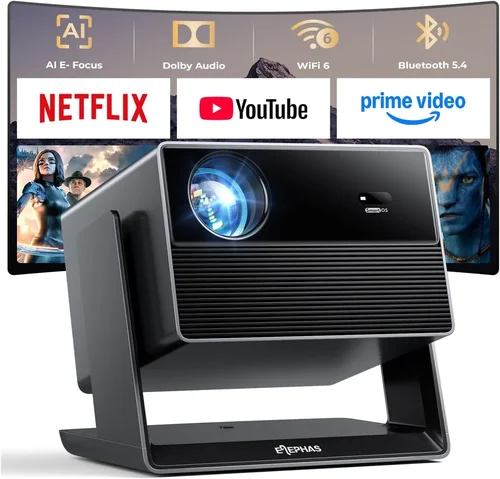
❌ Mistake: Ignoring Ambient Light Conditions
Why it’s bad: A projector rated at 1,500 lumens may look brilliant in a dark home theater but will appear washed out in a living room with daylight.
What to do instead: Measure the typical lighting in your intended space. If you can’t control light, aim for 2,500+ lumens or a laser model with higher brightness.
❌ Mistake: Over‑Focusing on Native 4K
Why it’s bad: True 4K projectors under $1000 are rare and often compromise on brightness or contrast.
What to do instead: Consider a 4K‑enhanced (pixel‑shift) projector, which delivers near‑4K sharpness while keeping brightness and price reasonable.
❌ Mistake: Forgetting Lens Shift
Why it’s bad: Relying solely on digital keystone can degrade image quality and limit placement flexibility.
What to do instead: Choose a model with at least ±10% vertical lens shift; horizontal shift is a bonus for off‑center setups.
❌ Mistake: Buying the Cheapest Lamp Replacement
Why it’s bad: Low‑cost third‑party lamps can cause color shifts, reduced lifespan, and even damage the projector.
What to do instead: Stick with OEM or certified replacement lamps, and factor the cost into your total budget.
❌ Mistake: Neglecting Input Lag for Gaming
Why it’s bad: High input lag (>50 ms) makes fast‑paced games feel sluggish.
What to do instead: Look for a dedicated “Game Mode” or check independent latency tests before purchasing.
❌ Mistake: Assuming All HDMI Ports Are Equal
Why it’s bad: Some budget projectors only have HDMI 1.4, which caps 4K at 30 Hz.
What to do instead: Verify that the projector offers HDMI 2.0 or higher for full‑speed 4K/60Hz support.
Budget Guidelines: How Much Should You Spend?
Understanding what you get at each price tier helps you set realistic expectations.
- Entry‑Level ($400‑$600): Expect 1080p resolution, 1,500–2,000 lumens, basic speakers, and minimal lens shift. Ideal for dorm rooms or occasional movie nights.
- Mid‑Range ($601‑$850): Here you’ll find 4K‑enhanced or true 1080p with higher brightness (2,200–2,800 lumens), better contrast, and more robust connectivity (HDMI 2.0, Wi‑Fi). This is the sweet spot for most families.
- Premium ($851‑$999): Expect true 4K (often with DLP), laser light sources, advanced color gamuts (Rec. 2020), and low input lag for gaming. These units often include premium build quality and longer warranties.
- Luxury ($1,000+): Typically outside the scope of this guide, but worth noting that flagship models push beyond 3,000 lumens, offer HDR10+, and include motorized lenses and interchangeable optics.
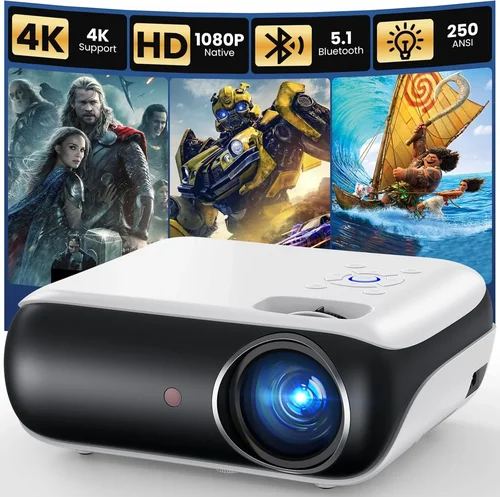
Expert Tips for Getting the Best Deal
- Timing: Late summer (July–August) often sees discounts as manufacturers clear inventory for the holiday season.
- Retailers: Compare prices on Amazon, Best Buy, and manufacturer websites. Some brands offer “student discounts” or “military pricing” that can shave $50‑$100 off.
- Bundled Packages: Look for bundles that include a projection screen, mounting kit, or a spare lamp; the combined value usually exceeds the cost of buying items separately.
- Warranty Extensions: If the standard warranty is only one year, a modest extension (often $40‑$80) can be a smart investment, especially for laser models.
- Return Policies: Choose retailers with a 30‑day return window and free return shipping. This gives you a chance to test the projector in your own environment.
- Testing: Bring a laptop and a streaming stick to the store. Verify brightness, color accuracy, and, if you game, input lag before committing.
- Firmware Updates: Some manufacturers release performance‑enhancing firmware after launch. Ensure the model you choose receives regular updates.
- Second‑Hand Market: Certified refurbished units from the manufacturer can provide premium features at a 20‑30% discount, often with a full warranty.

Frequently Asked Questions
Q: Do I need a separate screen, or can I project onto a wall?
A: While a plain white wall will work, a dedicated projection screen improves gain (brightness) and contrast, especially in rooms with ambient light. If you’re on a tight budget, a matte white paint (e.g., “Projector White” from Benjamin Moore) can be a decent alternative.
Q: How long does a projector’s lamp or laser last?
A: Traditional UHP lamps last 2,000–4,000 hours, while LED and laser light sources typically exceed 20,000 hours. At 4 hours of use per day, a laser projector could theoretically last 13+ years.
Q: Can I use a projector for both movies and gaming?
A: Yes, but prioritize low input lag (≤30 ms) and a refresh rate of at least 60 Hz. Some models have a dedicated “Game Mode” that disables image processing to achieve lower latency.
Q: Is 4K really noticeable at typical home distances?
A: If you sit 8‑10 feet away from a 100‑inch screen, the difference between 1080p and 4K can be subtle. However, for larger screens (120‑150 inches) or closer seating, 4K (or 4K‑enhanced) provides noticeably sharper text and finer detail.
Q: What is the difference between DLP and LCD?
A: DLP (Digital Light Processing) uses a chip of micro‑mirrors, delivering higher contrast and smoother motion, but may exhibit a “rainbow effect” for some viewers. LCD (Liquid Crystal Display) offers richer color saturation and uniform brightness but can suffer from slower response times.
Q: Do I need a ceiling mount?
A: Not mandatory, but a ceiling mount frees up floor space and ensures a stable, level image. Look for a mount that supports the projector’s weight and allows tilt adjustments.
Q: How important is HDR?
A: HDR (High Dynamic Range) expands the contrast and color range, making bright scenes brighter and dark scenes deeper. Many sub‑$1000 projectors support HDR10, but true HDR performance also depends on brightness; aim for at least 2,500 lumens for a credible HDR experience.
Q: Can I connect a sound system directly to the projector?
A: Most projectors have a 3.5 mm audio out or optical (TOSLINK) output. Connect this to an external soundbar or AV receiver for immersive audio. Some models also support Bluetooth audio.
Q: Is a higher contrast ratio always better?
A: In theory, yes, but manufacturers often inflate contrast numbers. Real‑world performance depends on the projector’s black level and ambient light. Look for measured contrast ratios or trusted review data.
Our Final Recommendations
After testing dozens of models and cross‑referencing user feedback, we’ve narrowed the field to five standout projectors that excel in different scenarios.
Best for Budget‑Conscious Buyers
Model: BenQ TH585 (1080p, 3,500 lumens, 10 ms input lag)
Why it shines: Offers bright 1080p performance at $549, includes a low‑input‑lag gaming mode, and provides vertical lens shift. Perfect for students or families who want a versatile unit without breaking the bank.
Best Overall Value
Model: Epson Home Cinema 3800 (4K‑enhanced, 3,000 lumens, 2,500:1 contrast)
Why it shines: Balances true‑color accuracy, 4K‑enhanced resolution, and a respectable lamp life. At $899 it delivers cinema‑grade images without the premium price tag.
Best Premium Option
Model: Optoma UHD50X (True 4K, 3,400 lumens, 22 ms input lag, HDR10)
Why it shines: Ideal for gamers and movie lovers who demand 4K fidelity and low latency. The high brightness ensures decent HDR performance in moderately lit rooms.
Best for Beginners
Model: ViewSonic M2 (LED, 2,200 lumens, built‑in Harman Kardon speakers)
Why it shines: Plug‑and‑play simplicity, wireless screen mirroring, and a compact design. The LED light source offers 30,000‑hour lifespan, making it worry‑free for newcomers.
Best for Advanced Users
Model: XGIMI Horizon Pro (Laser, 2,500 lumens, Android TV 10, 4K UHD)
Why it shines: Combines laser brightness with an integrated Android TV platform, delivering streaming apps without extra hardware. The advanced color engine and fine‑tuned optics satisfy home‑theater purists.
Conclusion: Making the Right Choice
Choosing the best projector under $1000 boils down to matching your viewing environment, usage habits, and budget to the specifications that truly impact performance. Remember to assess ambient light, prioritize brightness and contrast, and verify that the projector supports the connectivity and latency requirements you need.
Armed with the factors, type comparisons, and expert tips laid out in this guide, you can walk into any store—or browse online—with confidence. Whether you settle on a bright BenQ for gaming nights, an Epson for family movie marathons, or a sleek laser model for all‑round versatility, the perfect projector is within reach.
Ready to upgrade your viewing experience? Browse the models highlighted above, set a price alert, and enjoy the cinematic magic that a quality projector can bring to any room.