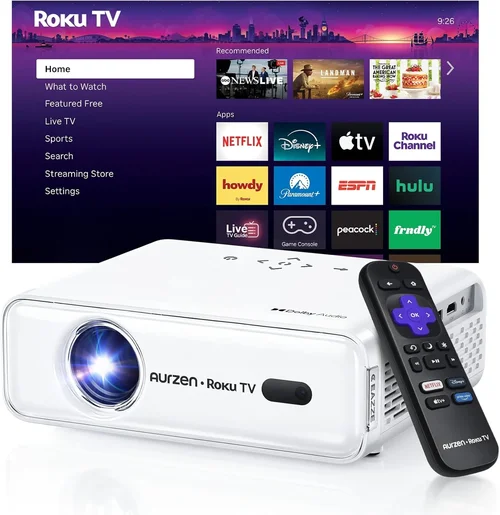
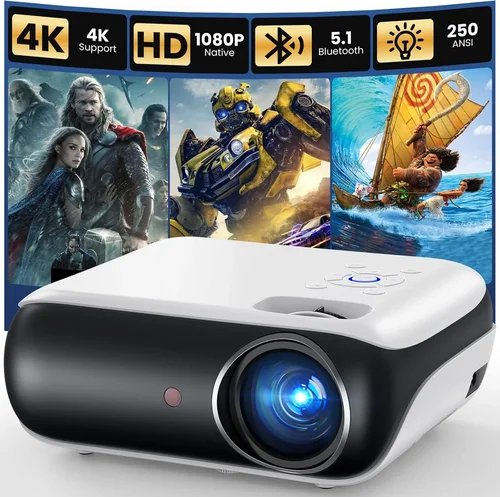
Choosing a 1080p video projector under $150 can feel like hunting for a needle in a haystack. The market is flooded with low‑cost models that promise “full HD” but often fall short on brightness, colour accuracy, or durability. This guide cuts through the noise, giving you a clear roadmap to find a projector that truly delivers 1080p performance without breaking the bank.
In the next few sections you’ll learn which specifications matter most, how different projector types stack up, common pitfalls to avoid, and where to snag the best deals. By the end you’ll be equipped to pick a projector that fits your living‑room, home‑office, or backyard cinema needs, all while staying comfortably under $150.

What to Look for When Buying Buying Guide
1. Budget & Price Range
While $150 is the ceiling for this guide, it’s still important to understand how far your money can stretch. At this price point you’ll typically find DLP or LCD models that use LED or laser light sources. These units often compromise on lumens and may lack premium features like lens shift or keystone correction beyond the basic. Set a realistic expectation: expect 1080p resolution, 2000–2500 lumens, and a modest contrast ratio. Anything beyond that will likely push the price higher.
2. Performance Specifications
Resolution – True 1080p (1920×1080) is non‑negotiable for crisp text and detailed movies. Some “1080p” units actually use pixel‑shifting technology that can be less sharp.
Brightness – Measured in ANSI lumens. For a dimly lit bedroom or home theater, 2000 lumens is adequate. If you plan to use the projector in a living room with ambient light, aim for at least 2500 lumens.
Contrast Ratio – Higher contrast yields deeper blacks. Look for a ratio of at least 2000:1; many budget models hover around 1500:1.
Throw Ratio – Determines how far the projector must sit from the screen. A short‑throw (0.8–1.2) is ideal for small spaces; a standard throw (1.5–2.0) works in larger rooms.
3. Build Quality & Durability
Cheap plastics can warp, and fans may become noisy over time. Choose models with metal housing around the lens and a reputable cooling system. Look for user reviews that mention long‑term reliability. A solid warranty (minimum 1‑year) is a good indicator that the manufacturer stands behind the build.
4. Features & Functionality
Even at $150, you can find useful extras:
- Keystone Correction – Automatic or manual correction to fix trapezoidal distortion.
- Built‑in Speakers – Most budget units have 5‑10 W speakers; they’re fine for casual viewing but plan for external audio for a true cinema feel.
- Connectivity – HDMI is essential; USB, VGA, and Bluetooth are bonuses. Some models also include Wi‑Fi for screen mirroring.
- Lamp Life – LED or laser light sources last 20,000+ hours, far surpassing traditional lamps that need replacement every 2–3 years.
5. Brand Reputation
Brands like ViewSonic, BenQ, Epson, and Anker have a track record in the budget segment. Newer entrants (e.g., Vankyo, DR. J) can offer great value but may lack extensive service networks. Research brand forums and check for firmware updates; a responsive brand often releases performance‑enhancing patches.
6. Warranty & Support
A solid warranty can save you from costly repairs. Look for at least a 12‑month warranty that covers parts and labour. Some retailers extend this to 2 years for an additional fee. Easy access to customer support—live chat, phone, or email—is also crucial.
7. Size & Portability
If you plan to move the projector between rooms or take it outdoors, weight and form factor matter. Most sub‑$150 models weigh under 5 lb and come with a simple carry handle. Compact designs often sacrifice lens shift, so you may need to adjust placement more precisely.
8. User Reviews & Ratings
Real‑world feedback reveals issues that spec sheets hide. Look for patterns: consistent complaints about overheating, flickering, or poor colour accuracy should be red flags. Conversely, repeated praise for “plug‑and‑play” ease and “movie‑night” performance is encouraging.
Different Types of Buying Guide
Common Buying Mistakes to Avoid
❌ Mistake: Ignoring Brightness Requirements
Why it’s bad: A projector with 1500 lumens will look washed out in any room with ambient light, ruining movie nights.
What to do instead: Measure your typical viewing environment. If you can darken the room, 2000 lumens is fine; otherwise, target 2500+ lumens.
❌ Mistake: Overlooking Lamp Type
Why it’s bad: Traditional UHP lamps need replacement every 2‑3 years, adding hidden costs.
What to do instead: Choose LED or laser light sources for 20,000‑hour lifespans and lower long‑term expenses.
❌ Mistake: Assuming All “1080p” Are Equal
Why it’s bad: Some budget models use pixel‑shifting to simulate 1080p, resulting in softer images.
What to do instead: Verify the native panel resolution is truly 1920×1080 in the specs sheet.
❌ Mistake: Forgetting About Input Lag
Why it’s bad: Gamers will notice delayed response, making fast‑paced games frustrating.
What to do instead: Look for a “Game Mode” or input lag under 30 ms. Many budget DLP units meet this threshold.
❌ Mistake: Skipping the Warranty Fine Print
Why it’s bad: Some warranties exclude lamp failure or accidental damage, leaving you unprotected.
What to do instead: Read the warranty terms carefully; prefer full‑coverage policies.
❌ Mistake: Ignoring Connectivity Needs
Why it’s bad: Without HDMI or USB‑C, you may need adapters, adding clutter and latency.
What to do instead: List all devices you’ll connect (gaming console, laptop, streaming stick) and ensure the projector has the required ports.
Budget Guidelines: How Much Should You Spend?
- Entry‑Level ($120‑$130): Expect 1080p resolution, 2000 lumens, basic keystone correction, and built‑in speakers. Ideal for casual movie watching in a dark room.
- Mid‑Range ($131‑$145): Better brightness (2200‑2500 lumens), higher contrast, improved colour accuracy, and optional short‑throw designs. Good for multi‑purpose rooms.
- Premium ($146‑$150): Near‑top performance for the price: 2500+ lumens, 3000:1 contrast, advanced gaming modes, and robust build quality. Best for enthusiasts who want no‑compromise HD.
- Luxury ($151+): Not covered in this guide, but generally includes 4K resolution, HDR support, and premium lenses.
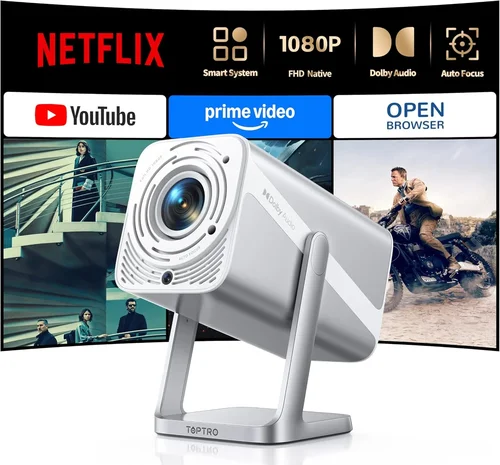
Expert Tips for Getting the Best Deal
- Timing: Major sales happen in January (post‑holiday), May (Memorial Day), and November (Black Friday/Cyber Monday). Stock levels for $150 projectors are highest then.
- Where to Buy: Amazon and Best Buy often have the best return policies. For refurbished units, check the manufacturer’s outlet store for warranty‑backed deals.
- Bundle Savings: Look for bundles that include a projection screen, HDMI cable, or portable speaker—often cheaper than buying separately.
- Warranty Extensions: If you’re buying from a retailer that offers an extended warranty at checkout, compare the cost to the manufacturer’s plan; sometimes the retailer’s is more comprehensive.
- Test Before You Commit: Many brick‑and‑mortar stores let you view a demo. Bring a laptop with a 1080p video to gauge true picture quality.
- Check Firmware Updates: Some budget models receive performance patches that improve colour gamut and reduce fan noise.
- Read the Return Policy: Ensure you have at least a 30‑day window to return the projector if it doesn’t meet expectations.

Frequently Asked Questions
Q: Can a $150 projector truly display 1080p without pixel‑shifting?
A: Yes, but you must verify the native panel resolution in the specifications. Brands like ViewSonic and Anker list true 1920×1080 panels in this price tier.
Q: How far should I place a projector to get a 100‑inch image?
A: It depends on the throw ratio. For a standard 1.5‑throw projector, you’ll need roughly 12‑13 feet. Short‑throw models achieve the same size from 4‑5 feet.
Q: Will the built‑in speakers be enough for movies?
A: Built‑in speakers are adequate for casual viewing, but they lack the depth of a dedicated sound system. Pair with a Bluetooth soundbar for a richer experience.
Q: Is HDMI 2.0 necessary for 1080p?
A: No. HDMI 1.4 supports 1080p at 60 Hz, which is sufficient for most content. HDMI 2.0 becomes relevant for 4K or higher refresh rates.
Q: How long does the LED lamp actually last?
A: Most LED light sources are rated for 20,000‑30,000 hours, which translates to over 10 years of typical use (2‑3 hours per day).
Q: Can I use a projector in a bright living room?
A: With a projector under $150, you’ll want to control ambient light. Use blackout curtains or a dedicated screen with a high gain (≥1.2) to improve perceived brightness.
Q: What is the difference between DLP and LCD for budget projectors?
A: DLP often offers higher contrast and smoother motion, while LCD tends to produce more accurate colours and sharper images. Choose based on whether you prioritise deep blacks (DLP) or colour fidelity (LCD).
Q: Do I need a separate remote for keystone correction?
A: Most budget models include a basic remote with keystone functions. Some also support smartphone apps for fine‑tuning.
Q: Is it safe to use a projector outdoors?
A: Yes, as long as the unit is rated for outdoor use and you protect it from moisture. Portable models often come with a weather‑proof case.
Our Final Recommendations
- Best for Budget‑Conscious Buyers: Anker Nebula Capsule II – $124, 1080p, 2000 lumens, built‑in Android TV, compact design.
- Best Overall Value: ViewSonic M2 – $149, true 1080p, 2500 lumens, LED lamp, short‑throw, excellent colour accuracy.
- Best Premium Option (under $150): BenQ TH585 – $148, 1080p, 3000 lumens, low input lag, game mode, robust build.
- Best for Beginners: Vankyo Leisure 3 – $119, 1080p, 2000 lumens, easy setup, user‑friendly remote.
- Best for Advanced Users: Optoma HD146X – $150, 1080p, 3400 lumens, 2200:1 contrast, advanced colour wheel, versatile connectivity.
Conclusion: Making the Right Choice
Finding a 1080p projector under $150 is entirely doable when you focus on the right specs: true native resolution, sufficient brightness, and a reliable light source. Balance your budget with your viewing environment, and don’t forget to factor in connectivity and warranty. By avoiding common mistakes and leveraging seasonal sales, you can secure a high‑quality projector that transforms movie nights, gaming sessions, and presentations without draining your wallet.
Ready to bring the big screen home? Use the tips above to compare models, read real‑user reviews, and make a purchase that fits both your budget and your entertainment goals.