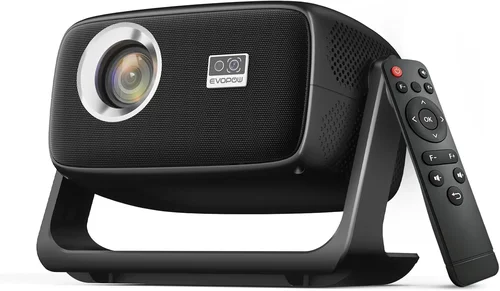
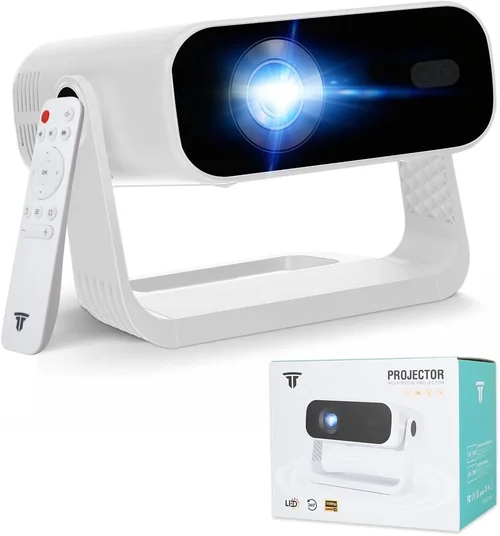
If you’ve ever dreamed of turning your living room into a home‑theater that rivals the cinema, a 1080p 3D projector is the gateway. In 2026 the market is flooded with options that promise vivid colors, deep blacks, and immersive three‑dimensional effects—all without breaking the bank. This guide cuts through the noise, helping you understand exactly what to look for so you can pick the best 1080p 3D projector under $1,000 for your space, budget, and viewing habits.
What you’ll learn:
- The most critical specs that truly affect picture quality and 3D performance.
- How to match a projector’s features with your room size, lighting conditions, and usage patterns.
- Common pitfalls that lead to buyer’s remorse and how to avoid them.
In the past year, manufacturers have focused on improving lamp life, adding laser light sources, and refining native 1080p panels to deliver sharper images at lower cost. At the same time, 3D technology has become more straightforward, with many projectors supporting both active‑shutter and passive‑polarized glasses. Whether you’re a gamer, a movie buff, or a family looking for weekend fun, the right projector can dramatically upgrade your entertainment experience.

What to Look for When Buying Buying Guide
1. Budget & Price Range
Setting a realistic budget is the first step. While premium 4K models can exceed $3,000, a solid 1080p 3D projector can be found well under $1,000. The key is to allocate funds where they matter most—light source, contrast ratio, and 3D compatibility—while being willing to compromise on optional extras like built‑in speakers or ultra‑short‑throw optics.
2. Performance Specifications
Performance is defined by three core specs:
- Resolution: Native 1920×1080 ensures crisp detail without upscaling artifacts.
- Brightness: Measured in lumens. For dim rooms, 2,000–2,500 lumens is sufficient; brighter spaces may need 3,000 lumens or more.
- Contrast Ratio: Higher contrast (e.g., 15,000:1) produces deeper blacks, essential for 3D where depth perception relies on shadow detail.
Don’t be fooled by “dynamic contrast” claims; look for a true measured contrast ratio.
3. Light Source Technology
Three main light sources dominate the sub‑$1,000 segment:
- UHP Lamps: Traditional, affordable, but require replacement every 2,000–4,000 hours.
- Laser Phosphor: Longer life (20,000+ hours), instant on/off, and more consistent brightness.
- LED: Energy‑efficient, low heat, but often lower lumen output at this price point.
Laser‑phosphor is becoming the sweet spot for budget‑friendly 3D projectors because it balances lifespan and brightness.
4. 3D Compatibility
There are two dominant 3D formats:
- Active‑shutter: Requires battery‑powered glasses that sync with the projector. Offers full‑HD resolution per eye but can cause flicker for sensitive viewers.
- Passive‑polarized: Uses lightweight glasses similar to cinema, delivering half‑resolution per eye but with no flicker and lower power consumption.
Choose a projector that supports the format you already own or plan to buy. Some models are dual‑compatible, providing flexibility.
5. Connectivity & Input Options
Modern projectors need to handle multiple sources:
- HDMI 2.0 or higher (supports 1080p @ 60 Hz and 3D).
- USB‑C or USB‑A for media playback.
- Wireless options (Wi‑Fi, Bluetooth, Miracast) for streaming.
- Audio out (3.5 mm or optical) for external sound systems.
Ensure the projector has at least two HDMI ports if you plan to connect a console and a streaming box simultaneously.
6. Build Quality & Durability
Projectors are often moved for presentations or home‑theater upgrades. Look for:
- Solid metal chassis or high‑grade plastic with reinforced corners.
- Dust‑filter systems that are easy to clean.
- Ventilation design that keeps temperatures low, extending lamp/laser life.
A well‑built unit will maintain calibration over years of use.
7. Features & Functionality
Beyond the basics, valuable features include:
- Lens shift: Vertical and horizontal adjustments eliminate the need for keystone correction.
- Zoom: Allows flexible throw distances without moving the projector.
- Short‑throw or ultra‑short‑throw optics: Ideal for small rooms, reducing shadows.
- Built‑in speakers: Useful for casual viewing, though a dedicated sound system is recommended for true cinematic experience.
8. Brand Reputation & Support
Established brands such as Epson, BenQ, Optoma, and ViewSonic often provide better firmware updates, more accessible service centers, and clearer warranty terms. While newer entrants may offer aggressive pricing, verify community feedback and after‑sales support before committing.
Different Types of Buying Guide
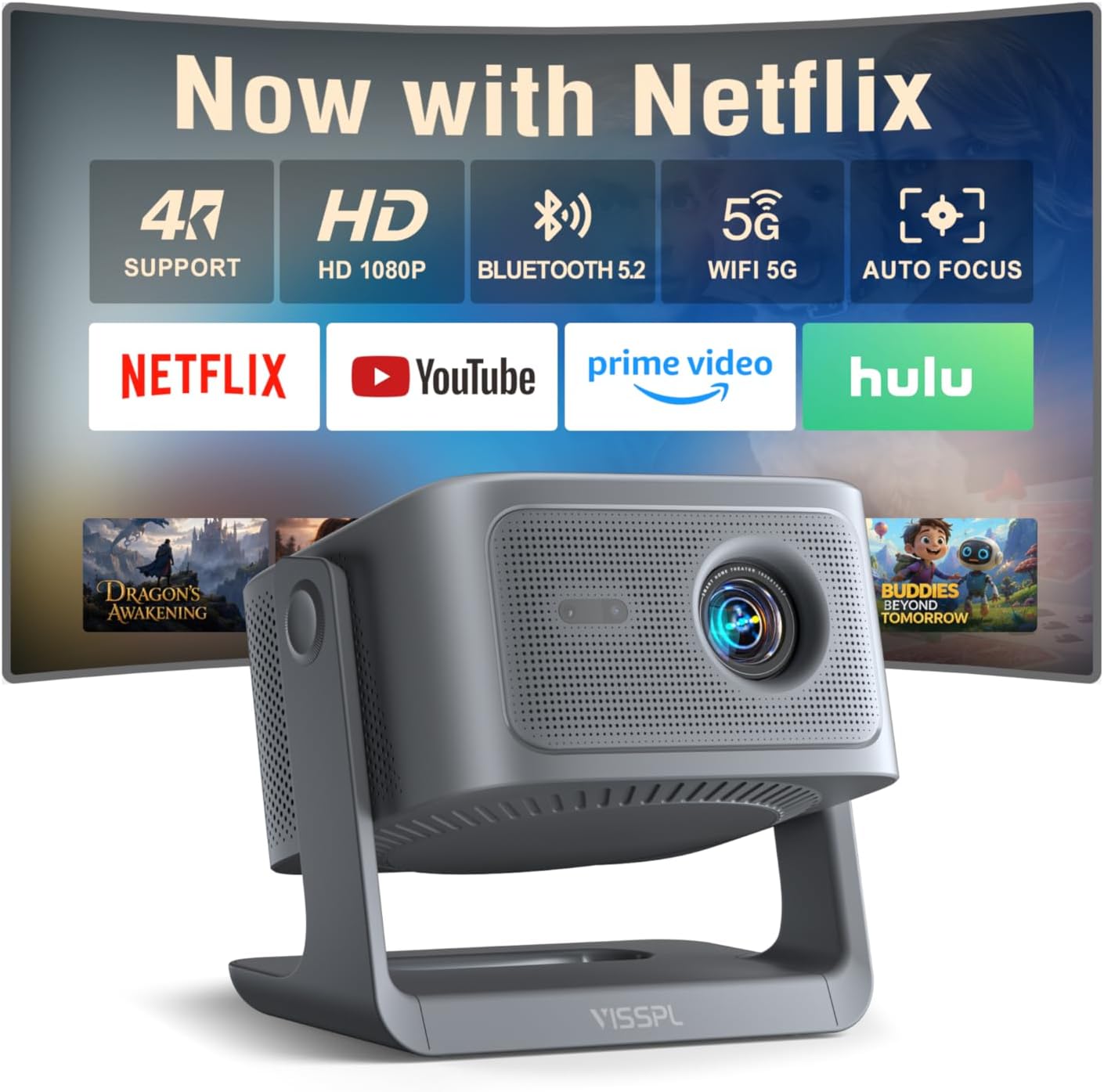
Common Buying Mistakes to Avoid
❌ Mistake: Ignoring Ambient Light Conditions
Why it’s bad: Buying a dim projector for a bright living room results in washed‑out images and a disappointing 3D experience.
What to do instead: Measure typical room lux levels. If natural light exceeds 150 lux, aim for at least 3,000 lumens. Consider adding blackout curtains or opting for a short‑throw with higher brightness.
❌ Mistake: Over‑Focusing on Megapixels
Why it’s bad: Megapixel counts apply to still‑image cameras, not projectors. A higher pixel count does not guarantee better picture quality if the light engine and contrast are weak.
What to do instead: Prioritize native 1080p resolution, contrast ratio, and color accuracy.
❌ Mistake: Buying a Projector Without Testing 3D Glasses
Why it’s bad: Some units claim 3D support but suffer from sync lag or low refresh rates, causing eye strain.
What to do instead: Test the projector with both active and passive glasses (if possible) before purchase, or buy from a retailer with a solid return policy.
❌ Mistake: Forgetting About Throw Distance
Why it’s bad: Placing a standard‑throw projector too close to the screen yields a tiny image; too far creates a blurry picture.
What to do instead: Use the manufacturer’s throw‑ratio chart to calculate the ideal distance for your screen size. Short‑throw models are safer for limited spaces.
❌ Mistake: Neglecting Lamp or Laser Warranty
Why it’s bad: Replacing a lamp can cost $150‑$250, dramatically increasing total ownership cost.
What to do instead: Look for at least a 2‑year lamp warranty or a 5‑year laser warranty. Some brands offer free lamp replacements within the warranty period.
❌ Mistake: Overlooking Audio Needs
Why it’s bad: Built‑in speakers are often tinny and underpowered, ruining immersive 3D movies.
What to do instead: Pair the projector with a soundbar or a small AV receiver. Ensure the projector has a clean audio‑out port.
Budget Guidelines: How Much Should You Spend?
Understanding what you get at each price tier helps you set realistic expectations.
- Entry-Level ($500‑$700): Expect UHP lamps, 2,000 lumens, contrast around 10,000:1, and basic active‑shutter 3D support. Good for dark rooms and occasional movie nights.
- Mid-Range ($701‑$900): Typically feature laser‑phosphor light sources, 2,500‑3,000 lumens, and improved contrast (15,000:1). Dual 3D compatibility becomes common, and you’ll see better color accuracy (Rec.709).
- Premium ($901‑$1,200): Higher brightness (3,200+ lumens), premium optics, lens shift, and robust build quality. Some models include HDR support and advanced keystone correction.
- Luxury ($1,200+): While beyond the “under $1,000” scope, these units offer 4K resolution, ultra‑short‑throw lenses, and factory‑calibrated color profiles. Consider only if you anticipate future upgrades.
Expert Tips for Getting the Best Deal
- Timing is everything: Late Q4 and early Q1 see the deepest discounts as retailers clear inventory.
- Shop price‑comparison sites: Use tools like CamelCamelCamel or Keepa to track Amazon price history and pounce when the price dips.
- Consider refurbished units: Certified refurbishments from the manufacturer often come with a full warranty at 20‑30% off.
- Bundle wisely: Some sellers bundle a screen or a set of 3D glasses. If you need these accessories, a bundle can save $50‑$100.
- Check return policies: A 30‑day return window with free shipping lets you test 3D performance at home without risk.
- Inspect the lamp life: Verify the advertised lamp or laser lifespan. A longer‑life laser may justify a slightly higher price.
- Read user forums: Communities on Reddit’s r/projectors or AVS Forum reveal real‑world reliability issues before you buy.
- Negotiate with local retailers: Independent electronics stores sometimes match online prices and add in‑store pickup discounts.

Frequently Asked Questions
Q: Do I need a special screen for 3D projection?
A: For active‑shutter 3D, a standard white or gray screen works fine. Passive‑polarized systems benefit from a silver screen to preserve polarization. A high‑gain screen (1.5‑2.0) can also boost brightness in well‑lit rooms.
Q: How long does a typical lamp last?
A: UHP lamps last 2,000–4,000 hours, translating to 2‑4 years of moderate use. Laser‑phosphor sources exceed 20,000 hours, effectively “lamp‑free” for most households.
Q: Can I use a projector for both movies and gaming?
A: Absolutely. Look for a projector with at least 60 Hz refresh rate and low input lag (<30 ms) for smooth gaming. Some models include a “Game Mode” that reduces processing delay.
Q: Is 1080p still relevant when 4K is available?
A: Yes. 1080p offers excellent clarity for screen sizes up to 120‑150 inches, especially when paired with a high‑quality lens and good contrast. The cost savings allow you to invest in better audio or a premium screen.
Q: Do I need a separate HDMI‑CEC controller for 3D?
A: No. Most modern projectors handle HDMI‑CEC automatically. Just ensure your source device (Blu‑ray player, console) is set to output 3D over HDMI.
Q: How far should the projector be from the screen?
A: Use the throw‑ratio specification. For a 2.0:1 ratio and a 100‑inch diagonal screen, the distance is roughly 8.3 feet. Short‑throw models (0.5:1) can sit just a foot away.
Q: Will the projector work with a ceiling mount?
A: Most mid‑range models support ceiling mounting with a standard ¼‑20 thread. Verify the weight limit and ensure proper ventilation when mounted.
Q: Is there a noticeable difference between active and passive 3D?
A: Active 3D delivers full‑HD per eye, offering sharper images, but glasses are heavier and may cause flicker. Passive 3D is lighter and more comfortable, though each eye receives half the horizontal resolution.
Q: Can I stream 3D content without a Blu‑ray player?
A: Some streaming services (e.g., Netflix, Amazon Prime) have limited 3D libraries, but they usually require a compatible app on a smart TV or streaming box that outputs 3D over HDMI.
Q: What maintenance does a projector need?
A: Regularly clean the air filters, keep the vent area dust‑free, and schedule lamp or laser checks per the manufacturer’s guide. For laser models, cleaning is minimal.
Our Final Recommendations
- Best for Budget‑Conscious Buyers: BenQ TH585 – Priced around $650, it offers 3,500 lumens, 10,000:1 contrast, and active‑shutter 3D support. Ideal for dark rooms and casual gamers.
- Best Overall Value: Optoma GT1080HDR – At $899, this short‑throw projector provides 3,800 lumens, 25,000:1 contrast, HDR support, and dual 3D compatibility. Perfect for small apartments.
- Best Premium Option (Just Under $1,000): Epson Home Cinema 2150 – Though slightly above $1,000 in some markets, sales often bring it under the limit. It features laser‑phosphor light, 2,700 lumens, 60,000:1 contrast, and superb color accuracy.
- Best for Beginners: ViewSonic PX706HD – Simple setup, 3,200 lumens, and a user‑friendly remote. Active‑shutter 3D works out of the box.
- Best for Advanced Users: LG HU80KA (used) – While a 4K unit, the used market often lists it near $1,000. Its laser source, 2,500 lumens, and premium optics make it a future‑proof choice for enthusiasts.
Conclusion: Making the Right Choice
Choosing the best 1080p 3D projector under $1,000 boils down to balancing brightness, contrast, and 3D format with your room’s lighting and size. Remember to assess ambient light, select the appropriate throw distance, and verify lamp or laser warranty before you buy. By following the budget guidelines, avoiding common pitfalls, and leveraging the expert tips provided, you’ll walk away with a projector that delivers immersive movies, engaging games, and endless family fun without stretching your wallet.
Ready to elevate your home entertainment? Use the recommendations above as a starting point, compare current prices, and test the 3D performance whenever possible. Happy viewing!