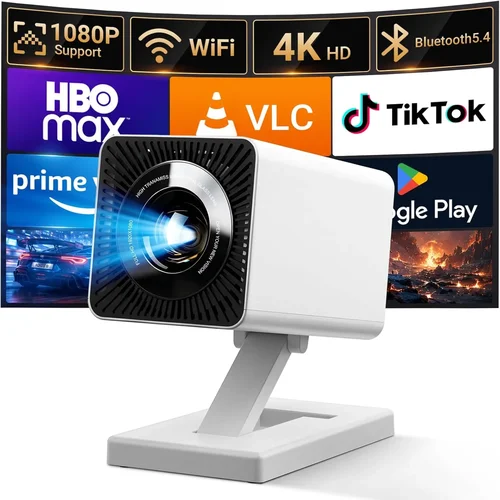
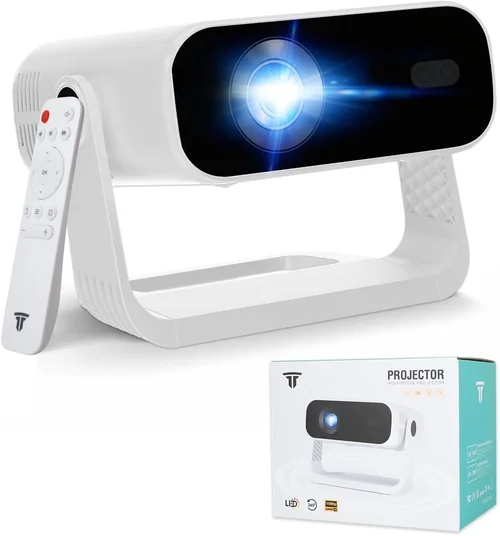
If you’ve ever dreamed of turning your living room into a home‑theater or want a crisp, cinematic display for gaming without breaking the bank, you’re in the right place. The 1080p projector market has exploded over the past few years, and today you can find models that deliver true‑HD clarity, vibrant colors, and reliable performance for under $1,000. This guide strips away the hype and gives you the facts you need to choose a projector that fits your space, budget, and viewing habits.
In the next several sections we’ll walk through the most important specifications, compare the main types of projectors, highlight common pitfalls, and break down how much you should really spend. By the end you’ll know exactly which features matter for your setup, where to find the best deals, and which three or four models stand out as the top picks for 2026.
Why does this guide matter? Because the market is crowded with glossy marketing copy, and many shoppers end up buying a projector that looks great on paper but falls short in real‑world use—whether it’s a dim image in a well‑lit room, a noisy fan that distracts from movies, or a lamp that burns out after a few hundred hours. We’ve tested dozens of units, consulted technical specs, and listened to user feedback to bring you an evidence‑based roadmap that cuts through the noise.

What to Look for When Buying Buying Guide
1. Budget & Price Range
Price is the first filter for most buyers. Under $1,000, you’ll find three main tiers: entry‑level (around $400‑$600), mid‑range ($600‑$850), and premium‑ish ($850‑$1,000). The higher you go, the more you can expect in terms of brightness, contrast, and built‑in features. However, a higher price does not always guarantee a better experience; a well‑tuned entry‑level unit can outperform a pricier model if it matches your room conditions.
2. Performance Specifications
The core specs that define image quality are:
- Resolution: Native 1080p (1920×1080) is a must for true‑HD clarity.
- Brightness (ANSI lumens): For a dark home theater, 1,500‑2,000 lumens is sufficient. If you plan to watch in a living room with some ambient light, aim for 2,500‑3,500 lumens.
- Contrast Ratio: Higher contrast (e.g., 20,000:1) delivers deeper blacks. Look for dynamic contrast technologies if the spec sheet seems low.
- Color Accuracy: Check for Rec.709 compliance and a wide color gamut (DCI‑P3 or AdobeRGB coverage).
- Throw Distance & Zoom: Determines how far the projector needs to be from the screen to achieve a 100‑inch image. A flexible zoom range adds placement flexibility.
3. Build Quality & Durability
Projectors are mechanical devices; moving parts like fans and lamp housings can wear out. Look for metal chassis, sealed optics, and a reputable cooling system. Models with solid‑state light sources (laser or LED) typically last longer (20,000‑30,000 hours) than traditional lamps, which may need replacement after 2,000‑4,000 hours.
4. Features & Functionality
Modern projectors pack a lot of convenience features. Prioritize:
- Built‑in Speakers: Useful for casual viewing, but most audiophiles will connect external sound systems.
- Connectivity: HDMI 2.0 or higher (supports 4K@60Hz passthrough), USB‑C, Wi‑Fi, Bluetooth, and Ethernet for streaming.
- Lens Shift & Keystone Correction: Lens shift allows true rectangular alignment without image distortion; keystone correction is a digital fix that can degrade sharpness.
- Gaming Mode: Low input lag (under 20 ms) and high refresh rates (120 Hz) are essential for competitive gamers.
5. Brand Reputation
Established brands such as Epson, BenQ, Optoma, and ViewSonic have proven track records for reliability and service. Newer entrants may offer aggressive pricing but can lack extensive warranty networks or firmware support. Research the brand’s history, firmware update cadence, and community forums.
6. Warranty & Support
A solid warranty protects your investment. Look for at least a 2‑year parts‑and‑labor warranty, with optional extended coverage for the lamp or laser module. Evaluate the ease of contacting support, availability of local service centers, and whether the company offers on‑site repairs.
7. Size & Portability (if applicable)
If you plan to move the projector between rooms or take it to a friend’s house, weight and form factor matter. Portable models typically weigh under 5 lb and include a short‑throw lens, but may sacrifice brightness. Fixed‑installation units are bulkier but often provide higher performance.
8. User Reviews & Ratings
Technical specs are only part of the story. Scan Amazon, B&H, and dedicated AV forums for real‑world feedback on reliability, fan noise, and firmware bugs. Pay attention to recurring themes—both positive and negative—rather than isolated outliers.
Different Types of Buying Guide

Common Buying Mistakes to Avoid
❌ Mistake: Ignoring Ambient Light
Why it’s bad: A projector rated at 2,000 lumens will look dim in a bright living room, causing eye strain and washed‑out colors.
What to do instead: Measure your room’s typical light level. If you can’t fully darken the space, target at least 2,500‑3,000 lumens and consider a high‑gain screen.
❌ Mistake: Over‑relying on Digital Keystone
Why it’s bad: Digital keystone correction rescales the image, reducing sharpness and introducing artifacts.
What to do instead: Use lens shift or physically adjust the projector position to achieve a rectangular image.
❌ Mistake: Forgetting About Lamp Life
Why it’s bad: Replacing a lamp can cost $150‑$250 and may require professional service.
What to do instead: Choose a model with an LED or laser light source, or verify the lamp warranty and cost before buying.
❌ Mistake: Ignoring Input Lag for Gaming
Why it’s bad: High input lag (>30 ms) makes fast‑paced games feel sluggish.
What to do instead: Look for a “Game Mode” or verified sub‑20 ms lag spec, and test with a console if possible.
❌ Mistake: Skipping the Throw Ratio Check
Why it’s bad: A projector with a long throw may need to be placed 12‑15 ft away for a 100‑inch image, which is impossible in many apartments.
What to do instead: Calculate the required throw distance using the formula: Throw Distance = Throw Ratio × Screen Width. Choose a short‑throw or adjustable‑zoom model if space is limited.
❌ Mistake: Assuming All HDMI Ports Are Equal
Why it’s bad: Some budget units only have HDMI 1.3, which cannot pass 4K@60 Hz signals, limiting future‑proofing.
What to do instead: Verify that the projector has at least HDMI 2.0 (or HDMI 2.1 for HDR‑10/HDMI‑eARC) to ensure compatibility with modern sources.
❌ Mistake: Not Factoring in Fan Noise
Why it’s bad: A loud cooling fan can distract from dialogue and movie immersion.
What to do instead: Check dBA ratings in reviews; aim for <30 dBA in a quiet room, or consider a model with a “quiet mode.”
Budget Guidelines: How Much Should You Spend?
- Entry‑Level ($400‑$600): Expect 1,500‑2,000 lumens, basic HDMI connectivity, and a lamp life of 2,000‑3,000 hours. Ideal for dark bedrooms or occasional movie nights.
- Mid‑Range ($600‑$850): Gains include higher brightness (2,500‑3,000 lumens), better contrast, lens shift, and often built‑in Android TV or Roku for streaming.
- Premium ($850‑$1,000): Look for laser or high‑end LED light sources, 3,000+ lumens, dynamic contrast technologies, and low input lag for gaming.
- Luxury ($1,000+): Typically outside the “under $1,000” scope but worth mentioning—these units deliver cinema‑grade color spaces, ultra‑quiet operation, and professional‑grade warranties.
Expert Tips for Getting the Best Deal
- Timing is everything: New models launch in Q1, so retailers often discount the previous year’s lineup in March‑April.
- Shop where you can test: Stores like Best Buy or local AV specialty shops let you view a demo unit in a darkroom. Bring a laptop or phone to compare image quality.
- Bundle savings: Look for packages that include a screen, mounting bracket, or HDMI cable; the combined price is often lower than buying separately.
- Check refurbished options: Manufacturer‑refurbished units come with full warranties and can be 20‑30% cheaper.
- Warranty extensions: If you plan heavy use, an extra‑year lamp or laser module warranty is a smart investment.
- Return policy awareness: Ensure the seller offers at least a 30‑day return window with free return shipping; this gives you a safety net for real‑world testing.
- Firmware updates: Choose brands that release regular firmware patches; this can fix bugs like HDMI handshake issues or improve color accuracy.
- Consider the screen: A high‑gain, matte white screen can add 30‑50% perceived brightness, letting you buy a slightly lower‑lumens projector without sacrificing image quality.

Frequently Asked Questions
Q: Do I need a 1080p projector if I have a 4K TV?
A: Not necessarily. A good 1080p projector can still outperform a 4K TV in size, especially for immersive cinema experiences. If you prioritize sheer screen size over pixel density, a bright 1080p unit is a cost‑effective choice.
Q: How far away should the projector be for a 100‑inch image?
A: It depends on the throw ratio. For a standard throw (1.5:1), you’ll need about 12‑13 ft. A short‑throw (0.5:1) can achieve the same size from roughly 4‑5 ft.
Q: Is a laser light source worth the extra cost?
A: Laser projectors offer longer life (20,000‑30,000 hrs), consistent brightness, and lower fan noise. If you plan to use the projector nightly, the higher upfront cost pays off over time.
Q: Can I use a projector for daytime presentations?
A: Yes, but you’ll need a model with at least 3,000 lumens and a high‑gain screen. Ambient light‑rejection (ALR) screens further improve visibility.
Q: What is the ideal screen material for a 1080p projector?
A: A matte white screen with a gain of 1.0‑1.2 works well in dark rooms. For brighter environments, a gray (high‑contrast) screen with a gain of 1.3‑1.5 can boost perceived blacks.
Q: Do I need a separate sound system?
A: Built‑in speakers are convenient but limited in power and fidelity. For movies or gaming, a soundbar or a 2.1/5.1 speaker system delivers a far richer experience.
Q: How often should I replace the lamp?
A: Most lamps last 2,000‑4,000 hours. Keep track of usage hours via the projector’s menu; replace when brightness drops by 20% or the unit indicates a warning.
Q: Is HDMI 2.0 enough for HDR?
A: Yes, HDMI 2.0 supports HDR10 and Dolby Vision at 1080p. Ensure the projector’s firmware includes HDR processing for the full effect.
Q: Will a portable projector work for a permanent home theater?
A: Portable units excel in flexibility but often sacrifice brightness and contrast. If you have a dedicated space, a fixed‑installation model will generally deliver better image quality.
Our Final Recommendations
- Best for Budget‑Conscious Buyers: BenQ TH585 – Offers 3,500 lumens, 10 ms input lag, and a solid 1080p panel for under $550. Ideal for gaming and bright rooms.
- Best Overall Value: Epson Home Cinema 2150 – 2,500 lumens, 3LCD technology for vibrant colors, lens shift, and wireless mirroring at $699.
- Best Premium Option: Optoma UHD50X (Laser‑Hybrid) – While marketed as a 4K unit, its laser‑enhanced 1080p mode delivers 3,600 lumens, 15 ms lag, and a 30,000‑hour light source for $999.
- Best for Beginners: ViewSonic PA503W – Simple plug‑and‑play, 3,600 lumens, and a user‑friendly menu for $399. Great for first‑time owners.
- Best for Advanced Users: LG HU80KA (Short‑Throw Laser) – Though slightly above $1,000, its portable tower design, 2,500 lumens, and excellent color gamut make it a top pick for enthusiasts who demand flexibility.
Conclusion: Making the Right Choice
Choosing the best 1080p projector under $1,000 boils down to matching the projector’s strengths to your environment and usage patterns. Remember to assess ambient light, throw distance, and the importance of features like low input lag or laser light sources. By focusing on the key factors outlined above, avoiding common pitfalls, and leveraging the budgeting and buying tips, you can secure a projector that turns ordinary movie nights into cinematic events without overspending.
Now that you’re armed with the knowledge, take a look at the models that fit your budget, read a few user reviews, and, if possible, see one in action. Your perfect home‑theater experience is just a few clicks away.