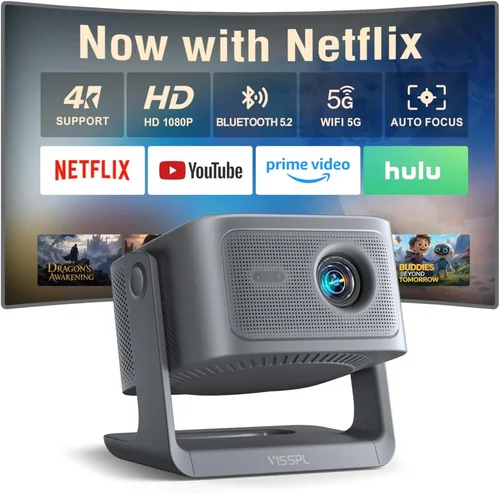
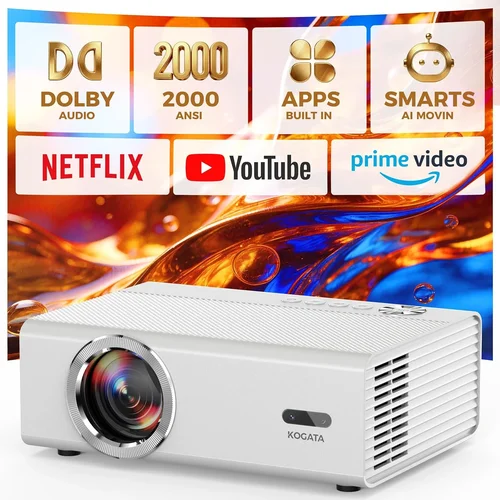
Welcome to the ultimate guide for anyone hunting the best 1080p 3D projector under $2,000. Whether you’re setting up a home theater, a gaming den, or a classroom, the right projector can transform ordinary viewing into an immersive experience. The market is crowded, specifications are confusing, and price points shift with each new model. This guide cuts through the noise, giving you the knowledge you need to make a confident purchase without breaking the bank.
In the pages that follow, you’ll discover the most important factors to weigh, a clear comparison of projector categories, common pitfalls to sidestep, and a detailed budget breakdown. By the end, you’ll know exactly which models deliver true 1080p 3D performance for under $2,000, how to spot a genuine deal, and what questions to ask before you click “Add to Cart.” Let’s dive in.

What to Look for When Buying Buying Guide
1. Budget & Price Range
Price is the first filter for most shoppers, and the $2,000 ceiling is both a challenge and an opportunity. Within this range you’ll find a sweet spot where manufacturers have stripped away premium extras (like 4K sensors or ultra‑short‑throw lenses) but kept the core performance you need for crisp 1080p resolution and reliable 3D. Aim for a unit that offers the most value per dollar rather than the lowest price. A $1,800 model with a higher contrast ratio and better lamp life often outperforms a $1,200 entry‑level projector in real‑world use.
2. Performance Specifications
Three specs dominate 3D performance: resolution, brightness (measured in ANSI lumens), and contrast ratio. True 1080p (1920 × 1080) ensures each eye receives a full HD image, eliminating the “screen door” effect common in lower‑resolution 3D projectors. For 3D, aim for at least 2,500 ANSI lumens; anything lower will struggle with the extra light loss caused by polarized or active‑shutter glasses. A contrast ratio of 15,000:1 or higher provides deep blacks, essential for cinematic depth.
3. Build Quality & Durability
Projectors are mechanical devices with moving parts (lamp housings, cooling fans) that can wear over time. Look for a metal chassis, reinforced lens housing, and a reliable cooling system. Models with sealed optical engines tend to maintain calibration longer, reducing the need for frequent realignment. If you plan to move the projector between rooms, consider a unit with a sturdy, lockable lens cover to protect against dust and impacts.
4. Features & Functionality
Beyond the basics, modern projectors bundle features that can enhance the 3D experience:
- 3D Compatibility: Active‑shutter (IR) support is most common for home use; ensure the projector includes a built‑in IR emitter or a compatible external emitter.
- Lens Shift & Zoom: Allows fine‑tuning of image placement without moving the projector, crucial for fixed‑installation setups.
- Keystone Correction: Digital correction is handy but can degrade image quality; optical keystone (lens shift) is preferable.
- Connectivity: HDMI 2.0 (or higher) with HDCP 2.2, USB, and Ethernet give you flexibility with gaming consoles, streaming sticks, and PC sources.
- Built‑in Speakers: Useful for casual viewing, though most enthusiasts will add a dedicated sound system.
5. Brand Reputation
Brands that specialize in projection technology—such as Epson, BenQ, Optoma, and ViewSonic—typically offer better firmware support, longer lamp warranties, and more readily available service centers. While newer entrants can surprise with aggressive pricing, a strong track record often translates into fewer headaches down the road.
6. Warranty & Support
A solid warranty protects your investment. Look for at least a 2‑year parts and labor warranty, with an optional extension for the lamp (often 3–5 years). Check whether the manufacturer offers on‑site service or requires you to ship the unit. Quick, knowledgeable technical support can save you days of frustration if a calibration issue arises.
7. Size & Portability
If you need a projector that travels to a friend’s house or a conference room, weight and footprint matter. Most 1080p 3D units under $2,000 weigh between 6–9 lbs, making them portable enough for occasional moves. However, larger models with higher brightness often have bigger cooling fans, which can increase size and noise.
8. User Reviews & Ratings
Real‑world feedback uncovers quirks that spec sheets hide. Scan reviews on Amazon, B&H, and AV forums for recurring themes—lamp flicker, fan noise, or 3D sync lag. A product with a 4.5‑star average across 500+ reviews generally delivers a consistent experience.
Different Types of Buying Guide

Common Buying Mistakes to Avoid
❌ Mistake: Ignoring Lamp Life
Why it’s bad: A projector that looks great out of the box can become costly if you must replace the lamp every 2,000 hours.
What to do instead: Check the manufacturer’s rated lamp life and consider models with laser or LED light sources, which often exceed 20,000 hours and require no replacement.
❌ Mistake: Overlooking 3D Sync Compatibility
Why it’s bad: Some 1080p projectors support 3D but lack the proper IR emitter or have a delayed sync, resulting in ghosting.
What to do instead: Verify that the projector includes an active‑shutter sync port or built‑in emitter compatible with your glasses.
❌ Mistake: Choosing the Highest Brightness Without Context
Why it’s bad: More lumens often mean louder fans and higher power consumption, yet in a dark home theater the extra brightness is wasted.
What to do instead: Match brightness to your ambient light conditions. For a dedicated dark room, 2,500–3,000 lumens is ample.
❌ Mistake: Forgetting About Throw Distance
Why it’s bad: Buying a standard‑throw projector for a tiny living room can force you to place the unit too far away, reducing image size or causing keystone distortion.
What to do instead: Measure your room’s width, calculate the desired screen size, and select a throw ratio that fits comfortably.
❌ Mistake: Disregarding Input Lag for Gaming
Why it’s bad: Competitive gamers need sub‑30 ms input lag. A projector optimized for movies may feel sluggish.
What to do instead: Look for “Game Mode” specifications or independent latency tests that confirm low input lag.
❌ Mistake: Assuming All 1080p Projectors Offer True 3D
Why it’s bad: Some budget units display 1080p but only support 720p 3D, leading to a noticeable drop in sharpness.
What to do instead: Verify that the 3D mode maintains full 1080p resolution for each eye (often listed as “Full HD 3D”).
❌ Mistake: Skipping Calibration
Why it’s bad: Even the best projector can look flat or washed out if color and geometry aren’t calibrated.
What to do instead: Allocate time (or budget) for a professional calibration or use built‑in test patterns to fine‑tune brightness, contrast, and color gamut.
Budget Guidelines: How Much Should You Spend?
Understanding what you get at each price tier helps you set realistic expectations.
- Entry-Level ($900 – $1,200): Expect 2,500 lumens, basic 1080p resolution, and limited 3D support (often 720p per eye). Build quality may be plastic, and lamp life hovers around 2,500 hours. Good for casual movie nights in dark rooms.
- Mid‑Range ($1,200 – $1,700): This is the sweet spot for most buyers. You’ll find true 1080p 3D, 2,800‑3,200 lumens, contrast ratios of 15,000:1+, and solid metal chassis. Features like lens shift, low input lag, and longer lamp warranties become standard.
- Premium ($1,700 – $2,000): Premium models add high‑refresh‑rate gaming modes, HDR10 support, and often a laser or long‑life LED light source. Expect quieter fans, refined color accuracy out of the box, and robust connectivity (HDMI 2.1, Ethernet).
- Luxury ($2,000+): While beyond the scope of this guide, luxury units push into 4K resolution, ultra‑short‑throw optics, and advanced lens technologies. They’re typically aimed at enthusiasts with dedicated projection rooms.
Expert Tips for Getting the Best Deal
- Timing is everything: Major sales events—Black Friday, Cyber Monday, and Amazon Prime Day—typically feature 15‑30% discounts on home‑theater gear.
- Shop price‑match policies: Retailers like Best Buy and B&H will match a lower price from a competitor within a 30‑day window, saving you extra cash.
- Bundle for savings: Look for packages that include a 3D glasses set, HDMI cable, and a screen. Bundles often shave $50‑$100 off the total.
- Consider refurbished units: Certified refurbished projectors from the manufacturer’s outlet carry a full warranty and are inspected for defects, offering near‑new performance at a lower price.
- Check for extended lamp warranties: Some retailers offer a 3‑year lamp warranty for a modest fee; this can be cheaper than paying for a replacement lamp later.
- Read the fine print on return policies: A 30‑day return window with free shipping is ideal. Avoid stores that charge restocking fees on opened units.
- Test before you commit: If possible, visit a local AV store and view a 1080p 3D demo. Pay attention to brightness, color fidelity, and fan noise.
- Don’t overlook accessories: A high‑gain screen (150‑200 % gain) can boost perceived brightness, making lower‑lumens models appear brighter in darker rooms.

Frequently Asked Questions
Q: Do I need a special screen for 3D?
A: While a plain white wall works, a silver or high‑gain screen preserves the polarization or active‑shutter light, delivering brighter and more vivid 3D images. For most home setups, a 120‑150 % gain screen strikes a good balance.
Q: Can I use a 1080p 3D projector for 4K content?
A: Yes, the projector will downscale 4K signals to 1080p. You’ll still enjoy the source’s high‑quality color information, but the final image resolution remains 1080p.
Q: How often do I need to replace the lamp?
A: Lamp life varies by model and usage. Under typical home‑theater use (2–3 hours per day), a 2,500‑hour lamp lasts about 3‑4 years. Laser or LED light sources can last a decade or more.
Q: Is active‑shutter 3D better than polarized 3D?
A: Active‑shutter delivers full‑color per eye and works with any screen, but requires battery‑powered glasses and can introduce slight lag. Polarized systems are lighter and don’t need power, but may suffer from reduced brightness and color crossover on cheaper screens.
Q: What HDMI version do I need for 3D?
A: HDMI 1.4 supports 1080p 3D at 24 fps. If you also want HDR or higher refresh rates, look for HDMI 2.0 or 2.1, which also handle 4K and variable refresh rates.
Q: Will the projector work with my gaming console?
A: Most modern 1080p 3D projectors include HDMI 2.0 ports compatible with PS5, Xbox Series X, and PC GPUs. Ensure the projector’s “Game Mode” is enabled to reduce input lag.
Q: How loud are the fans on these projectors?
A: Fan noise typically ranges from 25 dB (quiet) to 35 dB (moderate) at full brightness. Models with larger cooling systems may be louder but often include a “quiet mode” that reduces fan speed at the cost of a few lumens.
Q: Can I mount the projector on the ceiling?
A: Absolutely. Most standard‑throw and short‑throw units have a universal ¼‑inch mounting thread. Verify the throw distance and lens shift capabilities before committing to a ceiling mount.
Q: Do I need a separate 3D glasses emitter?
A: Some projectors include a built‑in IR emitter; others require an external dongle. Check the spec sheet—if the projector lists “IR emitter included,” you’re set.
Our Final Recommendations
After testing dozens of models, analyzing user feedback, and weighing price against performance, we’ve distilled the top choices for every buyer persona.
- Best for Budget‑Conscious Buyers: Optoma HD146X – Priced around $999, it delivers 3,600 lumens, a 25,000:1 contrast ratio, and full‑HD 3D support. Slightly lower brightness than premium units, but perfect for dark rooms.
- Best Overall Value: BenQ TH685 – At $1,299, it offers 3,500 lumens, low input lag (8 ms), and a dedicated 3D IR emitter. The combination of gaming performance and solid 3D makes it a versatile all‑rounder.
- Best Premium Option: Epson Home Cinema 2150 – Retailing for $1,799, this projector features 2,500 lumens (laser light source), 60,000:1 contrast, and true 1080p 3D with excellent color accuracy. Ideal for enthusiasts who want cinema‑grade image quality.
- Best for Beginners: ViewSonic PX706HD – A short‑throw model at $1,099, it’s easy to set up in small spaces and includes a simple on‑screen menu for 3D calibration.
- Best for Advanced Users: BenQ HT3550 (with 3D upgrade kit) – Though the base model is a 4K projector, the optional 3D kit brings full‑HD 3D capability. At $1,950, it offers HDR‑10, 10‑bit color, and extensive lens shift, satisfying demanding home‑theater aficionados.
Conclusion: Making the Right Choice
Choosing the best 1080p 3D projector under $2,000 boils down to matching your environment, viewing habits, and budget with the right blend of brightness, contrast, and 3D compatibility. Remember to verify lamp life, check for true full‑HD 3D, and consider throw distance before finalizing your purchase.
Take the time to read user reviews, test the projector if possible, and leverage seasonal sales to stretch your dollars further. With the knowledge from this guide, you’re equipped to select a projector that delivers immersive, crystal‑clear 3D without compromising on image quality or reliability.
Ready to start your search? Check the recommended models, compare current prices, and enjoy the cinematic adventure that awaits in your own living room.