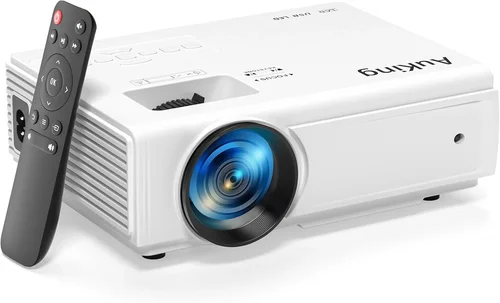
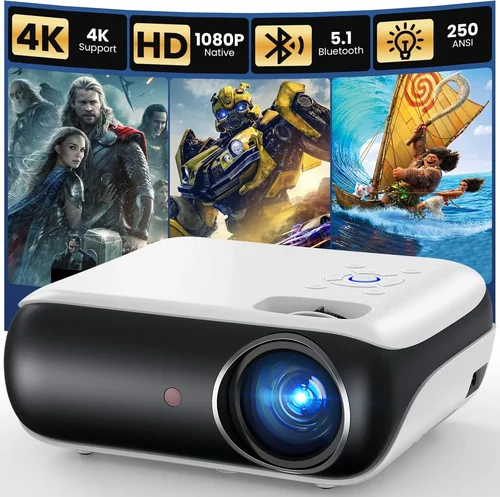
If you’ve ever dreamed of turning your living room into a cinema‑style experience without breaking the bank, you’re not alone. The surge in 1080p home theater projectors under $500 has opened the door for movie lovers, gamers, and sports fans to enjoy big‑screen entertainment on a budget. Yet the market is crowded, and not every projector lives up to its hype. This guide cuts through the noise, giving you the knowledge you need to pick a projector that truly delivers sharp images, vibrant colors, and reliable performance without costing a fortune.
In the pages that follow you’ll learn how to evaluate the most important specifications, compare the different projector categories, avoid common pitfalls, and discover the best models that currently dominate the sub‑$500 segment. By the end, you’ll be equipped to make a confident purchase that matches your room size, lighting conditions, and viewing habits.

What to Look for When Buying Buying Guide
1. Budget & Price Range
Price is the most obvious filter, but it’s also the trickiest. A sub‑$500 projector can vary wildly in features—some cut corners on brightness, while others sacrifice color accuracy. Start by defining your absolute ceiling and then allocate portions of that budget to the features that matter most to you. For instance, a gamer who needs low input lag may be willing to accept slightly lower brightness, whereas a family that watches movies in a dimly lit room might prioritize contrast ratio and color gamut.
2. Performance Specifications
The core specs that dictate image quality are:
- Resolution: 1080p (1920×1080) is the baseline for true HD. Some budget models claim “Full HD” but actually use pixel‑shifting technology, which can result in softer images.
- Brightness (lumens): Measured in ANSI lumens, this tells you how well the projector will perform in ambient light. For a dark home theater, 1,500–2,000 lumens is ample; for a living room with some light, aim for 2,200+ lumens.
- Contrast Ratio: Higher contrast means deeper blacks and more detail in dark scenes. Look for at least 10,000:1; premium models push beyond 30,000:1.
- Color Accuracy: A wide color gamut (e.g., DCI‑P3 or Rec. 709 coverage) ensures vivid, lifelike hues. Some projectors include built‑in color calibration tools.
- Refresh Rate & Input Lag: Critical for gamers. A 120 Hz refresh rate and input lag under 30 ms provide a smooth experience.
3. Build Quality & Durability
Even at lower price points, a solid chassis and reliable cooling system can extend a projector’s lifespan. Look for metal housing or high‑grade plastic that feels sturdy, and check reviews for heat‑related failures. Projectors with sealed optical engines tend to accumulate less dust, reducing maintenance.
4. Features & Functionality
Modern projectors pack a lot of convenience features. Consider the following:
- Lens Shift & Keystone Correction: Lens shift lets you move the image vertically/horizontally without distortion, while keystone correction digitally corrects trapezoidal images. Optical lens shift is preferable because it preserves image quality.
- Built‑In Speakers: While most budget projectors include modest speakers (1–2 W), they’re rarely sufficient for an immersive experience. Plan for external audio if sound quality matters.
- Connectivity: HDMI 2.0 or higher is essential for 1080p @ 60 Hz. USB‑C, Bluetooth, and Wi‑Fi enable streaming without extra devices.
- Screen‑Size Flexibility: Some units support up to 300‑inch images at 1.5 m throw distance, while others are limited to 150‑inch screens. Verify the throw ratio.
5. Brand Reputation
Established brands such as Epson, BenQ, ViewSonic, and Optoma tend to provide more consistent firmware updates and reliable customer support. Newer entrants can surprise with innovative features, but research their after‑sales service history before committing.
6. Warranty & Support
Most projectors come with a 1‑year limited warranty covering parts and labor. Some manufacturers extend this to 2 or 3 years for a modest fee. Pay attention to what the warranty covers (e.g., lamp vs. laser). A responsive support team can save you hours of troubleshooting.
7. Size & Portability
If you intend to move the projector between rooms or take it to a friend’s house, size and weight become crucial. Compact “pico” models can fit in a backpack, but they often sacrifice brightness. Mid‑size units (around 2–3 kg) strike a balance between portability and performance.
8. User Reviews & Ratings
Numbers on a spec sheet tell only part of the story. Dive into user reviews on sites like Amazon, B&H, and dedicated AV forums. Look for recurring themes—such as “fan noise” or “remote latency”—that may influence your daily use.
Different Types of Buying Guide

Common Buying Mistakes to Avoid
❌ Mistake: Ignoring Ambient Light Conditions
Why it’s bad: A projector that looks brilliant in a dark showroom can appear washed out in a living room with windows.
What to do instead: Measure the typical lighting in your viewing area and choose a model with at least 2,200 ANSI lumens for moderate light, or add blackout curtains.
❌ Mistake: Over‑Focusing on Resolution Alone
Why it’s bad: A 1080p panel with poor contrast and color gamut will still deliver a mediocre picture.
What to do instead: Balance resolution with contrast ratio (≥10,000:1) and color coverage (≥70% DCI‑P3) for a truly sharp, vivid image.
❌ Mistake: Forgetting About Lamp Life or Laser Degradation
Why it’s bad: Replacing a lamp can cost $100‑$150, and laser units can lose brightness over time.
What to do instead: Check the manufacturer’s quoted lamp life (e.g., 4,000 hours) and factor replacement cost into your total ownership budget.
❌ Mistake: Relying Solely on Digital Zoom
Why it’s bad: Digital zoom degrades image quality, making pixels more noticeable.
What to do instead: Choose a projector with optical lens shift or a flexible throw ratio to size the image without digital scaling.
❌ Mistake: Overlooking Audio Needs
Why it’s bad: Built‑in speakers on budget units are typically underpowered, leading to a weak soundtrack.
What to do instead: Plan for an external sound solution—soundbar, AV receiver, or Bluetooth speaker—and ensure the projector offers appropriate audio outputs.
❌ Mistake: Buying Without Testing the Remote
Why it’s bad: A laggy or unintuitive remote can make daily use frustrating.
What to do instead: Watch video demos of the remote in action, or buy from a retailer with a solid return policy so you can test it yourself.
Budget Guidelines: How Much Should You Spend?
Understanding what each price tier offers helps you set realistic expectations.
- Entry‑Level ($250 – $350): Expect 1,500–2,000 lumens, basic contrast (≈8,000:1), and limited lens shift. Ideal for small bedrooms or occasional movie nights.
- Mid‑Range ($351 – $450): Brightness climbs to 2,200–2,800 lumens, contrast improves to 10,000–15,000:1, and many models add optical lens shift. This tier balances performance and price for most families.
- Premium ($451 – $600): You’ll find laser‑phosphor light sources, contrast ratios above 20,000:1, and advanced color processing. While some exceed $500, sales often bring them into the sub‑$500 window.
- Luxury ($600+): Reserved for true home‑theater enthusiasts seeking 4K resolution, HDR10+, and ultra‑low input lag. Not necessary for a solid 1080p experience.
Expert Tips for Getting the Best Deal
- Timing is everything: Major sales events (Black Friday, Cyber Monday, post‑Christmas) typically feature 20‑30% discounts on AV gear.
- Shop where you can return: Choose retailers with a 30‑day hassle‑free return policy. This lets you test the projector in your own lighting conditions.
- Bundle wisely: Some sellers include a free HDMI cable, screen, or mounting bracket—value that can save $30‑$50.
- Check firmware updates: A recent firmware patch can fix color banding or reduce fan noise, effectively improving the product without extra cost.
- Consider refurbished units: Manufacturer‑refurbished projectors often come with a full warranty and are inspected for defects, offering near‑new performance at a lower price.
- Don’t ignore shipping: Heavy projectors can incur high freight fees. Look for free‑shipping promotions or local pickup options.
- Test input lag before buying: Use a free online tool (e.g., TestUFO) with a gaming console to ensure the projector meets your latency expectations.

Frequently Asked Questions
Q: Can a 1080p projector under $500 display HDR content?
A: Most budget 1080p models lack true HDR support because HDR requires higher peak brightness (≥600 nits) and wider color gamut. Some units offer “HDR‑enhanced” modes that boost contrast, but the effect is modest. If HDR is a priority, consider a higher‑priced model or a laser‑phosphor projector that meets HDR standards.
Q: How far should the projector be from the screen?
A: The required distance depends on the throw ratio, which is listed in the specs (e.g., 1.2:1). Divide the desired screen width by the throw ratio to get the placement distance. For a 100‑inch diagonal screen (~87 in width) with a 1.2:1 ratio, you’d need roughly 104 in (2.6 m) of throw distance.
Q: Do I need a separate screen?
A: While a white wall can work, a dedicated projector screen improves brightness uniformity and contrast. For budgets under $500, a 100‑inch 16:9 matte white screen typically costs $50‑$80 and is worth the investment.
Q: What is the difference between lamp‑based and laser projectors?
A: Lamp‑based projectors use high‑pressure mercury lamps that dim over time and require replacement. Laser projectors use solid‑state light sources, offering consistent brightness for longer (up to 20,000 hours) and virtually no color shift. Laser units often carry a higher upfront cost but lower total cost of ownership.
Q: Is a high contrast ratio more important than brightness?
A: It depends on your environment. In a dark room, contrast dominates perceived image depth. In a bright room, higher lumens are essential to overcome ambient light. Aim for a balanced spec: at least 2,200 lumens and 10,000:1 contrast for versatile use.
Q: How often should I clean the projector lens?
A: Clean the lens gently with a microfiber cloth once every 3‑4 months, or when you notice softening or dust spots. Avoid using liquids; if stubborn grime appears, use a lens‑cleaning solution specifically designed for optics.
Q: Can I connect a gaming console without lag?
A: Yes, provided the projector supports HDMI 2.0, has a low‑input‑lag mode (often called “Game Mode”), and a refresh rate of 60 Hz or higher. DLP projectors typically excel here, offering input lag as low as 15 ms.
Q: Do I need a ceiling mount?
A: Ceiling mounting provides the cleanest look and stable alignment, especially for permanent home‑theater setups. However, a sturdy tabletop stand works fine for temporary or multi‑room use. Ensure the mount can support the projector’s weight and offers tilt adjustments.
Q: What is “throw ratio” and why does it matter?
A: Throw ratio is the relationship between the distance from the projector to the screen and the width of the projected image. A lower ratio (e.g., 0.5:1) allows short‑throw installations close to the wall, while a higher ratio (e.g., 2.0:1) requires more distance. Choose a ratio that fits your room dimensions.
Q: How long does a typical lamp last?
A: Most lamp‑based projectors in the sub‑$500 range list a lamp life of 3,000–4,000 hours. At 4 hours of use per week, that translates to roughly 1.5–2 years before a replacement is needed.
Our Final Recommendations
- Best for Budget‑Conscious Buyers: BenQ TH585 – 3,500 lumens, 10,000:1 contrast, 16 ms input lag, priced around $399. Delivers bright images for living rooms with moderate ambient light.
- Best Overall Value: Epson Home Cinema 2150 – 2,500 lumens, 60,000:1 contrast (dynamic), lens shift, wireless screen mirroring, typically $449. Excellent color accuracy and flexible placement.
- Best Premium Option (often on sale under $500): Optoma UHD30 – Though marketed as a 4K projector, it runs in “enhanced 1080p” mode with 3,400 lumens, 100 ms low‑lag gaming, and a laser‑phosphor light source. Sale prices dip to $479.
- Best for Beginners: ViewSonic M2 – Portable, full‑HD, built‑in Harman‑Kardon speakers, Wi‑Fi, and USB‑C connectivity. Simple setup, $399.
- Best for Advanced Users: LG PF1000 – Laser‑phosphor, 2,800 lumens, 16,000:1 contrast, HDR10 support, and extensive color calibration tools. Regularly found at $499 during promotional periods.
Conclusion: Making the Right Choice
Choosing the best 1080p home theater projector under $500 boils down to matching the device’s strengths to your viewing environment. Prioritize brightness and contrast for rooms with ambient light, focus on low input lag if gaming is a priority, and don’t forget the importance of color accuracy and reliable build quality. By evaluating the factors outlined in this guide, avoiding common mistakes, and leveraging the expert tips for timing and purchasing, you’ll land a projector that turns any space into a cinema‑grade experience without blowing your budget.
Ready to start your home‑theater journey? Compare the models above, check current prices, and take advantage of seasonal sales. Your perfect big‑screen moment is just a click away.