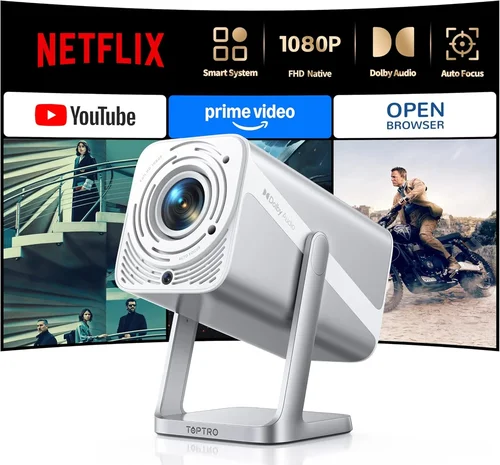
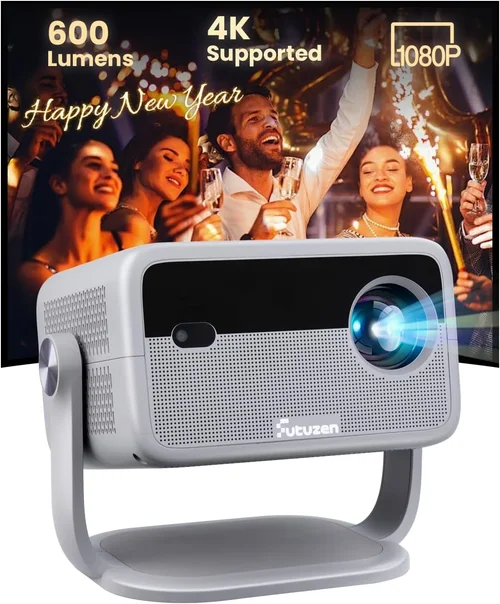
Finding a crisp, cinema‑like experience without breaking the bank can feel like hunting for a unicorn. The good news is that today’s 1080p projectors under $600 have closed the gap between budget and performance, delivering bright, sharp images that can turn a bedroom into a home‑theater or a small office into a presentation powerhouse. This guide walks you through exactly what to look for, the different projector categories, common pitfalls, and the best models to consider, so you can buy with confidence.
Whether you’re a binge‑watcher, a gamer, a remote‑work professional, or a teacher setting up a classroom, the right projector can change how you consume media and share content. In the following sections we’ll break down the technical specs, real‑world features, and value propositions of the top 1080p projectors you can snag for under $600 in 2026.
What to Look for When Buying Buying Guide
1. Budget & Price Range
The first filter is simple: you want a projector that stays under $600 while still delivering true 1080p resolution. Prices fluctuate based on sales cycles, retailer discounts, and regional taxes, so set a flexible ceiling (e.g., $550‑$600) to give yourself room to negotiate or catch a flash deal. Remember that a lower price doesn’t always mean lower quality; many manufacturers have refined mid‑range chips that punch above their weight.
2. Performance Specifications
Key specs that directly affect picture quality include:
- Brightness (lumens): For a dark home theater, 1,800‑2,200 lumens is ample. If you’ll be projecting in rooms with ambient light, aim for 2,500 lumens or more.
- Contrast Ratio: Higher contrast (e.g., 20,000:1) yields deeper blacks and more detail in dark scenes.
- Native Resolution: Ensure the projector truly outputs 1920×1080 pixels, not just “supports” 1080p via scaling.
- Refresh Rate & Response Time: Gamers should prioritize 120 Hz or higher and a response time under 8 ms to avoid motion blur.
- Color Accuracy: Look for a projector with a wide color gamut (Rec.709 or DCI‑P3) and good out‑of‑the‑box calibration.
3. Build Quality & Durability
Projectors that sit on a shelf or get moved frequently need sturdy housings and reliable cooling. Metal chassis, reinforced lens mounts, and quality fans reduce wobble and extend lifespan. Check user forums for reports of overheating or premature lamp failure—these are red flags even on budget models.
4. Features & Functionality
Modern projectors pack a lot of convenience features:
- Keystone Correction: Auto or manual correction (±30° or more) helps when the projector can’t be placed perfectly centered.
- Lens Shift: Physical lens shift is superior to digital keystone, preserving image fidelity.
- Port Selection: HDMI 2.0 (or higher), USB‑C, VGA, and audio out ports give flexibility for consoles, laptops, and sound systems.
- Wireless Options: Built‑in Wi‑Fi or Bluetooth can stream from phones or tablets without extra dongles.
- Built‑in Speakers: While not a replacement for a proper sound system, decent 5‑10 W speakers can be handy for casual movie nights.
5. Brand Reputation
Brands like Epson, BenQ, ViewSonic, and Optoma have established track records for reliability and support. Newer players may offer aggressive pricing, but research warranty length, firmware update history, and community support before committing.
6. Warranty & Support
A solid warranty (minimum 2 years) protects you against early failures. Look for manufacturers that provide easy lamp replacement policies, responsive tech support, and clear instructions for firmware upgrades. Some retailers also offer extended protection plans—evaluate the cost versus the likelihood of service needs.
7. Size & Portability
If you plan to move the projector between rooms or take it to a friend’s house, weight and form factor matter. Portable “pico” projectors can be under 2 lb, but they often sacrifice brightness. A balanced choice is a compact tabletop unit around 5‑6 lb that still delivers 1080p at 2,500 lumens.
8. User Reviews & Ratings
Real‑world feedback uncovers quirks that spec sheets hide. Look for consistent praise (or complaints) about image uniformity, fan noise, and ease of setup. Sites like Amazon, B&H, and dedicated AV forums provide a wealth of user experiences.
Different Types of Buying Guide

Common Buying Mistakes to Avoid
❌ Mistake: Ignoring Ambient Light Conditions
Why it’s bad: Buying a dim 1,800‑lumens unit for a bright living room will result in washed‑out pictures.
What to do instead: Measure typical lighting levels and aim for at least 2,500 lumens if you can’t control ambient light.
❌ Mistake: Over‑Focusing on Resolution Only
Why it’s bad: A 1080p projector with poor contrast and color accuracy can look worse than a lower‑resolution model with superior picture processing.
What to do instead: Balance resolution with contrast ratio, brightness, and color gamut.
❌ Mistake: Forgetting Lamp Life and Replacement Cost
Why it’s bad: Some budget projectors use short‑life lamps that cost $150‑$200 to replace, eroding the initial savings.
What to do instead: Check lamp hours (aim for 5,000+ for LED/LCoS, 3,000+ for traditional lamps) and factor replacement cost into total ownership.
❌ Mistake: Neglecting Input Lag for Gaming
Why it’s bad: High input lag (>30 ms) can make fast‑paced games feel sluggish.
What to do instead: Look for a “Game Mode” or specifications that list <10 ms lag at 1080p/60 Hz.
❌ Mistake: Assuming All HDMI Ports Are Equal
Why it’s bad: Some cheap units only have HDMI 1.3, limiting HDR and 4K‑upscaling capabilities.
What to do instead: Verify the projector has HDMI 2.0 (or higher) for full 1080p @ 60 Hz and HDR10 support.
❌ Mistake: Skipping Firmware Updates
Why it’s bad: Manufacturers often release patches that fix color banding, improve keystone, or add new streaming apps.
What to do instead: Register your device on the brand’s website and check for updates before finalizing your purchase.
Budget Guidelines: How Much Should You Spend?
Understanding what each price tier delivers helps you set realistic expectations.
- Entry‑Level ($300‑$400): Expect 2,000‑2,200 lumens, basic color processing, manual keystone, and a lamp life around 2,500‑3,000 hours. Ideal for occasional movie nights.
- Mid‑Range ($401‑$500): Gains include 2,500‑2,800 lumens, higher contrast (15,000:1+), built‑in speakers, and often a “Game Mode.” Good for mixed use (movies + gaming).
- Premium ($501‑$600): Delivers 2,800‑3,200 lumens, advanced color gamuts (Rec.709 + DCI‑P3), lens shift, and longer lamp life (5,000+ hours). Best for dedicated home‑theater or serious gamers.
- Luxury ($600+): While outside this guide’s price ceiling, these units may offer 4K‑enhanced engines, laser light sources, and ultra‑quiet fans.
Expert Tips for Getting the Best Deal
- Timing: New models launch in Q1; older inventory is heavily discounted in Q3 and Q4.
- Where to Buy: Compare prices on Amazon, B&H, and direct manufacturer sites. Retailers like Best Buy may offer bundle deals (wall‑mount + HDMI cable).
- Spotting Deals: Look for “open‑box” or “refurbished” units with full warranty—they’re often indistinguishable from new.
- Warranty Considerations: Register immediately; some brands extend warranty by 6 months if you register online within 30 days.
- Return Policies: Ensure a 30‑day return window; this lets you test the projector in your own lighting conditions.
- Testing Before Buying: Bring a laptop and a streaming stick to the store to verify HDMI handshake and image quality.
- Bundling: Purchasing a projector with a compatible screen (120‑inch fixed frame) can improve contrast dramatically.
- Future‑Proofing: Choose a model with HDMI 2.0 and HDR10 support; this ensures compatibility with upcoming console releases.

Frequently Asked Questions
Q: Do I need a separate sound system?
A: Most budget 1080p projectors have modest built‑in speakers (5‑10 W). For an immersive experience, especially with movies or games, pair the projector with a soundbar or AV receiver.
Q: How far should the projector be from the screen?
A: Throw distance depends on the model’s throw ratio. A typical 1.2‑1.5 throw ratio means a 100‑inch image requires 10‑12 feet of distance. Short‑throw units can achieve the same size from 3‑4 feet.
Q: Is a laser light source better than a lamp?
A: Laser projectors offer longer life (20,000+ hours) and maintain brightness longer, but they’re rarer under $600. Most budget models still use UHP lamps, which are perfectly fine if you replace them as needed.
Q: Can I use a projector for daytime presentations?
A: Yes, but choose a unit with at least 2,800 lumens and a high contrast ratio. Ambient light rejecting (ALR) screens also help improve visibility.
Q: What is the difference between HDR10 and HDR10+?
A: HDR10 is the baseline HDR format; HDR10+ adds dynamic metadata for scene‑by‑scene brightness adjustments. Under $600, most projectors support HDR10 only.
Q: Do I need a ceiling mount?
A: Not mandatory. A sturdy tabletop stand works for most setups, but a ceiling mount frees up floor space and reduces keystone issues.
Q: How often should I replace the lamp?
A: Follow the manufacturer’s lamp hour rating. Typical usage of 2‑3 hours per day will reach 3,000 hours in about 4‑5 years.
Q: Are there any safety concerns with projector lamps?
A: Lamp bulbs become extremely hot. Allow the projector to cool before moving it, and never touch the bulb directly. LED/Laser units stay cooler.
Our Final Recommendations
- Best for Budget‑Conscious Buyers: ViewSonic PA503W – 3,600 lumens, 1080p support, excellent value at $329.
- Best Overall Value: BenQ TH585 – 3,500 lumens, 120 Hz refresh, low input lag, priced at $549.
- Best Premium Option: Epson Home Cinema 2150 – 2,500 lumens, lens shift, wireless mirroring, $599.
- Best for Beginners: Optoma HD146X – Easy setup, 3,600 lumens, 1080p, $479.
- Best for Advanced Users: LG PF50KA – Portable short‑throw, 2,600 lumens, built‑in battery, $599.
Conclusion: Making the Right Choice
Choosing a 1080p projector under $600 boils down to matching your environment, usage patterns, and feature priorities with the specifications we’ve outlined. Remember to assess ambient light, desired brightness, and whether you need gaming‑specific features or portable convenience. Use the budget tiers as a guide, watch for sales, and always verify warranty terms.
Armed with this knowledge, you’re ready to pick a projector that brings cinema‑quality visuals into your living room, office, or classroom without overspending. Happy viewing!