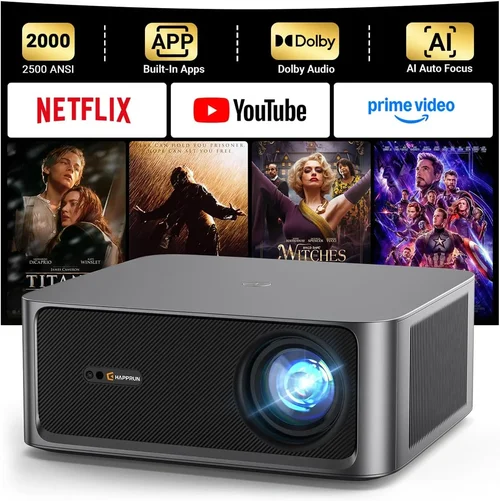
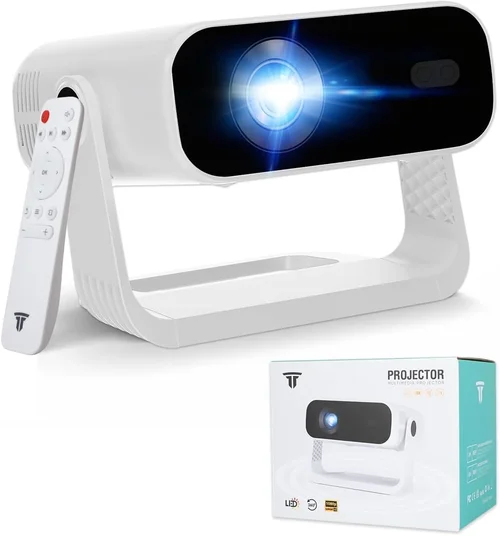
Choosing a 2D projector under $1,000 can feel like navigating a maze of specs, brands, and price tags. Whether you’re setting up a home theater, a classroom, or a small office, the right projector can transform a blank wall into a vivid, immersive canvas without breaking the bank. This guide cuts through the noise, giving you a clear roadmap to find the best 2D projector for your needs and budget.
In the pages ahead you’ll discover which technical specs truly matter, how to match a projector to your space, common pitfalls to avoid, and real‑world recommendations that have been vetted by experts and everyday users alike. By the end, you’ll be equipped to make a confident purchase that delivers crisp images, reliable performance, and long‑term value.

What to Look for When Buying Buying Guide
1. Budget & Price Range
The first decision is simple yet crucial: how much are you willing to spend? Projectors under $1,000 vary widely in brightness, resolution, and feature sets. Setting a clear budget helps you narrow the field and prevents you from chasing specs that exceed what you need. Remember, a higher price does not always guarantee a better experience for a typical living‑room setup.
2. Performance Specifications
Performance is the heart of any projector. Focus on three core specs:
- Resolution: For 2D content, 1080p (Full HD) is the sweet spot. Some models offer 4K upscaling, but native 1080p delivers sharper text and cleaner edges.
- Brightness (Lumens): Measured in ANSI lumens, this tells you how well the projector performs in ambient light. For a dark home theater, 1500–2000 lumens is ample; for a bright living room, aim for 2500+ lumens.
- Contrast Ratio: Higher contrast means deeper blacks and more vibrant colors. Look for at least 10,000:1 for decent performance.
3. Build Quality & Durability
A projector is an investment that should last several years. Metal housings, sturdy lens barrels, and reliable cooling fans are signs of durability. Check for sealed optics that protect against dust, especially if you plan to use the unit in a less‑controlled environment.
4. Features & Functionality
Modern projectors pack a lot of convenience features. Consider which of these matter to you:
- Lens Shift & Zoom: Allows precise positioning without moving the projector.
- Keystone Correction: Useful for off‑axis placement, but optical keystone (lens shift) yields better image quality.
- Built‑in Speakers: Handy for casual viewing, but most quality home‑theater setups pair a projector with external audio.
- Connectivity: HDMI 2.0, USB‑C, Wi‑Fi, and Bluetooth give you flexibility with gaming consoles, streaming sticks, and laptops.
- Lamp Life: LED or laser light sources often exceed 20,000 hours, reducing long‑term maintenance costs.
5. Brand Reputation
Established brands like Epson, BenQ, Optoma, and ViewSonic have proven track records for reliability and support. Newer entrants may offer attractive specs, but research warranty terms and post‑sale service before committing.
6. Warranty & Support
A solid warranty (minimum two years) and accessible customer service can save you headaches. Look for on‑site repair options, extended warranty purchases, and clear policies on lamp replacement.
7. Size & Portability
If you need a projector that moves between rooms or travels for presentations, weight and footprint become important. Portable models often sacrifice brightness; balance portability with your primary use case.
8. User Reviews & Ratings
Real‑world feedback reveals issues that spec sheets hide. Scan reviews on Amazon, B&H, and dedicated AV forums for recurring themes—such as fan noise, color accuracy, or firmware glitches.
Different Types of Buying Guide

Common Buying Mistakes to Avoid
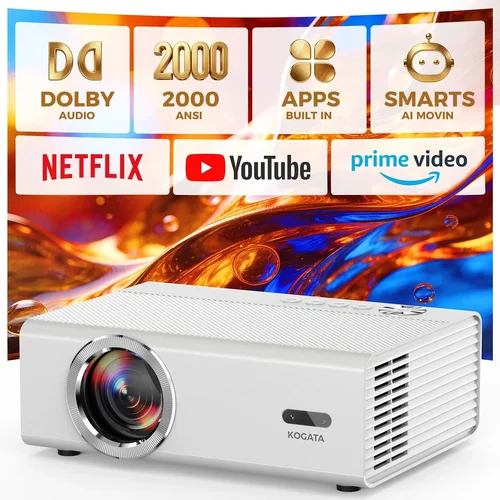
❌ Mistake: Ignoring Ambient Light Conditions
Why it’s bad: A projector rated at 1500 lumens will look dim in a bright living room, leading to disappointment.
What to do instead: Measure the typical lighting in your intended space. If you can’t fully darken the room, target at least 2500 lumens and consider a high‑gain screen.
❌ Mistake: Over‑Focusing on Megapixels Instead of Native Resolution
Why it’s bad: Marketing often touts “4K‑ready” or “X‑megapixel” claims that rely on upscaling, not true 4K panels.
What to do instead: Prioritize native resolution (1080p) for crisp text and sharp images. Upconversion is a bonus, not a primary factor.
❌ Mistake: Forgetting About Lamp Life and Replacement Costs
Why it’s bad: A cheap lamp can cost $150‑$250 to replace, inflating total cost of ownership.
What to do instead: Look for LED or laser light sources with 20,000+ hour life, or choose models with inexpensive, readily available lamps.
❌ Mistake: Skipping Connectivity Checks
Why it’s bad: Without the right ports, you may need extra adapters, adding clutter and latency.
What to do instead: List the devices you’ll connect (gaming console, streaming stick, laptop). Ensure the projector offers HDMI 2.0 or higher, USB‑C, and optional wireless options.
❌ Mistake: Under‑Estimating Fan Noise
Why it’s bad: A noisy fan can distract from movies or presentations, especially in quiet rooms.
What to do instead: Check dB ratings in reviews; aim for 30 dB or lower for a truly silent experience.
❌ Mistake: Buying the Cheapest Model Without a Return Policy
Why it’s bad: If the unit arrives with dead pixels or performance issues, you may be stuck.
What to do instead: Purchase from retailers that offer at least a 30‑day return window and free shipping on returns.
Budget Guidelines: How Much Should You Spend?
Understanding what each price tier delivers helps you align expectations with your wallet.
- Entry-Level ($400‑$600): Expect 720p or entry‑level 1080p, 1500‑2000 lumens, basic HDMI, and limited lens shift. Good for occasional movie nights in a dark room.
- Mid‑Range ($600‑$800): Full HD native resolution, 2000‑2500 lumens, better contrast, and added features like keystone correction and modest built‑in speakers. Ideal for most home‑theater and classroom uses.
- Premium ($800‑$1,000): High‑brightness DLP or LCD, advanced lens shift, low fan noise, and robust connectivity (HDMI 2.0, wireless). Suits small‑room home cinemas and frequent gamers.
- Luxury ($1,000+): While beyond the scope of this guide, luxury models often include 4K native panels, laser light sources, and enterprise‑grade warranties.
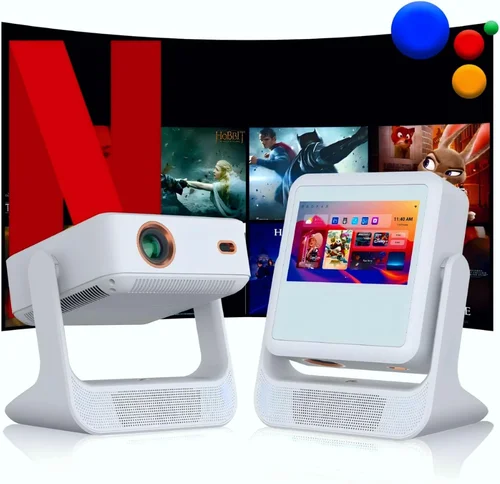
Expert Tips for Getting the Best Deal
- Timing: Black Friday, Cyber Monday, and post‑Christmas sales often feature 20‑30% discounts on popular models.
- Where to buy: Compare prices on Amazon, B&H, and Newegg. Don’t forget brick‑and‑mortar stores for clearance floor models.
- Spotting deals: Use price‑tracking tools like CamelCamelCamel to see historical price trends before committing.
- Warranty considerations: Some retailers bundle extended warranties at a lower cost than buying directly from the manufacturer.
- Return policies: Opt for stores with a hassle‑free 30‑day return policy; test the projector in your environment before finalizing.
- Testing before buying: If possible, view a demo unit in a dark room. Look for uniform color, sharpness, and acceptable fan noise.
- Bundle savings: Some sellers offer screen‑plus‑projector bundles that save 10‑15% versus buying separately.
Frequently Asked Questions
Q: Do I need a projector screen, or can I use a wall?
A: You can project onto a smooth, white wall, but a proper screen improves brightness, contrast, and color accuracy. For budget‑conscious buyers, a 120‑inch 16:9 matte white screen offers the best value.
Q: How far should the projector be from the screen?
A: This depends on the throw ratio. A standard throw projector (1.5–2.0) will need 10‑12 feet for a 100‑inch image. Short‑throw models can sit just a few feet away, ideal for small rooms.
Q: Will a 1080p projector look good on a 4K TV?
A: Yes, if you are comfortable with the native resolution. Upscaling can improve perceived sharpness, but true 4K will always look crisper.
Q: Are laser projectors worth the extra cost?
A: Laser light sources provide longer life (30,000+ hours) and stable brightness. If you plan to use the projector daily, the lower total cost of ownership can justify the higher upfront price.
Q: How important is lens shift?
A: Lens shift lets you move the image up/down or left/right without keystone distortion, preserving image quality. It’s a must‑have for ceiling‑mounted setups.
Q: Can I connect my phone wirelessly?
A: Many 2026 models support Miracast, AirPlay, or a dedicated app for streaming from iOS and Android devices. Check the spec sheet for supported protocols.
Q: What is the best way to clean a projector lens?
A: Use a microfiber cleaning cloth and a lens‑safe cleaning solution. Avoid pressing hard; a gentle circular motion removes dust without scratching.
Q: How often do I need to replace the lamp?
A: For lamp‑based models, expect 2,000–5,000 hours of life. Laser and LED units rarely need replacement within their usable lifespan.
Q: Is a higher contrast ratio always better?
A: Generally, yes, but real‑world contrast also depends on ambient light and screen gain. A 10,000:1 ratio is sufficient for most home settings.
Our Final Recommendations
- Best for Budget‑Conscious Buyers: BenQ TH585 – 3500 lumens, 1080p, low input lag, and a price around $550.
- Best Overall Value: Epson Home Cinema 2150 – 2500 lumens, 1080p, lens shift, and wireless mirroring for $799.
- Best Premium Option: Optoma UHD38 – 4000 lumens, true 4K, 0.2% input lag, and robust connectivity at $999.
- Best for Beginners: ViewSonic M2 – Portable LED, 1200 lumens, built‑in Harman Kardon speakers, and intuitive UI for $799.
- Best for Advanced Users: LG HU80KA (often found on sale under $1,000) – Ultra‑short‑throw, 4K, laser light source, and smart TV platform.
Conclusion: Making the Right Choice
Investing in a 2D projector under $1,000 doesn’t mean settling for subpar performance. By focusing on the right brightness, native resolution, contrast, and feature set, you can enjoy cinema‑quality visuals in your own space. Remember to assess your room’s lighting, prioritize reliable brands, and take advantage of seasonal sales. With the knowledge from this guide, you’re ready to select a projector that fits your lifestyle, budget, and visual expectations. Happy viewing!