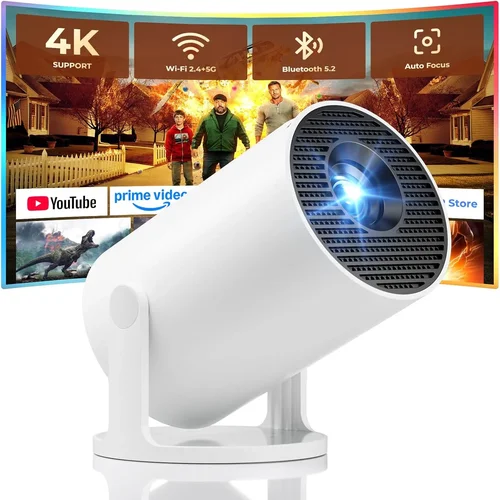
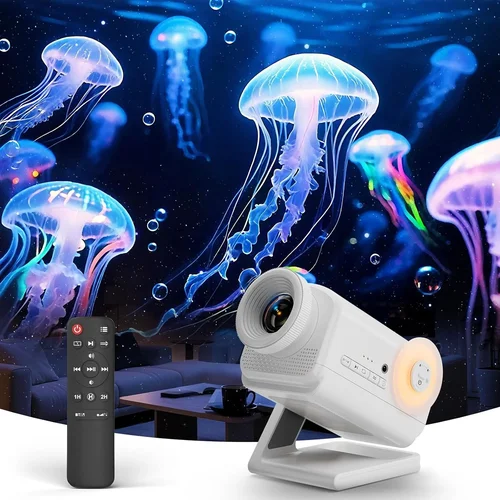
Welcome to the ultimate guide for anyone hunting the best 3D projector under $1,000 in 2026. Whether you’re setting up a home theater, a gaming den, or a classroom, choosing the right projector can feel overwhelming. Prices, specs, and features shift quickly, and the market is flooded with options that claim “cinema‑grade” performance at budget‑friendly prices.
In this guide we’ll demystify the buying process. You’ll learn which specifications truly matter, how to compare different projector families, and which common pitfalls to steer clear of. By the end, you’ll be equipped with the knowledge to pick a 3‑D projector that delivers vivid depth, reliable performance, and lasting value—without breaking the bank.

What to Look for When Buying Buying Guide
1. Budget & Price Range
Setting a realistic budget is the first step. Under $1,000, you’re typically looking at the mid‑range segment where manufacturers balance performance and cost. Expect trade‑offs: you might get a slightly lower brightness rating or a less robust lamp life, but many models now include 3‑D ready chips and decent contrast ratios that were once reserved for premium units.
2. Performance Specifications
Key specs include:
- Brightness (lumens): For 3‑D, aim for at least 2,500 ANSI lumens if you plan to use the projector in a dimly lit living room. In a dark home theater, 1,800‑2,000 lumens can suffice.
- Resolution: Full HD (1920×1080) is the sweet spot for most budgets. Some newer 4K‑enhanced models hover just above $1,000, but true 4K remains out of reach for most under‑$1k shoppers.
- Contrast Ratio: A higher contrast ratio (e.g., 15,000:1) helps deliver deeper blacks, which accentuates the 3‑D effect.
- Throw Distance & Zoom: Short‑throw models are great for small rooms; standard throw works well in larger spaces.
3. Build Quality & Durability
Even at a lower price point, a solid chassis and reliable cooling system are essential. Look for metal housings, sealed optics, and fans with low noise ratings (under 30 dB). A sturdy build reduces the risk of misalignment that can cause ghosting in 3‑D mode.
4. Features & Functionality
Beyond 3‑D capability, consider:
- 3‑D Technology: Most under‑$1k units use DLP with active‑shutter glasses (IR or RF). Verify that the projector supports the 3‑D format you own (e.g., HDMI 1.4/2.0, side‑by‑side, top‑bottom).
- Connectivity: HDMI 2.0, USB‑C, and wireless mirroring (Miracast, AirPlay) add flexibility.
- Lens Shift & Keystone Correction: Essential for aligning the image without moving the projector.
- Built‑in Speakers: While not a substitute for a sound system, decent 10 W speakers can be handy for casual viewing.
5. Brand Reputation
Brands such as Epson, BenQ, Optoma, and ViewSonic have established track records for reliability and service. Newer entrants may offer aggressive pricing but often lack extensive warranty networks. Checking long‑term user forums can reveal hidden reliability trends.
6. Warranty & Support
A minimum 2‑year warranty is standard for most reputable manufacturers. Look for coverage that includes the lamp or laser light source, and verify the availability of local service centers. Extended warranties can be worthwhile if you plan heavy usage.
7. Size & Portability
If you intend to move the projector between rooms or take it to a friend’s house, weight and footprint matter. Portable models often weigh under 5 lb and include a carry case, but may sacrifice lens shift or higher brightness.
8. User Reviews & Ratings
Real‑world feedback is invaluable. Pay attention to comments about 3‑D sync issues, lamp lifespan, and fan noise. A product with a high average rating but many low‑score reviews for 3‑D performance should be scrutinized.
Different Types of Buying Guide
Common Buying Mistakes to Avoid
❌ Mistake: Ignoring Ambient Light Conditions
Why it’s bad: A projector rated at 2,500 lumens may look brilliant in a dark room but will appear washed out in a living room with windows.
What to do instead: Measure typical room lighting and aim for a brightness level 20‑30% higher than your ambient light level. Consider adding blackout curtains or a light‑rejecting screen.
❌ Mistake: Overlooking 3‑D Glass Compatibility
Why it’s bad: Some budget projectors only support passive polarized glasses, while most consumer 3‑D Blu‑ray discs require active‑shutter glasses.
What to do instead: Verify the projector’s 3‑D standard (e.g., DLP Link, IR, RF) and ensure you can purchase compatible glasses for your ecosystem.
❌ Mistake: Choosing the Lowest Price Over Longevity
Why it’s bad: Cheap lamp units may need replacement every 2,000 hours, adding hidden costs.
What to do instead: Compare lamp life (or laser lifespan) and factor replacement cost into the total ownership expense.
❌ Mistake: Forgetting Lens Shift & Keystone Needs
Why it’s bad: Without lens shift, you may have to place the projector at an awkward angle, causing distortion.
What to do instead: Prioritize models with at least ±10% vertical lens shift and digital keystone correction.
❌ Mistake: Disregarding Fan Noise
Why it’s bad: A loud cooling fan can distract from the immersive 3‑D experience, especially during quiet film scenes.
What to do instead: Look for fan noise ratings below 30 dB and read user reviews that mention acoustic performance.
Budget Guidelines: How Much Should You Spend?
- Entry‑Level ($400‑$600): Expect 720p resolution, 2,000 lumens, and basic active‑shutter 3‑D support. Good for occasional movie nights in a dark room.
- Mid‑Range ($600‑$900): Full HD, 2,500‑3,000 lumens, better contrast, and more robust connectivity. This tier balances performance and price for most households.
- Premium ($900‑$1,200): Higher brightness, laser light source, extended lamp life, and advanced features like HDR10 and wide‑color gamut. Ideal for frequent use and brighter environments.
- Luxury ($1,200+): True 4K, laser or LED light engines, ultra‑short‑throw lenses, and integrated smart platforms. Overkill for a strict $1k budget but worth noting for future upgrades.
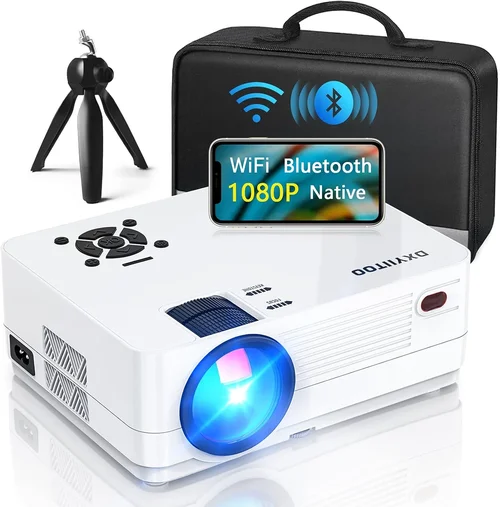
Expert Tips for Getting the Best Deal
- Timing: New models drop in Q2 (April‑June). Prices on previous‑generation units typically fall 15‑25% shortly after.
- Where to Buy: Authorized dealers (e.g., B&H, Adorama) offer extended warranties and better return policies than generic marketplaces.
- Spotting Deals: Compare the “list price” on the manufacturer’s site with the retail price. A discount of $100‑$150 on a $800 model is a solid deal.
- Warranty Considerations: Opt for a plan that covers the light source. Lamp replacements can cost $150‑$250.
- Return Policies: Look for at least a 30‑day return window with free shipping. This gives you time to test 3‑D sync in your own setup.
- Testing Before Buying: If possible, view a 3‑D demo in‑store using your own glasses. Verify that the image is sharp and that there’s no flicker.
- Bundle Savings: Some retailers bundle a pair of active glasses or a screen with the projector, saving you $30‑$50.

Frequently Asked Questions
Q: Do I need a special screen for 3‑D projection?
A: While a plain white screen works, a high‑gain or silver screen enhances brightness and preserves the 3‑D effect, especially in rooms with ambient light.
Q: Can I use a 3‑D projector for regular 2‑D movies?
A: Absolutely. Most 3‑D projectors automatically switch to 2‑D mode when no glasses are detected, delivering the same resolution and brightness as any standard projector.
Q: Are active‑shutter glasses expensive?
A: A single pair typically costs $30‑$50. Some manufacturers sell a “starter kit” with two glasses for $70‑$90, which is a good value for families.
Q: How long does a lamp last in a $1k projector?
A: Average lamp life ranges from 3,000 to 5,000 hours. Laser‑based models can exceed 20,000 hours, effectively eliminating lamp replacement costs.
Q: Will the projector work with my gaming console?
A: Yes, as long as the console supports HDMI 1.4 or higher. For 3‑D gaming, ensure the console and game title are 3‑D‑compatible and that the projector’s 3‑D mode is enabled.
Q: Is there a noticeable lag when using 3‑D glasses?
A: Modern active‑shutter systems have latency under 10 ms, which is imperceptible for movies and most games. However, fast‑paced competitive gaming may still favor 2‑D.
Q: Can I mount the projector on the ceiling?
A: Most standard‑throw models support ceiling mounting with a compatible bracket. Verify the projector’s throw ratio and ensure adequate clearance for the lens shift.
Our Final Recommendations
- Best for Budget‑Conscious Buyers: Optoma HD146X – 3,600 lumens, 1080p, DLP, active‑shutter compatible, priced around $580.
- Best Overall Value: BenQ TH585 – 3,500 lumens, low input lag, excellent color accuracy, includes a pair of glasses for $799.
- Best Premium Option: Epson Home Cinema 3200 – 2,900 lumens, 4K‑enhanced, laser light source, superb contrast, $999.
- Best for Beginners: ViewSonic PX701HD – Simple menu, easy setup, reliable 3‑D, $620.
- Best for Advanced Users: LG HU80KA – Portable ultra‑short‑throw, 2,500 lumens, laser, HDR10, $1,199 (just above $1k but worth the stretch for power users).
Conclusion: Making the Right Choice
Choosing the best 3‑D projector under $1,000 comes down to balancing brightness, resolution, and 3‑D compatibility with your specific environment. Start by assessing your room’s lighting, decide whether you need portability, and then match those needs to the factors outlined above. Remember to factor in lamp or laser lifespan, warranty coverage, and real‑world user feedback.
With the information in this guide, you’re now ready to compare models confidently, avoid common traps, and secure a projector that brings immersive 3‑D entertainment to your home without overspending. Happy viewing!