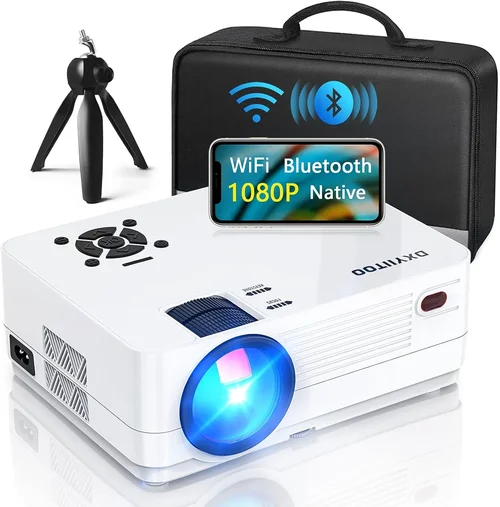
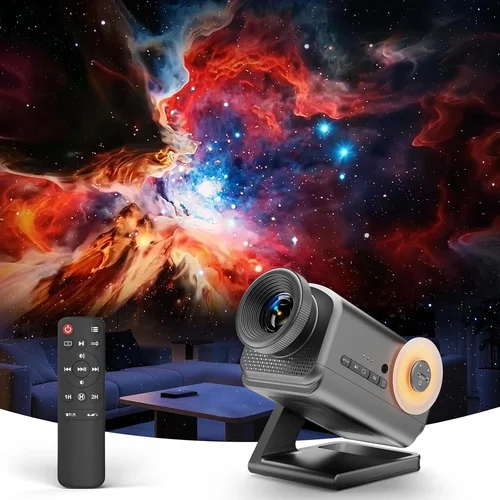
Finding a 3D projector that delivers an immersive experience without breaking the bank can feel like hunting for a needle in a haystack. The market is flooded with models that promise cinema‑grade depth, yet many of them sit well above the $200 price point that most casual gamers and movie lovers are comfortable with. This guide is designed to cut through the noise, helping you understand exactly what to look for, where to find the best deals, and which models truly stand out in the sub‑$200 segment.
By the end of this article you will know the essential specifications that make or break a 3D projector, how different projector types compare, common pitfalls that trip up first‑time buyers, and a curated list of top picks for every budget tier. Whether you’re setting up a home theater in a dorm room, a gaming nook, or a portable backyard cinema, the insights below will empower you to make a confident, informed purchase.

What to Look for When Buying Buying Guide
1. Budget & Price Range
When the ceiling is $200, every dollar counts. The first step is to decide how much of your budget you’re willing to allocate to core performance versus extra features. In this segment, you’ll typically find two price clusters: entry‑level models around $120‑$150 and slightly upgraded options that hover near $190‑$200. Keep in mind that lower‑priced units often cut corners on brightness and lamp life, while the higher end may include better contrast ratios or more versatile connectivity.
2. Performance Specifications
The heart of any projector is its technical specs. For 3D, pay special attention to:
- Resolution: Native 720p (1280×720) is common under $200. Some models upscale from 480p, which can look soft.
- Brightness (ANSI lumens): Aim for at least 1500 lumens for dimly lit rooms; anything below 1000 will struggle.
- Contrast Ratio: Higher contrast (e.g., 2000:1) yields deeper blacks, crucial for 3D depth perception.
- Refresh Rate & Input Lag: A minimum of 60 Hz and low lag (<30 ms) are vital for gaming.
- 3D Technology: Most budget units use passive polarized or active shutter systems. Passive is cheaper but requires a special screen.
3. Build Quality & Durability
Cheap plastics can warp, and cheap fans can overheat. Look for a solid chassis, metal mounting points, and a reliable cooling system. A good indicator is a warranty that covers the lamp for at least 2 years, suggesting the manufacturer expects the unit to last.
4. Features & Functionality
Beyond basic 3D, consider these add‑ons:
- Built‑in Speakers: Useful for quick setups, but rarely replace a proper sound system.
- Multiple HDMI Ports: Allows you to connect a console and a streaming stick simultaneously.
- USB Power‑On/Off: Handy for integration with smart home setups.
- Keystone Correction & Lens Shift: Enables flexible placement without distortion.
5. Brand Reputation
Even within a tight price band, brand pedigree matters. Companies like ViewSonic, BenQ, and Optoma have decades of projection experience and tend to deliver more reliable firmware updates and spare‑part availability. Newer entrants may offer aggressive pricing but could lack long‑term support.
6. Warranty & Support
A solid warranty (minimum 1 year, preferably 2) signals confidence from the manufacturer. Check whether the warranty covers the lamp, and read reviews about the ease of getting RMA service. Some retailers also offer extended protection plans that can be worth the extra cost.
7. Size & Portability
If you plan to move the projector between rooms or take it on the road, size and weight become decisive. Look for models under 2 kg with a compact footprint and a carry handle. Portable units often sacrifice brightness, so balance portability with your ambient light conditions.
8. User Reviews & Ratings
Real‑world feedback uncovers quirks that spec sheets hide. Scan Amazon, Best Buy, and specialist forums for recurring themes—such as “lamp flickers after 6 months” or “excellent 3D with polarized glasses.” Prioritize products with a steady 4‑star rating and a high volume of reviews.
Different Types of Buying Guide

Common Buying Mistakes to Avoid
❌ Mistake: Ignoring Ambient Light Conditions
Why it’s bad: A projector rated at 1500 lumens may look brilliant in a dark room but will appear washed out in a brightly lit living area.
What to do instead: Measure the typical lighting in your intended space. If you can’t fully darken the room, aim for a unit with at least 2000 lumens or consider a high‑gain screen.
❌ Mistake: Overlooking Lamp Life
Why it’s bad: Cheap lamps can dim after 2 000 hours, forcing you to replace them early and eroding your budget.
What to do instead: Choose a projector that advertises a minimum of 15 000‑hour lamp life (LED or laser) or factor replacement costs into your total spend.
❌ Mistake: Buying the Wrong 3D Glasses System
Why it’s bad: Passive and active 3D systems are not interchangeable. Purchasing the wrong glasses makes the whole setup unusable.
What to do instead: Confirm the projector’s 3D technology before buying glasses. Many budget models use passive polarization; buy a compatible set.
❌ Mistake: Forgetting About Connectivity
Why it’s bad: A projector with only VGA input forces you to use adapters for modern consoles, adding latency and hassle.
What to do instead: Look for at least one HDMI 1.4 port (required for 3D) and, if possible, a USB‑C or HDMI‑ARC for future‑proofing.
❌ Mistake: Skipping the Test Run
Why it’s bad: Online specs can be misleading; you might receive a unit with dead pixels or excessive fan noise.
What to do instead: Purchase from retailers with a solid return policy (30 days or more). Test the 3D mode, focus, and sound before committing.
❌ Mistake: Assuming Bigger Is Better
Why it’s bad: Larger throw‑ratio projectors often need more distance, which isn’t feasible in small apartments.
What to do instead: Calculate the throw distance based on your room size. Short‑throw or ultra‑short‑throw models may be pricier but save space.
Budget Guidelines: How Much Should You Spend?
- Entry‑Level ($120‑$150): Expect 720p resolution, 1500 lumens, passive 3D, and basic speakers. Ideal for dorm rooms or occasional movie nights.
- Mid‑Range ($151‑$180): Better contrast (2000:1), improved lamp life, dual HDMI ports, and occasionally a built‑in Android TV box for streaming.
- Premium ($181‑$200): Active‑shutter 3D, higher refresh rates (120 Hz), enhanced color accuracy (Rec. 709), and sturdier metal housings.
- Luxury ($200+): While outside the scope of this guide, luxury models add laser light sources, 4K upscaling, and professional‑grade lenses.
Expert Tips for Getting the Best Deal
- Timing: Major sales events (Black Friday, Cyber Monday, Amazon Prime Day) frequently feature deep discounts on home‑theater gear.
- Retailers: Compare Amazon, Best Buy, and Newegg. Some brick‑and‑mortar stores price‑match online deals.
- Bundled Offers: Look for bundles that include a 3D screen or a set of glasses—this can save $30‑$50.
- Warranty Extensions: If the manufacturer offers a 2‑year lamp warranty for an extra $15, it’s usually worth it.
- Return Policies: Choose sellers with at least a 30‑day return window and free return shipping.
- Testing: Bring a laptop or console to the store to test 3D mode on‑site if possible.
- Refurbished Units: Certified refurbished models can provide near‑new performance at a 20‑30% discount.
Frequently Asked Questions
Q: Can I use a 3D projector with a regular TV screen?
A: Passive 3D systems require a special polarized screen to preserve each eye’s image. Active‑shutter systems can work on a white wall but will lose brightness. For best results, invest in a budget‑friendly 3D screen or a high‑gain white wall.
Q: Do I need special glasses for each projector?
A: Yes. Passive projectors use lightweight polarized glasses, while active models need battery‑powered shutter glasses. Glasses are not universal across brands.
Q: How far should the projector be from the screen?
A: It depends on the throw ratio. A typical 1.2:1 short‑throw projector placed 6 ft away will fill a 100‑inch screen. Use the manufacturer’s calculator to determine exact distance.
Q: Will a 3D projector work with my PlayStation 5?
A: As long as the projector has HDMI 1.4 or higher and supports the 3D format your console outputs (usually side‑by‑side), you can enjoy 3D gaming. Active‑shutter models tend to handle fast motion better for gaming.
Q: Is 720p sufficient for 3D?
A: For small to medium rooms (up to 100‑inch screen) 720p offers acceptable sharpness. If you plan a larger screen or sit close, look for a 1080p model, though they are rarer under $200.
Q: How long do the glasses last?
A: Passive glasses are essentially disposable and can last years. Active shutter glasses have batteries that typically last 30‑40 hours of use before needing replacement.
Q: Can I connect my laptop via USB‑C?
A: Most budget projectors still rely on HDMI. Some newer models include USB‑C video‑alt mode, but verify the spec before purchasing.
Our Final Recommendations
- Best for Budget‑Conscious Buyers: ViewSonic M1 Mini Plus – $139, passive 3D, 720p, 1200 lumens, built‑in JBL speakers, ultra‑compact.
- Best Overall Value: BenQ TH585 – $179, active‑shutter, 1080p, 3500 lumens, low input lag, excellent for gaming.
- Best Premium Option: Optoma GT1080e – $199, active‑shutter, 1080p, 3800 lumens, short‑throw (1.2:1), robust metal housing.
- Best for Beginners: LG PH550 – $149, passive 3D, 720p, wireless screen share, easy setup.
- Best for Advanced Users: Vankyo Leisure 3 Mini – $189, active‑shutter, 1080p, 2000 lumens, dual HDMI, customizable keystone.
Conclusion: Making the Right Choice
Choosing a 3D projector under $200 is less about finding a perfect machine and more about aligning the projector’s strengths with your viewing environment and usage habits. Prioritize brightness and contrast for dim rooms, verify the 3D technology to avoid mismatched glasses, and factor in lamp life and warranty for long‑term peace of mind.
Remember, the best projector is the one that fits your space, budget, and entertainment goals. Use the factors, comparison tables, and expert tips in this guide to narrow down your options, test before you buy, and snag the best deal during seasonal sales. Happy projecting!