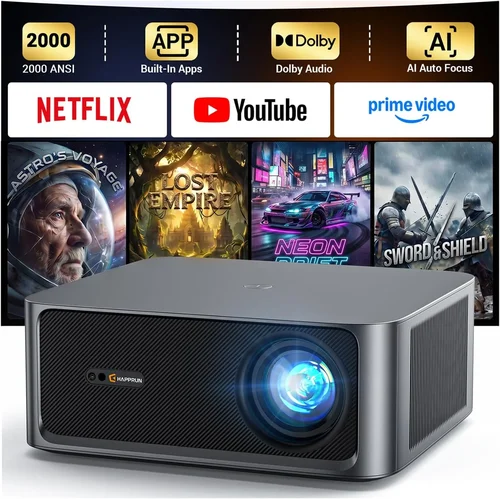
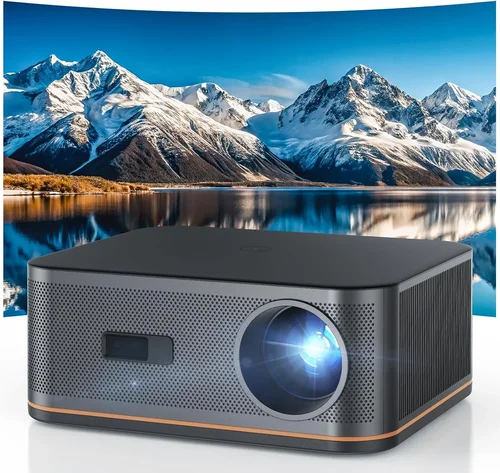
If you’ve been dreaming of a cinema‑style experience without leaving the comfort of your living room, a 4K home theater projector is the ticket. In 2026 the market is richer than ever, with models that promise true 4K resolution, HDR brilliance, and the flexibility to fit almost any space—all for under $2,000. This guide cuts through the hype, helping you understand what truly matters so you can pick a projector that delivers blockbuster quality without breaking the bank.
We’ll walk you through the essential specs, compare the main types of projectors, flag common pitfalls, and even give you a clear price‑tier roadmap. By the end, you’ll know exactly which features are worth paying for, where you can save, and which models consistently earn top marks from both experts and everyday users.

What to Look for When Buying Buying Guide
1. Budget & Price Range
Setting a realistic budget is the first step. While true native 4K chips still command premium prices, many manufacturers now use “4K‑enhanced” or “pixel‑shift” technology that delivers a 4K‑like picture at a fraction of the cost. For under $2,000 you can expect:
- Pixel‑shift 4K (often labeled as “4K UHD”) – up to 8‑10 million effective pixels.
- Brightness between 2,500 and 3,500 lumens – enough for dim rooms and modest ambient light.
- Decent contrast ratios (15,000:1 to 30,000:1) for deep blacks.
Knowing the ceiling of your budget helps you filter out models that overshoot your needs or compromise on critical performance.
2. Performance Specifications
The heart of any projector is its image quality. Focus on these three specs:
- Resolution: True 4K (3840 × 2160) is rare under $2K. Look for “4K‑enhanced” or “pixel‑shift” technology that effectively reaches 4K.
- Brightness (Lumens): For a dedicated home theater room, 2,500 – 3,000 lumens is ample. If you plan on occasional daytime viewing, aim for 3,000 + lumens.
- Contrast Ratio: Higher ratios (20,000:1 or more) produce richer blacks. Laser light sources often deliver better contrast than traditional lamps.
3. Build Quality & Durability
A projector is an investment; you want it to last. Look for:
- Metal chassis or high‑grade aluminum housing – better heat dissipation.
- Dust‑proof filters or sealed optics – especially important for floor‑standing units.
- Long‑life light source: LED and laser units can exceed 20,000 hours, while lamp‑based models may need replacement after 2,000‑4,000 hours.
4. Features & Functionality
Modern projectors pack a lot of convenience:
- HDR Support: HDR10 and HDR10+ are common; Dolby Vision is rarer but adds dynamic metadata.
- Lens Shift & Zoom: Essential for flexible placement without keystone distortion.
- Smart OS: Built‑in streaming apps (Netflix, Prime, Disney+) eliminate the need for an external box.
- Connectivity: HDMI 2.1 (or at least 2.0), USB‑C, Wi‑Fi, Bluetooth, and Ethernet keep you future‑proof.
5. Brand Reputation
Brands that consistently rank high in reliability and firmware support include Epson, BenQ, ViewSonic, Optoma, and LG. Checking forums, Reddit threads, and YouTube reviews can reveal long‑term satisfaction and any recurring firmware quirks.
6. Warranty & Support
Look for a minimum 2‑year warranty that covers the light engine. Some manufacturers offer extended warranties or free lamp replacements within the first year—valuable perks that can save you hundreds.
7. Size & Portability (if applicable)
If you need a projector that moves between rooms or travels, weigh the weight (under 8 lb is ideal) and the throw distance. Short‑throw models can sit close to the screen, reducing the footprint.
8. User Reviews & Ratings
Real‑world user feedback often highlights issues that spec sheets hide. Look for consistent praise on picture uniformity, fan noise, and ease of setup. Pay attention to how quickly manufacturers respond to negative reviews—good support matters.
Different Types of Buying Guide

Common Buying Mistakes to Avoid
❌ Mistake: Ignoring Ambient Light Conditions
Why it’s bad: Buying a dim 2,000‑lumens unit for a bright living room leads to washed‑out colors and constant glare.
What to do instead: Measure typical ambient light levels. If you can’t control light, aim for 3,000+ lumens and a projector with a high contrast ratio.
❌ Mistake: Focusing Solely on Resolution
Why it’s bad: A 4K‑enhanced projector with low brightness or poor color accuracy won’t look better than a solid 1080p unit in real use.
What to do instead: Balance resolution with brightness, contrast, and color gamut. HDR support often matters more than raw pixel count.
❌ Mistake: Overlooking Throw Distance
Why it’s bad: Placing a standard‑throw projector too close to the screen forces you to mount it high, creating keystone distortion.
What to do instead: Calculate the needed throw ratio for your screen size. Short‑throw models are ideal for rooms under 10 ft deep.
❌ Mistake: Forgetting About Lamp Life
Why it’s bad: Replacing a lamp can cost $150‑$300 and involve downtime.
What to do instead: Prefer laser or LED light sources—they often exceed 20,000 hours and are maintenance‑free.
❌ Mistake: Skipping Firmware Updates
Why it’s bad: Outdated firmware can cause HDMI handshake issues, HDR glitches, or performance bottlenecks.
What to do instead: Choose a brand with a strong track record of regular updates and an easy‑to‑use update process.
Budget Guidelines: How Much Should You Spend?
Understanding what each price tier delivers helps you align expectations with your wallet.
- Entry‑Level ($800 – $1,200): Expect LED or lamp‑based 1080p projectors with limited HDR. Brightness typically 2,000 lumens; contrast around 10,000:1. Good for occasional movie nights in a dark room.
- Mid‑Range ($1,200 – $1,800): This is the sweet spot for most buyers. Pixel‑shift 4K, 2,500‑3,000 lumens, HDR10, decent lens shift, and often a built‑in Android TV OS.
- Premium ($1,800 – $2,500): Laser light source, higher contrast (30,000:1+), wider color gamut (Rec. 2020), and advanced motion handling. Ideal for dedicated home theaters.
- Luxury ($2,500 +): True native 4K DLP, ultra‑short‑throw, integrated soundbars, and top‑tier smart platforms. Overkill for most but perfect for cinephiles with a sizable budget.
Expert Tips for Getting the Best Deal
- Timing is everything: The best price windows are late November (Black Friday), mid‑January (post‑holiday clearance), and late July (Amazon Prime Day).
- Shop where you can test: Retailers like Best Buy and B&H let you view demo units. Bring a laptop to test HDMI 2.0/2.1 compatibility.
- Bundle wisely: Some sellers offer a free screen, mounting kit, or extra lamp with a projector purchase—evaluate the true value.
- Check return policies: A 30‑day return window with free shipping protects you if the unit doesn’t meet expectations.
- Consider refurbished: Certified refurbished units often come with a full warranty and can save 15‑25%.
- Watch for firmware‑related price drops: When a major update fixes a known issue, manufacturers may lower prices on older firmware models.
- Negotiate shipping: For large items, ask the retailer to cover freight; many will absorb the cost to close the sale.

Frequently Asked Questions
Q: Do I need a “true” 4K projector to enjoy 4K content?
A: Not necessarily. Pixel‑shift technology can deliver a perceived 4K image at a lower cost. The difference is subtle on a typical 100‑inch screen, especially in dim lighting.
Q: How far should I sit from a 100‑inch screen?
A: The ideal viewing distance is 1.2 – 1.5 times the screen diagonal. For a 100‑inch screen, sit about 10‑12 feet away for optimal immersion without noticing pixelation.
Q: Can I use a projector with a standard TV wall mount?
A: Most home theater projectors require a ceiling mount or a dedicated projector stand. TV wall mounts usually lack the necessary tilt and height adjustment.
Q: Is HDR really worth the extra price?
A: HDR dramatically expands color depth and contrast. If you watch a lot of streaming services that support HDR10 (Netflix, Disney+), investing in HDR capability will noticeably improve picture quality.
Q: What screen should I pair with a projector under $2,000?
A: A 120‑grade gray screen works well for rooms with some ambient light, while a high‑gain white screen is better for darker rooms. Budget screens range from $150‑$300 and can be purchased separately.
Q: How loud are projectors in a quiet movie night?
A: Fan noise varies. Laser models often run under 28 dB, which is virtually silent. LED units are also quiet, while lamp‑based projectors can reach 35‑40 dB—still acceptable if the room isn’t completely silent.
Q: Do I need a separate sound system?
A: Most projectors have modest built‑in speakers (10‑20 W). For a true theater experience, pair the projector with a soundbar or a 5.1 surround system.
Q: Will a projector work with my gaming console?
A: Yes, as long as the projector supports HDMI 2.0 (or 2.1 for 120 Hz gaming). Look for low input lag (under 30 ms) and HDR support for the best experience.
Our Final Recommendations
- Best for Budget‑Conscious Buyers: BenQ TH585 – Pixel‑shift 4K, 3,500 lumens, low input lag, under $1,300.
- Best Overall Value: Epson Home Cinema 4010 – 4K‑enhanced, 2,400 lumens, excellent color accuracy, price around $1,600.
- Best Premium Option: Optoma CinemaX P2 – Ultra‑short‑throw laser, true 4K, HDR10+, built‑in Android TV, $2,199.
- Best for Beginners: ViewSonic PX747‑4K – Simple setup, bright 3,500 lumens, decent 4K enhancement, $1,200.
- Best for Advanced Users: LG HU85LA – Ultra‑short‑throw laser, true 4K, AI‑enhanced picture, Dolby Vision, $2,499.
Conclusion: Making the Right Choice
Choosing the best 4K home theater projector under $2,000 boils down to balancing resolution, brightness, and features against your specific viewing environment and budget. Remember to assess ambient light, calculate throw distance, and prioritize a reliable light source. By avoiding common mistakes, leveraging seasonal sales, and focusing on reputable brands, you can secure a projector that transforms your living room into a cinema‑worthy space without overspending.
Now that you’re armed with the knowledge, explore the models that fit your criteria, read a few user reviews, and make a purchase that will deliver unforgettable movie nights for years to come.