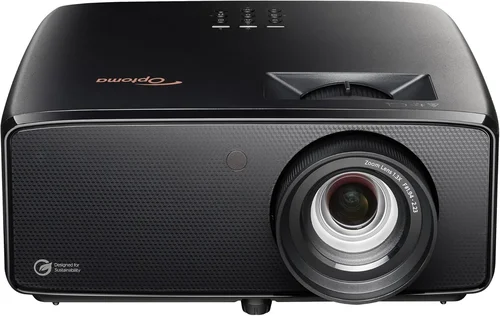
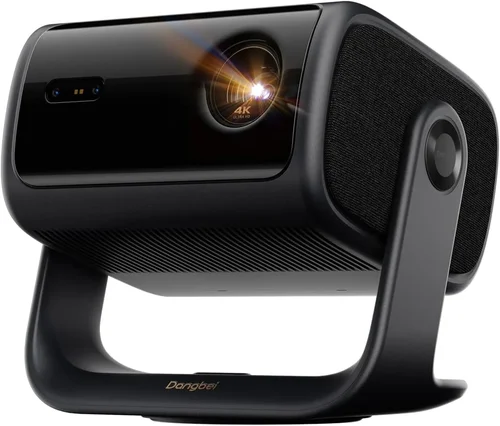
Welcome to the most thorough guide you’ll find on buying a 4K laser projector under $2,000. Whether you’re setting up a home cinema, a gaming den, or a professional presentation space, the right projector can transform the viewing experience. In 2026 the market is crowded with options that promise cinema‑grade brightness, vivid colors, and the crisp detail of true 4K resolution—all while staying within a modest budget. This guide cuts through the noise, explains the technology, and equips you with the knowledge to pick a projector that fits your needs without breaking the bank.
In the pages that follow you will learn how to evaluate key specifications, compare different projector categories, avoid common buying pitfalls, and discover the best models currently available for under $2,000. By the end, you’ll be able to match your room size, lighting conditions, and usage patterns to a projector that delivers genuine 4K laser performance, long‑term reliability, and real value for money.
The 4K laser projector market has evolved dramatically over the past three years. Laser light sources have become more efficient, offering higher lumens and longer lifespans than traditional lamps, while prices have dropped enough to make 4K resolution accessible to enthusiasts. Major brands such as Epson, Optoma, BenQ, and ViewSonic now ship models that hit the $1,500‑$2,000 sweet spot, and niche manufacturers are adding innovative features like HDR10+, ultra‑short‑throw optics, and integrated smart platforms. Understanding these advances is essential to making an informed purchase, and that’s exactly what this guide provides.

What to Look for When Buying Buying Guide
1. Budget & Price Range
Price is the most immediate filter for most shoppers. In the sub‑$2,000 segment, you’ll find a mix of entry‑level 4K laser projectors and higher‑end models that sacrifice a few premium features to stay affordable. Set a clear ceiling—$1,500, $1,800, or $2,000—and then prioritize which specifications you’re willing to compromise on. Remember that a lower upfront cost may be offset by higher operating expenses if the laser source has a shorter warranty or if you need to purchase additional accessories such as a high‑gain screen.
2. Performance Specifications
The heart of any projector is its performance specs. For a 4K laser projector, focus on:
- Resolution: True 4K (3840 × 2160) versus “4K‑enhanced” (often 1080p with pixel‑shifting). True 4K offers genuine detail, especially noticeable on larger screens.
- Brightness (Lumens): Laser projectors in this price range typically deliver 2,500‑3,500 ANSI lumens. For rooms with ambient light, aim for the higher end of that spectrum.
- Contrast Ratio: Look for a dynamic contrast of at least 30,000:1. Higher contrast improves black levels and overall depth.
- Color Gamut: DCI‑P3 coverage of 90%+ ensures vibrant, cinema‑like colors. Some models also support HDR10 or HDR10+ for richer highlights.
- Throw Ratio: Determines how far the projector must sit from the screen. Short‑throw (0.5‑1.0) is ideal for small rooms; standard throw (1.5‑2.5) works for larger spaces.
3. Build Quality & Durability
Laser projectors are praised for their long lamp life, but the chassis, cooling system, and lens construction still matter. A metal housing with a robust heat sink reduces vibration and extends component lifespan. Check user reviews for any recurring issues such as fan noise or overheating, especially if you plan to run the projector for extended movie marathons.
4. Features & Functionality
Modern projectors bundle a suite of features that can enhance convenience:
- Built‑in Streaming: Android TV, Roku, or proprietary smart OS let you stream Netflix, Disney+, or YouTube without an external box.
- Lens Shift & Keystone Correction: Mechanical lens shift (vertical/horizontal) is preferable to digital keystone, which can degrade image quality.
- HDMI 2.1 & Variable Refresh Rate (VRR): Essential for next‑gen consoles and high‑frame‑rate gaming.
- Audio Options: Integrated speakers are usually modest; consider a separate sound system for true cinematic sound.
5. Brand Reputation
Established brands typically offer better firmware support, more reliable warranty service, and a larger ecosystem of accessories. While newer players may introduce innovative designs, verify their service network and after‑sales track record before committing.
6. Warranty & Support
Laser light sources are rated for 20,000‑30,000 hours, but warranties vary. Look for at least a 2‑year parts and labor warranty, with the option to purchase extended coverage. Check whether the warranty includes the laser engine or just the projector body, as replacement costs can be significant.
7. Size & Portability (if applicable)
If you plan to move the projector between rooms or take it to a friend’s house, consider dimensions, weight, and mounting options. Some models are designed for ceiling mount only, while others include a tabletop-friendly footprint and quick‑release mounting plates.
8. User Reviews & Ratings
Finally, scan reputable review sites, forums, and YouTube channels for real‑world performance feedback. Pay attention to recurring themes—whether users praise the color accuracy, complain about fan noise, or experience firmware bugs. This qualitative data often reveals issues that spec sheets hide.
Different Types of Buying Guide

Common Buying Mistakes to Avoid
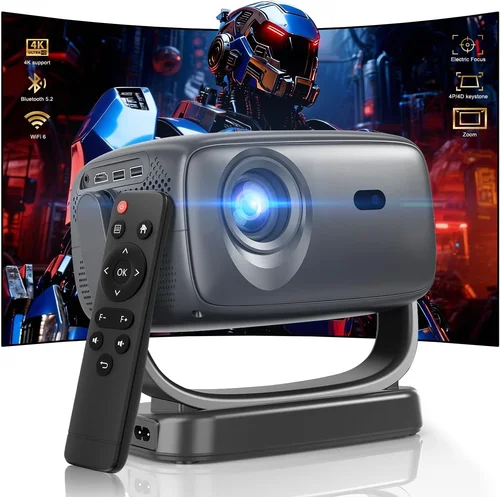
❌ Mistake: Ignoring Ambient Light Conditions
Why it’s bad: A projector rated at 2,500 lumens may look brilliant in a dark bedroom but will appear washed out in a living room with windows.
What to do instead: Measure your room’s typical light level and choose a projector with at least 3,000 lumens for moderate ambient light, or invest in blackout curtains and a high‑gain screen.
❌ Mistake: Confusing “4K‑Enhanced” with True 4K
Why it’s bad: Pixel‑shifting technologies can upscale 1080p panels, but they don’t deliver the same detail as native 4K chips, especially on larger screens.
What to do instead: Verify the native resolution in the spec sheet. Look for “3840 × 2160” or “True 4K” wording.
❌ Mistake: Overlooking Lens Shift
Why it’s bad: Relying solely on digital keystone correction degrades sharpness and reduces brightness.
What to do instead: Opt for models that offer at least ±10% vertical and horizontal lens shift to fine‑tune placement without image loss.
❌ Mistake: Forgetting About Throw Ratio
Why it’s bad: Buying a standard‑throw projector for a tiny apartment forces you to place the unit far from the wall, creating an impractically small image.
What to do instead: Calculate the required throw distance (Screen Width × Throw Ratio) and match it to your room dimensions.
❌ Mistake: Neglecting Audio Needs
Why it’s bad: Built‑in speakers in most budget laser projectors are under‑powered for movies, leading to a sub‑par experience.
What to do instead: Budget for an external soundbar or AV receiver, or select a model that includes a higher‑output speaker package.
❌ Mistake: Skipping Firmware Updates
Why it’s bad: Manufacturers often release firmware that fixes bugs, improves color accuracy, or adds new streaming apps.
What to do instead: Check the brand’s support page regularly and apply updates before first use.
❌ Mistake: Assuming All Laser Projectors Are Low‑Maintenance
Why it’s bad: While lasers outlast lamps, filters still need cleaning or replacement, and the cooling system can accumulate dust.
What to do instead: Choose a model with removable, washable filters and schedule quarterly cleaning to keep performance optimal.
Budget Guidelines: How Much Should You Spend?
Understanding what each price tier offers helps you set realistic expectations.
- Entry‑Level ($1,200 ‑ $1,500): Expect true 4K resolution, 2,500‑2,800 lumens, and basic HDR support. Features like lens shift may be limited, and smart platforms are often simplified.
- Mid‑Range ($1,500 ‑ $1,800): This is the sweet spot for most buyers. You’ll find 3,000+ lumens, 90%+ DCI‑P3 color gamut, HDMI 2.1, and a full suite of connectivity options. Some models include ultra‑short‑throw optics or factory‑calibrated color profiles.
- Premium ($1,800 ‑ $2,000): Premium models push brightness to 3,500 lumens, add HDR10+ or Dolby Vision support, and often come with a more robust warranty. Expect better fan designs (quieter operation) and advanced lens shift.
- Luxury ($2,000+): While beyond the scope of this guide, luxury options cross into the professional arena with 4K laser engines delivering 4,000+ lumens, built‑in motorized lenses, and extensive networking capabilities.
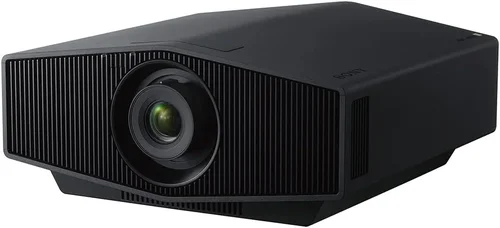
Expert Tips for Getting the Best Deal
- Timing: New models are typically announced in January and July. Purchasing just before a refresh can yield deep clearance pricing on the previous generation.
- Where to Buy: Major retailers like Best Buy and B&H often have price‑match guarantees. Online marketplaces such as Amazon may offer bundled accessories (screen, mounting kit) at a lower total cost.
- Spotting Deals: Compare the listed MSRP with the “list price” on the manufacturer’s site. A difference of $200‑$300 usually signals a promotional discount.
- Warranty Extensions: Some retailers offer “registered warranty” extensions for free when you register the serial number within 30 days.
- Return Policies: Look for a 30‑day return window with free shipping. This gives you time to test the projector in your actual environment.
- Testing Before Buying: If possible, view a demo in a store with a calibrated 100‑inch screen. Pay attention to color uniformity and fan noise.
- Bundling: Purchasing a projector and screen together often saves 10‑15% compared to buying them separately.
- Firmware Check: Verify that the unit you’re buying ships with the latest firmware version. Some sellers ship older stock that may need an update.

Frequently Asked Questions
Q: Does a laser projector really need more maintenance than an LED model?
A: Laser projectors have longer light‑source lifespans (20,000‑30,000 hours) compared to LEDs (≈30,000 hours) but still require filter cleaning and occasional fan checks. LEDs are generally sealed, reducing dust ingress, but the visual difference in brightness and color volume usually favors lasers for 4K home cinema.
Q: Can I use a 4K laser projector for gaming on the PS5?
A: Yes, provided the projector supports HDMI 2.1, 4K@120 Hz, and low input lag (<15 ms). Many mid‑range models now include Variable Refresh Rate (VRR) and Auto Low Latency Mode (ALLM), making them suitable for next‑gen consoles.
Q: How important is screen gain for a laser projector?
A: Screen gain amplifies brightness. A 1.2‑gain screen works well in moderately lit rooms, while a 1.5‑gain screen helps in brighter environments. However, higher gain can narrow viewing angles, so balance gain with your seating layout.
Q: Are “laser‑phosphor” projectors the same as pure laser?
A: Laser‑phosphor uses a blue laser combined with a phosphor wheel to generate white light. It offers good brightness and color but may not reach the same color purity as true RGB laser systems. For most home users, the difference is subtle.
Q: Will a projector under $2,000 support HDR10+?
A: Some mid‑range models do, but HDR10+ is still less common than HDR10. Check the spec sheet; if HDR10+ is critical, prioritize models that explicitly list it.
Q: How far should I place a 4K laser projector for a 120‑inch screen?
A: Use the throw ratio formula: Distance = Throw Ratio × Screen Width. For a 1.5 throw ratio and a 120‑inch (≈105 inch width) screen, you’d need about 13 feet of distance.
Q: Is a separate projector screen necessary?
A: While you can project onto a plain wall, a dedicated screen provides better color accuracy, higher gain, and reduced ambient light reflection, especially for 4K content where pixel density matters.
Q: Can I mount a laser projector on the ceiling?
A: Absolutely. Most models include a ceiling‑mount kit. Ensure the mount supports the projector’s weight and provides adequate ventilation clearance.
Q: What is the typical lifespan of the laser light source?
A: Manufacturers rate laser engines for 20,000‑30,000 hours, which translates to roughly 10‑15 years of average home use (2‑3 hours per day).
Our Final Recommendations
Best for Budget‑Conscious Buyers
Model: Epson EF‑12 Laser 4K
Why: At $1,399 it offers true 4K resolution, 2,800 lumens, and a compact design. While it lacks HDMI 2.1, it provides excellent color accuracy and a solid warranty.
Best Overall Value
Model: Optoma CinemaX P2
Why: Priced at $1,799, the P2 combines ultra‑short‑throw optics, 3,000 lumens, HDR10+, and a built‑in Android TV platform. Lens shift and low input lag make it versatile for movies and gaming.
Best Premium Option
Model: BenQ LK970
Why: At $1,979 it delivers 3,600 lumens, 95% DCI‑P3, HDMI 2.1 with 4K@120 Hz, and a robust cooling system. Ideal for bright rooms and serious gamers.
Best for Beginners
Model: ViewSonic PX747‑4K
Why: Although technically an LED‑laser hybrid, it stays under $1,500, offers 3,500 lumens, and includes easy‑setup wizard software, making it perfect for first‑time owners.
Best for Advanced Users
Model: Sony VPL‑VW915ES (when found on sale)
Why: While the MSRP exceeds $2,000, occasional bundles bring it under budget. It features true RGB laser, 4,000 lumens, and professional‑grade color calibration tools.
Conclusion: Making the Right Choice
Choosing a 4K laser projector under $2,000 boils down to balancing brightness, color performance, and feature set against your room’s lighting and intended use. Start by measuring your space, decide whether you need a standard or ultra‑short‑throw design, and then match those requirements to the key factors outlined in this guide. Remember that a higher price does not automatically guarantee a better experience; the right projector for you is the one that fits your viewing habits, offers reliable support, and stays within your budget.
Take the time to read user reviews, watch side‑by‑side video comparisons, and, if possible, test the unit in your own environment. Armed with the knowledge from this guide, you’re ready to make an informed purchase that will deliver cinema‑quality picture for years to come.
Ready to start shopping? Use the recommendations above as a checklist, keep an eye on seasonal sales, and enjoy the immersive world of 4K laser projection without overspending.