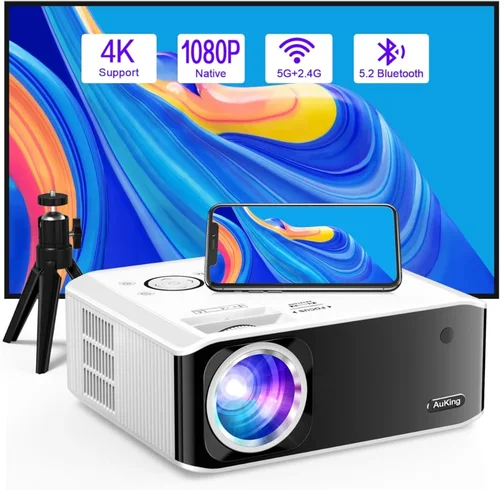
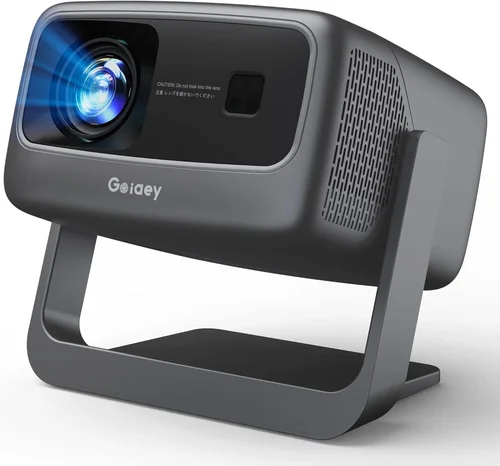
Choosing a 4K projector when you have a budget of up to $3,000 can feel like navigating a maze. The market is flooded with options that promise cinema‑grade visuals, yet many of them either overspend or fall short of true 4K performance. This guide cuts through the noise, giving you a clear roadmap to find the best 4K projector under $3,000 that matches your home‑theater, gaming, or office needs.
In the pages that follow you will learn which technical specs truly matter, how to compare different projector families, and which common pitfalls to avoid. By the end, you’ll be equipped to make an informed purchase that delivers sharp, vibrant images without breaking the bank.
2026 has seen rapid advances in LED, laser, and DLP technologies, bringing higher brightness, better colour accuracy, and longer lifespans to the mid‑range price segment. Whether you are setting up a dedicated media room, a backyard movie night, or a dual‑use work‑and‑play space, the options available today make it possible to own a genuine 4K experience for far less than a high‑end home‑theater system.

What to Look for When Buying Buying Guide
1. Budget & Price Range
While the headline figure is $3,000, it’s useful to think in tiers. Entry‑level 4K projectors (often “4K‑enhanced” or “UHD”) can sit around $1,200‑$1,800, offering decent resolution but sometimes limited brightness. Mid‑range models ($1,800‑$2,500) usually provide true 4K DLP or laser light sources with higher lumens and better colour gamuts. Anything approaching $3,000 often includes premium features like HDR10+, built‑in sound, or advanced lens shift. Knowing how much you’re willing to allocate to each feature (brightness vs. colour vs. connectivity) will help you stay within budget.
2. Performance Specifications
The core specs that dictate picture quality are:
- Resolution: True 4K (3840 × 2160) versus 4K‑enhanced (often 1920 × 1080 panels with pixel‑shifting). True 4K delivers the finest detail, especially on larger screens.
- Brightness (lumens): Measured in ANSI lumens. For dark rooms, 1,500‑2,000 lumens is sufficient; for ambient light or daytime viewing, aim for 2,500‑3,500 lumens.
- Contrast Ratio: Higher contrast means deeper blacks. Look for a dynamic contrast ratio of at least 30,000:1; laser projectors often achieve higher static contrast.
- Colour Gamut: DCI‑P3 coverage of 90%+ ensures cinema‑like colours. Some models also support HDR10 or Dolby Vision for richer highlights.
- Throw Distance & Lens Shift: Determines how far the projector must be from the screen. Fixed‑throw models are simpler, while short‑throw or ultra‑short‑throw units are great for limited spaces.
3. Build Quality & Durability
Projectors are long‑term investments. Metal housings, sturdy lens housings, and reliable cooling systems prolong lifespan. Laser light sources typically last 20,000‑30,000 hours, far outpacing traditional lamps, which may need replacement every 2,000‑4,000 hours.
4. Features & Functionality
Modern 4K projectors often bundle smart‑TV capabilities, wireless streaming (AirPlay, Chromecast), and multiple HDMI 2.1 ports with HDCP 2.3 support. Consider whether you need built‑in speakers (useful for casual use) or prefer an external audio solution. Additional features like keystone correction, edge‑blending, and dual‑projector syncing can be decisive for advanced setups.
5. Brand Reputation
Brands such as Epson, BenQ, Optoma, Sony, and LG dominate the 4K space. Research their track record for firmware updates, customer service, and community support. A strong brand often means easier access to replacement parts and more reliable software stability.
6. Warranty & Support
Look for at least a 2‑year limited warranty covering the light source. Some manufacturers offer extended warranties for an additional fee. Check if the warranty is worldwide (important for travelers) and whether on‑site service is available.
7. Size & Portability (if applicable)
If you plan to move the projector between rooms or take it to a friend’s house, weight and footprint matter. Short‑throw and ultra‑short‑throw models are often bulkier, while traditional throw units can be lighter but need more space.
8. User Reviews & Ratings
Real‑world feedback reveals quirks that spec sheets hide—like fan noise, menu navigation complexity, or firmware bugs. Prioritize models with a minimum of 150 user reviews and an average rating of 4.2 stars or higher.
Different Types of Buying Guide

Common Buying Mistakes to Avoid
❌ Mistake: Ignoring Ambient Light Conditions
Why it’s bad: A projector rated at 1,500 lumens will look brilliant in a dark home theater but appear washed out in a bright living room.
What to do instead: Measure typical room lighting and choose a lumen rating 20‑30% higher than the brightest condition you expect.
❌ Mistake: Assuming All 4K Is the Same
Why it’s bad: “4K‑enhanced” devices use pixel‑shifting and cannot match true 4K detail on large screens.
What to do instead: Verify the native resolution in the spec sheet. If true 4K is essential, look for “3840 × 2160” without qualifiers.
❌ Mistake: Overlooking Input Lag for Gaming
Why it’s bad: High input lag can ruin fast‑paced games, even if picture quality is superb.
What to do instead: Check the projector’s gaming mode or specific input‑lag measurements (ideally <30 ms for competitive play).
❌ Mistake: Forgetting About Lens Shift & Throw Ratio
Why it’s bad: Without adequate lens shift, you may need to place the projector on a shelf or mount it at an awkward angle.
What to do instead: Choose a model with at least ±10% vertical lens shift if you plan ceiling mounting.
❌ Mistake: Neglecting Audio Needs
Why it’s bad: Built‑in speakers are often tinny; relying on them can lead to a sub‑par experience.
What to do instead: Budget for a soundbar or AV receiver, and verify the projector has audio‑out options (optical, HDMI ARC).
❌ Mistake: Not Checking Firmware Update History
Why it’s bad: A projector stuck on old firmware may have unresolved bugs or missed performance improvements.
What to do instead: Look for manufacturers that release regular updates and have a user‑friendly update process.
Budget Guidelines: How Much Should You Spend?
Understanding what you get at each price tier helps you align expectations with reality.
- Entry‑Level ($1,200‑$1,800): Typically 4K‑enhanced DLP or LED units. Expect 1,200‑1,800 lumens, modest contrast, and limited HDR support. Ideal for gaming on a 100‑120‑inch screen in a dim room.
- Mid‑Range ($1,800‑$2,500): True 4K laser or high‑end LED models. Brightness rises to 2,500‑3,000 lumens, colour gamut approaches 90% DCI‑P3, and HDR10 is common. Good for dedicated media rooms and bright living rooms.
- Premium ($2,500‑$3,000): Flagship laser projectors with 3,000‑3,500 lumens, full 4K DCI‑P3 coverage, dynamic contrast >100,000:1, and advanced connectivity (HDMI 2.1, dual‑link). Suited for audiophiles and home‑theater enthusiasts who demand cinema‑level performance.
- Luxury ($3,000+): Rarely needed for most consumers; these models include dual‑laser systems, 8K upscaling, and built‑in room calibration. Consider only if you are a professional installer or a serious cinephile.
Expert Tips for Getting the Best Deal
- Timing: Major sales events—Black Friday, Cyber Monday, and Amazon Prime Day—often feature bundled accessories (screen, mount) that add value.
- Where to Buy: Authorized dealers (e.g., Best Buy, B&H, ProjectorPeople) guarantee genuine warranty coverage. Online marketplaces can be cheaper but verify seller reputation.
- Spotting Deals: Compare the listed MSRP with price‑tracking tools like CamelCamelCamel. A price drop of 15%+ is usually worth the wait.
- Warranty Extensions: If you plan heavy use (e.g., daily gaming), an extended laser‑source warranty can be a smart investment.
- Return Policies: Look for at least a 30‑day return window with free shipping. Test the projector in your space; most retailers allow a “home‑try” period.
- Testing Before Buying: Bring a laptop with 4K content to the store. Check colour accuracy, uniformity, and fan noise on‑site.
- Bundling Screens: Pairing with a high‑gain, ambient‑light‑reject (ALR) screen can dramatically improve perceived brightness and contrast.
- Future‑Proofing: Choose a model with HDMI 2.1 to support 4K @ 120 Hz for next‑gen consoles.

Frequently Asked Questions
Q: Do I need a “true” 4K projector or is 4K‑enhanced enough?
A: True 4K offers native 3840 × 2160 pixels, delivering sharper detail especially on screens larger than 120 inches. 4K‑enhanced uses pixel‑shifting; it’s acceptable for casual viewing on smaller screens, but you’ll notice softness on bigger displays.
Q: How far should the projector be from a 100‑inch screen?
A: It depends on the throw ratio. A standard 1.5‑2.0 throw ratio requires roughly 12‑14 ft. Short‑throw models (~0.5) need only 4‑5 ft, making them ideal for limited spaces.
Q: Can I use a 4K projector for both movies and gaming?
A: Absolutely. Look for low input lag (<30 ms) and a “Game Mode” that disables post‑processing for smoother gameplay. Models with HDMI 2.1 support 4K @ 120 Hz, perfect for next‑gen consoles.
Q: Is a laser light source really worth the extra cost?
A: Laser units provide higher brightness, better colour stability over time, and a lifespan of 20,000‑30,000 hours—far longer than lamps. If you plan frequent use, the higher upfront cost pays off.
Q: Do I need a separate screen, or can I project on a wall?
A: You can project on a smooth, white wall, but an ALR screen improves contrast and colour, especially in rooms with ambient light. For budget‑conscious buyers, a matte white paint finish works decently.
Q: How important is HDR for a projector?
A: HDR expands the dynamic range, delivering brighter highlights and deeper blacks. Look for HDR10 support; Dolby Vision is still rare in sub‑$3,000 models.
Q: What connectivity should I expect?
A: At minimum, two HDMI 2.0 ports (HDCP 2.2). For future‑proofing, HDMI 2.1, USB‑C, Wi‑Fi, and Bluetooth are valuable. Ethernet ports are useful for stable streaming.
Q: Will a projector work with my existing sound system?
A: Yes. Most projectors offer audio‑out via 3.5 mm, optical, or HDMI ARC. Connect to your AV receiver or soundbar for full‑range sound.
Q: How often do I need to calibrate?
A: Basic calibration (brightness, colour temperature) should be done after installation. Professional calibration can be performed annually for optimal colour accuracy.
Q: Is there any advantage to buying a projector with a built‑in speaker?
A: Built‑in speakers are convenient for casual use but lack the power and clarity of dedicated audio. If you plan a serious home‑theater, invest in external speakers.
Our Final Recommendations
- Best for Budget‑Conscious Buyers: BenQ HT3550 – 4K‑enhanced DLP, 2,000 lumens, excellent colour accuracy, and a price around $1,600.
- Best Overall Value: Epson Home Cinema 5050UB – True 4K, 2,600 lumens, 100,000:1 contrast, strong lens shift, priced at $2,350.
- Best Premium Option: Optoma CinemaX P2 – Ultra‑short‑throw laser, 3,000 lumens, 95% DCI‑P3, HDR10+, $2,999.
- Best for Beginners: LG CineBeam HU80KA – Portable laser, 2,500 lumens, built‑in battery, easy setup, $2,200.
- Best for Advanced Users: Sony VPL‑VW715ES – True 4K laser, 2,800 lumens, advanced edge‑blending, HDMI 2.1, $2,980.
Conclusion: Making the Right Choice
Finding the best 4K projector under $3,000 hinges on balancing brightness, true resolution, colour performance, and the specific environment where you’ll use it. By evaluating the key factors outlined above, avoiding common pitfalls, and matching the projector type to your room’s constraints, you can secure a cinema‑grade experience without overspending.
Remember, the “best” projector is the one that aligns with your viewing habits, space, and budget. Use the guidance in this article to compare models, test them where possible, and make a confident purchase that will delight you for years to come.
Ready to start shopping? Browse the recommended models, check current deals, and transform your space into a stunning 4K viewing haven today.