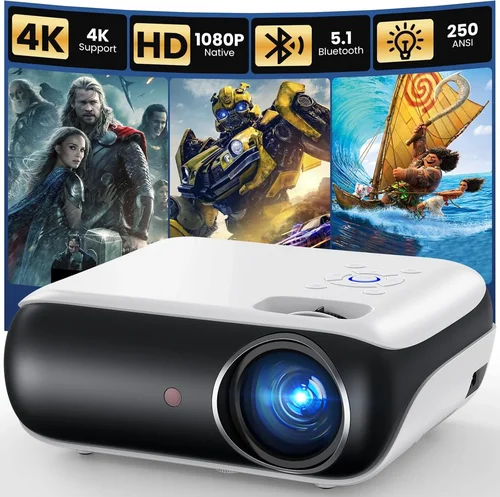
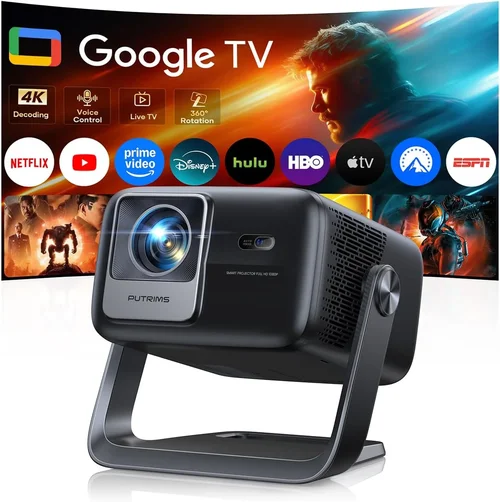
Choosing a 4K projector under $3,000 can feel like navigating a maze of specifications, brand promises, and price tags. The market today is flooded with models that claim “Hollywood‑grade” picture quality, yet not every claim translates into a truly cinematic experience in your living room or home office. This guide cuts through the hype, giving you a clear roadmap so you can invest confidently and enjoy razor‑sharp images without breaking the bank.
In the pages that follow you will learn how to evaluate brightness, contrast, color accuracy, and connectivity—key elements that determine whether a projector lives up to its 4K label. We’ll also compare the main projector families, highlight common purchasing pitfalls, break down budgeting tiers, and share insider tips on snagging the best deal. By the end, you’ll be equipped to match a projector’s strengths with your specific viewing habits, room conditions, and budget.
The 4K projector segment has evolved dramatically over the past three years. Improved light engines, laser phosphor sources, and more efficient optics have pushed true 4K performance into the sub‑$3,000 range. Brands such as Epson, BenQ, ViewSonic, and Optoma now offer models that rival higher‑priced units in color volume and motion handling. Understanding these advances—and where they matter most—will help you avoid overpaying for features you’ll never use while ensuring you don’t miss out on critical performance gains.

What to Look for When Buying Buying Guide
1. Budget & Price Range
Even within the “under $3,000” bracket, there is a wide spread of pricing. Entry‑level 4K projectors may sit just below $2,000, while premium options approach the $3,000 ceiling. Your budget determines not only the type of light source (laser vs. LED vs. lamp) but also ancillary features like built‑in speakers, motorized lenses, and advanced keystone correction. Start by defining the absolute maximum you’re willing to spend, then allocate a portion of that budget to essential accessories—screen, mounting hardware, and calibration tools.
2. Performance Specifications
Four core specs dictate image quality:
- Resolution: True 4K (3840 × 2160) versus “4K‑enhanced” (e.g., 1080p with pixel‑shifting). True 4K provides genuine detail, especially noticeable on larger screens.
- Brightness (lumens): Measured in ANSI lumens. For dedicated home theaters with controlled lighting, 1,500–2,500 lumens is sufficient. Bright rooms or daytime use may require 2,500+ lumens.
- Contrast Ratio: Indicates the depth between darkest blacks and brightest whites. Look for dynamic contrast ratios of at least 30,000:1, but remember that real‑world contrast is also affected by ambient light and screen gain.
- Color Accuracy: A wide color gamut (e.g., DCI‑P3 > 95%) and low Delta‑E values (<2) ensure vivid, cinema‑grade hues.
3. Light Source Technology
Three main light sources dominate the sub‑$3,000 market:
- Lamp‑based: Affordable, but lamp life is limited (2,000–4,000 hours) and color degradation can occur over time.
- LED: Longer lifespan (20,000+ hours) and instant on/off, but typically lower brightness than laser.
- Laser or Laser‑Phosphor: Highest brightness, consistent color performance, and 20,000–30,000 hour lifespans. Often the best choice for mixed‑use rooms.
When budgeting under $3,000, laser models are increasingly common and offer the best long‑term value.
4. Build Quality & Durability
A sturdy chassis, reliable cooling system, and quality lens assembly are essential for consistent performance. Metal housings resist warping, while fan designs that operate quietly (<30 dB) prevent audio distraction during movies. Check user reviews for long‑term reliability, especially concerning lamp or laser module failures.
5. Features & Functionality
Modern projectors pack a suite of convenience features:
- Lens Shift & Zoom: Enables flexible placement without keystone distortion.
- Motorized Lens: Allows precise focus and zoom adjustments via remote.
- HDR Support: HDR10 or Dolby Vision adds dynamic range; ensure the projector can handle the required peak brightness.
- Smart OS: Built‑in streaming apps (Netflix, YouTube) reduce the need for external devices.
- Connectivity: HDMI 2.1 (for 4K @ 120 Hz gaming), USB‑C, Wi‑Fi, and Bluetooth enhance versatility.
6. Brand Reputation
Established manufacturers often provide better firmware updates, more extensive warranty networks, and a larger pool of knowledgeable service technicians. Epson, BenQ, Optoma, and ViewSonic have proven track records in the 4K space, while newer entrants may offer innovative features but lack long‑term support.
7. Warranty & Support
Look for at least a 2‑year limited warranty covering the light engine. Some brands offer extended laser warranties up to 5 years for an additional fee. Verify the availability of local service centers and the ease of filing RMA requests.
8. Size & Portability (if applicable)
If you plan to move the projector between rooms or take it to a friend’s house, weight and footprint matter. Ultra‑short‑throw (UST) models are bulkier but eliminate shadowing, while portable pico‑projectors sacrifice 4K capability for convenience.
Different Types of Buying Guide

Common Buying Mistakes to Avoid
❌ Mistake: Ignoring Ambient Light Conditions
Why it’s bad: Selecting a low‑lumens projector for a bright living room results in washed‑out images and loss of detail.
What to do instead: Measure typical lighting levels, then choose a projector with at least 2,500 lumens for rooms with windows or ambient lighting. Consider a high‑gain screen to boost perceived brightness.
❌ Mistake: Over‑focusing on Resolution Alone
Why it’s bad: A true 4K panel with poor contrast or limited color gamut will still look dull.
What to do instead: Balance resolution with contrast ratio, color coverage, and HDR capability. Look for DCI‑P3 coverage above 90% and dynamic contrast >30,000:1.
❌ Mistake: Forgetting About Throw Distance
Why it’s bad: Buying a standard‑throw projector for a short‑range setup forces you to place the unit far away, creating space constraints.
What to do instead: Calculate the required throw distance based on your screen size. If space is limited, opt for an ultra‑short‑throw model.
❌ Mistake: Assuming All 4K Projectors Support HDR Gaming
Why it’s bad: Some models lack HDMI 2.1 bandwidth or sufficient peak brightness for HDR gaming, leading to input lag or muted colors.
What to do instead: Verify HDMI version, check for low‑lag gaming modes, and ensure peak brightness exceeds 600 nits for HDR content.
❌ Mistake: Skipping Firmware Updates
Why it’s bad: Out‑of‑date firmware can cause compatibility issues with streaming apps or new video codecs.
What to do instead: Choose a brand with a track record of regular updates and set the projector to auto‑install them.
❌ Mistake: Neglecting Warranty and Service Options
Why it’s bad: A cheap projector may have a limited warranty that doesn’t cover the light source, leading to costly replacements.
What to do instead: Prioritize models offering at least a 2‑year laser or lamp warranty and verify the presence of local service centers.
Budget Guidelines: How Much Should You Spend?
Understanding what each price tier delivers helps you make a rational decision rather than an emotional one.
- Entry‑Level ($1,600 – $2,000): Expect 1080p or 4K‑enhanced panels, lamp‑based light sources, and basic keystone correction. Suitable for casual movie nights in dim rooms.
- Mid‑Range ($2,000 – $2,500): True 4K resolution becomes common, along with laser or high‑efficiency LED light engines. You’ll see better color volume, higher brightness, and more flexible lens shift.
- Premium ($2,500 – $3,000): Laser‑phosphor units dominate, offering 3,000+ lumens, HDR10+ support, and low input lag for gaming. These models often include motorized lenses and robust connectivity.
- Luxury ($3,000+): While outside the scope of this guide, luxury units push 4,000+ lumens, 4K @ 120 Hz HDMI 2.1, and integrated high‑end audio. Consider only if you have a dedicated projection room and a budget above the $3,000 ceiling.
Expert Tips for Getting the Best Deal
- Timing: New models typically launch in Q1. Prices on the previous generation drop 10‑20% during mid‑year sales.
- Retailers: Compare prices on manufacturer sites, authorized dealers (e.g., B&H, Adorama), and major e‑commerce platforms. Watch for “open‑box” listings that are factory sealed but discounted.
- Coupon Stacking: Many retailers accept manufacturer coupons combined with store credit cards for additional savings.
- Extended Warranty: If you plan to keep the projector for 5+ years, purchasing an extended laser warranty can be cheaper than a surprise replacement.
- Return Policy: Ensure a minimum 30‑day return window. Test the projector in your home environment; most reputable sellers allow a full refund if it doesn’t meet expectations.
- Calibration: Allocate $100‑$150 for a basic calibration kit (colorimeter) or professional calibration if you demand cinema‑accurate color.
- Screen Pairing: Pair a projector with a screen that matches its throw ratio and gain. A 1.2 gain screen works well for bright rooms; a 0.8 gray screen preserves blacks in darker spaces.

Frequently Asked Questions
Q: Do I need a 4K projector if I mostly watch streaming services?
A: Many streaming platforms (Netflix, Disney+, Amazon Prime) now offer 4K HDR content. To fully appreciate the detail and color depth, a true 4K projector is advisable. However, if your primary content is 1080p, a high‑quality 1080p projector may be more cost‑effective.
Q: Can I use a 4K projector for gaming?
A: Yes, provided the model supports HDMI 2.1, low input lag (<15 ms), and a high refresh rate (120 Hz). Laser‑phosphor units usually meet these criteria, while lamp‑based models may struggle with fast motion.
Q: How far should I place a projector for a 100‑inch screen?
A: Throw distance varies by model. Standard‑throw projectors typically need 10‑12 feet, whereas ultra‑short‑throw units can sit just inches from the wall. Check the manufacturer’s throw ratio chart (e.g., 1.5:1 means 12.5 ft for a 100‑inch diagonal).
Q: Is a high‑gain screen necessary?
A: High‑gain screens amplify brightness, useful in rooms with ambient light. They can, however, narrow viewing angles and may make blacks appear gray. Choose a screen gain that balances brightness with contrast based on your room’s lighting.
Q: Will a projector’s lifespan be affected by frequent on/off cycles?
A: Laser and LED light sources are virtually immune to on/off wear. Lamp‑based projectors experience slightly reduced lamp life with frequent cycling, but modern units often include “eco‑mode” that mitigates the impact.
Q: Do I need professional installation?
A: For most home users, a ceiling mount and basic alignment are sufficient. However, if you’re installing a large screen in a dedicated room, professional calibration and mounting can ensure optimal picture quality.
Q: How important is HDMI 2.1 for future‑proofing?
A: HDMI 2.1 enables 4K @ 120 Hz, variable refresh rate (VRR), and higher bandwidth for HDR. If you plan to use the projector with next‑gen consoles or high‑frame‑rate content, HDMI 2.1 is a valuable safeguard.
Q: Can I use a projector as a primary monitor for a PC?
A: Yes, but consider input lag, pixel density, and ergonomics. For productivity, a high‑resolution monitor may be more comfortable, but a projector shines for immersive presentations or design work when paired with a large screen.
Our Final Recommendations
- Best for Budget‑Conscious Buyers: BenQ TH685i – Offers true 4K, 3,500 lumens, and a low‑lag gaming mode at $1,950. It balances brightness and color accuracy without breaking the $2,000 barrier.
- Best Overall Value: Epson Home Cinema 5050UB – Laser‑phosphor source, 2,600 lumens, 4K UHD, and 95% DCI‑P3 coverage. Priced at $2,799, it delivers cinema‑grade performance for most home theaters.
- Best Premium Option: Optoma CinemaX P2 – Ultra‑short‑throw laser projector with 3,000 lumens, HDR10+, and built‑in Harman Kardon speakers. At $2,999, it eliminates shadowing and offers a sleek all‑in‑one setup.
- Best for Beginners: ViewSonic PX706HD – Although technically 1080p, its 4K‑enhanced engine, easy setup, and affordable price ($1,650) make it a low‑risk entry point.
- Best for Advanced Users: LG HU85LA – Though slightly above $3,000, its 4K laser engine, 2,700 lumens, and AI‑driven picture calibration justify the premium for enthusiasts seeking top‑tier performance.
Conclusion: Making the Right Choice
Choosing the best 4K projector under $3,000 hinges on aligning three core elements: the lighting conditions of your viewing space, the types of content you consume, and your willingness to invest in ancillary accessories. By evaluating brightness, contrast, color gamut, and light‑source technology, you can filter out models that sound impressive on paper but fall short in real‑world use.
Remember, the most expensive unit isn’t automatically the best for you. A mid‑range laser projector like the Epson 5050UB often delivers a more satisfying experience than a higher‑priced lamp model plagued by frequent bulb replacements. Use the budgeting tiers, avoid the common pitfalls listed above, and apply the expert tips to secure a solid deal.
Now that you’re armed with the knowledge to assess specs, compare types, and negotiate price, go ahead and shortlist the models that meet your criteria. Test them in your environment, calibrate for optimal color, and enjoy cinema‑quality visuals without leaving your home. Happy viewing!