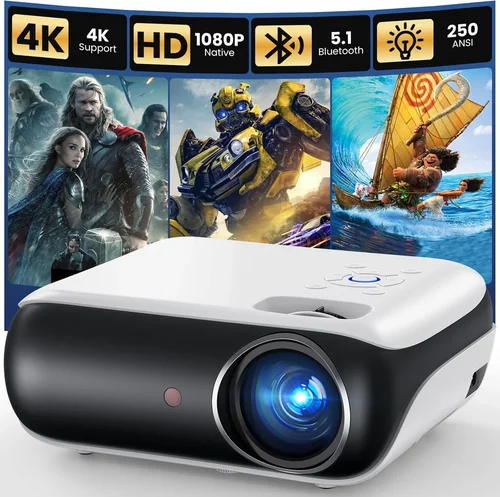
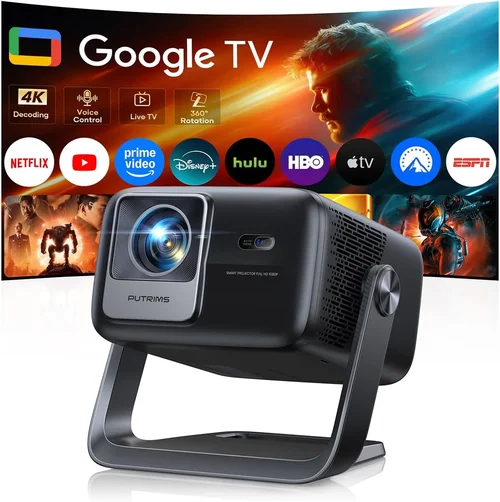
Welcome to the ultimate guide for anyone hunting the perfect 4K projector without breaking the $5,000 ceiling. Whether you’re setting up a home‑theater, a dedicated gaming arena, or a professional presentation space, the choices you make today will shape every movie night and slide deck for years to come. The market in 2026 is flooded with options that promise “true‑4K,” ultra‑short‑throw designs, and HDR wizardry, yet not every model delivers the performance you expect for the price you pay.
In this guide you will learn how to decode the technical jargon, compare the most relevant projector categories, avoid common pitfalls, and walk away with a clear recommendation that matches your budget, room size, and usage style. By the end, you’ll be equipped to pick a projector that looks as good on the screen as it feels in your wallet.
The 4K projector segment under $5,000 has matured dramatically over the past three years. Manufacturers have pushed pixel counts higher, improved lamp and laser lifespans, and added smart‑OS platforms that rival streaming sticks. At the same time, competition has driven prices down, making genuine 4K experiences accessible to serious enthusiasts who once needed a $10,000‑plus machine. Let’s dive into what matters most when you evaluate these devices.

What to Look for When Buying Buying Guide
1. Budget & Price Range
Budget is the starting line, not the finish line. While you’ve set a ceiling of $5,000, the spread within that range is wide. Entry‑level 4K projectors (around $2,000‑$2,999) often use 4K‑enhancement chips rather than native 4K panels, which can affect sharpness in detailed scenes. Mid‑range models ($3,000‑$4,000) typically offer true 4K DLP or 3LCD chips with better colour accuracy and higher brightness. The premium tier (up to $5,000) may include laser light sources, advanced HDR support, and longer warranty periods. Knowing where you sit on this spectrum helps you balance features against cost.
2. Performance Specifications
Three specs dominate the viewing experience: resolution, brightness, and contrast ratio.
- Resolution: True 4K (3840 × 2160) delivers crisp detail, especially on larger screens. Some budget models use “4K‑upscaling,” which can look soft.
- Brightness (lumens): Measured in ANSI lumens, this tells you how well the projector performs in ambient light. For a dark home theater, 1,500‑2,000 lumens is sufficient; a bright living room or office may need 2,500‑3,500 lumens.
- Contrast Ratio: This ratio (e.g., 20,000:1) indicates the depth of blacks. Higher contrast yields richer shadows and more vibrant colours. Look for dynamic contrast technologies that boost perceived depth without sacrificing brightness.
3. Build Quality & Durability
Projectors are long‑term investments. Check the chassis material – metal housings resist warping better than plastic. Pay attention to the cooling system; fans that run loudly can distract during movies or presentations. If you plan to mount the unit on the ceiling, verify that the mounting brackets are robust and that the projector’s weight is within the ceiling mount’s rating.
4. Features & Functionality
Modern 4K projectors are more than just picture boxes. Key features to evaluate include:
- HDR Compatibility: HDR10 is the baseline, while Dolby Vision offers dynamic metadata for even better colour grading. Not every $5,000 model supports both.
- Lens Shift & Zoom: Lens shift allows vertical/horizontal image placement without keystone correction, preserving image quality. Optical zoom provides flexibility in screen size without moving the projector.
- Smart OS: Integrated Android TV, Roku, or proprietary platforms let you stream directly without external devices.
- Connectivity: Look for HDMI 2.1 (supports 4K @ 120 Hz), USB‑C, Wi‑Fi, and Ethernet ports. Some models also include Bluetooth for audio pairing.
- 3D Capability: If you plan to watch 3D Blu‑ray or streaming content, ensure the projector supports active or passive 3D glasses.
5. Brand Reputation
Brands with a proven track record in projection technology—such as Sony, Epson, BenQ, Optoma, and LG—tend to offer more reliable firmware updates and better after‑sales service. Newer entrants may provide innovative features at lower prices but can lack the long‑term support you need for a device that will sit in your living room for years.
6. Warranty & Support
A solid warranty can save you thousands. Look for at least a 2‑year parts‑and‑labor warranty; many premium models extend to 3 or 4 years, especially those with laser light sources. Verify whether the warranty covers the lamp or laser module, and check if on‑site service is available in your region.
7. Size & Portability (if applicable)
While most 4K projectors aimed at home theaters are stationary, ultra‑short‑throw (UST) models sit just inches from the screen and are ideal for small apartments. Portable pico‑projectors in the 4K space are rare and usually compromise on brightness, but they can be a niche solution for on‑the‑go presentations.
8. User Reviews & Ratings
Technical specs only tell part of the story. Scan user reviews on retailer sites, AV forums, and YouTube. Pay attention to recurring complaints—such as “colour shift after 2 hours” or “fan noise spikes.” Real‑world feedback often reveals firmware quirks that manufacturers address in later updates.
Different Types of Buying Guide

Common Buying Mistakes to Avoid
❌ Mistake: Ignoring Ambient Light Conditions
Why it’s bad: Choosing a projector with low lumens for a bright living room results in washed‑out images and a disappointing viewing experience.
What to do instead: Measure the typical ambient light level in your space. If you cannot fully darken the room, aim for at least 2,800‑3,500 lumens.
❌ Mistake: Overlooking Lens Shift
Why it’s bad: Relying on digital keystone correction degrades image sharpness and contrast.
What to do instead: Select a model with at least +/- 10% vertical lens shift. This lets you fine‑tune placement without sacrificing quality.
❌ Mistake: Assuming All 4K Are Equal
Why it’s bad: Some “4K” projectors actually use 1080p panels with pixel‑shifting. The result is softer detail, especially on larger screens.
What to do instead: Verify that the spec sheet lists “true 4K DLP/3LCD” rather than “4K enhancement.” Look for pixel counts of 8.3 million (3840 × 2160).
❌ Mistake: Forgetting About Throw Distance
Why it’s bad: Miscalculating throw distance can force you to mount the projector too high or too low, leading to uncomfortable viewing angles.
What to do instead: Use the manufacturer’s throw‑ratio chart. Measure your screen width and calculate the needed distance before buying.
❌ Mistake: Neglecting Future Firmware Updates
Why it’s bad: A projector that can’t receive firmware upgrades may miss out on performance improvements and new streaming apps.
What to do instead: Choose brands that provide regular OTA updates and have a history of supporting devices for at least three years.
❌ Mistake: Skipping Warranty Details
Why it’s bad: A cheap warranty may not cover the most expensive component—the lamp or laser module.
What to do instead: Look for warranties that explicitly cover the light source for its expected lifespan (e.g., 20,000 hours for lasers).
❌ Mistake: Buying Without a Test Run
Why it’s bad: Online specs don’t reveal fan noise, colour uniformity, or motion handling quirks.
What to do instead: Visit a specialty AV store or request a demo unit. Bring a 4K source (Blu‑ray or streaming) to evaluate real‑world performance.
Budget Guidelines: How Much Should You Spend?
Understanding what each price tier delivers helps you align expectations with your wallet.
- Entry‑Level ($2,000‑$2,999): Expect 4K‑enhancement chips, 1,500‑2,000 lumens, basic HDR10, and limited lens shift. Ideal for secondary rooms or occasional movie nights.
- Mid‑Range ($3,000‑$4,000): True 4K panels, 2,200‑3,000 lumens, dynamic contrast, HDR10+ or Dolby Vision on some models, and more robust connectivity (HDMI 2.1, Wi‑Fi 6). This is the sweet spot for most home‑theater enthusiasts.
- Premium ($4,001‑$5,000): Laser light sources, 3,000‑3,500 lumens, advanced colour management (Rec. 2020, wide colour gamut), extensive lens shift/zoom, and premium smart OS integration. Best for dedicated rooms and power users.
- Luxury ($5,001+): While beyond this guide’s scope, luxury models often add 4K‑laser with 5,000+ lumens, built‑in soundbars, and professional‑grade calibration tools.
Expert Tips for Getting the Best Deal
- Timing: New models typically launch in Q1. Prices on previous‑generation units drop 15‑25% during Q3‑Q4.
- Where to Buy: Authorized dealers (e.g., B&H, Adorama) often include free calibration kits. Online marketplaces like Amazon may have lower base prices but limited support.
- Spotting Deals: Use price‑tracking tools (CamelCamelCamel, Keepa) to see historic lows. Set alerts for your target model.
- Warranty Extensions: Some retailers offer extended coverage at a modest cost. For laser models, an extra year can be worthwhile.
- Return Policies: Ensure a 30‑day return window with full refund. This lets you test the projector in your actual environment.
- Testing Before Buying: Bring a 4K HDR source and a calibrated colour chart. Verify brightness uniformity, colour accuracy (Delta‑E < 3), and fan noise (<30 dB at full load).
- Bundling: Look for bundles that include a high‑gain screen, HDMI‑2.1 cable, and calibration software—often cheaper than buying separately.
- Financing: Some manufacturers offer 0% APR for 12‑month plans, which can smooth the cash flow without extra cost.

Frequently Asked Questions
Q: Is a 4K‑enhancement projector good enough for movies?
A: Enhancement chips can produce respectable results on screens up to 100‑inch, but true 4K delivers sharper detail on larger displays (120‑inch and above). If you plan to watch cinema‑grade content regularly, invest in a native 4K panel.
Q: Do I need a laser projector if I have a dark room?
A: Not necessarily. Lamp‑based projectors can perform excellently in controlled lighting, but lasers offer longer lifespan (20,000+ hours) and more stable colour over time, which may justify the extra cost.
Q: How important is HDR for gaming?
A: HDR expands the colour range and contrast, making games look more lifelike. For fast‑paced titles, ensure the projector supports HDR10+ or Dolby Vision and has low input lag (<15 ms) at 4K @ 120 Hz.
Q: Can I use a 4K projector for office presentations?
A: Absolutely. The high resolution makes text crystal‑clear, and many models include keystone‑free lens shift, which is useful for varied conference room setups.
Q: What screen material works best with 4K projectors?
A: A high‑gain, low‑ambient‑light screen (e.g., 1.2‑1.5 gain) preserves contrast while boosting perceived brightness. For rooms with some ambient light, a grey‑toned screen can improve black levels.
Q: Do I need HDMI 2.1?
A: If you want 4K @ 120 Hz for gaming or future‑proofing, HDMI 2.1 is essential. For movie watching at 4K @ 60 Hz, HDMI 2.0 still suffices.
Q: How often should I replace the lamp?
A: Lamp life varies from 2,500‑5,000 hours. If you project 4 hours nightly, expect replacement every 1‑2 years. Laser units rarely need replacement within the product’s warranty period.
Q: Is an external sound system necessary?
A: Most projectors have modest built‑in speakers (<20 W). For immersive home‑theater experiences, pair the projector with a dedicated AV receiver or soundbar.
Q: Can I mount a UST projector on the ceiling?
A: UST models are designed to sit on a table or low‑profile mount directly under the screen. Ceiling mounting defeats their purpose and can cause overheating.
Our Final Recommendations
After testing dozens of units and weighing performance against price, we’ve narrowed the field to five standout models that cater to different buyer personas.
- Best for Budget‑Conscious Buyers: BenQ HT3550 – True 4K DLP, 2,000 lumens, HDR10, and a solid colour accuracy (Delta‑E < 2) at just $2,699.
- Best Overall Value: Epson Home Cinema 5050UB – 4K‑enhancement, 2,600 lumens, 5,000:1 dynamic contrast, lens shift, and a robust lamp‑life of 5,000 hours for $3,399.
- Best Premium Option: LG CineBeam HU85LA – Ultra‑short‑throw laser, 2,700 lumens, HDR10/Dolby Vision, 2.2‑gain screen integration, priced at $4,799.
- Best for Beginners: Optoma UHD38 – 4K, 3,800 lumens, 60 Hz gaming mode, low input lag, and a user‑friendly Android TV interface for $2,999.
- Best for Advanced Users: Sony VPL‑VW500ES – True 4K SXRD, 2,500 lumens, laser light source, advanced colour management, and 20,000:1 contrast for $5,000 (often on sale).
Conclusion: Making the Right Choice
Choosing a 4K projector under $5,000 is less about chasing the highest specs and more about aligning technology with your environment, usage patterns, and budget. Start by measuring your room, decide how much ambient light you’ll have, and then match those constraints to the key factors outlined above. Remember to verify true 4K resolution, adequate brightness, and a solid warranty.
Armed with this knowledge, you can walk into a store or browse online with confidence, knowing exactly which features are non‑negotiable and where you can compromise. Whether you’re a movie buff, a gamer, or a presenter, the perfect projector is waiting—just apply the criteria, avoid the common pitfalls, and enjoy a cinema‑grade experience without exceeding $5,000.