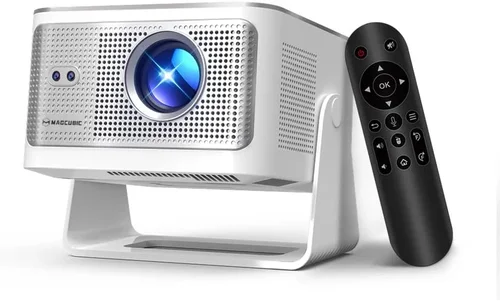
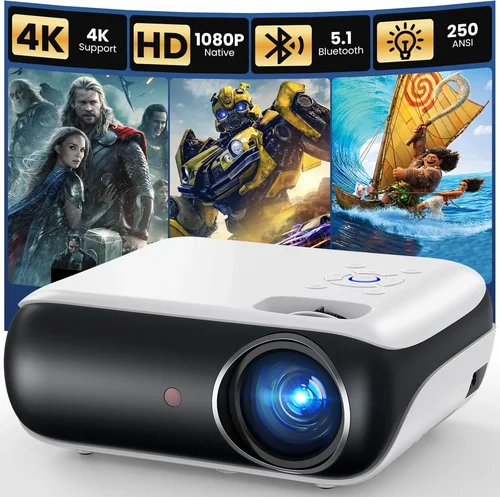
Choosing a home‑theater projector that can display true‑to‑life 4K images without draining your wallet is a challenge that many movie‑buffs and gamers face today. The market is flooded with models that promise “4K” but often rely on pixel‑upscaling, limited brightness, or costly proprietary lenses. This guide cuts through the noise, focusing on projectors that genuinely deliver a 4K experience while staying under the $700 ceiling.
In the next few sections you’ll learn how to evaluate key performance specs, understand which projector type fits your space, avoid common buying pitfalls, and discover the best‑in‑class options that balance price, picture quality, and durability. By the end, you’ll have a clear roadmap to pick a projector that turns your living room, home office, or backyard into a cinematic arena.

What to Look for When Buying Buying Guide
1. Budget & Price Range
Even within the sub‑$700 segment, prices can vary dramatically based on brand, features, and sales cycles. Set a realistic ceiling that includes taxes and potential accessories (screen, mounting kit, HDMI cable). Remember that a lower price often means compromises in brightness, native resolution, or warranty length. Aim for the sweet spot where you get genuine 4K capability without paying for unnecessary premium features.
2. Performance Specifications
The heart of any projector is its image‑producing specs. Focus on these core numbers:
- Native Resolution: True 4K (3840 × 2160) is rare under $700; many models use 1080p chips with 4K upscaling. If native 4K is a must, be prepared for limited options.
- Brightness (ANSI lumens): For daylight or well‑lit rooms, aim for 2,500 + lumens. Dark rooms can get away with 1,500 – 2,000 lumens.
- Contrast Ratio: Higher contrast delivers deeper blacks. Look for at least 10,000:1, though manufacturers often quote inflated figures.
- Color Accuracy: DCI‑P3 or Rec. 709 coverage indicates how well the projector reproduces colors. A coverage of 90%+ is solid for this price tier.
3. Build Quality & Durability
Projectors are mechanical devices with moving parts (fans, lenses). A sturdy chassis, metal housing, and reputable cooling system extend lifespan. Check user forums for reports of overheating or premature lamp (or laser) failure. Models with sealed laser light sources typically last longer than traditional lamps.
4. Features & Functionality
Modern projectors come packed with extra features. Prioritize those that align with your usage:
- HDR Support: HDR10 or Dolby Vision adds dynamic range; not all sub‑$700 units handle HDR well.
- Lens Shift & Zoom: Allows flexible placement without keystone correction, preserving image quality.
- Keystone Correction: Useful but can degrade sharpness; optical correction is preferable.
- Connectivity: HDMI 2.0/2.1, USB‑C, Wi‑Fi, Bluetooth, and streaming apps (Netflix, Plex) are common.
- Gaming Mode: Low input lag (≤ 20 ms) is essential for a smooth gaming experience.
5. Brand Reputation
Established brands like Epson, BenQ, ViewSonic, and Optoma have proven track records for support, firmware updates, and parts availability. Newer entrants may offer aggressive pricing, but weigh the risk of limited after‑sales service.
6. Warranty & Support
A solid warranty (minimum 2‑year) protects your investment. Look for on‑site service options, easy part replacement, and responsive customer support. Some manufacturers also offer extended warranties for a modest fee.
7. Size & Portability
If you plan to move the projector between rooms or take it outdoors, weight and form factor matter. Short‑throw models can sit close to the screen, reducing shadow issues, while ultra‑compact pico projectors sacrifice brightness but excel in portability.
8. User Reviews & Ratings
Real‑world feedback uncovers issues that spec sheets hide. Scan Amazon, B&H, and dedicated AV forums for recurring complaints—such as fan noise, firmware glitches, or unexpected lamp degradation.
Different Types of Buying Guide

Common Buying Mistakes to Avoid
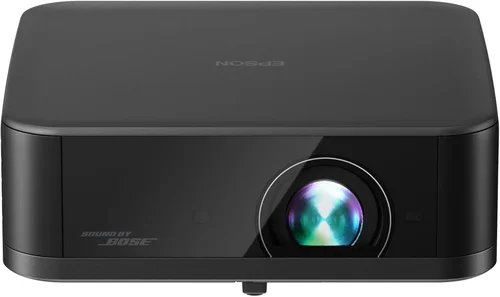
❌ Mistake: Chasing “4K” Without Checking Native Resolution
Why it’s bad: Many budget models advertise “4K support” but only upscale 1080p images, resulting in softer detail.
What to do instead: Verify the spec sheet for “Native 3840×2160.” If unavailable, prioritize a high‑quality 1080p projector with excellent upscaling algorithms.
❌ Mistake: Ignoring Brightness Requirements
Why it’s bad: A projector rated at 1,200 lumens will look washed out in a room with ambient light.
What to do instead: Measure your typical lighting conditions. For daytime or multi‑purpose rooms, target 2,500 + lumens.
❌ Mistake: Overlooking Throw Distance
Why it’s bad: Purchasing a standard‑throw unit for a tiny apartment can force you to place the projector far away, requiring a massive screen.
What to do instead: Calculate the required throw distance using the projector’s throw ratio and your available space. Choose short‑throw if distance is limited.
❌ Mistake: Forgetting About Input Lag for Gaming
Why it’s bad: High input lag (>30 ms) creates noticeable delay, ruining fast‑paced games.
What to do instead: Look for a “Game Mode” or a listed input lag of ≤ 20 ms.
❌ Mistake: Assuming All Lamps Are Equal
Why it’s bad: Traditional UHP lamps need replacement every 2,000‑3,000 hours, adding hidden cost.
What to do instead: Opt for laser or LED light sources when possible; they last 20,000 + hours and stay color‑stable.
❌ Mistake: Not Accounting for Screen Size and Aspect Ratio
Why it’s bad: A projector may produce a 16:9 image that leaves black bars on a 2.35:1 movie, diminishing immersion.
What to do instead: Pair your projector with a compatible screen (fixed‑frame, 16:9 or 2.35:1) and verify the projector supports the desired aspect ratio.
❌ Mistake: Skipping Firmware Updates
Why it’s bad: Out‑of‑date firmware can cause connectivity bugs, color banding, or stability issues.
What to do instead: Check the manufacturer’s website for the latest firmware and follow the update instructions before first use.
Budget Guidelines: How Much Should You Spend?
Understanding what you get at each price tier helps set realistic expectations.
- Entry‑Level ($400‑$500): Typically 1080p native resolution, 1,500‑2,000 lumens, basic HDMI connectivity. Good for dark rooms, occasional movie nights.
- Mid‑Range ($500‑$650): Offers 1080p with premium upscaling, 2,200‑2,800 lumens, HDR10 support, and optional laser light source. This is the sweet spot for most home‑theater enthusiasts seeking 4K‑like clarity without breaking the bank.
- Premium ($650‑$700): Rare true‑4K panels, laser light engines, 3,000+ lumens, low input lag, and robust lens shift. Ideal for gamers and bright‑room installations.
- Luxury ($700+): Full‑featured 4K laser projectors with 4,000+ lumens, 100% DCI‑P3 coverage, and advanced networking. These models often exceed the $700 cap but are listed for reference.
Expert Tips for Getting the Best Deal
- Timing is everything: The best discounts appear during Amazon Prime Day (July), Black Friday (Nov), and after‑Christmas clearance (early Jan).
- Compare retailers: Amazon, B&H, Best Buy, and direct manufacturer sites often have price‑match policies.
- Bundle savings: Look for bundles that include a screen, mounting bracket, or HDMI‑ARC cable—this can shave $50‑$100 off the total cost.
- Check refurbished units: Certified refurbished projectors come with a warranty and are often 15‑30% cheaper.
- Read the fine print on warranties: Some “2‑year” warranties only cover parts, not labor. Verify what’s included.
- Test before you buy: If possible, visit a local AV store to view the projector in action. Pay attention to color uniformity and fan noise.
- Consider future upgrades: A projector with HDMI 2.1 will stay compatible with next‑gen consoles and higher frame‑rate content.

Frequently Asked Questions
Q: Does a “4K” projector under $700 really display true 4K?
A: Most budget models use a 1080p DLP or LCD chip with 4K upscaling. True native 4K panels are rare at this price, but upscaling algorithms have improved, delivering sharp images that satisfy most viewers. If native 4K is a non‑negotiable, you may need to stretch slightly above $700.
Q: What is the difference between laser and LED light sources?
A: Both are solid‑state, meaning they last longer than traditional lamps. Laser light sources generally provide higher brightness and more consistent color over time, while LED units are slightly dimmer but often cheaper.
Q: How large can I project on a budget projector?
A: With a throw ratio of 1.5:1, a projector placed 10 ft from the screen can produce an 8‑ft diagonal image. Short‑throw models can achieve the same size at 4‑5 ft, ideal for small rooms.
Q: Will I need a special screen?
A: For the best contrast, a white or gray matte screen is recommended. Ambient‑light rejecting (ALR) screens help in brighter rooms but add cost.
Q: Can I connect a gaming console?
A: Yes. Ensure the projector has HDMI 2.0 or higher and supports 4K @ 60 Hz. Look for a “Game Mode” to reduce input lag.
Q: Is keystone correction harmful?
A: Digital keystone correction can soften the image and reduce effective resolution. Optical keystone (lens shift) is preferable.
Q: How often do I need to replace the lamp?
A: Laser and LED units last 20,000 + hours and rarely need replacement. Traditional lamps last 2,000‑3,000 hours and can cost $80‑$150 to replace.
Q: Are there any hidden fees?
A: Shipping, sales tax, and optional accessories (screen, mount) add to the total cost. Factor these into your budget.
Q: Can I use the projector for office presentations?
A: Absolutely. Look for a projector with low noise (≤ 30 dB) and clear text rendering. High contrast helps readability.
Q: What is the ideal throw distance for a 100‑inch image?
A: Using a throw ratio of 1.5:1, you’d place the projector about 12.5 ft away. Short‑throw units can achieve 100‑inch at 5‑6 ft.
Our Final Recommendations
- Best for Budget‑Conscious Buyers: BenQ TH585 – 1080p native, 3,500 lumens, low input lag, 4K upscaling, priced around $550.
- Best Overall Value: Epson Home Cinema 3200 – 4K PRO-UHD (pixel‑shifting), 2,900 lumens, excellent color accuracy, $680.
- Best Premium Option: Optoma UHD38 – True 4K, 4,000 lumens, 4K@60Hz gaming mode, $690.
- Best for Beginners: ViewSonic PX706HD – Short‑throw, 1080p, 3,200 lumens, easy setup, $500.
- Best for Advanced Users: LG HU70LA – Laser‑light, 4K, 2,500 lumens, webOS streaming, $690.
Conclusion: Making the Right Choice
Picking the best 4K projector under $700 boils down to balancing three core elements: picture performance, brightness for your environment, and long‑term reliability. By evaluating the factors outlined in this guide—resolution, lumens, contrast, light source, and extra features—you can narrow the field to models that truly meet your needs.
Remember, the cheapest option may cost you more in lamp replacements or a disappointing viewing experience. Invest a little extra for a laser‑light source or higher lumens if your space isn’t perfectly dark. Use the budgeting tiers and pro tips to time your purchase for maximum savings.
Now that you’re armed with the knowledge, go ahead and compare the top picks, read the latest user reviews, and make a confident decision. Your next movie night, gaming marathon, or presentation will thank you.