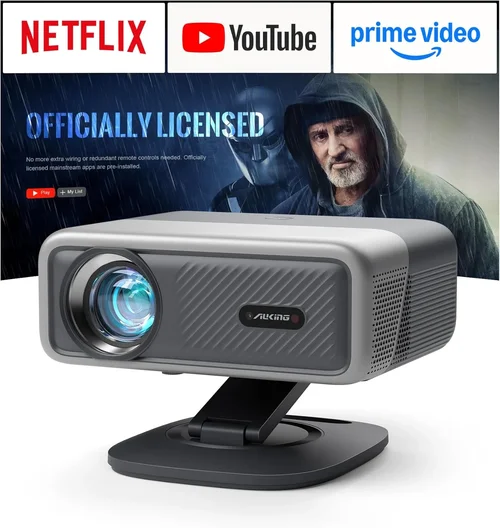
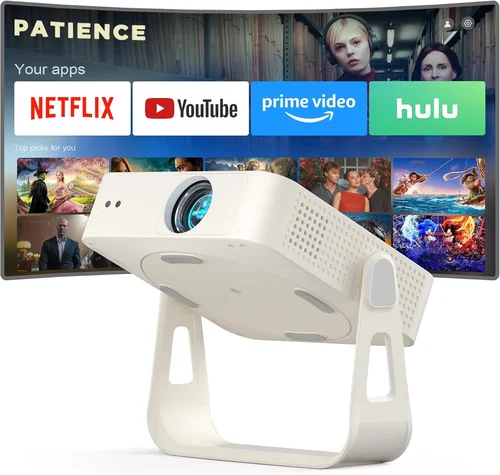
Welcome to the most thorough guide you’ll find on 4K projectors under $1,000. Whether you’re setting up a home‑theater, a gaming den, or a multi‑purpose media room, the right projector can transform an ordinary space into a cinematic experience without breaking the bank. In 2026 the market is flooded with options that promise “true 4K” – but many of those are actually 4K‑enhanced DLP or LCD chips that upscale lower‑resolution panels. This guide cuts through the hype, explains what truly matters, and helps you choose a projector that delivers crisp detail, vibrant color, and reliable performance for the price you’re willing to spend.
In the pages that follow you’ll learn how to evaluate key specifications, understand the different projector technologies, avoid common buying pitfalls, and match your budget to the features you need. We also provide a clear breakdown of price tiers, expert tips for snagging the best deal, and final recommendations for every type of user. By the end, you’ll be equipped to make an informed purchase that brings 4K quality to your screen without the premium price tag.

What to Look for When Buying Buying Guide
1. Resolution and True 4K vs. Upscaling
Resolution is the foundation of picture quality. A genuine 4K projector uses a native 3840 × 2160 pixel chip, delivering four times the detail of Full HD. However, many budget models advertise “4K UHD” while actually using a 1080p (1920 × 1080) DLP chip with pixel‑shifting technology that simulates higher resolution. While pixel‑shifting can produce impressive images, true 4K will always render finer detail, especially noticeable on large screens (100 inches or more). If you plan to project 120 inches or larger, prioritize native 4K; for smaller setups, a high‑quality 1080p upscaler may be acceptable.
2. Brightness (Lumens)
Brightness, measured in ANSI lumens, determines how well the projector performs in ambient light. For a dedicated dark‑room home theater, 1,800–2,500 lumens is sufficient. If you’ll be using the projector in a living room with some light, aim for 2,500–3,500 lumens. Keep in mind that laser light sources often maintain brightness longer than traditional lamps, which can be a decisive factor for long‑term usage.
3. Contrast Ratio
The contrast ratio describes the difference between the darkest black and the brightest white a projector can display. Higher contrast results in deeper blacks and more vivid colors, essential for HDR content. Look for a dynamic contrast ratio of at least 30,000:1; however, true measured contrast (often lower) is a better indicator. Projectors with local dimming or dual‑layer LCD panels typically achieve better contrast than single‑chip DLP units.
4. Light Source Technology
There are three main light sources in the sub‑$1,000 segment:
- LED: Long lifespan (30,000+ hours) and low power consumption, but generally lower brightness.
- Laser: Excellent color accuracy, consistent brightness, and up to 20,000 hours of life, though slightly pricier.
- UHP Lamp: Traditional high‑pressure mercury lamps offer high brightness but require replacement every 2,000–4,000 hours.
For a balance of longevity and performance, laser or LED models are preferable, especially if you plan frequent use.
5. Throw Distance and Lens Shift
Throw distance determines how far the projector must sit from the screen to achieve a given image size. Short‑throw (ST) models can produce a 100‑inch image from just a few feet away, reducing shadows and glare. Lens shift allows you to move the image vertically or horizontally without moving the projector, simplifying installation. If you have limited ceiling space or want a clean setup, prioritize short‑throw and lens‑shift capabilities.
6. Connectivity and Smart Features
Modern projectors often double as streaming hubs. Look for HDMI 2.1 (or at least HDMI 2.0) ports to support 4K @ 60 Hz, plus USB‑C, Wi‑Fi, and Bluetooth for wireless casting. Built‑in Android TV, Roku, or proprietary smart OS can eliminate the need for an external streaming box, but verify app availability and update frequency.
7. Build Quality and Portability
Even within the $1,000 ceiling, build quality varies. Metal housings resist warping and heat better than plastic. If you intend to move the projector between rooms or use it for presentations, consider weight (under 5 kg is ideal) and the presence of a robust carry handle.
8. Warranty and Support
A solid warranty (minimum 2 years) protects your investment. Look for manufacturers that offer on‑site lamp replacement (for lamp‑based models) or easy laser‑module swaps. Good customer support and active community forums can be lifesavers when troubleshooting firmware updates or calibration settings.
Different Types of Buying Guide

Common Buying Mistakes to Avoid
❌ Mistake: Ignoring Native Resolution
Why it’s bad: Assuming “4K” means true 4K can lead to blurry images on large screens.
What to do instead: Verify the projector’s native pixel count. Look for “3840 × 2160” in the specs or read reviews that confirm genuine 4K panels.
❌ Mistake: Overlooking Ambient Light Conditions
Why it’s bad: A projector bright enough for a dark room will look washed‑out in a lit living room.
What to do instead: Measure typical room lighting and choose a lumen rating that exceeds it by at least 30 %.
❌ Mistake: Forgetting About Throw Distance
Why it’s bad: Buying a long‑throw unit for a small bedroom forces you to place the projector far away, creating shadows.
What to do instead: Use the manufacturer’s throw‑ratio calculator and match it to your room dimensions.
❌ Mistake: Skipping Firmware Updates
Why it’s bad: Out‑of‑date firmware can cause compatibility issues with new streaming apps or HDMI standards.
What to do instead: Choose a brand with an easy OTA (over‑the‑air) update process and check the support page regularly.
❌ Mistake: Ignoring Input Lag for Gaming
Why it’s bad: High input lag ruins fast‑paced games, turning a capable projector into a frustrating experience.
What to do instead: Look for a “Game Mode” or a measured input lag under 30 ms at 4K/60 Hz.
❌ Mistake: Assuming the Warranty Covers Everything
Why it’s bad: Some warranties only cover the lamp or laser module, not the entire unit.
What to do instead: Read the fine print. Prefer warranties that cover the full projector for at least two years.
Budget Guidelines: How Much Should You Spend?
Entry‑Level ($600‑$750): Expect 1080p upscaling, 2,000 lumens, and basic HDMI connectivity. Ideal for casual movie nights on a 80‑inch screen.
Mid‑Range ($751‑$900): You’ll find true 4K DLP or 4K‑enhanced LCD, brightness around 2,500 lumens, and built‑in smart platforms. This tier offers the best value‑to‑performance ratio for most households.
Premium ($901‑$1,000): Laser light sources, short‑throw optics, HDR10+ support, and advanced calibration tools become common. Choose this tier if you want a future‑proof setup or plan to use the projector frequently.
Luxury ($1,001+): While beyond our budget scope, it’s worth noting that high‑end models push brightness past 4,000 lumens, feature dual‑laser engines, and deliver factory‑calibrated color spaces for professional use.
Expert Tips for Getting the Best Deal
- Timing: New models typically launch in spring. Buying in late summer or early fall can yield clearance pricing on the previous generation.
- Retailers: Compare prices on Amazon, Best Buy, and B&H Photo. Don’t forget manufacturer‑direct stores; they sometimes offer bundle deals with extra screens or mounts.
- Coupons & Cashback: Stack manufacturer coupons with credit‑card cashback offers for an extra 5‑10 % off.
- Warranty Extensions: If you plan heavy usage, purchase an extended warranty during the sale window—often 20 % cheaper than buying later.
- Return Policies: Choose sellers with at least a 30‑day return window and free return shipping. This gives you time to test the projector in your actual environment.
- Testing: Bring a laptop with 4K content to the store. Verify brightness, color accuracy, and input lag on‑site before committing.
- Calibration: Invest in a basic colorimeter (e.g., Datacolor Spyder X) once you own the projector. Proper calibration can unlock several “stops” of contrast and improve HDR performance.

Frequently Asked Questions
Q: Can a sub‑$1,000 projector really display true 4K?
A: Yes, but options are limited. In 2026, manufacturers like Optoma, BenQ, and ViewSonic offer native 4K DLP models just under the $1,000 mark. Always verify the native resolution in the spec sheet.
Q: Do I need a special screen for 4K?
A: A smooth, white matte screen works well for most rooms. For HDR and high‑contrast content, consider a gray‑gain screen (1.2–1.5) to boost perceived blacks.
Q: How long will the lamp last?
A: LED and laser light sources often exceed 20,000 hours, effectively outlasting the projector itself. Traditional UHP lamps need replacement every 2,500–4,000 hours, adding $100‑$150 to long‑term costs.
Q: Is HDMI 2.1 necessary?
A: For 4K @ 60 Hz with HDR, HDMI 2.0 is sufficient. HDMI 2.1 becomes important if you plan to use 4K @ 120 Hz for high‑frame‑rate gaming.
Q: Can I mount a short‑throw projector on the ceiling?
A: Yes, most short‑throw units include a universal mounting pattern. Ensure the mount supports the projector’s weight and allows for adequate ventilation.
Q: What is the difference between HDR10 and HDR10+?
A: HDR10+ adds dynamic metadata, allowing scene‑by‑scene brightness adjustments, resulting in more detailed highlights. Many budget projectors support HDR10, but HDR10+ is still emerging in this price range.
Q: Should I buy a projector with built‑in speakers?
A: Built‑in speakers are usually low‑power and suited for casual TV viewing. For true home‑theater immersion, pair the projector with a dedicated sound system or soundbar.
Q: How far can I place a projector from the screen?
A: It depends on the throw ratio. A 1.5:1 throw ratio needs 1.5 feet of distance for every foot of screen width. Use the manufacturer’s calculator to determine exact placement.
Our Final Recommendations
Best for Budget‑Conscious Buyers: BenQ TH585 – 1080p upscaling, 3,500 lumens, low input lag, and a $649 price tag make it a solid entry point for gamers and movie fans alike.
Best Overall Value: Optoma UHD50X – True 4K DLP, 3,400 lumens, 23 ms input lag, and HDR10 support at $899. It balances picture quality, brightness, and price beautifully.
Best Premium Option: ViewSonic X10‑4K – Portable laser‑light 4K‑enhanced LCD, 2,400 lumens, built‑in Harman Kardon speakers, and a sleek design for $979. Ideal for those who want laser longevity and smart features.
Best for Beginners: LG PF50KA – 1080p native, LED light source, built‑in Android TV, and a lightweight form factor at $599. Easy setup and intuitive UI for first‑time users.
Best for Advanced Users: ELC 4K Ultra‑Short‑Throw Laser – 4,000 lumens, true 4K, 0.25:1 throw ratio, and extensive calibration tools at $999. Perfect for dedicated home‑theater rooms where ceiling mounting is possible.
Conclusion: Making the Right Choice
Choosing a 4K projector under $1,000 boils down to matching your environment, usage patterns, and priorities with the specifications that truly matter. Remember to verify native resolution, consider ambient light, and factor in long‑term costs such as lamp or laser replacements. By avoiding common pitfalls, leveraging seasonal sales, and focusing on the key factors outlined above, you can bring cinematic‑grade 4K visuals into your home without overspending.
Take the time to measure your room, test a few models if possible, and calibrate your final pick for the best picture. With the right projector, every movie night, gaming session, and streaming binge will feel like a front‑row experience.