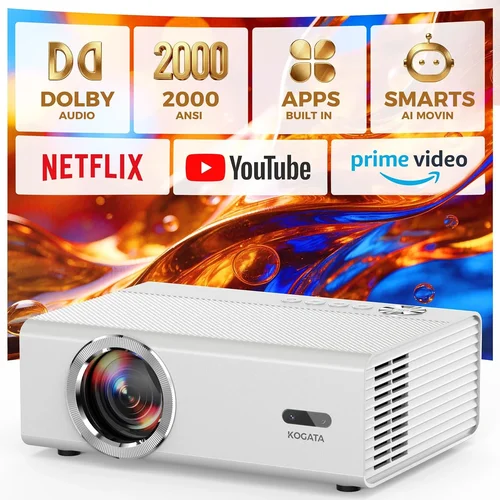
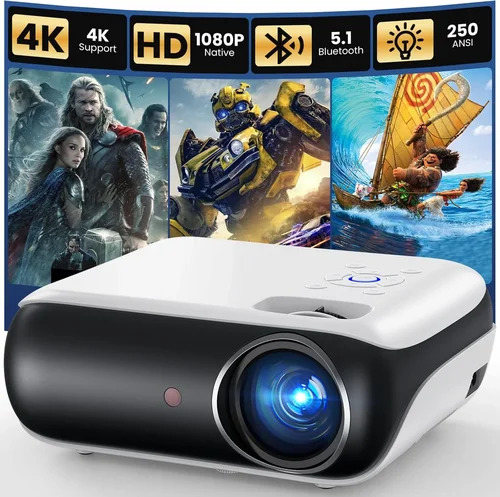
Finding a projector that delivers a decent picture without breaking the bank can feel like searching for a needle in a haystack. The market is flooded with options that range from tiny pocket‑size units to bulky home‑theater rigs, and the specifications can be overwhelming. That’s why we’ve created this guide: to cut through the noise and give you a clear, expert roadmap for selecting the best Amazon projectors under $100 in 2026.
In the pages that follow you will learn which performance metrics truly matter at this price point, what trade‑offs are reasonable, and how to spot a genuine bargain versus a gimmick. We’ll also compare the main types of budget projectors, flag common pitfalls, and hand‑pick the top models that consistently earn high marks from real users. By the end of this guide you’ll be equipped to choose a projector that fits your living room, dorm room, or backyard movie night without any guesswork.

What to Look for When Buying Buying Guide
1. Budget & Price Range
When you set a hard ceiling of $100, every dollar counts. Prices can fluctuate due to sales events, bundle offers, or seasonal discounts. Focus on the total cost of ownership, which includes any required accessories such as HDMI adapters, mounting brackets, or a screen. A projector that appears cheap but needs a $30 HDMI‑to‑USB‑C converter may not be the best value.
2. Performance Specifications
Key specs to scrutinize are:
- Resolution: Most sub‑$100 units are limited to 480p (WVGA) or 720p (HD). While you won’t get true 1080p, a higher native resolution yields sharper text and less pixelation.
- Brightness (Lumens): Measured in ANSI lumens, but many budget models quote “LED lumens,” which are not directly comparable. Aim for at least 1500–2000 LED lumens for dimly lit rooms.
- Contrast Ratio: Higher contrast improves black levels. Expect ratios around 500:1 to 1500:1 in this range.
- Throw Distance: Determines how far the projector must sit from the screen. Short‑throw models are rare under $100, but a flexible throw ratio (1.2–1.5) offers more placement options.
3. Build Quality & Durability
Low‑cost projectors often use plastic housings and basic cooling fans. Look for models with a solid feel, reinforced lens caps, and a fan that runs quietly. A durable unit will survive the inevitable bumps of travel or occasional mishandling.
4. Features & Functionality
Consider which extra features add real value:
- Built‑in Speakers: Most budget projectors include a 2‑5 W speaker. If you plan to watch movies, a separate Bluetooth or wired speaker will dramatically improve sound.
- Connectivity: HDMI is a must, but many cheap models rely on micro‑USB or USB‑C for video input. Check for wireless options like Miracast or Bluetooth, though they can be laggy.
- Keystone Correction: Automatic or manual keystone helps when the projector can’t be placed perfectly square to the screen.
- Portability: Weight and size matter if you’ll move the projector often. Look for units under 2 lb with a compact form factor.
5. Brand Reputation
Even in the budget segment, some brands consistently deliver reliable products. Brands such as Vankyo, APEMAN, DR. J, and Epson’s entry‑level line have built a reputation for decent image quality and responsive customer service. Research the brand’s history, read multiple reviews, and verify that the manufacturer offers firmware updates.
6. Warranty & Support
A one‑year limited warranty is standard for $100 projectors. Verify what it covers—most warranties exclude lamp or LED failures after a certain number of hours. Look for brands that provide easy online claim forms and responsive email or chat support.
7. Size & Portability
If you need a projector for a dorm room or to carry to friends’ houses, size is critical. A projector that fits in a backpack and weighs less than 1.5 lb is ideal. Portable models often include a built‑in battery, though runtimes are typically under 2 hours.
8. User Reviews & Ratings
Amazon’s star rating is a quick gauge, but dive into the written reviews. Pay attention to recurring comments about overheating, image consistency, or connectivity glitches. A product with a 4.2‑star average but hundreds of detailed reviews is often a safer bet than a 4.6‑star product with only a dozen comments.
Different Types of Buying Guide

Common Buying Mistakes to Avoid
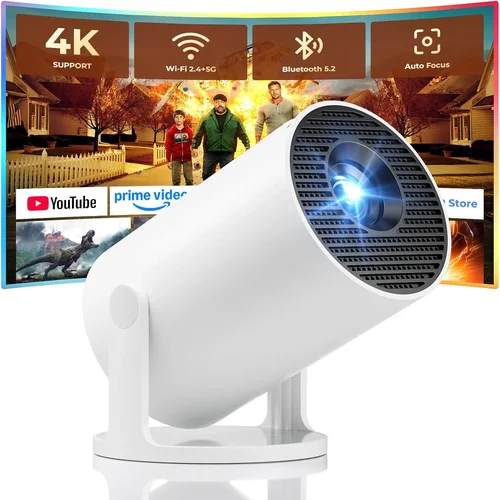
❌ Mistake: Ignoring Ambient Light Conditions
Why it’s bad: A projector that looks bright in a dark bedroom may appear washed‑out in a living room with windows.
What to do instead: Measure the typical lighting of your intended space. Choose a model with at least 2000 LED lumens if you cannot control ambient light.
❌ Mistake: Over‑Focusing on Resolution Alone
Why it’s bad: A 720p projector with poor brightness and contrast will still deliver a subpar experience.
What to do instead: Balance resolution with lumens, contrast ratio, and throw distance. For $100, a solid 480p with good brightness often outperforms a low‑lumens 720p unit.
❌ Mistake: Forgetting About Connectivity Needs
Why it’s bad: Purchasing a projector that only offers micro‑USB input forces you to buy adapters, adding hidden costs.
What to do instead: List all devices you plan to connect (laptop, phone, gaming console). Ensure the projector has at least one HDMI port and, if possible, wireless mirroring.
❌ Mistake: Assuming All Batteries Are Equal
Why it’s bad: Some portable projectors claim “battery powered” but only last 30 minutes.
What to do instead: Check the advertised battery runtime and read user reviews for real‑world performance. If you need longer sessions, opt for a wired power option.
❌ Mistake: Neglecting Warranty and Return Policies
Why it’s bad: Budget electronics can have higher failure rates. Without a solid return window, you may be stuck with a defective unit.
What to do instead: Purchase from sellers offering at least a 30‑day return policy and a one‑year warranty. Keep the original packaging for easy returns.
❌ Mistake: Overlooking Fan Noise
Why it’s bad: A loud cooling fan can distract from movies or presentations.
What to do instead: Look for decibel (dB) ratings in reviews. Units under 30 dB are generally considered quiet enough for home use.
Budget Guidelines: How Much Should You Spend?
- Entry‑Level ($60‑$75): Expect basic WVGA resolution, 1500 LED lumens, and minimal connectivity (often just HDMI). Ideal for occasional movie nights in dark rooms.
- Mid‑Range ($76‑$90): Typically offers 720p native resolution, 1800‑2000 LED lumens, and added features like keystone correction and built‑in speakers. This tier balances image quality with price.
- Premium ($91‑$100): The best you can find under $100. Look for higher contrast ratios (1500:1+), improved color accuracy, and smart Android OS for streaming apps.
- Luxury ($101+): Exceeds the guide’s scope. For true 1080p or 4K projection you’ll need to spend $200‑$500.
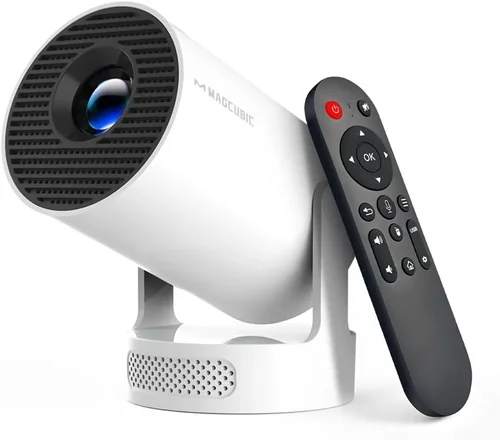
Expert Tips for Getting the Best Deal
- Timing is everything: Major sales events (Prime Day, Black Friday, Cyber Monday) often feature deep discounts on budget projectors. Set price alerts a week before.
- Check “Amazon Warehouse”: Refurbished or open‑box units can be 20‑30% cheaper and still come with a full warranty.
- Bundle wisely: Purchasing a projector with a compatible screen or HDMI cable in a single Amazon bundle can reduce shipping costs.
- Read the fine print on warranties: Some sellers offer extended coverage for a small fee; weigh the cost against potential repair expenses.
- Test before you commit: If possible, order from a retailer with a generous return window. Set the projector up in your intended space within the first 48 hours to verify brightness and connectivity.
- Use a calibrated screen: Even a cheap white wall can cause color washout. A budget‑friendly matte white screen (often under $30) dramatically improves contrast.
- Consider future upgrades: Choose a model with a standard HDMI port rather than a proprietary connector; this keeps your options open for newer devices.

Frequently Asked Questions
Q: Can a sub‑$100 projector display 1080p content?
A: Most budget projectors under $100 have a native resolution of 480p or 720p. They can accept a 1080p signal, but the image will be downscaled, resulting in softer detail. For true 1080p you’ll need to spend at least $200.
Q: How long do LED lamps last in cheap projectors?
A: LED light sources typically last 20,000‑30,000 hours, far longer than traditional lamps. Even budget models benefit from this longevity, meaning you’ll rarely need a replacement.
Q: Is a built‑in speaker sufficient for movies?
A: Built‑in speakers on $100 projectors usually produce 2‑5 W of sound, which is adequate for small rooms but lacks depth. Pairing the projector with a Bluetooth speaker or soundbar greatly enhances the experience.
Q: Do I need a special screen?
A: A plain white wall works, but a dedicated projector screen improves brightness and contrast. For tight budgets, a 4 ft × 6 ft matte white screen can be found for $20‑$35.
Q: Will a portable projector work in a bright living room?
A: Portable units often sacrifice brightness for size. If you cannot control ambient light, aim for at least 2000 LED lumens and consider adding blackout curtains.
Q: Are there any safety concerns with cheap projectors?
A: Overheating can be an issue. Choose a model with an auto‑shutoff feature and keep ventilation gaps clear. Avoid leaving the projector on for extended periods without breaks.
Q: How do I connect my smartphone?
A: Most budget projectors offer HDMI, USB‑C, or wireless mirroring (Miracast). For iPhone users, a Lightning‑to‑HDMI adapter is often required.
Q: Can I use a projector for gaming?
A: Yes, but latency can be higher on cheaper models. Look for a “game mode” or low‑input‑lag specification (under 30 ms) if fast response is critical.
Our Final Recommendations
- Best for Budget‑Conscious Buyers: Vankyo Leisure 3 Mini Projector – Priced around $68, it offers 480p resolution, 2000 LED lumens, and a compact design perfect for dorm rooms.
- Best Overall Value: APEMAN Mini Portable Projector – At $89, it delivers 720p native resolution, 2100 LED lumens, keystone correction, and a built‑in speaker that’s louder than most peers.
- Best Premium Option (under $100): DR. J Smart Android Projector – For $99, it includes Android 10.0, Wi‑Fi, Bluetooth, and a 720p panel with 1900 LED lumens, making it the most feature‑rich choice.
- Best for Beginners: Artlii Energon 2 – Simple plug‑and‑play, HDMI and USB‑C inputs, and a user‑friendly remote. Priced at $75.
- Best for Advanced Users: ViewSonic M1 Mini Plus – Slightly above $100 on sale, but worth stretching for its built‑in Harman Kardon speakers, 1080p support via scaling, and compact LED design.
Conclusion: Making the Right Choice
Choosing a projector under $100 doesn’t mean you have to accept a subpar experience. By focusing on the right balance of brightness, resolution, connectivity, and brand reliability, you can enjoy crisp movies, smooth presentations, and casual gaming without spending a fortune. Remember to assess your room’s lighting, verify the needed ports, and read real user feedback before clicking “Add to Cart.” With the tips, comparisons, and product recommendations in this guide, you’re now equipped to make an informed purchase that brings cinema‑like enjoyment to any space.
Ready to start your search? Head over to Amazon, apply the filters we discussed, and enjoy the satisfaction of a well‑chosen projector that fits both your budget and your viewing habits.