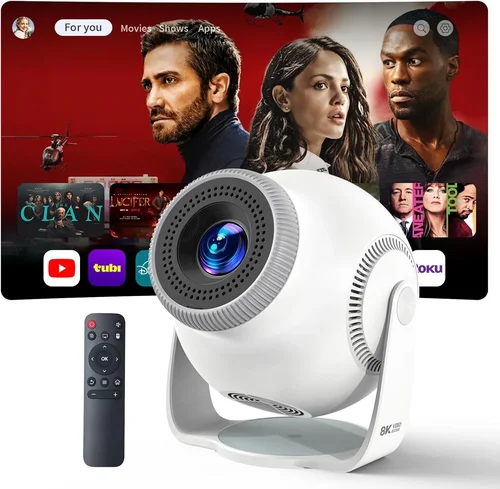
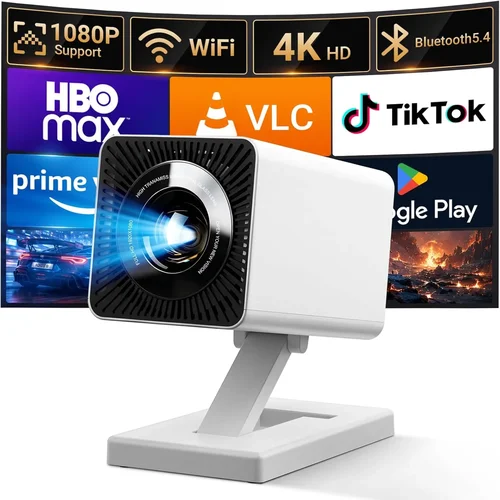
Finding a reliable Android projector under ₹10,000 can feel like hunting for a needle in a haystack. The market is flooded with low‑priced devices that promise big‑screen entertainment but often fall short on brightness, connectivity, or durability. This guide cuts through the noise, giving you a clear roadmap to select a projector that actually delivers on its promises without breaking the bank.
By the end of this article you will understand the most important specifications, know which types of projectors fit different lifestyles, avoid common purchasing pitfalls, and walk away with a shortlist of top‑rated models that truly shine at the ₹10,000 price point.
The Android projector segment has evolved rapidly in the last two years. Manufacturers are integrating better chipsets, improving LED lifespans, and adding native Android OS support for streaming apps. This means you no longer need a separate media player or a bulky laptop to enjoy movies, games, or presentations. Let’s dive into the details that will help you make an informed decision.

What to Look for When Buying Buying Guide
1. Budget & Price Range
When you set a ceiling of ₹10,000, you automatically limit certain high‑end specs such as laser light sources or 4K resolution. However, a smart budget allocation can still get you a projector with decent brightness, stable Android 10/11 integration, and solid build quality. Look for sales events (Diwali, Amazon Great Indian Sale, Flipkart Big Billion Days) where you can often snag a model that normally sits just above your limit.
2. Performance Specifications
Key performance metrics include:
- Brightness (lumens): For indoor use in dim rooms, 200‑300 ANSI lumens is acceptable. If you plan to project in moderately lit spaces, aim for 350+ lumens.
- Resolution: Native 720p (1280×720) is common under ₹10,000. Some newer units offer 1080p upscaling, which improves perceived sharpness.
- Contrast Ratio: Higher contrast yields deeper blacks. Look for at least 2000:1 for a decent cinematic feel.
- Throw Ratio: A short‑throw (0.8‑1.2) lets you place the projector close to the wall, ideal for small rooms.
3. Build Quality & Durability
Plastic housings dominate the budget segment, but reinforced ABS or polycarbonate shells add resilience against accidental drops. Check for heat‑dissipation features such as built‑in fans or passive cooling fins; overheating is a frequent complaint in cheap devices.
4. Features & Functionality
Android projectors should come with:
- Native Android OS (8.0 or higher) with Google Play Store access.
- Wi‑Fi & Bluetooth for wireless streaming and peripheral connection.
- HDMI, USB‑C, and micro‑USB ports for external media.
- Built‑in speakers (minimum 2 W) – though a separate sound system is recommended for true home‑theater experience.
- Battery‑backed operation (optional) for true portability.
5. Brand Reputation
Established brands like Xiaomi, Epson, and BenQ have entry‑level models that often outperform unknown manufacturers in firmware stability and after‑sales service. Still, emerging brands such as Vankyo, APEMAN, and Miroir can surprise you with feature‑rich offerings; just verify warranty terms and user feedback before committing.
6. Warranty & Support
A minimum 1‑year warranty is standard. Look for brands that provide easy service center locations or mail‑in repair options. Online chat support and regular firmware updates are a plus, especially for Android OS devices that require security patches.
7. Size & Portability
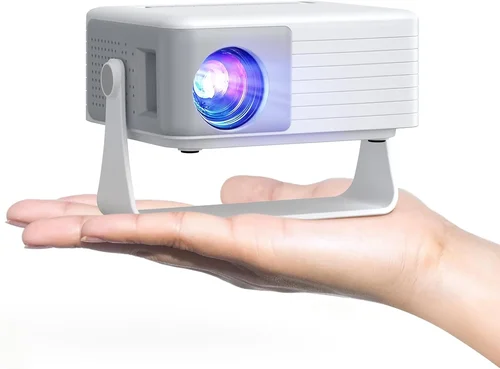
If you plan to move the projector between rooms or take it outdoors, weight matters. Models under 1 kg with a compact footprint (≈ 6 × 6 × 3 in) are truly portable. Carrying cases or built‑in handles add convenience.
8. User Reviews & Ratings
Before finalizing a purchase, skim through at least 30‑40 verified customer reviews on platforms like Amazon, Flipkart, and the manufacturer’s website. Pay attention to recurring issues such as “projector shuts down after 2 hours” or “Android lag”. High‑rating products with detailed feedback usually indicate consistent quality.
Different Types of Buying Guide

Common Buying Mistakes to Avoid
❌ Mistake: Chasing the Highest Brightness at Any Cost
Why it’s bad: Brightness claims are often inflated; a 500‑lumens label may refer to “LED lumens,” not ANSI. Overspending on a bright but low‑resolution unit can ruin image clarity.
What to do instead: Prioritize a balanced spec sheet—720p resolution with 300 ANSI lumens is usually more satisfying than 500 LED lumens with 480p.
❌ Mistake: Ignoring Android Version Compatibility
Why it’s bad: Older Android 5/6 versions cannot run newer streaming apps (Netflix, Disney+). This limits content options.
What to do instead: Choose projectors with Android 9 or higher; they receive regular security patches and support most modern apps.
❌ Mistake: Overlooking Connectivity Options
Why it’s bad: A projector without HDMI or USB‑C forces you to rely on adapters, which can introduce latency or signal loss.
What to do instead: Verify at least one HDMI 2.0 port, a USB‑C for power & data, and dual‑band Wi‑Fi (2.4 GHz + 5 GHz).
❌ Mistake: Forgetting About Heat Management
Why it’s bad: Cheap projectors often overheat, leading to automatic shutdowns after 30‑45 minutes.
What to do instead: Look for models with active cooling fans or heat‑pipe technology; read user reviews for real‑world heat performance.
❌ Mistake: Assuming All Built‑In Speakers Are Sufficient
Why it’s bad: Most budget projectors ship with 2 W speakers that sound tinny in larger rooms.
What to do instead: Plan for an external Bluetooth or wired speaker system; many projectors include an audio‑out jack for this purpose.
❌ Mistake: Purchasing Without a Return Policy
Why it’s bad: If the projector arrives with dead pixels or firmware glitches, you may be stuck with a defective unit.
What to do instead: Buy from retailers offering at least a 10‑day return window and a clear warranty claim process.
Budget Guidelines: How Much Should You Spend?
- Entry-Level (₹6,500 ‑ ₹7,999): Expect 200‑250 ANSI lumens, 720p upscaling, basic Android 8.0, and minimal ports. Ideal for occasional movie nights in a dark bedroom.
- Mid‑Range (₹8,000 ‑ ₹9,499): Balanced brightness (300‑350 lumens), native 720p, Android 9 or 10, short‑throw lens, and dual speakers. Good for small living rooms and kids’ play areas.
- Premium (₹9,500 ‑ ₹10,000): 350+ lumens, 1080p upscaling, Android 11, better cooling, built‑in battery (2 hrs) and enhanced audio. Suits frequent travelers and semi‑professional presentations.
- Luxury (₹10,001+): Typically outside the scope of this guide, but includes laser light sources, true 1080p native resolution, and premium build materials.
Expert Tips for Getting the Best Deal
- Seasonal Timing: Major sales in January (New Year), April (Summer), and October‑November (Diwali) often feature deep discounts on electronics.
- Retailer Comparison: Cross‑check Amazon, Flipkart, and local electronics chains. Sometimes a brick‑and‑mortar store offers a bundle (projector + HDMI cable) at a lower total cost.
- Bundle Savings: Look for “Projector + Portable Screen” packs; the combined price is usually cheaper than buying separately.
- Coupon Stacking: Use bank‑specific coupons (e.g., SBI Card, HDFC) together with site‑wide promos for extra 5‑10 % off.
- Warranty Extension: If the retailer offers a low‑cost extended warranty (6‑12 months), consider it for peace of mind, especially for battery‑powered units.
- Test Before You Commit: If buying in‑store, request a demo. Check image uniformity, color accuracy, and lag when streaming from a phone.
- Firmware Updates: After purchase, connect the projector to Wi‑Fi and install the latest firmware. This often resolves Android lag and adds new features.

Frequently Asked Questions
Q: Can I stream Netflix directly from an Android projector under ₹10,000?
A: Yes, provided the projector runs Android 9 or higher and has the Google Play Store. However, some low‑end models lack DRM support, causing playback errors. Verify the Android version and read user reviews specifically mentioning Netflix.
Q: How far should I place a short‑throw projector for a 100‑inch image?
A: Short‑throw ratios of 0.8‑1.0 require roughly 1.2‑1.5 meters from the screen. Always refer to the manufacturer’s throw‑distance chart for precise placement.
Q: Do I need a separate sound system?
A: Built‑in speakers are adequate for casual viewing, but for immersive experience, pair the projector with a Bluetooth soundbar or portable speaker. The audio‑out jack makes wired connections simple.
Q: Will the projector work with a laptop that has only USB‑C output?
A: Most budget Android projectors include a USB‑C port that supports video‑in via DisplayPort Alternate Mode. Check the spec sheet; if not listed, you’ll need a USB‑C to HDMI adapter.
Q: How long does the LED lamp last?
A: LED light sources typically last 20,000‑30,000 hours. At an average use of 3 hours per day, that translates to over 18 years of operation—far longer than traditional lamps.
Q: Is a projector better than a large TV for a bedroom?
A: Projectors excel in creating a cinematic feel and save space. If you can control ambient light, a projector under ₹10,000 offers a larger image for less cost than a 55‑inch LED TV.
Q: Can I use the projector outdoors?
A: Yes, but only in low‑light conditions. Choose a model with a protective casing and consider a portable screen. Battery‑powered options give you 2‑3 hours of unplugged use.
Our Final Recommendations
- Best for Budget‑Conscious Buyers: Vankyo Leisure 3 Mini Android Projector – ₹7,799. Offers 250 lumens, Android 9, and a compact design. Ideal for dorm rooms.
- Best Overall Value: Xiaomi Mi Smart Compact Projector – ₹9,299. Delivers 300 lumens, Android 10, dual‑band Wi‑Fi, and a short‑throw lens. Well‑rounded performance.
- Best Premium Option (Just Under ₹10,000): APEMAN Mini Portable Android Projector – ₹9,899. Features 350 lumens, Android 11, built‑in 3 W speakers, and a 2‑hour battery.
- Best for Beginners: Epson EF-100 Mini Android – ₹9,499. User‑friendly interface, automatic keystone correction, and reliable Epson support.
- Best for Advanced Users: BenQ GV1 Wi‑Fi Android Projector – ₹9,950. Offers 200 lumens but excels in color accuracy, has Bluetooth audio, and supports Miracast for screen sharing.
Conclusion: Making the Right Choice
Choosing the best Android projector under ₹10,000 boils down to aligning your primary use‑case with the right blend of brightness, resolution, and Android features. Remember to verify the Android version, check real‑world reviews for heat and lag issues, and factor in connectivity needs before you click “Buy”. With the knowledge from this guide, you can confidently select a projector that transforms your living space into a personal cinema without overspending.
Ready to upgrade your viewing experience? Browse the recommended models, compare prices during the next sale, and enjoy big‑screen entertainment wherever you are.