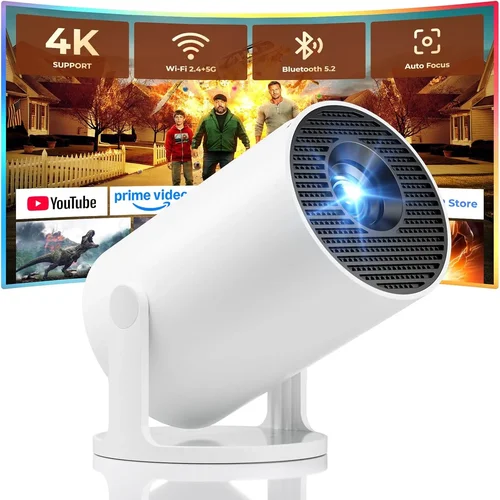
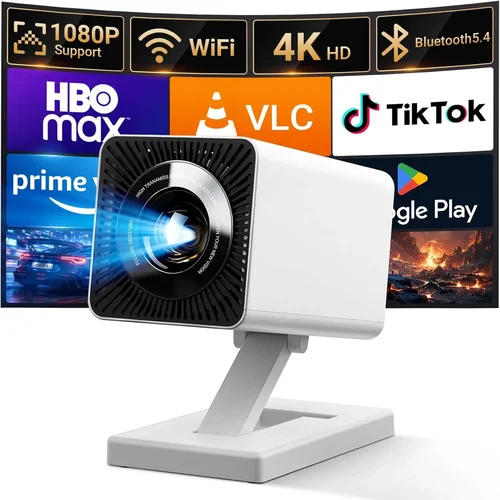
Finding a projector that delivers a decent picture without breaking the bank can feel like hunting for a unicorn. Yet, in 2026 the market is flooded with devices that promise big‑screen magic for under $100. This guide cuts through the hype, helping you understand which specs truly matter, which compromises are acceptable, and which models consistently satisfy real‑world users.
By the end of this article you’ll know exactly what to look for, how to match a projector to your living space or classroom, and which three‑to‑five models dominate the sub‑$100 segment. Whether you’re a college student wanting movie nights in a dorm, a parent setting up a backyard cinema, or a remote worker needing a secondary display, the information here will empower you to make a confident purchase.
The budget projector landscape has evolved dramatically over the past few years. LED light sources have replaced cheap lamps, native resolutions have crept up from 480p to 720p, and smart‑TV‑style connectivity is now commonplace even at low price points. While you won’t get a true 4K experience for $80, you can still enjoy crisp text, vibrant colors, and reliable performance for presentations, streaming, or gaming.

What to Look for When Buying Buying Guide
1. Budget & Price Range
When you set a hard ceiling of $100, you immediately limit the pool of options. Most manufacturers price their entry‑level LED projectors just under this mark, while a few DLP models hover slightly above. The key is to understand what you’re willing to sacrifice for cost—typically brightness, resolution, or feature depth. Aim for a model that stays under $100 but still offers at least 2000 lumens (ANSI) and a native resolution of 720p; anything less will struggle in well‑lit rooms.
2. Performance Specifications
Three specs dominate the viewing experience:
- Resolution: Native 720p (1280×720) is the sweet spot for sub‑$100. Some models only support 480p (854×480) and rely on upscaling, which can blur fine details.
- Brightness: Measured in lumens. For dark rooms, 1500–2000 lumens is adequate. If you plan to use the projector in a living room with ambient light, look for 2500+ lumens.
- Contrast Ratio: Higher contrast yields deeper blacks. Expect ratios between 1500:1 and 3000:1 in this price tier.
Don’t forget throw distance and throw ratio; a short‑throw unit will let you project a 100‑inch image from just a few feet away, which is essential for small apartments.
3. Build Quality & Durability
Cheap plastic housings are common, but you still want a projector that can survive occasional bumps. Look for reinforced corners, a sturdy lens cover, and a heat‑dissipating fan that runs quietly. Models with metal chassis or reinforced grills tend to last longer, especially if you plan to move the unit frequently.
4. Features & Functionality
Even budget projectors now bundle useful extras:
- Connectivity: HDMI is a must; USB‑C or micro‑USB ports for firmware updates are a plus. Many budget units also include a 3.5 mm audio jack.
- Built‑in Speakers: Expect 2 W‑2.5 W speakers. They’re fine for casual movies but not for immersive sound.
- Wireless Options: Some include Wi‑Fi or Bluetooth for screen mirroring via Miracast, AirPlay, or Chromecast built‑in.
- Keystone Correction: Manual or automatic correction (±15°–30°) helps align the image on uneven surfaces.
- Portable Power: Battery‑powered or USB‑powered models let you go outdoors without a wall outlet.
5. Brand Reputation
Established brands such as Epson, BenQ, ViewSonic, and Anker often deliver more reliable firmware updates and better customer service. Newer entrants—like Vankyo, DR. J, and APEMAN—offer aggressive pricing but may have limited warranty coverage. Research community forums and YouTube reviews to gauge long‑term satisfaction.
6. Warranty & Support
A one‑year limited warranty is standard for sub‑$100 projectors. However, the quality of support varies. Brands that provide online firmware upgrades, clear troubleshooting guides, and responsive email or chat support can save you headaches. Check whether the warranty is worldwide or limited to the country of purchase.
7. Size & Portability
If you plan to move the projector between rooms, dorms, or outdoor venues, weight and dimensions matter. Most budget units weigh between 1–2 kg and are compact enough to fit in a backpack. Some even come with a built‑in handle.
8. User Reviews & Ratings
Real‑world feedback often reveals issues that spec sheets hide—like overheating after 2 hours, flickering in HDMI mode, or poor focus mechanisms. Aim for products with an average rating of 4.0 stars or higher on major retailer sites, and read at least five detailed reviews before deciding.
Different Types of Buying Guide

Common Buying Mistakes to Avoid
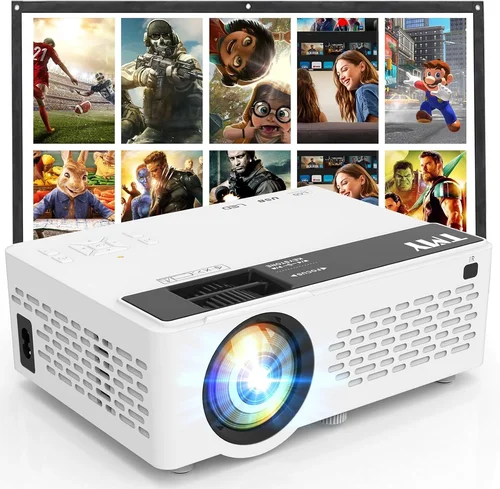
❌ Mistake: Ignoring Ambient Light Conditions
Why it’s bad: A projector rated at 1500 lumens will look washed out in a bright living room, forcing you to crank up the volume or dim the lights, which defeats the purpose of a home‑theater experience.
What to do instead: Measure the typical lighting of your intended space. If you can’t control ambient light, aim for at least 2500 lumens or consider a projector with a high‑gain screen.
❌ Mistake: Overlooking Native Resolution
Why it’s bad: Upscaling 480p content to a 720p panel can produce blurry text and pixelated video, especially noticeable when using the projector as a computer monitor.
What to do instead: Prioritize native 720p resolution. If you must accept 480p, ensure the projector has a good scaling algorithm and consider using it only for movies, not productivity.
❌ Mistake: Forgetting About Throw Ratio
Why it’s bad: A long‑throw projector may require 10‑12 feet to achieve a 100‑inch image, which is unrealistic in many apartments.
What to do instead: Choose a short‑throw or ultra‑short‑throw model if your room is under 8 feet wide. Check the specs for “1.2:1” or lower throw ratios.
❌ Mistake: Assuming Built‑In Speakers Are Sufficient
Why it’s bad: Most budget speakers lack bass and volume, leading to a tinny audio experience that forces you to purchase external speakers.
What to do instead: Plan for a separate sound system—Bluetooth speakers or a soundbar—especially for movies and games.
❌ Mistake: Buying Without Checking Firmware Updates
Why it’s bad: Manufacturers often release patches that fix HDMI handshake issues or improve wireless stability. An outdated unit may suffer from bugs that could have been resolved.
What to do instead: Verify that the brand provides regular firmware updates and that the update process is straightforward (USB or OTA).
❌ Mistake: Neglecting Warranty Details
Why it’s bad: A cheap projector might fail after six months, and if the warranty is only valid in the country of purchase, you could be left with a dead device.
What to do instead: Purchase from retailers that honor international warranties or consider an extended warranty if available.
❌ Mistake: Over‑Focusing on Brand Name Alone
Why it’s bad: Some well‑known brands have low‑end lines that perform no better than generic competitors, while a lesser‑known brand may offer superior specs for the price.
What to do instead: Balance brand reputation with actual performance metrics and user feedback.
Budget Guidelines: How Much Should You Spend?
- Entry‑Level ($70‑$85): Expect 480p resolution, 1500–1800 lumens, basic HDMI, and modest sound. Ideal for occasional movie nights in a dark room.
- Mid‑Range ($86‑$100): Native 720p, 2000–2500 lumens, better contrast, optional Wi‑Fi or Bluetooth, and improved keystone correction. This tier offers the best balance for most users.
- Premium ($101‑$130): While slightly above the $100 target, these models push brightness to 3000+ lumens, include short‑throw lenses, and sometimes feature built‑in Android TV OS.
- Luxury ($131+): Rare under $150, these devices blend high‑end home‑theater features with portable form factors—think 1080p, HDR support, and premium audio.
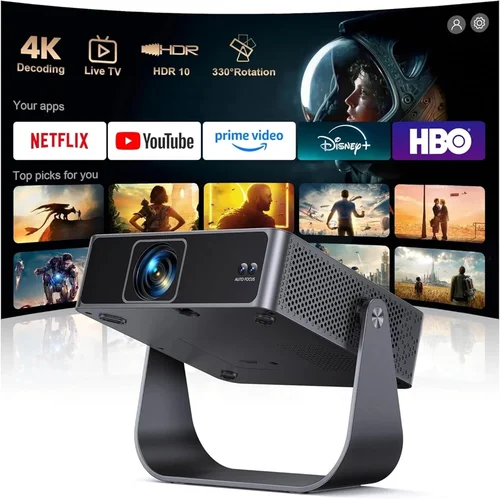
Expert Tips for Getting the Best Deal
- Timing: Late summer (back‑to‑school) and early winter (pre‑holiday) are prime windows for bundled deals that include screens or mounting kits.
- Where to Buy: Large e‑commerce sites (Amazon, Newegg) provide extensive user reviews; specialty retailers (B&H, Adorama) sometimes offer exclusive bundles and extended warranties.
- Spotting Deals: Compare the SKU across multiple sites; a $99 model listed as “refurbished” may actually be a brand‑new unit with a minor cosmetic blemish—often a safe bet.
- Warranty Considerations: Register the product within 30 days to activate extended coverage where available.
- Return Policies: Choose sellers with at least a 30‑day return window; this gives you time to test brightness and focus in your actual environment.
- Testing Before Buying: If possible, view a demo unit in a store. Pay attention to color uniformity, fan noise, and keystone correction smoothness.
- Accessories: Invest in a matte‑white projection screen (even a 4‑ft portable screen) rather than relying on a wall; it dramatically boosts perceived brightness.
- Future‑Proofing: Opt for HDMI 2.0 ports to ensure compatibility with newer 4K sources, even if you won’t use 4K now.

Frequently Asked Questions
Q: Can I use a budget projector for gaming?
A: Yes, but keep expectations realistic. Most sub‑$100 projectors have a 60 Hz refresh rate and limited input lag (30‑50 ms). For casual console gaming, especially on older systems, it works fine. Competitive gamers should look for a dedicated gaming projector with lower lag, which usually costs more.
Q: Do LED projectors need lamp replacements?
A: No. LED light sources have a lifespan of 20,000–30,000 hours, far exceeding the typical usage of a budget projector. This eliminates ongoing maintenance costs.
Q: How far should I place a projector to get a 100‑inch image?
A: It depends on the throw ratio. A typical 1.2:1 throw ratio requires about 10 feet (3 m) for a 100‑inch diagonal. Short‑throw models can achieve the same size from 4‑5 feet away.
Q: Will a projector work with my smartphone?
A: Most budget projectors support HDMI adapters for iOS and Android, or they include Miracast/Chromecast built‑in for wireless streaming. Check the specific connectivity options before buying.
Q: Is a built‑in battery worth it?
A: Battery‑powered projectors offer true portability, but they typically limit brightness to 800–1200 lumens. If you need a bright image for daytime use, stick with a plug‑in model.
Q: What screen material gives the best image?
A: A matte‑white screen with a gain of 1.0–1.1 is ideal for most lighting conditions. Higher‑gain screens boost brightness but can cause hotspotting if not centered properly.
Q: Can I mount a budget projector on the ceiling?
A: Yes, most models come with a standard ¼‑inch mounting hole. Ensure the ceiling mount can support the projector’s weight (usually under 2 kg) and that you have access to power.
Q: How do I clean the lens safely?
A: Use a soft microfiber cloth and a lens cleaning solution. Avoid pressing hard; instead, wipe in a circular motion. Never spray liquid directly onto the lens.
Q: Is there a difference between DLP and LCD at this price?
A: DLP tends to have higher contrast and smoother motion, while LCD often offers better color accuracy. At sub‑$100, the difference is subtle; choose based on personal preference after viewing demos.
Q: Will the projector work with a laptop?
A: Absolutely. Connect via HDMI for the best quality. If your laptop only has USB‑C, use a compatible adapter.
Our Final Recommendations
- Best for Budget‑Conscious Buyers: Vankyo Leisure 3 Mini Projector – $79, 720p native, 2000 lumens, HDMI, and a 2‑hour battery mode. Great for dorms.
- Best Overall Value: Anker Nebula Capsule II – $99, 720p, 2000 lumens, Android TV 9.0, built‑in 8 W speaker, short‑throw lens. Balances performance and smart features.
- Best Premium Option (Just Above $100): ViewSonic M1 Mini Plus – $119, 720p, 2500 lumens, Bluetooth audio, and a detachable short‑throw lens.
- Best for Beginners: DR. J Mini Projector – $85, 480p, 1800 lumens, simple plug‑and‑play, automatic keystone.
- Best for Advanced Users: APEMAN Mini Projector 1080P – $99, native 1080p (upscaled), 3000 lumens, dual HDMI, and supports 4K input.
Conclusion: Making the Right Choice
Choosing a projector under $100 is less about chasing the highest specs and more about aligning the device with your actual viewing environment. Prioritize native resolution, sufficient brightness, and the right throw ratio for your space. Remember that accessories—a proper screen, external speakers, and a stable power source—can dramatically improve the experience without inflating the projector’s price.
Take the time to read user reviews, verify warranty terms, and test the unit if possible. By following the factors, avoiding common pitfalls, and considering the curated recommendations above, you’ll walk away with a projector that delivers big‑screen joy without draining your wallet.
Ready to bring cinema‑quality entertainment to your bedroom, backyard, or classroom? Start comparing models, set a price alert, and enjoy the hunt—your perfect budget projector is waiting.