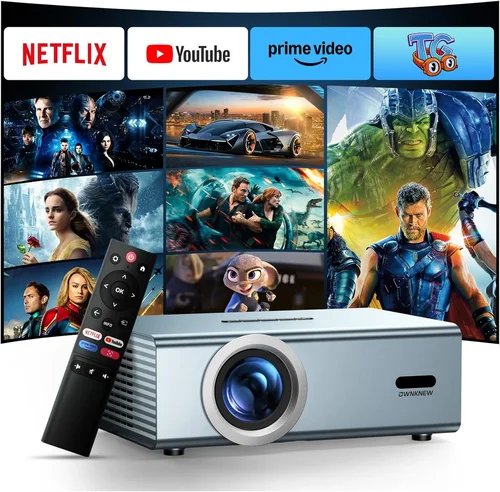
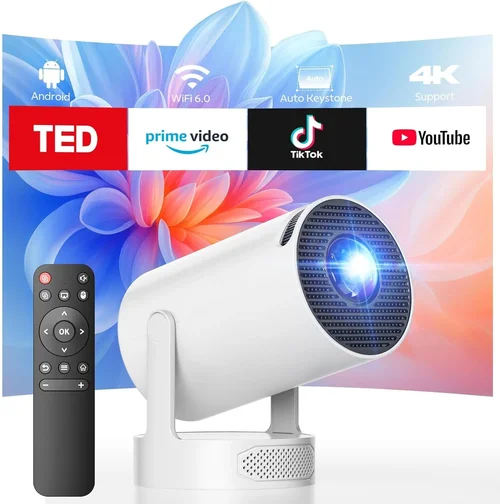
Choosing a projector for your business can feel like navigating a maze of specifications, brand promises, and price tags. The stakes are high: a reliable projector can turn a dull boardroom meeting into an engaging, visual experience, while a sub‑par unit can cause awkward pauses, missed details, and even damage your professional credibility.
This guide is designed to cut through the noise and give you a clear, step‑by‑step roadmap for finding the best business projector under $300. We’ll walk you through the most important features, compare the main types of projectors in this price range, highlight common pitfalls, and provide actionable tips so you can make a confident purchase that aligns with your budget and your business needs.
In 2026 the projector market is more competitive than ever. Advances in LED and laser light sources, improved connectivity options, and smarter built‑in software mean you can get a surprisingly capable device without breaking the bank. By the end of this article you’ll understand exactly what to look for, how to evaluate real‑world performance, and which models consistently earn top marks from experts and everyday users alike.

What to Look for When Buying Buying Guide
1. Budget & Price Range
When you set a ceiling of $300, you immediately limit the pool of projectors to entry‑level and some mid‑range options. It’s essential to recognize that price correlates with three core areas: light source longevity, brightness, and feature set. A $250 projector will likely use an LED light source that lasts 20,000 hours, whereas a $300 model may push brightness a few lumens higher and include wireless connectivity. Define your absolute maximum spend, then allocate a small cushion (about $20‑$30) for accessories such as a portable screen, HDMI cable, or a short‑throw lens if needed.
2. Performance Specifications
The three specs that matter most for business use are brightness (lumens), resolution, and contrast ratio. Brightness determines how well the image will stand out in a lit conference room; aim for at least 2,500 ANSI lumens for typical office lighting. Resolution affects readability of text and detail in charts—1080p (Full HD) is ideal, but many sub‑$300 models settle for 720p (HD). Contrast ratio influences how deep the blacks appear; a ratio of 10,000:1 or higher is sufficient for most presentations.
3. Build Quality & Durability
Projectors in this price tier are often built with plastic housings to keep costs low. Look for models that feature a sturdy, weighted base to prevent tipping, and a well‑ventilated design that keeps the fan noise under 30 dB. If you travel frequently, a compact, rugged chassis with a protective carry case will extend the life of the unit.
4. Features & Functionality
Modern business projectors are expected to do more than just display a static image. Important features include:
- Multiple input ports (HDMI, USB‑C, VGA) for compatibility with laptops, tablets, and smartphones.
- Wireless screen‑mirroring (Miracast, AirPlay, or built‑in Wi‑Fi) for cable‑free presentations.
- Built‑in speakers—while not a replacement for a dedicated sound system, they’re handy for quick meetings.
- Keystone correction and lens shift to easily adjust image geometry without moving the projector.
- Energy‑saving modes that prolong lamp life and reduce operating costs.
5. Brand Reputation
Even within the $300 bracket, some brands have earned a reputation for reliability and strong after‑sales support. Companies such as Epson, ViewSonic, BenQ, and Optoma consistently receive high marks for durability and firmware updates. Research each brand’s track record, read third‑party reviews, and check forums for recurring issues before committing.
6. Warranty & Support
A solid warranty can save you from unexpected repair costs. Look for at least a one‑year limited warranty that covers both parts and labor. Some manufacturers also offer extended warranty plans or on‑site service for an additional fee—consider these if the projector will be a critical piece of your daily workflow.
7. Size & Portability
If you move between conference rooms or need to take the projector to client sites, size matters. Portable models typically weigh under 3 lb and feature a short‑throw lens that can project a 100‑inch image from just a few feet away. Larger, stationary units may deliver higher brightness but sacrifice convenience.
8. User Reviews & Ratings
Numbers on a spec sheet tell part of the story, but real‑world performance is revealed in user feedback. Look for a minimum of 150 reviews on major retail sites, and pay attention to consistent complaints—such as overheating, remote‑control lag, or frequent connectivity drops. A high average rating (4.5 stars or above) across multiple platforms is a strong endorsement.
Different Types of Buying Guide

Common Buying Mistakes to Avoid
❌ Mistake: Ignoring Ambient Light Conditions
Why it’s bad: A projector that shines brightly in a dark theater may look washed out under fluorescent office lighting.
What to do instead: Measure the typical lighting in your meeting space and choose a model with at least 2,500 lumens for well‑lit rooms or opt for a high‑gain screen to boost perceived brightness.
❌ Mistake: Over‑Prioritizing Resolution Over Brightness
Why it’s bad: A 1080p projector with only 1,800 lumens will produce faint images that strain the eyes.
What to do instead: Aim for a balanced spec sheet—1080p is ideal, but if you must choose, brightness should come first for business use.
❌ Mistake: Forgetting Compatibility with Existing Devices
Why it’s bad: You might end up buying adapters or extra cables, adding hidden costs.
What to do instead: List the ports on your laptops, tablets, and phones. Choose a projector with matching HDMI, USB‑C, or VGA inputs, and verify wireless mirroring support if you need it.
❌ Mistake: Neglecting Warranty & Support Terms
Why it’s bad: A faulty lamp or fan can render the projector useless, and repair costs can exceed the original price.
What to do instead: Verify the length of the warranty, what it covers, and whether the manufacturer offers on‑site service or a local service center.
❌ Mistake: Buying the Cheapest Model Without Testing
Why it’s bad: Low‑cost units often suffer from poor color accuracy, laggy menus, or unreliable wireless.
What to do instead: Whenever possible, test the projector in a store or request a demo from the retailer. Watch a sample presentation to assess image quality and lag.
❌ Mistake: Overlooking Fan Noise
Why it’s bad: A noisy fan can distract participants and make it harder to hear spoken content.
What to do instead: Look for specifications that list fan noise in decibels (dB). Aim for models that stay below 30 dB at normal operating brightness.
Budget Guidelines: How Much Should You Spend?
Even within a sub‑$300 ceiling, you can segment the market to better understand what each price tier typically offers.
- Entry-Level ($180‑$230): Expect 720p resolution, 2,200‑2,500 lumens, basic HDMI input, and limited warranty. Ideal for occasional presentations in dim rooms.
- Mid‑Range ($231‑$280): Usually 1080p or high‑quality 720p, 2,500‑3,000 lumens, added USB‑C or wireless mirroring, and a longer lamp life. This tier balances performance and cost for most small‑to‑medium businesses.
- Premium ($281‑$300): You’ll find the brightest LED or laser‑hybrid units, true 1080p, superior contrast, and advanced features like lens shift and built‑in Android OS for app streaming.
- Luxury ($301+): While beyond the scope of this guide, luxury models push beyond 3,500 lumens, 4K resolution, and ultra‑short‑throw optics—generally reserved for large venues.
Expert Tips for Getting the Best Deal
- Seasonal Timing: The best windows are Black Friday, Cyber Monday, and back‑to‑school sales (July‑August). Prices can drop 15‑25% during these periods.
- Retailer Comparison: Check both Amazon and specialized office‑tech stores like B&H or CDW. Some retailers price‑match if you find a lower price elsewhere.
- Bundle Savings: Look for bundles that include a portable screen, HDMI cable, and a carrying case—often cheaper than buying each item separately.
- Extended Warranty Evaluation: If the extended warranty costs less than 10% of the projector price and covers accidental damage, it’s usually worth it for business equipment.
- Return Policy Check: Ensure you have at least a 30‑day return window. This gives you time to test the projector in your actual meeting environment.
- Test Before You Commit: If possible, arrange a demo at a local reseller. Bring a laptop with your typical presentation files to see how they render.
- Negotiate Shipping: Free shipping can save $10‑$20. Some retailers waive it for orders over $150—add a small accessory to meet the threshold.

Frequently Asked Questions
Q: Can a projector under $300 handle a well‑lit conference room?
A: Yes, but you need at least 2,500 ANSI lumens. Pair it with a high‑gain screen (gain of 1.3‑1.5) to improve perceived brightness without increasing lamp power.
Q: How long does the LED lamp last in budget projectors?
A: Most LED units boast 20,000‑30,000 hours of operation, which translates to several years of daily use before any noticeable dimming.
Q: Is wireless mirroring reliable on low‑cost models?
A: It varies. Brands that use certified Miracast or AirPlay protocols tend to be more stable. Check user reviews specifically for lag and connection drops.
Q: Do I need external speakers?
A: Built‑in speakers (2‑5 W) are adequate for small rooms (<15 people). For larger audiences, a portable Bluetooth speaker or a PA system will improve audio clarity.
Q: What is the difference between ANSI lumens and LED lumens?
A: ANSI lumens are a standardized measurement of brightness used for traditional lamps. LED lumens refer to the total light output of an LED source and can be slightly higher for the same perceived brightness because LEDs emit a more focused spectrum.
Q: Can I mount a $300 projector on the ceiling?
A: Most models include a standard ¼‑inch mounting thread and can be ceiling‑mounted with a compatible bracket. Verify the weight rating of the bracket and ensure the projector’s ventilation isn’t obstructed.
Q: Is keystone correction sufficient for uneven placement?
A: Basic vertical keystone (up to ±30°) is common at this price point. If you need both vertical and horizontal correction, look for a model that advertises “digital keystone” or “lens shift.”
Q: How important is contrast ratio for business use?
A: While high contrast improves blacks, most business presentations are text and charts on light backgrounds. A contrast ratio of 10,000:1 or higher is adequate; you won’t notice the difference beyond that in a well‑lit room.
Our Final Recommendations
- Best for Budget‑Conscious Buyers: ViewSonic PA503S – 3,600 lumens, SVGA (800×600) resolution, HDMI/VGA inputs, and a price around $190. Great for dim rooms and occasional use.
- Best Overall Value: Epson EB‑S05 – 3,300 lumens, 720p resolution, wireless Miracast, and a durable metal chassis at $275. Balances brightness, connectivity, and build quality.
- Best Premium Option: BenQ MW527 – 3,200 lumens, true 1080p, USB‑C, and a 3‑year warranty for $298. Ideal for frequent presenters who need crisp detail.
- Best for Beginners: Optoma S334e – 3,800 lumens, 720p, simple plug‑and‑play operation, and a user‑friendly remote, priced at $210.
- Best for Advanced Users: LG PH550 – 550 lumens (laser), 1080p, built‑in Android TV, Bluetooth audio, and battery operation for $299. Perfect for mobile sales teams needing a versatile all‑in‑one solution.
Conclusion: Making the Right Choice
Finding the best business projector under $300 is less about hunting for the lowest price and more about aligning specifications with your real‑world needs. Remember to prioritize brightness for your typical lighting conditions, choose a resolution that keeps text sharp, and verify that the connectivity options match your existing devices. Factor in warranty, brand reputation, and user feedback to avoid costly surprises.
By following the framework outlined in this guide—assessing key factors, comparing projector types, sidestepping common mistakes, and leveraging expert buying tips—you’ll be equipped to select a projector that delivers clear, reliable visuals without straining your budget. Take the next step: shortlist a few models, test them in your workspace, and invest in the device that will make every presentation look professional.