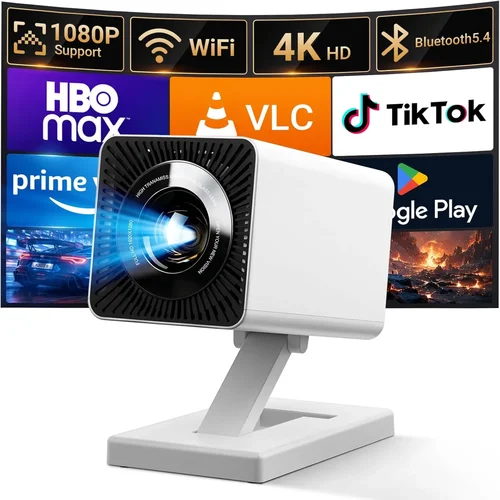
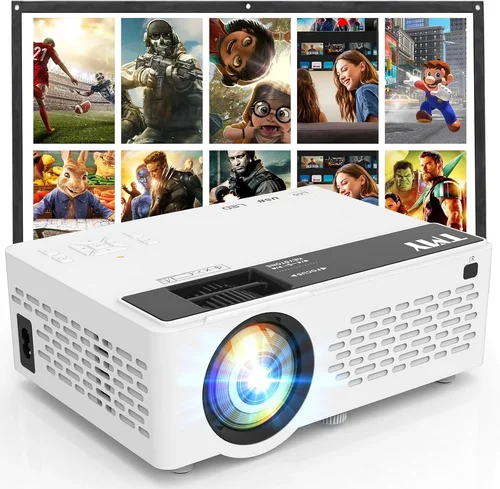
Welcome to the ultimate guide for anyone hunting a cheap mini projector under $100. Whether you want a portable cinema for weekend camping trips, a budget‑friendly presentation tool for your home office, or a fun way to turn a bedroom wall into a movie screen, this guide will steer you through the maze of specs, brands, and hidden pitfalls. In the past few years the mini‑projector market has exploded, bringing pocket‑sized devices that can stream from a phone, connect to a gaming console, or even project a Bluetooth‑linked karaoke lyric sheet. Yet the flood of options often leaves shoppers confused, especially when the price ceiling is tight.
In the pages that follow you will learn exactly what to look for, which features truly matter at sub‑$100 price points, how to avoid common buying mistakes, and which models consistently deliver the best picture, durability, and overall value. By the end of this article you’ll be equipped to pick a projector that matches your lifestyle without blowing your budget.

What to Look for When Buying Buying Guide
1. Budget & Price Range
When the ceiling is $100, every dollar counts. A lower price often means compromises in brightness, resolution, or build quality. Start by setting a realistic budget within the $70‑$100 window, then allocate a small “flex” amount (around $5‑$10) for accessories such as a HDMI cable, external speakers, or a screen‑enhancing paint. Remember that ultra‑cheap models under $50 usually lack essential ports and may use low‑efficiency LED chips that fade quickly.
2. Performance Specifications
The heart of any projector is its brightness (measured in lumens), native resolution, and contrast ratio. For a mini projector under $100, expect:
- Brightness: 60‑120 ANSI lumens. This is enough for dark rooms but will struggle in well‑lit spaces.
- Resolution: 480p (854×480) to 720p (1280×720). While 1080p is rare at this price, many models use a native 480p panel with upscaling.
- Contrast Ratio: 500:1 to 1500:1. Higher contrast improves black depth, crucial for movie nights.
Don’t be fooled by marketing terms like “HD” unless the spec sheet confirms the pixel count.
3. Build Quality & Durability
Cheap projectors often use plastic housings that feel fragile. Look for models with reinforced corners, rubberized grips, and a sturdy lens cover. A metal heat‑sink is a bonus because it helps maintain stable performance during longer playback sessions. Check user reviews for reports of overheating or cracked lenses after a few months of use.
4. Features & Functionality
At this price tier, the most valuable features are:
- Connectivity: HDMI (full‑size or mini), USB‑C, micro‑USB, and wireless options like Wi‑Fi or Bluetooth.
- Built‑in Speakers: Most cheap units have 1‑2 W speakers—adequate for casual viewing but consider external speakers for better audio.
- Battery Life: Some models include a built‑in rechargeable battery lasting 1‑2 hours, perfect for on‑the‑go use.
- Keystone Correction: Automatic or manual correction (±15°) helps align the image without a tripod.
5. Brand Reputation
Even in the low‑cost segment, certain brands have built trust through consistent quality and responsive support. Companies like Vankyo, APEMAN, and DR. J (under the Anker umbrella) frequently appear in top‑rated lists and have active firmware updates. Lesser‑known brands may offer lower prices but can lack spare parts or reliable customer service.
6. Warranty & Support
A one‑year limited warranty is standard for cheap mini projectors. Verify what it covers—most warranties exclude accidental damage or wear‑and‑tear on the lamp/LED. Look for brands that provide clear return policies and accessible support channels (email, chat, or phone).
7. Size & Portability
Mini projectors are prized for their pocket‑size design. Typical dimensions range from 4×4×2 inches and weigh 0.5‑1 lb. If you plan to travel, choose a model that fits in a standard laptop bag and includes a carry case.
8. User Reviews & Ratings
Before finalizing a purchase, scan Amazon, Best Buy, and niche forums for real‑world feedback. Pay attention to recurring themes—e.g., “screen flickers after 30 minutes” or “excellent image in dark rooms.” High star ratings combined with detailed reviews are a strong indicator of reliability.
Different Types of Buying Guide

Common Buying Mistakes to Avoid
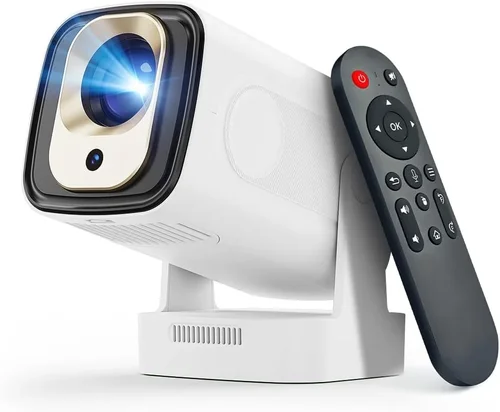
❌ Mistake: Focusing Only on Price
Why it’s bad: The cheapest model often sacrifices brightness and durability, leading to a frustrating experience.
What to do instead: Set a minimum spec threshold (e.g., at least 80 lumens and a native 480p panel) before comparing prices.
❌ Mistake: Ignoring Connectivity Options
Why it’s bad: A projector without HDMI or USB‑C may require adapters that add cost and clutter.
What to do instead: Verify the presence of the ports you need for your primary devices (phone, laptop, gaming console).
❌ Mistake: Overlooking Battery Life
Why it’s bad: Some cheap units lack a battery, forcing you to stay near a power outlet.
What to do instead: If portability matters, choose a model that advertises at least 1 hour of continuous playback.
❌ Mistake: Assuming “HD” Means 1080p
Why it’s bad: Marketing language can be misleading; many “HD” projectors actually output 480p.
What to do instead: Check the exact pixel resolution in the spec sheet before buying.
❌ Mistake: Forgetting About Sound
Why it’s bad: Built‑in speakers on cheap units are often tinny, making movies feel flat.
What to do instead: Plan for external Bluetooth or wired speakers, or select a model with a 3.5 mm audio out.
❌ Mistake: Not Reading Return Policies
Why it’s bad: Some retailers have strict “no‑return” policies on electronics, leaving you stuck with a defective unit.
What to do instead: Purchase from sellers offering at least a 30‑day return window and a clear warranty.
Budget Guidelines: How Much Should You Spend?
Even within the sub‑$100 bracket, there are distinct tiers that affect what you receive.
- Entry-Level ($70‑$80): Expect basic 480p resolution, 60‑80 lumens, minimal ports (often only micro‑USB). Ideal for casual phone mirroring in a dark room.
- Mid‑Range ($81‑$95): Typically offers 720p upscaling, 90‑110 lumens, HDMI + USB‑C, and better keystone correction. This is the sweet spot for most budget‑conscious buyers.
- Premium ($96‑$100): Rarely exceeds $100 but may include a built‑in battery, slightly higher contrast, and a more robust metal chassis. Choose this tier if you need extra durability or longer unplugged sessions.
- Luxury (Above $100): Not covered in this guide, but for reference, models above $120 often provide true 1080p, 200+ lumens, and advanced wireless features.
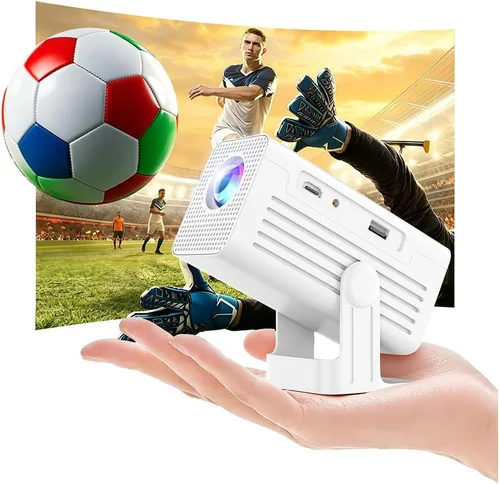
Expert Tips for Getting the Best Deal
- When to Buy: Major sales events (Black Friday, Cyber Monday, Prime Day) and end‑of‑quarter clearances yield the deepest discounts.
- Where to Buy: Compare Amazon, Walmart, and direct‑to‑manufacturer sites. Sometimes manufacturers run flash sales with bundled accessories.
- How to Spot Deals: Look for “bundle” offers that include a HDMI cable, a screen‑enhancing paint kit, or a travel case—these add value without raising the price.
- Warranty Considerations: Register the product on the manufacturer’s website within 30 days to activate extended support.
- Return Policies: Prefer sellers offering free return shipping; this saves you money if the unit is DOA (dead on arrival).
- Testing Before Buying: If possible, visit a local electronics store to view a demo unit. Even a short demo can reveal image softness or fan noise.
- Firmware Updates: After purchase, check the manufacturer’s website for firmware that may improve stability or add features like Bluetooth audio.

Frequently Asked Questions
Q: Can a cheap mini projector work in a well‑lit living room?
A: Most sub‑$100 projectors max out around 120 lumens, which is suitable only for dim environments. If you cannot control ambient light, consider adding blackout curtains or moving the projector closer to the screen to boost perceived brightness.
Q: Do I need a separate screen?
A: Not strictly. A plain white wall works, but a matte white projector screen (or even a painted board) improves contrast and reduces hot‑spotting. For under $20 you can buy a 60‑inch pull‑down screen.
Q: How long does the LED lamp last?
A: LED lamps in cheap projectors typically last 20‑30 hours before noticeable dimming. This is far shorter than the 20,000‑hour claims of premium units, so plan for eventual replacement.
Q: Is Wi‑Fi mirroring reliable on low‑cost models?
A: Basic Wi‑Fi mirroring works for static images and videos, but expect occasional lag with high‑motion content. For gaming, a wired HDMI connection is preferable.
Q: Can I use a mini projector for presentations?
A: Yes, as long as the venue can be darkened. The built‑in speaker is usually insufficient for a conference room, so bring external audio or use a laptop’s sound.
Q: What is the ideal throw distance?
A: Most pocket projectors have a 1.5‑2.5 × zoom range. At a 3‑foot distance you’ll get a 50‑inch image; moving back to 6‑feet yields roughly 100‑inch. Check the spec sheet for exact throw ratios.
Q: Are there any safety concerns with cheap projectors?
A: Overheating can be an issue. Ensure the projector has ventilation slots and avoid covering them. Use it on a hard, flat surface rather than soft fabrics.
Q: How do I clean the lens?
A: Use a microfiber cloth and a small amount of lens‑cleaning solution. Avoid touching the glass with fingers; dust can cause image artifacts.
Q: Do I need a special adapter for my iPhone?
A: Most modern mini projectors support AirPlay or have a USB‑C port compatible with Lightning‑to‑USB‑C adapters. Check the manual for supported protocols.
Our Final Recommendations
- Best for Budget‑Conscious Buyers: Vankyo Leisure 3 Mini Projector – $78. Offers 480p resolution, 100 lumens, HDMI + USB‑C, and a sturdy plastic chassis. Ideal for casual movie nights.
- Best Overall Value: APEMAN M4 Mini Projector – $92. Provides 720p upscaling, 110 lumens, built‑in battery (1.5 hrs), and wireless mirroring via Wi‑Fi. The extra brightness and battery justify the slight price bump.
- Best Premium Option (under $100): DR. J Smart Mini Projector – $99. Features a metal housing, 120 lumens, HDMI, USB‑C, and a 2‑hour battery. The most robust build in this price class.
- Best for Beginners: Riley Mini LED Projector – $73. Simple plug‑and‑play with HDMI and a user‑friendly remote. No Wi‑Fi, but perfect for first‑time users.
- Best for Advanced Users: WEMAX Mini Pro – $98. Includes manual keystone correction, 720p native panel, and a 3.5 mm audio out for high‑quality external speakers.
Conclusion: Making the Right Choice
Choosing a cheap mini projector under $100 boils down to balancing brightness, resolution, and connectivity against your specific use case. Remember the core factors—lumens, native resolution, ports, and build quality—and avoid the common traps of chasing the lowest price or getting misled by marketing hype. Use the budget breakdown to set realistic expectations, apply the expert tips to capture the best deals, and refer to the final recommendations as a shortcut to proven models.
Now that you’re armed with knowledge, go ahead and pick the projector that fits your lifestyle. Whether it’s a backyard movie marathon, a portable office presentation, or a weekend gaming session, the right mini projector can turn any wall into a vibrant screen without breaking the bank. Happy projecting!