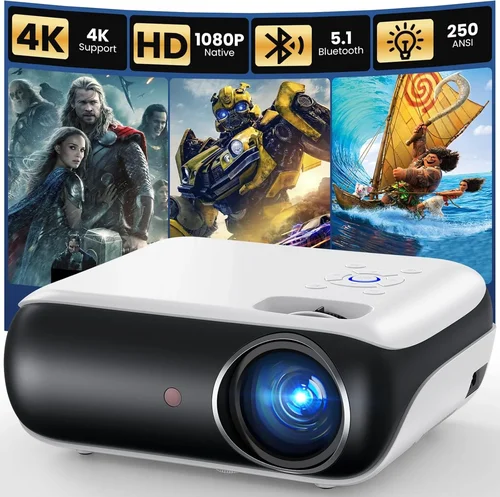
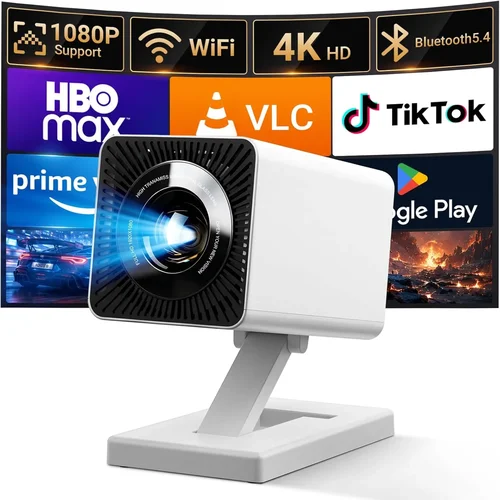
Choosing a projector that delivers cinema‑quality images without blowing your budget can feel like navigating a maze. The market is flooded with models that promise 4K resolution, laser light sources, and “movie‑theater” contrast ratios, yet many of them sit well above the $2,000 mark. This guide narrows the field to the best digital projectors under $2K, giving you the confidence to pick a machine that fits your viewing habits, room conditions, and wallet.
In the next few sections you’ll learn which specifications truly matter, how to compare different projector families, and which common pitfalls to sidestep. By the end, you’ll have a clear roadmap to the projector that turns your living room, home office, or backyard into a visual masterpiece.
The projector landscape in 2026 is defined by three main trends: brighter LED light engines, affordable 4K UHD chips, and smarter connectivity (Wi‑Fi, Bluetooth, and built‑in streaming). These advances have pushed many high‑performance models into the sub‑$2,000 tier, but the sweet spot still requires careful selection. Let’s dive in.

What to Look for When Buying Buying Guide
1. Budget & Price Range
Even within the “under $2K” ceiling, prices can swing dramatically based on resolution, light source, and brand premium. Set a realistic ceiling (e.g., $1,800) and decide how much you’re willing to stretch for a feature like laser illumination or built‑in Android TV. Remember that accessories—screen, mounting hardware, and cables—add 10‑20% to the total cost.
2. Performance Specifications
The heart of any projector lies in its brightness (lumens), contrast ratio, and resolution. For a typical living‑room with some ambient light, aim for at least 2,500 ANSI lumens. If you can control lighting, 1,800‑2,200 lumens may suffice. Contrast ratio determines how deep blacks appear; a ratio of 15,000:1 or higher is ideal for HDR content. Finally, resolution: 1080p is the baseline, but 4K UHD (3840×2160) is increasingly affordable and future‑proof.
3. Build Quality & Durability
A projector is a long‑term investment. Look for metal chassis, sealed optics, and a reliable cooling system. Projectors with fan‑less designs (often LED‑based) run quieter and have fewer moving parts that can fail. Check user forums for reports of overheating or premature lamp degradation.
4. Features & Functionality
Modern projectors are more than just image engines. Consider these must‑have features:
- Wireless streaming: Built‑in Wi‑Fi or Chromecast for casting from phones and laptops.
- Lens shift & keystone correction: Allows flexible placement without distortion.
- Multiple input ports: HDMI 2.0b or 2.1, USB‑C, and audio‑out options.
- Smart OS: Android TV, Roku, or proprietary platforms for apps without an external box.
5. Brand Reputation
Brands like Epson, BenQ, Optoma, and ViewSonic have built solid track records for reliability and service. Newer entrants (e.g., Xiaomi, Hisense) may offer aggressive pricing but check warranty length and service centers in your region.
6. Warranty & Support
A longer warranty (3‑5 years) often reflects confidence in product durability. Look for on‑site service options, easy part replacement, and responsive customer support. Some manufacturers also include a free lamp replacement within the first two years.
7. Size & Portability (if applicable)
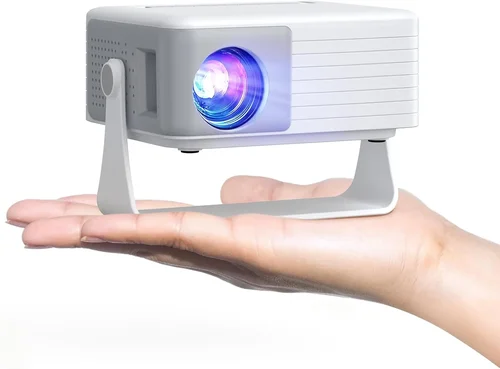
For gamers or frequent movers, a compact “pico” projector can be handy, but these usually sacrifice brightness and throw distance. If you plan a fixed installation, prioritize throw ratio and mounting options over weight.
8. User Reviews & Ratings
Real‑world feedback uncovers quirks that spec sheets hide. Scan reviews on Amazon, B&H, and projector‑specific forums for recurring themes—such as fan noise, color accuracy, or firmware stability.
Different Types of Buying Guide

Common Buying Mistakes to Avoid
❌ Mistake: Ignoring Ambient Light
Why it’s bad: A projector rated at 2,500 lumens will look stunning in a dark home theater, but the same unit can appear washed out in a living room with large windows.
What to do instead: Measure the typical light level of your space. If you can’t darken the room, aim for 3,000+ lumens or consider an LED model with higher contrast.
❌ Mistake: Over‑focusing on Resolution Only
Why it’s bad: A 4K panel paired with low brightness or poor color accuracy will still deliver a disappointing experience.
What to do instead: Balance resolution with lumens, contrast, and color gamut. For most home use, a bright 1080p projector can outshine a dim 4K unit.
❌ Mistake: Forgetting Throw Ratio
Why it’s bad: Buying a short‑throw projector for a large room forces you to sit too close, causing pixelation.
What to do instead: Calculate the needed throw distance (screen width × throw ratio). Choose a model that fits your mounting location.
❌ Mistake: Neglecting Input Lag for Gaming
Why it’s bad: High input lag (>30 ms) can ruin fast‑paced games, even if the image looks great on paper.
What to do instead: Look for “Game Mode” specifications or reviews that measure lag. Aim for ≤20 ms for a fluid experience.
❌ Mistake: Skipping Firmware Updates
Why it’s bad: Out‑of‑date firmware can cause connectivity glitches, color banding, or reduced lifespan.
What to do instead: Choose a brand with a clear update path and check for recent firmware releases before purchase.
Budget Guidelines: How Much Should You Spend?
- Entry‑Level ($1,200‑$1,400): Expect 1080p resolution, 2,200‑2,500 lumens, and basic wireless. Ideal for casual movie nights and occasional presentations.
- Mid‑Range ($1,400‑$1,800): Here you’ll find 4K UHD or enhanced 1080p chips, 2,800‑3,200 lumens, higher contrast, and built‑in smart OS. This tier balances performance and price for most families.
- Premium ($1,800‑$2,000): Laser light sources, true 4K UHD, HDR10+, low‑lag gaming modes, and superior color gamuts (Rec. 709/2020). Best for enthusiasts who want cinema‑grade quality.
- Luxury ($2,000+): While technically above the guide’s ceiling, some models dip just over $2K during sales. They offer ultra‑short‑throw lenses, 360° audio, and enterprise‑grade warranties.
Expert Tips for Getting the Best Deal
- Timing: The best buying windows are Black Friday, Cyber Monday, and early spring (when manufacturers roll out next‑gen models).
- Retailers: Compare prices on Amazon, B&H, Adorama, and direct brand stores. B&H frequently bundles a free screen or mounting kit.
- Deal Spotting: Use price‑tracking tools like CamelCamelCamel or Keepa to see historical lows.
- Warranty Extensions: If you plan heavy usage, consider a third‑party extended warranty that covers lamp or laser degradation.
- Return Policies: Verify a 30‑day return window with free shipping. This lets you test the projector in your exact environment.
- Testing Before Buying: If possible, view a demo at a local electronics store. Pay attention to fan noise, color accuracy, and keystone performance.
- Bundle Savings: Some retailers offer a discount when you buy a projector with a compatible screen.
Frequently Asked Questions
Q: Is 1080p still good enough for a home theater?
A: Yes, if you control ambient light and sit at a typical 8‑10 ft distance, 1080p delivers crisp images. The visual difference between 1080p and 4K becomes noticeable only on larger screens (100”+) or when sitting very close.
Q: Do I need a separate sound system?
A: Most projectors under $2K have modest built‑in speakers (2 W‑5 W). For an immersive experience, pair the projector with a soundbar or a 5.1 surround system.
Q: How long do LED and laser lamps last?
A: LED light sources typically last 20,000‑30,000 hours, while laser modules can exceed 30,000 hours. Both far outlast traditional UHP lamps, which need replacement every 2‑4 years.
Q: Can I use a projector for daytime presentations?
A: Absolutely, but choose a model with at least 3,000 lumens and a high contrast ratio. Laser‑based units often maintain brightness better in bright rooms.
Q: What screen material works best with LED projectors?
A: A gray (high‑gain) screen improves perceived contrast in rooms with some light spill. For pure black levels, a matte white screen is preferred when you can darken the room.
Q: Are there any health concerns with long‑term projector use?
A: Projector light is generally safe, but avoid staring directly at the lens for extended periods. Use proper ventilation to keep the unit cool.
Q: How do I calibrate colors without a professional kit?
A: Most modern projectors include a built‑in color wheel or preset modes (Cinema, Sports, Game). For finer control, use free software like CalMAN Home and a basic colorimeter (e.g., X‑Rite ColorMunki).
Our Final Recommendations
- Best for Budget‑Conscious Buyers: Epson Home Cinema 2250 – 2,700 lumens, 1080p, low fan noise, and a solid 3‑year warranty at $1,299.
- Best Overall Value: BenQ TK800M – 4K UHD, 3,000 lumens, HDR10, and excellent sports mode for $1,749.
- Best Premium Option: Optoma CinemaX P2 – Ultra‑short‑throw laser, true 4K, 3,000 lumens, integrated Android TV, priced at $1,999.
- Best for Beginners: ViewSonic M2 – Portable LED, 1080p, Bluetooth speakers, easy setup, $1,199.
- Best for Advanced Users: LG HU85LA – Laser, 4K, 2,700 lumens, 0.25:1 short‑throw, advanced keystone, $1,979.
Conclusion: Making the Right Choice
Finding the best digital projector under $2K is less about hunting the lowest price and more about matching performance to your environment and habits. Remember to balance brightness, resolution, and contrast with practical factors like ambient light, throw distance, and connectivity needs.
Take the time to read user reviews, test the unit if possible, and consider the total cost of ownership—including screens, mounts, and potential lamp replacements. With the guidance above, you’re equipped to select a projector that delivers stunning visuals without breaking the bank.
Ready to upgrade your viewing experience? Browse the recommended models, compare prices, and enjoy the cinematic magic that awaits in your own space.