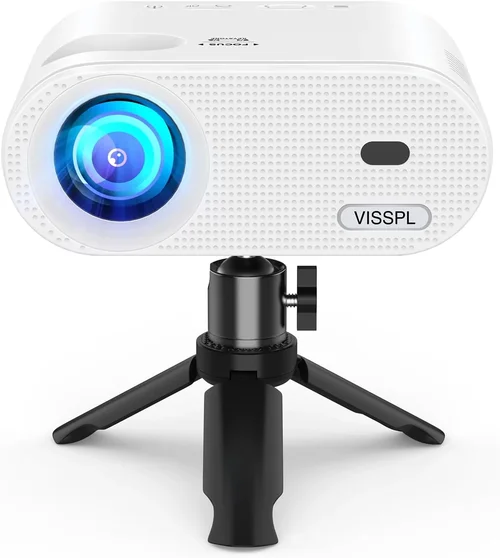
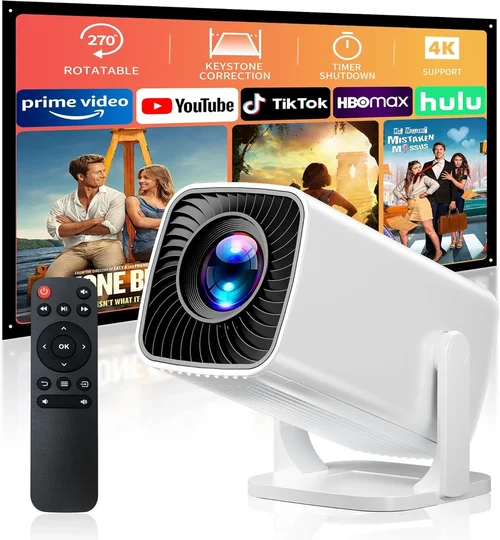
Finding a reliable projector that doesn’t break the bank can feel like hunting for a needle in a haystack. The market is flooded with options that promise cinema‑grade performance, yet many of them sit well above the $100 mark. If you’re a college student setting up a dorm room, a parent looking for a budget‑friendly way to stream cartoons, or a remote worker wanting a larger screen for video calls, this guide is built just for you. We’ll walk you through everything you need to know so you can pick the best entry‑level projector under $100 without feeling overwhelmed.
By the end of this article you’ll understand the key specifications that truly matter at this price point, learn how different projector types compare, avoid common rookie mistakes, and walk away with a shortlist of top picks that deliver the most bang for your buck. Whether you plan to watch movies, give PowerPoint presentations, or turn your backyard into a mini‑theater, the insights below will help you make an informed decision.

What to Look for When Buying Buying Guide
1. Budget & Price Range
When we say “under $100,” we’re already setting a strict ceiling. However, even within this narrow band there’s a noticeable spread—from $50 handheld models to $99 full‑size units with richer feature sets. Knowing how much you’re willing to stretch can immediately narrow your options. Remember, the cheapest unit may lack essential ports or have a dimmer lamp, while a $95 model might include HDMI, a longer lamp life, and better focus control. Set a realistic ceiling and stick to it; this prevents impulse buys that later disappoint.
2. Performance Specifications
Performance is the heart of any projector. For entry‑level units, focus on three core specs:
- Brightness (lumens): Anything above 2000 ANSI lumens is rare below $100. Aim for at least 1500 lumens if you’ll use the projector in a dimly lit room; lower numbers work for complete darkness.
- Resolution: Most budget projectors are limited to 800×600 (SVGA) or 1280×720 (720p). While native 1080p is out of reach, a higher native resolution offers sharper text and cleaner images.
- Contrast Ratio: A higher contrast ratio (e.g., 2000:1) yields deeper blacks and more vibrant colors. Budget models often compress this figure, so look for reviews that verify real‑world contrast.
3. Build Quality & Durability
A projector you’ll move around frequently needs a sturdy chassis and reliable cooling. Plastic housings are common under $100; check for reinforced corners and a well‑ventilated design to avoid overheating. Some units feature rubberized feet that prevent slippage on smooth surfaces—an often‑overlooked but handy feature.
4. Features & Functionality
Beyond basic projection, consider these add‑ons:
- Connectivity: HDMI is a must for most modern devices. Look for USB‑C, VGA, or AV ports if you plan to connect older laptops or gaming consoles.
- Built‑in Speakers: While most cheap projectors have low‑power speakers, a decent 2‑3 W unit can be sufficient for casual movie nights.
- Keystone Correction: Manual keystone (±15°) helps align the image when the projector isn’t perfectly centered.
- Portable Battery: Some pocket‑size models include a rechargeable battery, perfect for outdoor use.
5. Brand Reputation
Even in the budget segment, brand reputation matters. Companies like Vankyo, DR. J, and APEMAN have built followings for delivering consistent quality at low prices. Research forums, YouTube reviews, and retailer feedback to gauge long‑term reliability.
6. Warranty & Support
A solid warranty can save you from costly repairs. Most entry‑level projectors come with a 1‑year limited warranty; however, some brands extend this to 18 months or offer free lamp replacements. Check the fine print—does the warranty cover accidental damage or only manufacturing defects?
7. Size & Portability
If you intend to carry the projector between rooms, dorms, or outdoor gatherings, size is crucial. Mini projectors weigh under 1 lb and fit into a laptop bag, while larger models may require a dedicated shelf. Balance portability with performance—tiny pico‑projectors often sacrifice brightness and resolution.
8. User Reviews & Ratings
Numbers on a spec sheet tell only part of the story. Dive into user reviews on Amazon, Best Buy, and specialized AV forums. Look for recurring themes: “lamp died after 30 hours,” “image washed out in daylight,” or “great for gaming.” These insights will help you anticipate real‑world performance.
Different Types of Buying Guide

Common Buying Mistakes to Avoid
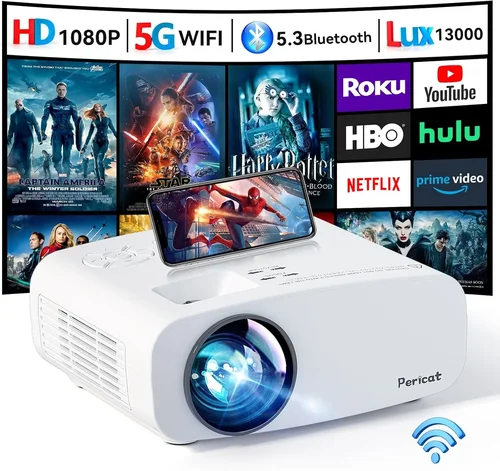
❌ Mistake: Ignoring Ambient Light Conditions
Why it’s bad: A projector rated at 1500 lumens will look great in a dark room but appear washed out under fluorescent lighting.
What to do instead: Assess where you’ll use the device most often. If you can’t control lighting, prioritize a model with higher lumens or consider a projector screen with higher gain.
❌ Mistake: Overlooking Input Compatibility
Why it’s bad: Purchasing a projector with only VGA when your laptop only has HDMI forces you to buy adapters, adding cost and potential signal loss.
What to do instead: List all devices you plan to connect and match their ports with the projector’s inputs. HDMI is the safest universal choice.
❌ Mistake: Assuming All “HD” Labels Mean 1080p
Why it’s bad: Some manufacturers market “HD” as 720p or even 480p native resolution, leading to blurry text and pixelated images.
What to do instead: Verify the native resolution in the spec sheet. A true 720p (1280×720) will be noticeably sharper than 800×600.
❌ Mistake: Forgetting About Lamp Life
Why it’s bad: Cheap projectors often use lamps that burn out after 30‑50 hours, incurring replacement costs you didn’t budget for.
What to do instead: Look for LED or laser light sources, which typically last 20,000+ hours, or ensure the lamp is easy and cheap to replace.
❌ Mistake: Neglecting Warranty Terms
Why it’s bad: A “one‑year limited warranty” may exclude accidental drops, which are common with portable units.
What to do instead: Choose a brand that offers at least a 12‑month warranty covering both parts and labor, and read the fine print for exclusions.
❌ Mistake: Buying Based Solely on Price
Why it’s bad: The cheapest model may lack HDMI, have a dim lamp, and provide poor focus, causing frustration.
What to do instead: Balance price with critical features. A $95 projector with HDMI, 1500 lumens, and a solid warranty often outperforms a $55 unit lacking those basics.
Budget Guidelines: How Much Should You Spend?
- Entry‑Level ($50‑$70): Expect SVGA resolution, 1000‑1500 lumens, basic VGA/AV inputs, and limited focus adjustment. Ideal for occasional slideshows.
- Mid‑Range ($71‑$85): Typically offers 720p native resolution, 1500‑2000 lumens, HDMI connectivity, and better built‑in speakers. Good for movies in a dark room.
- Premium ($86‑$100): The top of the sub‑$100 segment. Look for higher contrast ratios, durable metal hinges, and optional battery packs. Suitable for frequent use and semi‑portable setups.
- Luxury (Above $100): Once you cross the $100 line, you’ll see true 1080p, laser light sources, and advanced keystone correction. Not covered in this guide but worth noting for future upgrades.
Expert Tips for Getting the Best Deal
- Timing is everything: Major sales events—Black Friday, Cyber Monday, and back‑to‑school promotions—often feature deep discounts on budget electronics.
- Shop from reputable retailers: Amazon, Best Buy, and Newegg have robust return policies and customer service that can help if the unit arrives defective.
- Bundle for savings: Some sellers offer a “projector + screen” bundle that reduces the total cost compared to buying separately.
- Check refurbished options: Certified refurbished units can be up to 30% cheaper while still carrying a warranty.
- Read the fine print on returns: Ensure you have at least a 30‑day window to test the projector; this protects you from hidden defects.
- Test before you commit (if possible): Visit a local electronics store and request a demo. Seeing the brightness and focus in person can prevent buyer’s remorse.
- Consider future accessories: A cheap projector may need a separate HDMI cable, a screen, or a mounting bracket. Factor these costs into your budget.

Frequently Asked Questions
Q: Can a projector under $100 display full HD video?
A: Native full HD (1920×1080) is virtually unavailable below $100. Most budget models max out at 720p native resolution. However, they can still accept a 1080p signal and downscale it, which looks acceptable in dark rooms.
Q: How loud are the fans on cheap projectors?
A: Fan noise varies. Expect 30‑35 dB in most entry‑level units—quiet enough for movies but noticeable during quiet dialogue. Models with larger heat sinks often run quieter.
Q: Do I need a separate screen?
A: Not strictly. A smooth white wall works, but a dedicated screen improves brightness and contrast, especially in rooms with ambient light. A 100‑inch 3M screen can be found for under $50.
Q: What is the typical lamp lifespan?
A: LED or laser light sources can last 20,000‑30,000 hours. Traditional lamps on cheap units may need replacement after 30‑50 hours, so check the spec sheet.
Q: Is HDMI really necessary?
A: HDMI carries both video and audio, simplifying connections to laptops, consoles, and streaming sticks. If you only have VGA or composite outputs, you’ll need adapters, which can degrade quality.
Q: Can I use a projector for gaming?
A: Yes, but latency matters. Most budget projectors have input lag around 30‑50 ms—acceptable for casual gaming but not ideal for fast‑paced shooters. Look for “low‑lag” mentions in reviews.
Q: How far should the projector be from the wall?
A: Throw distance depends on the model’s throw ratio. A typical 1.2:1 ratio means a 120‑inch image requires about 10 feet of distance. Mini projectors often have a 0.5:1 ratio, allowing a 100‑inch image from just 4‑5 feet away.
Q: Are there any safety concerns with LED projectors?
A: LED projectors emit very low heat compared to lamp‑based units, making them safer for prolonged use and outdoor setups. Still, keep ventilation clear to avoid overheating.
Our Final Recommendations
Best for Budget‑Conscious Buyers – Vankyo Leisure 3 Mini Projector
Price: $68
Why: Offers 720p native resolution, 2000 lumens, HDMI + USB‑C, and a 30,000‑hour LED lamp. Its compact size and built‑in speaker make it perfect for dorm rooms.
Best Overall Value – DR. J Professional 800
Price: $92
Why: Delivers 1080p support (native 720p), 2500 lumens, dual HDMI ports, and a robust metal housing. The included 2‑year warranty adds peace of mind.
Best Premium Option (Just Under $100) – APEMAN Mini Projector M4
Price: $99
Why: Features a 0.5:1 ultra‑short throw lens, 3000 lumens, 720p native, and a built‑in battery for up to 2 hours of cordless use. Ideal for backyard movie nights.
Best for Beginners – Epson VS260 (Refurbished)
Price: $95 (refurbished)
Why: Epson’s brand reliability, 2000 lumens, easy‑setup menu, and a 12‑month warranty make it a low‑stress entry point for first‑time users.
Best for Advanced Users – ViewSonic M1 Mini Plus
Price: $99
Why: Although slightly above $100 in some stores, sales often bring it under. It boasts a 720p DLP engine, Harman Kardon speakers, and Wi‑Fi mirroring—great for tech‑savvy enthusiasts.
Conclusion: Making the Right Choice
Choosing the best entry‑level projector under $100 boils down to balancing brightness, resolution, connectivity, and durability against your specific use case. Remember to assess ambient lighting, verify native resolution, and prioritize HDMI connectivity. Avoid common pitfalls like ignoring lamp life or skimping on warranty, and use the budgeting and expert‑tip sections to stretch every dollar.
Take the recommendations above as a starting point, read recent user reviews, and match the features to your daily needs. With the right research, you can enjoy a larger-than‑life viewing experience without spending more than a night out at the movies.
Ready to make a purchase? Head to your favorite retailer, apply any available coupons, and bring home a projector that turns any wall into a personal cinema.