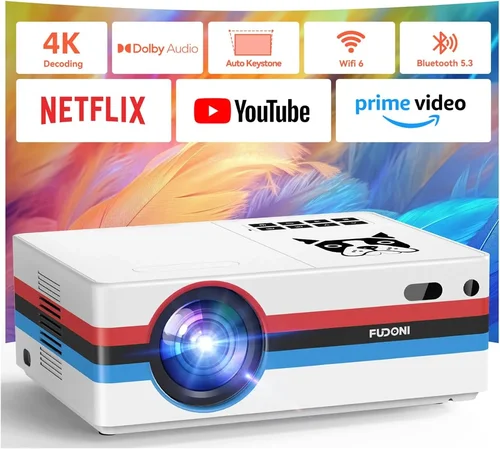
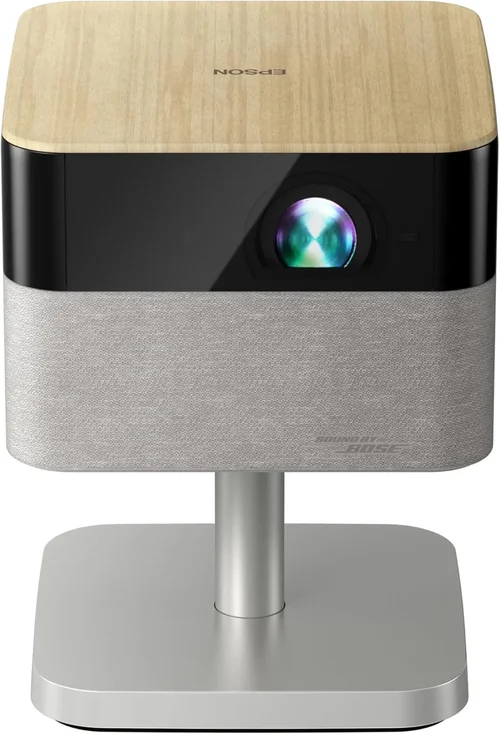
Choosing the right projector can feel like navigating a maze, especially when you have a budget ceiling of $1,000. Epson has built a reputation for reliable, cinema‑quality imaging, and luckily many of its models sit comfortably under that price point. This guide cuts through the jargon, compares the most capable Epson projectors under $1,000, and equips you with the knowledge to pick the one that fits your room, your use‑case, and your wallet.
By the end of this article you’ll understand the core specifications that truly matter, see a clear side‑by‑side comparison of the top contenders, avoid common buying pitfalls, and walk away with a shortlist of recommendations tailored to different needs—from casual movie nights to semi‑professional presentations.

What to Look for When Buying Buying Guide
1. Budget & Price Range
Even within the sub‑$1,000 segment, prices can swing dramatically based on features, lamp life, and included accessories. Set a firm ceiling (for example $950) and then allocate a portion for essential add‑ons such as a screen, mounting hardware, or a spare lamp. Remember that a lower upfront cost may hide future expenses if the lamp replacement price is high.
2. Performance Specifications
The heart of any projector lies in its lumens, contrast ratio, resolution, and light source technology. For Epson models under $1,000, you’ll typically encounter 3,200‑3,800 lumens, a 1080p (Full HD) native resolution, and a 3LCD light engine. Higher lumens ensure a bright picture in ambient light, while a solid contrast ratio (often 15,000:1 or better) preserves depth in dark scenes.
3. Build Quality & Durability
Projectors are often moved from room to room or stored away when not in use. Look for a sturdy chassis, a well‑ventilated cooling system, and a sealed lamp compartment that reduces dust ingress. Epson’s “EcoMode” lamps extend life to 5,000 hours, which translates to fewer replacements and lower total cost of ownership.
4. Features & Functionality
Modern projectors are more than just picture boxes. Key features to evaluate include:
- Lens shift – allows vertical/horizontal image placement without keystone distortion.
- Keystone correction – digital correction for angled installations, though it can degrade image sharpness.
- Wireless connectivity – built‑in Wi‑Fi or Miracast for screen‑mirroring from phones and laptops.
- Multiple inputs – HDMI 2.0, USB, VGA, and audio out ports give you flexibility.
- 3‑chip 3LCD technology – eliminates the rainbow effect common in DLP units.
5. Brand Reputation
Epson consistently ranks among the top projector manufacturers for reliability, color accuracy, and customer support. Their warranty policies (typically 2‑year parts and labor) and widespread service centers make after‑sales care easier than with many boutique brands.
6. Warranty & Support
A solid warranty can save you money if a lamp fails early or a component malfunctions. Look for at least a two‑year warranty that covers the lamp, and verify whether Epson offers an extended warranty or a lamp‑replacement program in your region.
7. Size & Portability
If you plan to move the projector between a home theater, office, or classroom, weight and dimensions matter. Epson’s “home cinema” line tends to be bulkier but offers better cooling, while “portable” models sacrifice some brightness for a lighter footprint.
8. User Reviews & Ratings
Real‑world feedback reveals how a projector performs over time. Scan reviews on Amazon, B&H, and dedicated AV forums for recurring themes—such as lamp lifespan, fan noise, or firmware stability. A model with a high average rating and a large number of reviews is usually a safe bet.
Different Types of Buying Guide

Common Buying Mistakes to Avoid
❌ Mistake: Ignoring Ambient Light Conditions
Why it’s bad: A projector rated at 3,200 lumens may look brilliant in a dark home theater but will struggle in a bright living room.
What to do instead: Measure the typical light level of your intended space. If you can’t fully darken the room, aim for at least 3,500 lumens and consider a model with high contrast ratio and good anti‑ghosting technology.
❌ Mistake: Overlooking Lamp Life & Replacement Cost
Why it’s bad: A low‑priced unit may have a cheap lamp that needs replacement after 2,500 hours, costing $150‑$200 each time.
What to do instead: Choose Epson models that feature EcoMode lamps (up to 5,000 hours). Factor the expected lamp cost into your total budget.
❌ Mistake: Forgetting About Throw Distance
Why it’s bad: Buying a short‑throw projector for a 12‑ft room will force you to place it too close, resulting in a tiny image.
What to do instead: Use the manufacturer’s throw‑ratio calculator. For a 100‑inch screen at 12 ft, a standard throw ratio of 1.5‑2.0 works best.
❌ Mistake: Neglecting Input Compatibility
Why it’s bad: Modern devices often use HDMI 2.0 or USB‑C. A projector limited to VGA will force you to buy adapters.
What to do instead: Verify that the projector includes at least two HDMI ports, a USB‑C or wireless Miracast option, and audio out for sound systems.
❌ Mistake: Relying Solely on Manufacturer Specs
Why it’s bad: Brightness measured in a lab can differ from real‑world performance due to fan noise or color wheel artifacts.
What to do instead: Read third‑party reviews, watch YouTube video tests, and pay attention to user‑reported fan noise levels (measured in dB).
❌ Mistake: Skipping Firmware Updates
Why it’s bad: Out‑of‑date firmware can cause connectivity glitches or reduced lamp efficiency.
What to do instead: Register your projector on Epson’s website and enable automatic update notifications.
Budget Guidelines: How Much Should You Spend?
Understanding what you get at each price tier helps you avoid overpaying while still securing the features that matter.
- Entry‑Level ($550 – $700): Expect 3,200 lumens, 1080p resolution, basic lens shift, and a single HDMI port. Ideal for occasional movie nights in a dim room.
- Mid‑Range ($701 – $850): You’ll find 3,500‑3,800 lumens, improved contrast (15,000:1), dual HDMI, built‑in speakers, and wireless mirroring. This tier balances performance and price for most households.
- Premium ($851 – $1,000): Look for advanced features such as motorized lens shift, higher native contrast (up to 20,000:1), enhanced color accuracy (Epson’s 3LCD + 6‑color wheel), and extended lamp warranties.
- Luxury ($1,001+): While beyond the guide’s price ceiling, these models often include 4K enhancement, laser light sources, and ultra‑short‑throw designs.
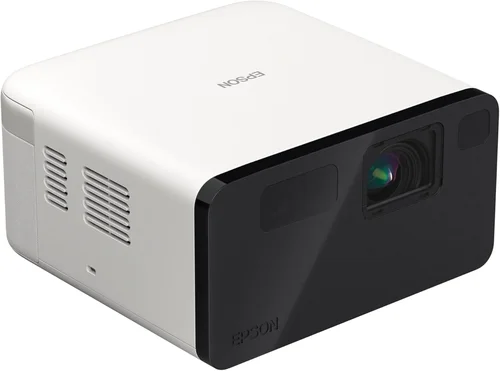
Expert Tips for Getting the Best Deal
- Timing: Purchase during major retail events (Nov‑Dec) or Epson’s “Fiscal Year End” clearance in August.
- Where to buy: Compare prices on Amazon, B&H Photo, and local electronics chains. Use price‑tracking tools like CamelCamelCamel to spot dips.
- Spotting deals: Look for “open‑box” or “refurbished” units that carry the full manufacturer warranty and are often <10% cheaper.
- Warranty considerations: Add a third‑party protection plan only if it covers lamp replacement; otherwise Epson’s own service is usually sufficient.
- Return policies: Ensure a 30‑day return window so you can test the projector in your actual environment.
- Testing before buying: If possible, view a demo at a local store. Pay attention to fan noise, color uniformity, and keystone performance.
- Bundle wisely: A screen matched to the projector’s throw ratio can save you from purchasing an ill‑sized screen later.

Frequently Asked Questions
Q: Do Epson projectors under $1,000 support 4K resolution?
A: No current Epson model under $1,000 offers true 4K. However, many use “4K Enhancement” technology that upscales 1080p content to a sharper image, which is a good compromise for most home‑theater users.
Q: How long does the lamp last on average?
A: With EcoMode enabled, most Epson 1080p models achieve 4,000–5,000 hours. At 4 hours of daily use, the lamp can last 2.5–3 years before needing replacement.
Q: Can I connect my smartphone wirelessly?
A: Yes. Most mid‑range and premium Epson projectors include Miracast or Wi‑Fi Direct for screen mirroring. Some also support Apple AirPlay via a firmware update.
Q: Is a separate audio system necessary?
A: Epson’s built‑in speakers are modest (typically 2 W). For a true home‑theater experience, pair the projector with a soundbar or AV receiver.
Q: What is lens shift and why is it important?
A: Lens shift moves the projected image vertically or horizontally without distortion, allowing flexible placement on the ceiling or table. It’s preferable to digital keystone correction, which can soften the image.
Q: Are there any Epson projectors that are truly portable?
A: The Epson EX3260 and EB‑X05 are lightweight (under 5 lb) and include battery options, making them ideal for on‑the‑go presentations.
Q: How do I clean the projector’s filter?
A: Turn the unit off and let it cool. Open the filter compartment (usually at the rear), remove the dust filter, gently vacuum or rinse with water, let dry completely, then reinstall.
Q: Does Epson offer a laser‑light version under $1,000?
A: As of 2026, laser‑light models start above $1,200. For sub‑$1,000 budgets, 3LCD lamp‑based units remain the best value.
Our Final Recommendations
Best for Budget‑Conscious Buyers – Epson EX3260
Price: around $580
Why: 3,200 lumens, 1080p, lightweight, and includes EcoMode lamp (4,500‑hour life). Perfect for dorm rooms and occasional movie nights.
Best Overall Value – Epson Home Cinema 2150
Price: $799
Why: 2,500 lumens (bright enough for modest ambient light), 1080p, lens shift, wireless mirroring, and dual HDMI. Balances performance and price superbly.
Best Premium Option – Epson Home Cinema 3800
Price: $979 (often on sale)
Why: 3,800 lumens, 4K Enhancement, HDR support, motorized lens shift, and high contrast. Ideal for serious home‑theater enthusiasts who want cinema‑grade image without breaking $1,000.
Best for Beginners – Epson EB‑X05
Price: $660
Why: Extremely portable, built‑in battery, simple plug‑and‑play operation, and decent 1080p brightness. Great for first‑time users learning to project.
Best for Advanced Users – Epson Home Cinema 3200
Price: $950
Why: 3,500 lumens, advanced color wheel, extensive connectivity (2 HDMI, USB, VGA), and robust lens shift. Tailored for mixed‑use (movies, gaming, presentations).
Conclusion: Making the Right Choice
Finding the best Epson projector under $1,000 boils down to matching your environment, usage patterns, and budget. Start by assessing ambient light, desired screen size, and connectivity needs. Then weigh the core specs—lumens, contrast, and lamp life—against the features that matter most to you, such as lens shift or wireless mirroring.
Remember, the cheapest unit may end up costing more in lamp replacements, while the most expensive model could offer features you’ll never use. Use the comparison table, avoid the common pitfalls listed, and apply the expert tips to secure a deal that delivers lasting value.
Ready to bring the big‑screen experience home? Browse the recommended models, check for current promotions, and enjoy the cinematic quality that only Epson can provide.