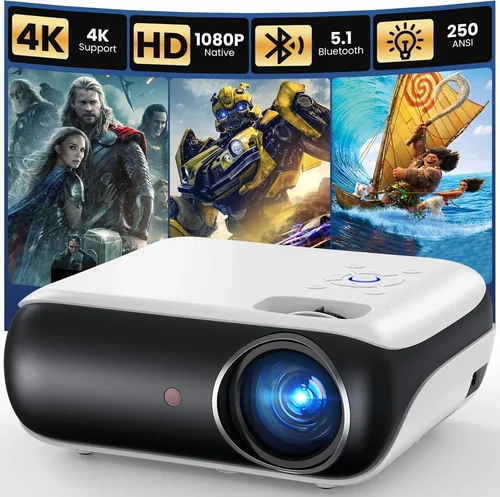
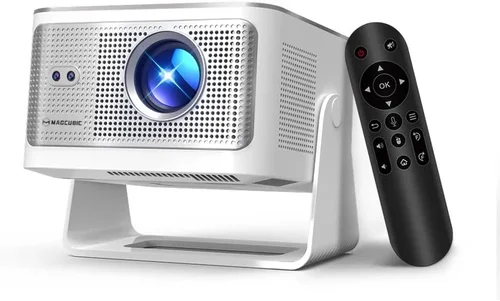
Welcome to the most thorough guide you’ll find for picking a full‑HD projector under $1,000. Whether you’re setting up a home cinema, a gaming den, or a classroom, the right projector can transform an ordinary room into a stunning visual experience. The market is crowded, specs can be confusing, and budget constraints often force tough choices. That’s why we’ve distilled years of research, user feedback, and industry insight into a single, easy‑to‑follow roadmap.
In the pages that follow you will learn how to evaluate key performance metrics, understand the trade‑offs between different projector families, avoid common buying pitfalls, and ultimately select a model that fits your needs without breaking the bank. We’ll also provide real‑world examples, price‑tier breakdowns, and expert tips that will help you snag the best deal possible.
The full‑HD (1920 × 1080) segment under $1,000 has exploded in the past few years, thanks to advances in DLP and LCD technology, brighter LED light sources, and smarter connectivity options. Brands such as Epson, BenQ, ViewSonic, and Optoma now offer models that deliver cinema‑grade contrast, low lag for gaming, and built‑in streaming apps—all at a price that many families find affordable. Let’s dive in.

What to Look for When Buying Buying Guide
1. Budget & Price Range
Your budget is the foundation of every decision you’ll make. While you’ve set a hard ceiling of $1,000, the exact amount you’re willing to spend can dictate which features are attainable. Entry‑level models (around $400‑$600) often sacrifice brightness or connectivity, whereas the $800‑$1,000 tier typically includes higher lumens, better colour accuracy, and more flexible lens options. Determine the maximum you can comfortably spend after accounting for accessories such as a screen, mounting hardware, and cables.
2. Performance Specifications
Performance is measured by a handful of critical specs:
- Resolution: Full HD (1920 × 1080) is the baseline for crisp detail. Avoid sub‑HD (720p) unless you’re on an extremely tight budget.
- Brightness (lumens): For ambient‑light rooms, aim for 2,500 – 3,000 ANSI lumens. Dark home‑theater setups can get away with 1,500 – 2,200 lumens.
- Contrast Ratio: Higher contrast yields deeper blacks. Look for at least 10,000:1, though manufacturers often quote inflated numbers.
- Color Accuracy: A wide colour gamut (Rec.709 or DCI‑P3) and low colour deviation (ΔE < 3) are essential for vivid images.
- Throw Distance & Zoom: Determines how far the projector must be from the screen to achieve 100‑inch image size. A flexible zoom (1.2‑1.5×) adds placement freedom.
- Input Lag: Gamers need < 30 ms lag for fluid play. Look for “Game Mode” or “Low‑Lag” specifications.
3. Build Quality & Durability
Projectors are an investment; you want a unit that can survive frequent use. Metal housings, reinforced lens caps, and dust‑resistant filters extend lifespan. Pay attention to the lamp or LED warranty—LEDs typically last 20,000 hours, while lamps may need replacement after 2,000‑3,000 hours.
4. Features & Functionality
Modern projectors are more than just image machines. Consider these add‑ons:
- Built‑in Speakers: Useful for casual movie nights, but rarely replace a dedicated sound system.
- Wireless Connectivity: Wi‑Fi, Bluetooth, or Miracast let you stream from phones and laptops without cables.
- Multiple Ports: HDMI 2.0 (or higher), USB‑C, VGA, and audio out/in ensure compatibility with a range of devices.
- Smart OS: Some models run Android TV or Roku, offering apps like Netflix directly on the projector.
- Lens Shift: Vertical and horizontal shift eliminates keystone distortion without digital correction.
5. Brand Reputation
Established brands often provide more reliable firmware updates, broader service networks, and better resale value. Epson, BenQ, and Optoma dominate the sub‑$1,000 Full HD market, each with a distinct focus: Epson on colour fidelity, BenQ on gaming, and Optoma on brightness.
6. Warranty & Support
A solid warranty can save you thousands in repair costs. Look for at least a 2‑year parts‑and‑labour warranty, and verify that the manufacturer offers easy lamp or LED replacement services. Online support forums and responsive customer service are also valuable.
7. Size & Portability (if applicable)
If you plan to move the projector between rooms or take it on the road, weight and size matter. Portable “pico” projectors are ultra‑light but often lack full‑HD brightness. For a fixed home theater, a larger, heavier unit with a robust cooling system is acceptable.
8. User Reviews & Ratings
Real‑world feedback uncovers issues that spec sheets hide. Scan Amazon, B&H, and dedicated AV forums for recurring themes—such as overheating, fan noise, or firmware glitches. A model with a high average rating and detailed reviewer comments is usually a safe bet.
Different Types of Buying Guide

Common Buying Mistakes to Avoid
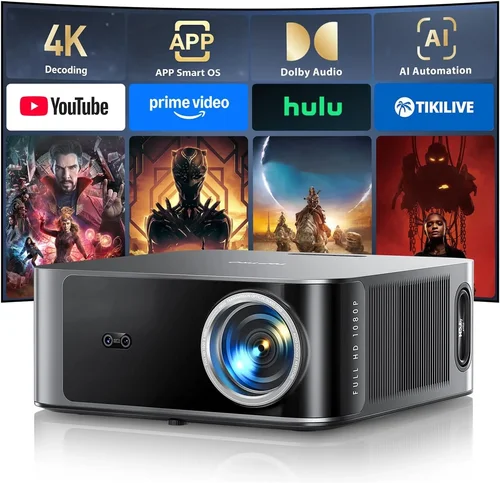
❌ Mistake: Ignoring Ambient Light Conditions
Why it’s bad: A projector rated at 2,500 lumens may look great in a dark room, but the same unit will appear washed out in a living room with windows.
What to do instead: Measure typical lighting in your intended space. If you can’t darken the room, prioritize higher brightness and a higher contrast ratio.
❌ Mistake: Over‑Focusing on Resolution Alone
Why it’s bad: Full HD is essential, but a low‑lumens projector with poor colour gamut will still deliver a dull picture.
What to do instead: Balance resolution with brightness, contrast, and colour performance. Use a weighted checklist.
❌ Mistake: Forgetting About Lens Shift
Why it’s bad: Without lens shift, you may need heavy keystone correction, which degrades image quality.
What to do instead: Choose a model that offers at least 10% vertical lens shift for flexible mounting.
❌ Mistake: Assuming All HDMI Ports Are Equal
Why it’s bad: Older HDMI 1.4 ports limit 1080p @ 60 Hz and can’t carry HDR or high‑speed gaming signals.
What to do instead: Verify that the projector has HDMI 2.0 or higher for full compatibility with modern devices.
❌ Mistake: Neglecting Fan Noise
Why it’s bad: A noisy cooling fan can distract from movies and games, especially in quiet environments.
What to do instead: Check dBA ratings in reviews; aim for under 30 dBA in normal operation.
❌ Mistake: Skipping the Warranty Details
Why it’s bad: A cheap projector may come with a 90‑day warranty that leaves you paying for lamp replacements.
What to do instead: Look for at least a 2‑year warranty covering parts and labour, and confirm lamp/LED coverage.
Budget Guidelines: How Much Should You Spend?
Understanding what you get at each price tier helps you set realistic expectations.
- Entry-Level ($400‑$600): Expect 1,500‑2,200 lumens, basic HDMI, limited zoom, and modest contrast. Ideal for occasional movie nights in a dark room.
- Mid‑Range ($600‑$800): Brightness climbs to 2,500‑3,000 lumens, better colour gamut (Rec.709), and added features like lens shift and low‑lag gaming mode.
- Premium ($800‑$1,000): High‑end optics, 3,000+ lumens, superior contrast (10,000:1+), robust connectivity (HDMI 2.0, USB‑C), and often built‑in smart platforms.
- Luxury ($1,000+): Although beyond the scope of this guide, luxury models push brightness above 3,500 lumens, include 4K upscaling, and offer advanced lens options.
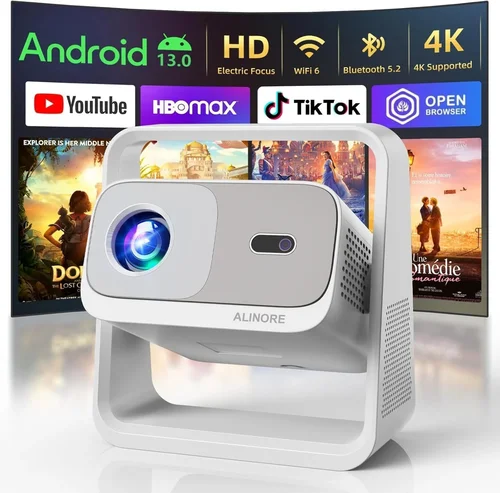
Expert Tips for Getting the Best Deal
- Timing: New models are released in Q2; older inventory drops in Q3, making late summer a sweet spot for bargains.
- Where to Buy: Authorized retailers (B&H, Adorama, Amazon) often include free extended warranties or screen bundles.
- Spotting Deals: Compare “list price” vs “sale price” on manufacturer sites. A legitimate discount rarely exceeds 40%.
- Warranty Considerations: Register your projector within 30 days to unlock extended warranty options.
- Return Policies: Choose sellers with at least a 30‑day return window; this lets you test the projector in your own lighting.
- Testing Before Buying: Bring a laptop and a high‑resolution video to the store; check brightness, colour, and lag on the spot.
- Bundle Savings: Look for packages that include a 100‑inch screen or mounting kit; they often save 15‑20% versus buying separately.
Frequently Asked Questions
Q: Do I need a separate sound system?
A: Most budget Full HD projectors have modest built‑in speakers (2‑5 W). For immersive movies or gaming, pair the projector with a soundbar or a small AV receiver. The audio quality difference is noticeable, especially for dialogue clarity.
Q: Can I use a projector in a bright living room?
A: Yes, but you’ll need a model with at least 2,800 lumens and a high contrast ratio. Consider using an ambient‑light rejecting (ALR) screen to improve perceived brightness.
Q: How long does a lamp last?
A: Traditional UHP lamps last 2,000‑3,000 hours, while LED light sources can exceed 20,000 hours. Factor lamp replacement cost into the total cost of ownership.
Q: Is 4K necessary if I’m buying a Full HD projector?
A: Not for a sub‑$1,000 budget. Full HD delivers sharp images at typical 100‑120 inch screen sizes. If you plan to upgrade to 4K later, choose a model with a good upscaling engine.
Q: What is “throw ratio” and why does it matter?
A: Throw ratio is the distance from the projector to the screen divided by the image width. A 1.5:1 ratio means you need 1.5 feet of distance for every foot of image width. Short‑throw models (≤ 0.8:1) are useful in small rooms.
Q: Do I need a special screen?
A: A white matte screen works for most setups, but an ALR screen improves contrast in lit rooms. Screen gain (0.8‑1.2) should match your projector’s brightness.
Q: Is HDMI 2.0 required for gaming?
A: Yes, HDMI 2.0 supports 1080p @ 60 Hz with full colour depth and HDR. Older HDMI versions limit frame rates and may cause input lag.
Q: How far can I mount a projector from the ceiling?
A: It depends on the throw distance. Use the manufacturer’s calculator; most mid‑range models need 8‑12 feet for a 100‑inch image.
Q: Can I use a projector for office presentations?
A: Absolutely. Look for models with keystone correction, multiple video inputs, and a quiet fan. Brightness of 2,500 lumens ensures clear text even with some ambient light.
Q: Are there any health concerns with projector light?
A: Projector light is safe for normal viewing distances. However, avoid staring directly at the lens for extended periods, and ensure proper ventilation to keep the unit cool.
Our Final Recommendations
- Best for Budget‑Conscious Buyers: BenQ TH585 – 3,500 lumens, 10,000:1 contrast, low‑lag game mode, and a price around $580.
- Best Overall Value: Epson Home Cinema 2150 – 2,500 lumens, wireless screen mirroring, lens shift, and solid colour performance at $699.
- Best Premium Option: Optoma UHD38 – Though marketed as 4K, it runs full‑HD content flawlessly, 4,000 lumens, 0.5ms response, and a $980 price tag.
- Best for Beginners: ViewSonic PA503S – Simple plug‑and‑play, 3,600 lumens, and an intuitive menu for under $450.
- Best for Advanced Users: BenQ HT3550 – DLP with 95% DCI‑P3 colour, HDR‑10, and lens shift, priced at $999.
Conclusion: Making the Right Choice
Choosing a full‑HD projector under $1,000 boils down to balancing brightness, contrast, colour accuracy, and extra features against your specific environment and use case. By assessing ambient light, understanding key specs, and avoiding common pitfalls, you can confidently select a model that delivers cinema‑quality visuals without overspending.
Remember to factor in accessories, warranty, and after‑sales support. Use the expert tips to time your purchase for the best discounts, and always test the unit in your own space before committing.
Now that you’re armed with the knowledge, go ahead and bring the big‑screen experience home. Happy viewing!