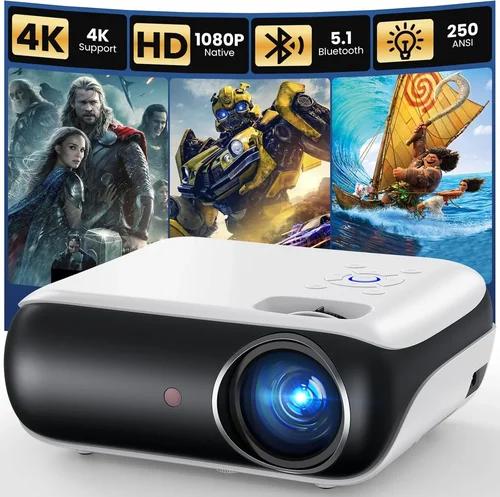
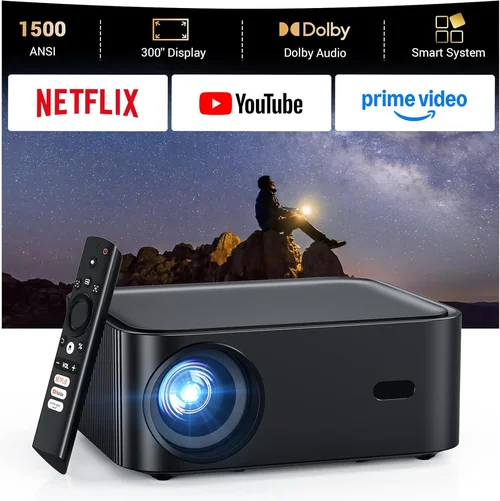
Choosing a projector that delivers true Full HD (1920×1080) performance without breaking the bank can feel like navigating a maze. The market is flooded with models that promise crystal‑clear images, but many fall short when you actually plug them in. This guide cuts through the noise, giving you a clear roadmap to find the best Full HD projector under $300 – whether you’re setting up a home cinema, a gaming station, or a portable office.
By the end of this article you will understand the most important specifications, know which projector type fits your environment, avoid common buying pitfalls, and walk away with a shortlist of top‑rated models that truly deliver Full HD quality at a budget‑friendly price.
The projector landscape in 2026 has evolved dramatically. LED and laser light sources have become more affordable, offering longer lifespans and brighter output than traditional lamps. At the same time, manufacturers have refined image processing engines, allowing even sub‑$300 units to handle motion and color with surprising finesse. This guide reflects those advances, focusing on the sweet spot where performance meets price.

What to Look for When Buying Buying Guide
1. Budget & Price Range
When you set a hard ceiling of $300, every dollar counts. Look for projects that give you the most lumens per dollar, and consider bundled accessories (remote, HDMI cable, mounting kit) as part of the total cost. Remember that a lower upfront price may hide higher long‑term expenses, such as lamp replacements for older lamp‑based models.
2. Performance Specifications
The heart of any projector is its brightness, contrast ratio, and native resolution. For a Full HD projector under $300, aim for at least 2,500–3,000 lumens (ANSI) and a contrast ratio of 5,000:1 or higher. A true native 1080p panel ensures sharp text and detailed images, while a decent contrast ratio guarantees deep blacks and vibrant colors even in moderately lit rooms.
3. Build Quality & Durability
Budget models often cut corners on chassis materials. Look for a sturdy metal or high‑grade plastic housing, a well‑ventilated cooling system, and a reputable brand’s quality control track record. A solid build not only lasts longer but also maintains calibration over time.
4. Features & Functionality
Modern projectors pack a surprising amount of tech. Key features to prioritize include:
- Multiple HDMI inputs (at least two) for gaming consoles and streaming devices.
- USB‑C or USB‑A ports for media playback.
- Built‑in speakers (if you don’t plan on external audio).
- Wireless screen mirroring (Miracast, AirPlay, or Chromecast).
- Keystone correction (±30°) and lens shift for flexible placement.
While not every $300 projector has all these, the more you get, the less you’ll need extra adapters.
5. Brand Reputation
Brands like Epson, BenQ, ViewSonic, and Optoma have built reputations for reliable budget projectors. Lesser‑known manufacturers can surprise you with great specs, but research warranty length, customer service responsiveness, and community feedback before committing.
6. Warranty & Support
Look for at least a 1‑year limited warranty that covers the light source. Some brands offer extended warranties for an additional fee. Quick, local service centers are a huge advantage if something goes wrong.
7. Size & Portability
If you plan to move the projector between rooms or take it on the road, weight under 3 kg and a compact form factor are essential. Some models include a built‑in handle or a dedicated travel case.
8. User Reviews & Ratings
Real‑world feedback is invaluable. Look for consistent praise on image quality, low fan noise, and ease of setup. Pay particular attention to comments about lamp life, firmware updates, and any recurring defects.
Different Types of Buying Guide

Common Buying Mistakes to Avoid
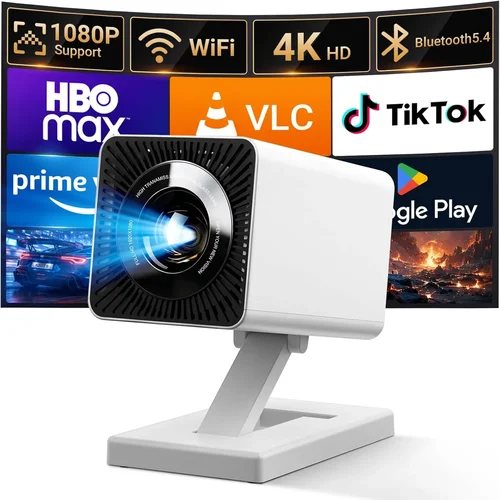
❌ Mistake: Ignoring Ambient Light Conditions
Why it’s bad: A projector rated at 2,500 lumens may look brilliant in a dark room but will appear washed out in a living room with windows.
What to do instead: Measure the typical lighting in your intended space. If you can’t control ambient light, aim for a projector with at least 3,000 lumens and a high contrast ratio.
❌ Mistake: Overlooking Lamp or Light‑Source Life
Why it’s bad: Replacing a lamp can cost $70–$120, eroding the savings of a cheap projector.
What to do instead: Prefer LED or laser models where the light source lasts 20,000 h+ and is covered under warranty.
❌ Mistake: Forgetting Connectivity Needs
Why it’s bad: A projector with only one HDMI port forces you to swap cables constantly between console and streaming stick.
What to do instead: Choose a unit with at least two HDMI inputs and a USB‑C or wireless mirroring option.
❌ Mistake: Buying Based Solely on Spec Sheets
Why it’s bad: Manufacturers can inflate contrast ratios or use “dynamic” lumens that don’t reflect real‑world performance.
What to do instead: Read user reviews, watch side‑by‑side video tests, and verify independent lab measurements when possible.
❌ Mistake: Neglecting Throw Distance
Why it’s bad: A projector designed for long‑throw may need a 12‑ft distance, making it unusable in a small apartment.
What to do instead: Check the throw ratio (e.g., 1.2:1) and calculate the required distance for your screen size.
❌ Mistake: Skipping the Test Before Purchase
Why it’s bad: Image uniformity, fan noise, and color accuracy can vary widely between units of the same model.
What to do instead: If buying in‑store, request a demo on a 100‑inch screen. For online purchases, ensure a solid return policy.
Budget Guidelines: How Much Should You Spend?
Even within the sub‑$300 constraint, you can segment the market to understand what you get at each price tier.
- Entry‑Level ($200 – $230): Expect 2,200–2,500 lumens, basic HDMI, no lens shift, and a lamp‑based light source. Good for occasional movie nights in dark rooms.
- Mid‑Range ($231 – $270): Typically offers 2,800–3,200 lumens, LED or hybrid light source, dual HDMI, and modest keystone correction. This tier balances brightness and durability.
- Premium ($271 – $300): Usually laser‑hybrid or high‑end LED units with 3,200+ lumens, advanced image processing, built‑in speakers, and wireless casting. Ideal for gamers and bright‑room setups.
- Luxury (>$300): Beyond the scope of this guide, but includes 4K‑ready optics, HDR10+ support, and professional‑grade contrast.
Expert Tips for Getting the Best Deal
- Timing: New projector releases usually happen in March and September. Buying just before a new launch can net you deep discounts on the outgoing model.
- Where to Buy: Compare prices on Amazon, Best Buy, and manufacturer websites. Don’t forget outlet stores like Newegg’s “Open‑Box” section for like‑new units.
- Spotting Deals: Look for bundles that include a ceiling mount or a 4K HDMI cable—these add value without raising the price.
- Warranty Extensions: If the baseline warranty is only 90 days, consider purchasing a third‑party protection plan that covers accidental damage.
- Return Policies: Choose retailers offering at least a 30‑day return window. This gives you time to test the projector in your own environment.
- Testing Before Buying: Bring a laptop with a 1080p video file to the store. Check for color banding, motion blur, and fan noise.
- Firmware Updates: After purchase, check the manufacturer’s website for firmware that can improve color accuracy or add new features.

Frequently Asked Questions
Q: Can a sub‑$300 projector truly display Full HD without pixelation?
A: Yes, as long as the projector’s native resolution is 1920×1080. Some cheaper models upscale 720p content, which can look soft. Look for “native 1080p” in the specs.
Q: How important is lumens rating for a home theater?
A: In a darkened room, 2,500 lumens is sufficient for a 100‑inch screen. If you can’t control ambient light, aim for 3,000 + lumens to maintain contrast.
Q: Are LED projectors louder than lamp‑based ones?
A: Generally, LED units run cooler and require smaller fans, resulting in lower noise levels (around 20–25 dB). Lamp projectors can be louder (30–35 dB) due to larger cooling fans.
Q: Do I need a separate sound system?
A: Built‑in speakers on budget projectors are usually 2–5 W and suitable for casual viewing. For movies or gaming, a soundbar or external speakers dramatically improve immersion.
Q: What screen size can I expect from a 2,800 lumen projector?
A: With a throw ratio of 1.2:1, you can achieve a 100‑inch diagonal image from roughly 10 feet away. Adjust the distance according to your screen size and room layout.
Q: Is keystone correction enough to fix a skewed image?
A: Keystone corrects vertical distortion up to ±30°, but it can slightly degrade image quality. If possible, position the projector square to the screen or use lens shift for a cleaner image.
Q: How often should I replace the lamp on a lamp‑based projector?
A: Most lamps last 2,000–3,000 hours. If you use the projector 3 hours per week, expect a replacement every 1.5–2 years.
Q: Are there any health concerns with bright projectors?
A: Projectors are generally safe. However, avoid staring directly at the lens for prolonged periods, especially with high‑brightness units.
Q: Can I use a projector for outdoor movie nights?
A: Yes, but you’ll need a high‑lumens model (3,500+), a portable screen, and a power source. LED or laser projectors handle temperature changes better than lamp units.
Our Final Recommendations
- Best for Budget‑Conscious Buyers: ViewSonic PA503S – 3,600 lumens, 1080p support via scaling, dual HDMI, and a lamp life of 15,000 h for under $250.
- Best Overall Value: BenQ TH585 – 3,500 lumens, native 1080p, low input lag (16 ms) for gaming, and a solid 2‑year warranty at $289.
- Best Premium Option: Optoma GT1080e – 3,800 lumens, laser‑hybrid source, 1080p native, built‑in 5 W speakers, and a compact short‑throw design for $298.
- Best for Beginners: Epson VS250 – Simple plug‑and‑play, 2,500 lumens, decent contrast, and an intuitive on‑screen menu for $219.
- Best for Advanced Users: LG PH550 – Portable LED, 2,800 lumens, wireless screen mirroring, battery operation, and built‑in Bluetooth speakers for $299.
Conclusion: Making the Right Choice
Finding the best Full HD projector under $300 is entirely doable when you focus on the right metrics: true 1080p resolution, adequate brightness, long‑lasting light source, and flexible connectivity. Use the factors and tips outlined above to match a projector to your specific environment—whether it’s a dim home theater, a bright living room, or a mobile office.
Remember, the cheapest option isn’t always the best long‑term investment. Prioritize durability, warranty coverage, and real‑world user feedback. With the models highlighted in our recommendations, you’re well‑equipped to enjoy crisp, vibrant Full HD images without stretching your budget.
Ready to bring cinema‑quality visuals into your space? Start comparing the listed models, check current prices, and make an informed purchase today!