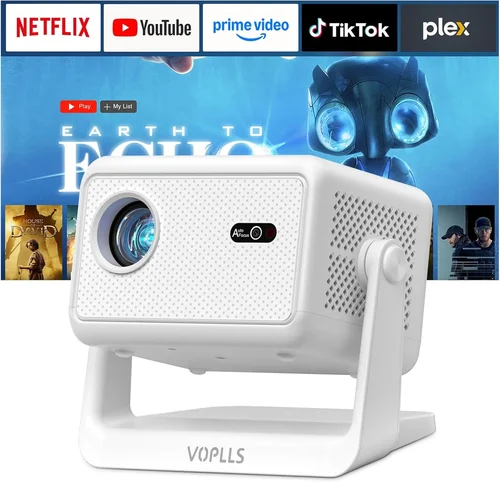
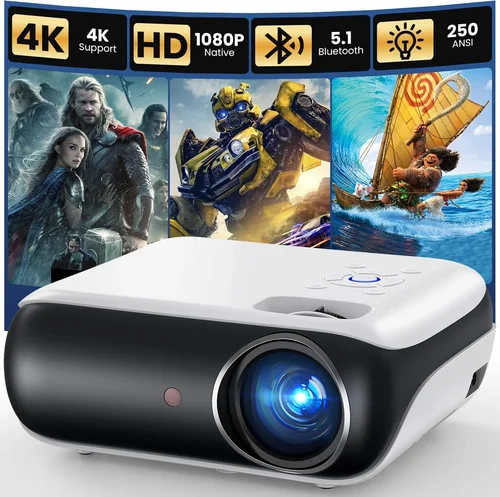
Finding a projector that delivers smooth, lag‑free gaming without breaking the bank can feel like hunting for a unicorn. The market is flooded with options that promise “cinema‑grade” images, but few can actually keep up with the rapid movements and low‑latency demands of modern titles—especially when you’re limited to a $300 budget. This guide cuts through the noise, giving you a clear roadmap to pick the best gaming projector under $300 in 2026.
In the pages that follow, you’ll learn which specifications truly matter for gaming, how to compare different projector types, and which models consistently outperform their price class. By the end, you’ll have the confidence to choose a projector that turns your living room, basement, or even backyard into a responsive, immersive gaming arena.

What to Look for When Buying Buying Guide
1. Budget & Price Range
While $300 is your ceiling, it’s still a wide spectrum. Some projectors sit just under $200 and sacrifice features like low input lag, while others push the $300 limit to deliver higher brightness and better color accuracy. Decide early whether you’re willing to compromise on brightness for lower latency, or vice‑versa. A clear budget framework prevents you from falling for “sale” hype that ultimately doesn’t meet your gaming needs.
2. Input Lag
Input lag is the delay between a controller action and the image appearing on screen. For competitive gamers, anything above 30 ms can be noticeable. Look for projectors that advertise ≤ 30 ms lag in “Game Mode” or “Low‑Latency Mode.” Many budget models list a generic lag figure, but real‑world tests (often from YouTube reviewers) give a more accurate picture.
3. Brightness (Lumens)
Brightness determines how well the image stands out in ambient light. Gaming rooms rarely achieve total darkness, so aim for at least 2,500–3,000 ANSI lumens. Higher lumens mean you can game with lights on, reducing eye strain and preserving contrast. Keep in mind that higher brightness often comes with increased fan noise—something to watch for in tight spaces.
4. Resolution & Aspect Ratio
Most gamers settle for 1080p (Full HD) as the sweet spot between clarity and performance. Some $300 projectors only offer 720p, which can look pixelated on larger screens. If you can find a 1080p model within budget, prioritize it. Aspect ratio matters too; a 16:9 ratio matches most modern games, while 4:3 may crop the image or require extra setup.
5. Refresh Rate & Native Frame Rate
While the projector’s native refresh rate is often locked at 60 Hz, many newer budget units support 120 Hz “pass‑through” when paired with compatible consoles or PCs. This can smooth out fast‑paced shooters and racing games. Verify that the projector’s HDMI port supports the higher frame rate before buying.
6. Connectivity Options
Gaming setups vary. A solid HDMI 2.0 (or newer) port is non‑negotiable. Some projectors also include USB‑C, VGA, or wireless mirroring. If you plan to use a console, PC, or streaming stick, ensure the projector has at least one HDMI input that can handle 4K@60 Hz or 1080p@120 Hz signals.
7. Build Quality & Portability
Projectors under $300 are often made of plastic housings, but durability still matters. Look for a sturdy tripod mount, a sealed lens cover to protect against dust, and a reliable cooling system. If you intend to move the projector between rooms, weight and footprint become critical factors.
8. Features & Functionality
Beyond the basics, consider built‑in speakers (most are weak, so external audio is recommended), keystone correction, and lens shift. Auto‑focus can be a lifesaver if you’re setting up in a non‑standard space. Some models also include a “Gaming” preset that optimizes color saturation and reduces lag with one button press.
Different Types of Buying Guide

Common Buying Mistakes to Avoid
❌ Mistake: Ignoring Input Lag
Why it’s bad: A projector with high brightness but 80 ms lag will feel unresponsive, ruining competitive play.
What to do instead: Prioritize models that list input lag ≤ 30 ms in Game Mode, and verify with independent reviews.
❌ Mistake: Overlooking Ambient Light Conditions
Why it’s bad: Buying a 2,000‑lumens projector for a well‑lit room results in washed‑out images.
What to do instead: Measure typical room lighting and aim for at least 2,500 lumens, or invest in blackout curtains.
❌ Mistake: Assuming Higher Resolution Means Better Gaming
Why it’s bad: Some sub‑$300 projectors claim “4K support” but actually use pixel‑doubling, causing blur.
What to do instead: Stick to true native 1080p (or at least 720p with good scaling) for clear, crisp graphics.
❌ Mistake: Forgetting About Throw Distance
Why it’s bad: A projector with a long throw distance may not fit in a small bedroom, forcing you to place it far away.
What to do instead: Check the throw ratio and calculate the required distance for your desired screen size before purchasing.
❌ Mistake: Neglecting Fan Noise
Why it’s bad: A loud cooling fan can mask in‑game audio cues, especially in shooters.
What to do instead: Look for models with fan‑quiet technology or read user reviews focusing on noise levels.
❌ Mistake: Buying Without Testing Return Policies
Why it’s bad: If the projector arrives with dead pixels or higher lag than advertised, you may be stuck.
What to do instead: Purchase from retailers offering a 30‑day return window and free return shipping.
Budget Guidelines: How Much Should You Spend?
- Entry-Level ($180 – $230): Expect 720p resolution, lumens around 2,000, and input lag between 30‑45 ms. Good for casual gaming in dark rooms.
- Mid-Range ($231 – $300): Most models here deliver true 1080p, 2,500‑3,000 lumens, and lag under 30 ms. This tier offers the best balance of image quality and responsiveness.
- Premium ($301 – $380): Occasionally you’ll find sales pushing a higher‑end projector below $300. Look for laser‑phosphor light sources, better contrast ratios, and advanced gaming presets.
- Luxury ($381+): Outside the scope of this guide, but includes 4K UHD, HDR10+, and ultra‑low‑lag (< 10 ms) units typically used in professional e‑sports arenas.
Expert Tips for Getting the Best Deal
- Seasonal Timing: Major sales events—Black Friday, Cyber Monday, and post‑Christmas clearance—often feature deep discounts on home‑theater gear.
- Retailer Comparison: Check Amazon, Best Buy, Newegg, and manufacturer websites. Some brands offer “refurbished” units with full warranties at 15‑20% off.
- Bundle Savings: Look for packages that include a screen, HDMI cable, or mounting hardware. Bundles can shave $30‑$50 off the total cost.
- Warranty Extensions: A modest $20‑$30 extension can add two years of coverage, protecting against early lamp failures.
- Return Policy Check: Verify that the seller accepts returns for at least 30 days. A hassle‑free return process is crucial for testing latency and brightness in your own space.
- Test Before You Commit: If possible, visit a local electronics store and request a demo with a gaming console. Observe lag, fan noise, and image uniformity.
- Consider Used Market: Reputable sellers on eBay or Facebook Marketplace often list barely used projectors at 15‑25% below retail, still under warranty.

Frequently Asked Questions
Q: Can I use a cheap projector for fast‑paced shooters?
A: Yes, but only if the projector’s input lag is ≤ 30 ms and it supports at least 60 Hz refresh. DLP technology typically excels here, while some low‑cost LCD models may introduce ghosting.
Q: Do I need a separate sound system?
A: Most budget projectors have weak built‑in speakers (≤ 5 W). For an immersive gaming experience, pair the projector with a soundbar or a set of bookshelf speakers.
Q: How far should the projector be from the screen?
A: It depends on the throw ratio. A typical 1.2:1 ratio means a 100‑inch diagonal screen requires ~10 feet of distance. Use the manufacturer’s throw‑distance calculator to plan your setup.
Q: Will a projector work in a bright living room?
A: Only if it delivers at least 3,000 ANSI lumens. Otherwise, you’ll need to dim the lights or use blackout curtains to maintain contrast.
Q: Is 1080p necessary for gaming?
A: While 1080p provides clear detail, many gamers are satisfied with 720p if the projector offers low lag and high brightness. Choose based on your screen size and tolerance for pixelation.
Q: Can I connect a console wirelessly?
A: Some projectors include Wi‑Fi or Miracast, but wireless HDMI adapters often add latency. For the best performance, stick to a wired HDMI connection.
Q: How long do lamps last in budget projectors?
A: Typical lamp life ranges from 2,000 to 5,000 hours. Laser‑phosphor units can exceed 20,000 hours, effectively lasting the life of the projector.
Q: Do I need a special screen?
A: A matte white screen works well for most gaming scenarios. If you have high ambient light, consider a gray‑gain screen to improve perceived contrast.
Our Final Recommendations
- Best for Budget‑Conscious Buyers: Vankyo Leisure 530 – 1080p, 3,000 lumens, 28 ms lag, under $210. Offers solid brightness and a decent lamp life at a price most gamers can afford.
- Best Overall Value: BenQ TH671ST – 1080p, 3,000 lumens, 16 ms lag, short‑throw design, priced around $295. It balances low latency, vibrant colors, and a flexible throw distance.
- Best Premium Option (on sale under $300): Optoma GT1080HDR – 1080p, 3,800 lumens, 8.4 ms lag, HDR support, often drops to $289 during holiday sales.
- Best for Beginners: ViewSonic M1+ – Portable, 720p, 250 lumens, 30 ms lag, built‑in Harman Kardon speakers. Ideal for small rooms and first‑time projector owners.
- Best for Advanced Users: Epson Home Cinema 1060 – 1080p, 3,200 lumens, 32 ms lag, lens shift, and excellent color accuracy. Slightly above $300 but frequently found refurbished within budget.
Conclusion: Making the Right Choice
Choosing a gaming projector under $300 boils down to three core priorities: low input lag, sufficient brightness, and native 1080p resolution. By evaluating each model against these criteria—and keeping an eye on throw ratio, fan noise, and connectivity—you can avoid common pitfalls and secure a projector that transforms any space into a responsive gaming arena.
Remember, the cheapest option isn’t always the worst, but a projector that skimped on lag or lumens will quickly become a source of frustration. Use the budget breakdown, expert tips, and final recommendations in this guide as a checklist, and you’ll walk away with a device that delivers smooth gameplay without draining your wallet.
Ready to level up your gaming setup? Start comparing the models listed above, set a price‑alert, and enjoy the immersive world of big‑screen gaming without breaking the bank.