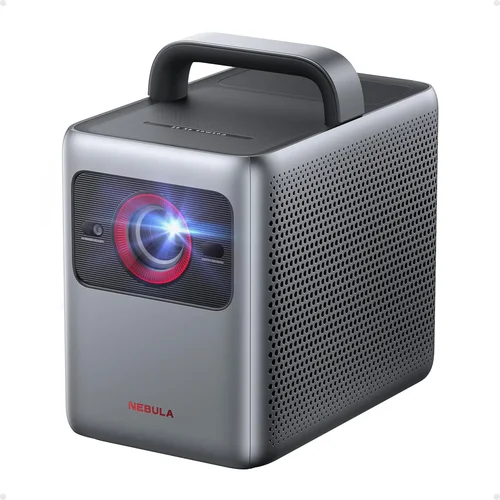
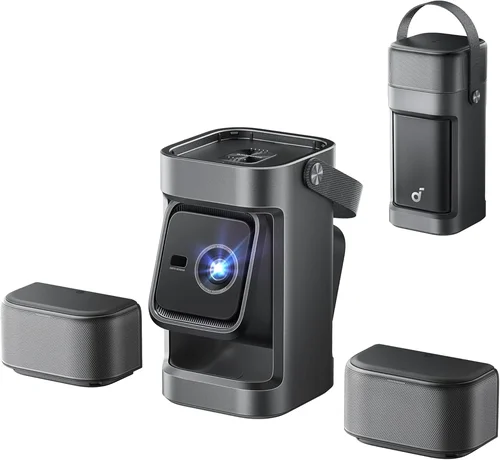
Finding the perfect gaming projector under $1,000 can feel like hunting for a needle in a haystack. The market is flooded with options that promise cinema‑grade visuals, ultra‑low lag, and immersive sound, yet many fall short when you actually plug them in for a marathon gaming session. This guide cuts through the noise, giving you a clear roadmap to the best gaming projectors you can buy without breaking the bank.
What you’ll learn:
- Which technical specs truly matter for gaming
- How to match projector types to your play style and room setup
- Common pitfalls that turn a great purchase into a regret
- Budget‑friendly recommendations for every level of gamer
The projector landscape in 2026 is more diverse than ever. LED, laser, and DLP technologies now coexist, and manufacturers are adding gaming‑specific features such as variable refresh rate (VRR) and auto‑keystone. Prices have dropped, but the sweet spot of performance and price still requires a careful look at brightness, input lag, and connectivity. Let’s dive in.

What to Look for When Buying Buying Guide
1. Budget & Price Range
Setting a realistic budget is the first step. Under $1,000 you’ll typically find mid‑range DLP or LED projectors. While you can snag a laser model at a discount, expect compromises in brightness or throw distance. Decide whether you need a portable unit for LAN parties or a fixed home‑theater setup; this will dictate how much you should allocate to each feature.
2. Performance Specifications
The three pillars of gaming performance are brightness (measured in lumens), contrast ratio, and input lag. Brightness above 2,500 lumens ensures vivid images even in rooms with ambient light. A contrast ratio of at least 10,000:1 delivers deeper blacks, essential for dark‑room shooters. Input lag below 15 ms is the sweet spot for competitive play; anything higher can feel sluggish, especially in fast‑paced shooters.
3. Build Quality & Durability
Gaming sessions can be long and intense, so a sturdy chassis and reliable cooling system are non‑negotiable. Look for metal housings, sealed ventilation, and a warranty that covers the lamp or laser module for at least 2 years. Projectors with dust‑proof filters tend to last longer in environments where popcorn and soda are part of the routine.
4. Features & Functionality
Modern gaming projectors pack a toolbox of features:
- Variable Refresh Rate (VRR) – syncs the projector’s refresh rate with your GPU to eliminate tearing.
- Gaming Mode – often a preset that reduces processing delay.
- Auto‑Keystone & Lens Shift – helps achieve a perfect rectangle without manual adjustments.
- Multiple HDMI 2.1 Ports – necessary for 4K@120 Hz or 8K passthrough.
- Built‑in Speakers – convenient, though a separate sound system is recommended for true immersion.
5. Brand Reputation
Established brands like Epson, BenQ, Optoma, and ViewSonic have proven track records in gaming. They usually provide reliable firmware updates and responsive customer service. Newer entrants may offer cutting‑edge tech at lower prices, but research their post‑sale support before committing.
6. Warranty & Support
A solid warranty can save you hundreds of dollars. Look for at least a 2‑year coverage on the light source, with options to extend. Check whether the manufacturer offers on‑site repairs or a convenient mail‑in process. Online forums and user communities are also valuable resources for troubleshooting.
7. Size & Portability
If you plan to move the projector between rooms or take it to a friend’s house, weight and footprint matter. Portable models often sacrifice brightness, so balance convenience with the lighting conditions of your typical gaming environment.
8. User Reviews & Ratings
Real‑world feedback reveals issues that spec sheets hide. Look for reviews that mention long‑term reliability, firmware stability, and how the projector performs with specific consoles or PCs. A high average rating combined with detailed user comments is a strong indicator of overall satisfaction.
Different Types of Buying Guide
Common Buying Mistakes to Avoid
❌ Mistake: Ignoring Ambient Light Conditions
Why it’s bad: A projector with 2,000 lumens may look stunning in a dark theater, but the same unit will appear washed out in a typical living‑room with windows.
What to do instead: Measure your room’s typical lighting and aim for at least 2,500 lumens for flexible use. Consider a projector with a high dynamic contrast ratio (HDR) if you can control ambient light.
❌ Mistake: Overlooking Input Lag
Why it’s bad: High input lag turns fast shooters into a laggy experience, putting you at a competitive disadvantage.
What to do instead: Check independent lab results or manufacturer specs for lag under 15 ms in gaming mode. Prioritize DLP or laser models that advertise “gaming‑optimized” processing.
❌ Mistake: Buying Without Checking Connectivity
Why it’s bad: A projector lacking HDMI 2.1 cannot fully exploit a next‑gen console’s 4K @ 120 Hz output.
What to do instead: Verify the presence of at least one HDMI 2.1 port, plus USB‑C or DisplayPort if you plan to connect a PC.
❌ Mistake: Forgetting Throw Distance Calculations
Why it’s bad: Placing a long‑throw projector too close results in a tiny image; too far and you need a massive screen.
What to do instead: Use the manufacturer’s throw‑ratio chart to determine the ideal distance for a 100‑inch screen in your space.
❌ Mistake: Assuming “All‑In‑One” Means Perfect Sound
Why it’s bad: Built‑in speakers are usually under 10 W and cannot reproduce the deep bass needed for immersive gaming.
What to do instead: Pair the projector with a soundbar or external AVR for a truly cinematic experience.
❌ Mistake: Skipping Firmware Updates
Why it’s bad: Out‑of‑date firmware can cause compatibility issues with newer consoles and may increase input lag.
What to do instead: Choose a brand that offers regular updates and follow their support page after purchase.
Budget Guidelines: How Much Should You Spend?
- Entry-Level ($400‑$600): Expect basic DLP lamps, modest brightness (1,800‑2,200 lumens), and higher input lag (~30 ms). Good for casual gaming in a dark room.
- Mid-Range ($600‑$850): Balances brightness (2,500‑3,200 lumens), low input lag (≤15 ms), and adds features like VRR and 4K support. Ideal for most gamers who want a solid experience without premium pricing.
- Premium ($850‑$1,000): Laser‑phosphor light sources, excellent contrast (>20,000:1), and full HDMI 2.1 support. Best for enthusiasts seeking future‑proofing and the best image quality under $1k.
- Luxury ($1,000+): Beyond the scope of this guide but includes 4K laser projectors with HDR10+ and integrated smart platforms.
Expert Tips for Getting the Best Deal
- Timing: New models release in Q2; older inventory is discounted in Q3 and Q4.
- Retailers: Check both major chains (Best Buy, B&H) and specialty sites (Newegg, ProjectorPeople) for bundle offers that include screens or mounting kits.
- Deal Hunting: Look for “open‑box” listings; they’re usually refurbished but come with full warranty.
- Warranty Extensions: Some manufacturers offer a 3‑year laser module guarantee for a small fee—worth it for peace of mind.
- Return Policies: Ensure a 30‑day return window; test the projector in your own lighting conditions.
- Testing: Bring a laptop and a game console to a store demo. Measure lag with a high‑speed camera or a lag‑testing app.
- Bundling: Pair your purchase with a high‑gain screen (120 % gain) to boost perceived brightness without extra lumens.

Frequently Asked Questions
Q: Can I use a gaming projector for movies as well?
A: Absolutely. Most gaming projectors support HDR10 and have a wide color gamut, making them suitable for movies. Just switch to “Cinema” or “Movie” mode to prioritize color accuracy over low lag.
Q: Do I need a special screen for a projector under $1,000?
A: A white matte screen works fine, but a gray or high‑gain screen can improve contrast in brighter rooms. The screen cost is separate but can be a worthwhile investment.
Q: How often do I need to replace the lamp or laser?
A: LED and laser‑phosphor units often last 20,000‑30,000 hours, effectively the lifetime of the projector. Traditional lamps may need replacement every 2,000‑3,000 hours.
Q: Is 4K necessary for gaming?
A: 4K provides sharper detail, but you’ll notice it most on larger screens (100‑120 inches) and with a powerful GPU. If your GPU is 1080p‑capable, a high‑quality 1080p projector can still deliver an excellent experience.
Q: Will a short‑throw projector work in a small bedroom?
A: Yes. Short‑throw models can produce a 100‑inch image from just 3‑4 feet away, perfect for tight spaces.
Q: Does HDMI 2.0 suffice for next‑gen consoles?
A: HDMI 2.0 supports 4K @ 60 Hz, which is adequate for most games. For 4K @ 120 Hz or VRR, HDMI 2.1 is required.
Q: How important is lens shift?
A: Lens shift allows you to fine‑tune image placement without keystone distortion, essential for ceiling‑mount installations.
Q: Can I connect multiple consoles at once?
A: Look for projectors with at least two HDMI inputs. Some models also support HDMI‑ARC for audio‑return, simplifying sound system connections.
Our Final Recommendations
- Best for Budget‑Conscious Buyers: BenQ TH585 – 3,500 lumens, 16 ms input lag, HDMI 2.0, excellent for bright rooms, under $650.
- Best Overall Value: Optoma UHD50X – 3,400 lumens, 15 ms lag, HDMI 2.1, supports 4K @ 120 Hz, priced around $800.
- Best Premium Option: Epson Home Cinema 3200 – 2,900 lumens laser, 13 ms lag, 4K‑enhanced, HDMI 2.1, around $980.
- Best for Beginners: ViewSonic PX701-4K – Easy setup, 3,200 lumens, low lag, budget‑friendly at $720.
- Best for Advanced Users: LG HU85LA Ultra Short‑Throw – 2,700 lumens laser, 12 ms lag, 4K, short‑throw, just under $1,000.
Conclusion: Making the Right Choice
Choosing a gaming projector under $1,000 is less about chasing the lowest price and more about aligning key specs with your gaming environment. Prioritize brightness, low input lag, and the right connectivity for your console or PC. Remember to factor in room size, ambient light, and whether you’ll need a short‑throw or portable unit.
Use the checklist above, compare the recommended models, and test whenever possible. With the right projector, you’ll transform your living room into a competitive arena or an immersive cinematic playground—without spending a fortune.