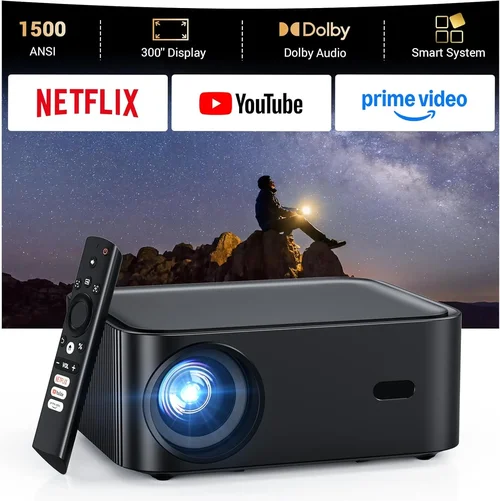
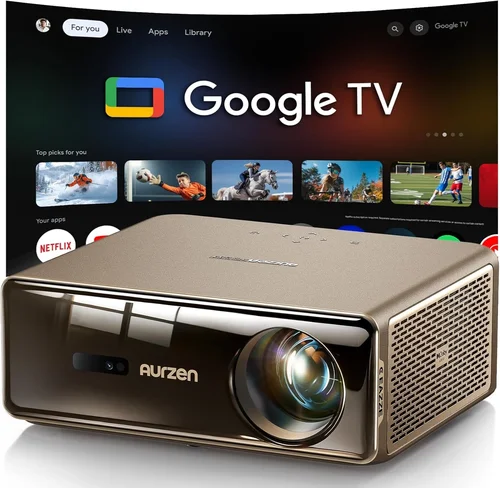
Welcome to the ultimate guide for anyone who wants to bring a realistic golf experience into the comfort of their home without breaking the bank. Whether you are a weekend warrior, a budding pro, or simply looking for a fun way to stay active during the off‑season, a quality golf simulator can transform a spare room, garage, or even a backyard wall into a practice green. The market for golf‑sim projectors has exploded in recent years, and today you can find models that deliver crisp 1080p images, low lag, and vibrant colors for under $1,000. This guide cuts through the noise, helping you understand what matters most, avoid common pitfalls, and select the projector that fits your swing, space, and budget.
In the pages that follow you will learn how to evaluate key specifications such as brightness, throw distance, and resolution; discover the different projector categories that suit various room sizes; see a clear price‑tier breakdown; and get expert tips on where to buy, when to snag the best deal, and how to protect your investment with warranties and support. By the end, you’ll have a concrete shortlist of the best golf‑sim projectors under $1,000 and the confidence to make a purchase that will keep your game sharp for years to come.

What to Look for When Buying Buying Guide
1. Budget & Price Range
Even within the sub‑$1,000 segment, prices can vary dramatically based on brand, features, and performance. Set a clear ceiling—most quality options sit between $400 and $950. Remember that the projector is just one component; you’ll also need a screen or wall, a launch monitor, and possibly mounting hardware. Factor these into your total cost to avoid surprise overruns.
2. Brightness (Lumens)
Brightness, measured in ANSI lumens, determines how well the image will stand up to ambient light. For a dedicated home‑theater room that can be darkened, 1,500–2,000 lumens is ample. If you plan to project onto a wall in a garage or a room with some daylight, aim for 2,500 lumens or more to keep the image vivid and the ball flight clearly visible.
3. Resolution
Resolution directly impacts the sharpness of the projected screen. A minimum of 1080p (Full HD) is essential for a realistic simulation; it ensures the virtual course details—fairways, bunkers, and greens—are crisp. Some newer budget models now offer 4K‑enhanced resolution, but true 4K units typically exceed the $1,000 mark.
4. Throw Ratio & Placement Flexibility
The throw ratio tells you how far the projector must sit from the screen to fill a given width. A short‑throw projector (0.5–1.0:1) can be placed close to the wall, ideal for small rooms or garages. Long‑throw models require more distance but often deliver better uniformity and lower distortion. Measure your space first, then match the throw ratio accordingly.
5. Input Lag & Refresh Rate
When you swing, the simulator’s software must instantly translate ball flight data onto the screen. High input lag (over 30 ms) can feel sluggish and throw off timing. Look for projectors with a refresh rate of 60 Hz or higher and an input lag under 20 ms for a fluid, responsive experience.
6. Connectivity Options
Most golf‑sim software runs on a PC, console, or dedicated launch monitor. Ensure the projector has HDMI 2.0 or higher for 4K‑60 Hz support, and consider additional ports like USB‑C, VGA, or wireless screen‑mirroring if you plan to connect multiple devices.
7. Build Quality & Durability
Projectors are an investment that should withstand regular use. Look for metal housing, a sealed lamp compartment, and a reputable cooling system. Models with a laser light source often have longer lifespans (20,000+ hours) compared to traditional lamps, reducing long‑term maintenance costs.
8. Brand Reputation & Support
Brands like Epson, BenQ, Optoma, and ViewSonic have a track record of reliable home‑theater projectors. Check online forums, professional reviews, and the manufacturer’s warranty length. A solid 2‑year warranty with easy access to service centers can save headaches down the road.
Different Types of Buying Guide

Common Buying Mistakes to Avoid
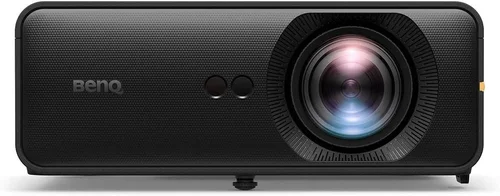
❌ Mistake: Ignoring Ambient Light
Why it’s bad: A projector with low lumens will look washed out in a bright garage, making the ball trajectory hard to see.
What to do instead: Measure the typical light level in your intended space and choose a projector with at least 2,500 lumens if you cannot fully darken the room.
❌ Mistake: Overlooking Throw Ratio
Why it’s bad: Buying a long‑throw model for a 6‑foot deep garage forces you to place the projector too far back, potentially requiring a ceiling mount or compromising image size.
What to do instead: Measure distance from screen to projector placement spot first, then select a short‑throw or ultra‑short‑throw unit that fits.
❌ Mistake: Choosing the Cheapest Lamp
Why it’s bad: Low‑cost lamps often have shorter lifespans (under 3,000 hours) and may dim quickly, reducing image quality over time.
What to do instead: Invest in a model with a sealed laser or LED light source; the upfront cost is higher but replacement is rarely needed.
❌ Mistake: Forgetting Input Lag
Why it’s bad: High lag creates a noticeable delay between your swing and the on‑screen ball flight, breaking immersion.
What to do instead: Look for specifications that list input lag under 20 ms, or read reviewer tests that measure real‑world performance.
❌ Mistake: Neglecting Warranty & Support
Why it’s bad: A limited warranty can leave you paying for repairs out of pocket if the projector fails after a year.
What to do instead: Choose brands offering at least a 2‑year warranty and easy access to authorized service centers.
Budget Guidelines: How Much Should You Spend?
- Entry‑Level ($400‑$600): Expect 1080p resolution, 1,500–2,000 lumens, and basic lamp technology. Suitable for dark rooms and casual play.
- Mid‑Range ($600‑$800): Better brightness (2,200–2,800 lumens), improved color accuracy, and often a short‑throw design. Ideal for most home garages.
- Premium ($800‑$1,000): Laser or hybrid light sources, ultra‑short‑throw options, and lower input lag. Perfect for frequent users who want longevity.
- Luxury ($1,000+): True 4K resolution, HDR support, and premium optics. While above the guide’s ceiling, these models are worth mentioning for enthusiasts.
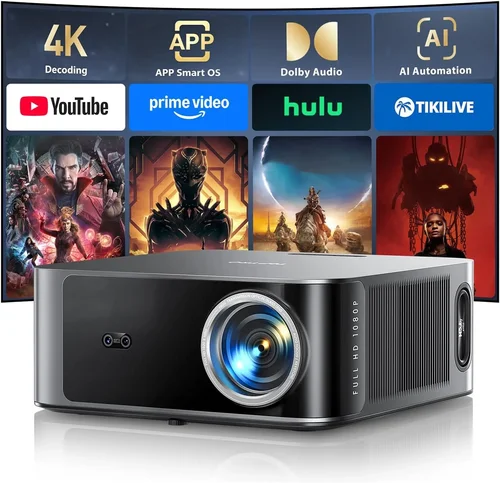
Expert Tips for Getting the Best Deal
- Timing is everything: Major sales events—Black Friday, Cyber Monday, and post‑New Year clearance—typically offer 20‑30% discounts on projector models.
- Shop price‑comparison sites: Use tools like Google Shopping, CamelCamelCamel, or PriceSpy to track historical pricing and ensure you’re getting the lowest offer.
- Consider refurbished units: Certified refurbished projectors from reputable sellers can provide like‑new performance at 15‑25% off retail.
- Bundle with a screen: A high‑gain, matte white screen improves image brightness and contrast. Look for bundles that pair the projector with a 100‑120 inch screen for a cohesive setup.
- Check return policies: A 30‑day return window lets you test the projector in your actual space. Ensure the retailer offers free return shipping.
- Test before you buy: If possible, view a demo unit in a store with a similar ambient light level. Pay attention to black levels and color uniformity.
- Verify firmware updates: Some manufacturers release performance‑improving firmware after launch. Choose a model with an active update schedule.

Frequently Asked Questions
Q: Can I use a regular TV instead of a projector for a golf simulator?
A: While a large‑screen TV can work, projectors offer much bigger image sizes (120‑150 inches) at a lower cost per inch, creating a more immersive field of view. TVs also tend to have higher input lag, which can affect swing timing.
Q: Do I need a special screen for golf simulators?
A: A matte white screen with a gain of 1.0–1.2 is ideal. It reflects light evenly and reduces hotspots. Some users opt for a black‑backdrop screen to improve contrast, especially in bright rooms.
Q: How far should the projector be from the screen?
A: It depends on the throw ratio. For a 0.8:1 short‑throw projector, a 6‑foot distance will fill a 100‑inch screen. Always consult the manufacturer’s distance chart.
Q: Will a laser projector last longer than a lamp?
A: Yes. Laser light sources typically last 20,000–30,000 hours, compared to 2,000–5,000 hours for traditional lamps, meaning fewer replacements and lower long‑term cost.
Q: Is 1080p sufficient for realistic ball flight?
A: Absolutely. Most golf‑sim software is optimized for 1080p, delivering clear ball trajectories and detailed course graphics. Higher resolutions provide marginal gains but often exceed the $1,000 budget.
Q: Can I mount the projector on the ceiling?
A: Yes, provided the mount supports the projector’s weight and allows for proper keystone correction. Ceiling mounts free up floor space and reduce the chance of accidental knocks.
Q: What HDMI version do I need?
A: HDMI 2.0 or higher is recommended to support 1080p at 60 Hz with full color depth. HDMI 1.4 can handle 1080p but may limit refresh rates.
Q: Do I need a separate sound system?
A: Most golf‑sim software includes realistic ambient sounds, but you’ll likely want external speakers for a richer experience. A modest 2.1 soundbar works well.
Our Final Recommendations
- Best for Budget‑Conscious Buyers: BenQ TH585 – 3,500 lumens, 1080p, short‑throw, excellent value at $479.
- Best Overall Value: Epson Home Cinema 2150 – 2,500 lumens, 1080p, wireless mirroring, solid color accuracy for $599.
- Best Premium Option: Optoma CinemaX P2 – Laser, 4,000 lumens, ultra‑short‑throw, 1080p with HDR support at $999.
- Best for Beginners: ViewSonic PX701-4K – 3,200 lumens, easy setup, user‑friendly menu, $549.
- Best for Advanced Users: LG HU85LA – Laser, 2,700 lumens, ultra‑short‑throw, low input lag, $999 (often on sale).
Conclusion: Making the Right Choice
Choosing the best golf‑sim projector under $1,000 boils down to matching your space, lighting conditions, and usage frequency with the right blend of brightness, resolution, and throw ratio. Remember to factor in ancillary costs—screen, mounting, and launch monitor—and to protect your purchase with a solid warranty.
Take the time to measure your room, read user reviews, and compare specifications side‑by‑side. With the information in this guide, you are equipped to make an informed decision that will keep your swing sharp and your practice sessions enjoyable for years to come.
Ready to level up your game? Browse the recommended models, check for current promotions, and start turning any wall into a world‑class golf course today.