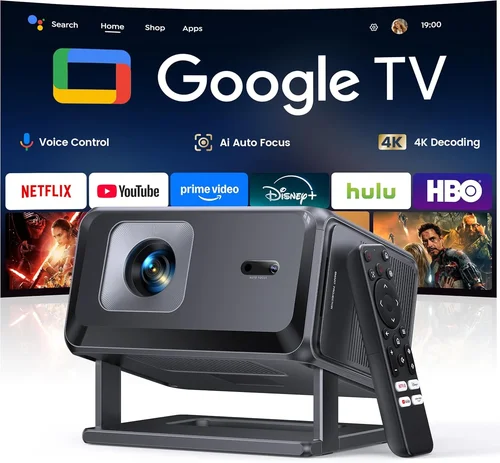
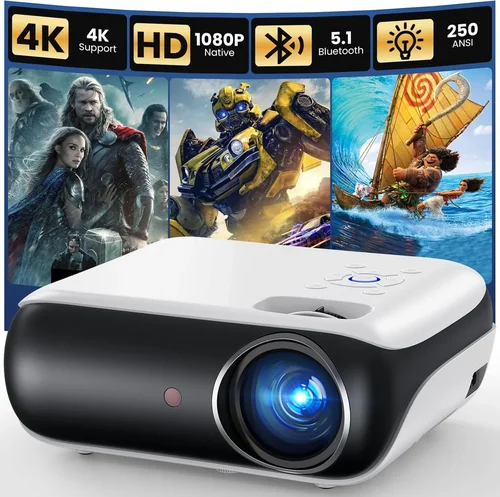
Choosing a home theater projector can feel like stepping into a tech maze, especially when the budget ceiling sits at $5,000. That price point sits at a sweet spot where you can access cinema‑grade image quality without breaking the bank, yet the market is flooded with specifications that sound alike but perform very differently. This guide cuts through the noise, giving you a clear roadmap to find the best HD projector under $5,000 for your living room, home office, or gaming den.
By the end of this article you will know exactly which features matter most, how to compare different projector categories, and which models consistently deliver sharp, vibrant pictures while staying within your budget. Whether you are a movie buff craving deep blacks, a gamer hunting low input lag, or a business professional needing crisp presentations, the information here will help you make a confident, informed purchase.

What to Look for When Buying Buying Guide
1. Budget & Price Range
Even though we focus on projectors under $5,000, the range within that ceiling is still wide. Entry‑level options may sit around $800, while high‑end home‑theater units can approach $4,900. Knowing how much you are willing to spend helps narrow down the feature set you can realistically expect. A higher price often brings better contrast ratios, brighter output, and more robust build quality, but it’s essential to match the price to your actual usage scenario.
2. Performance Specifications
The heart of any projector is its core performance metrics:
- Resolution: For true HD, look for at least 1920 × 1080 (Full HD). Some models push into 4K‑enhanced or native 4K, which can be a bonus if you plan to future‑proof your setup.
- Brightness (lumens): Measured in ANSI lumens, a projector for a dimly lit room should hit 2,000–2,500 lumens. If you need flexibility for daytime viewing, aim for 3,000 lumens or more.
- Contrast Ratio: This determines how deep the blacks appear. A contrast ratio of 20,000:1 or higher is ideal for cinematic experiences.
- Color Accuracy: Look for a wide color gamut (e.g., DCI‑P3 or Rec. 709) and good color depth (10‑bit is a nice benchmark).
- Input Lag: Gamers should target <30 ms lag; many home‑theater projectors hover around 40–60 ms.
3. Build Quality & Durability
Projectors are mechanical devices with moving parts such as lamp housings and cooling fans. A metal chassis, reinforced lens barrel, and quality bearings extend lifespan. Pay attention to the lamp’s rated life (measured in hours). LED or laser light sources, while pricier upfront, often last 20,000–30,000 hours and reduce maintenance costs.
4. Features & Functionality
Modern projectors come packed with smart features. Key ones to evaluate include:
- Lens Shift & Zoom: Enables flexible placement without keystone distortion.
- Keystone Correction: Useful for quick setups, but excessive digital correction can degrade image quality.
- HDR Support: HDR10 or Dolby Vision adds richer highlights and deeper shadows.
- Built‑in Speakers: Convenient for casual viewing, though most audiophiles will use external sound systems.
- Wireless Connectivity: Wi‑Fi, Bluetooth, or AirPlay for streaming directly from devices.
- Multiple HDMI Ports: At least two HDMI 2.0 inputs are recommended for 4K/60 Hz content.
5. Brand Reputation
Well‑established brands like Epson, BenQ, Optoma, and Sony have proven track records for reliability and after‑sales support. Newer entrants may offer cutting‑edge tech at lower prices, but it’s wise to research long‑term durability through user forums and professional reviews.
6. Warranty & Support
A solid warranty—ideally three years for the projector and a separate lamp warranty—can save you thousands if something goes wrong. Look for brands that provide easy access to service centers, quick parts replacement, and responsive customer support.
7. Size & Portability (If Applicable)
While most home‑theater projectors are designed for permanent installation, some users need a portable unit for presentations or backyard movies. In those cases, consider weight (under 5 kg is comfortable), compact form factor, and built‑in battery options.
8. User Reviews & Ratings
Professional lab tests give you objective data, but real‑world user reviews reveal how a projector performs in everyday environments—bright rooms, long‑term usage, firmware updates, etc. Look for patterns in feedback rather than isolated complaints.
Different Types of Buying Guide

Common Buying Mistakes to Avoid
❌ Mistake: Ignoring Ambient Light Conditions
Why it’s bad: Selecting a projector with low lumens for a bright living room will result in washed‑out images.
What to do instead: Measure typical ambient light levels and choose a model with at least 2,500 lumens for moderately lit spaces, or invest in blackout curtains.
❌ Mistake: Over‑relying on Digital Keystone
Why it’s bad: Heavy digital keystone correction reduces native resolution and can introduce artifacts.
What to do instead: Opt for a projector with lens shift or place the unit on a stable, properly aligned surface.
❌ Mistake: Forgetting Lamp Replacement Costs
Why it’s bad: A cheap projector with an expensive, short‑life lamp can cost more over time.
What to do instead: Compare lamp lifespans and consider laser or LED light sources for lower long‑term expenses.
❌ Mistake: Choosing the Wrong Throw Ratio
Why it’s bad: A projector that’s too wide‑throw for your room will force you to place it too far away, making the image too small.
What to do instead: Calculate the required throw distance using the projector’s throw ratio chart and your room dimensions.
❌ Mistake: Ignoring Input Lag for Gaming
Why it’s bad: High input lag creates a noticeable delay between controller actions and on‑screen response.
What to do instead: Look for a “Game Mode” or a measured lag under 30 ms if you plan to game regularly.
❌ Mistake: Not Checking Compatibility with Existing Gear
Why it’s bad: A projector lacking HDMI 2.0 may not support 4K/60 Hz from your console or Blu‑ray player.
What to do instead: Verify that the inputs match your sources—HDMI, USB‑C, or even legacy VGA if needed.
Budget Guidelines: How Much Should You Spend?
- Entry‑Level ($800‑$1,500): Expect Full HD resolution, 2,000 lumens, basic color accuracy, and limited HDR. Ideal for casual movie nights in a dark room.
- Mid‑Range ($1,500‑$3,000): Offers higher brightness (2,500‑3,500 lumens), better contrast ratios, lens shift, and often HDR10 support. Good balance for mixed‑use (movies, games, presentations).
- Premium ($3,000‑$4,500): Near‑native 4K, laser light source, 4,000+ lumens, 10‑bit color, and ultra‑low input lag. Suits dedicated home theaters and serious gamers.
- Luxury ($4,500+): True 4K laser projectors with premium optics, built‑in calibrations, and extensive connectivity. Overkill for most households but perfect for cinephiles with a dedicated space.
Expert Tips for Getting the Best Deal
- Shop in the late fall or early winter when manufacturers release new models; older inventory gets discounted.
- Compare prices across authorized retailers, Amazon, B&H, and direct brand stores. Use price‑tracking tools like CamelCamelCamel.
- Check for bundle offers that include a high‑quality screen, mounting hardware, or extended warranty.
- Read the fine print on “lamp warranty” – some brands count lamp hours against the warranty period.
- When possible, test the projector in a store. Pay attention to black levels, color uniformity, and fan noise.
- Consider buying a refurbished unit from the manufacturer’s outlet; these are often like‑new with a full warranty.
- Register your projector online immediately after purchase to unlock any free firmware updates and extended support.

Frequently Asked Questions
Q: Do I need a separate sound system?
A: Most HD projectors under $5,000 have modest built‑in speakers (10‑20 W). For a true cinematic experience, pairing the projector with a dedicated soundbar or a 5.1 surround system is recommended.
Q: Can I use a projector outdoors?
A: Yes, but you’ll need a high‑lumens model (3,000 lumens or more), a weather‑proof screen, and a shade structure to control ambient light.
Q: What is the difference between LCD and DLP?
A: LCD projectors excel in color accuracy and brightness, while DLP units typically offer higher contrast and faster response times, making them better for gaming.
Q: How long does a lamp last?
A: Traditional UHP lamps last 2,000‑4,000 hours. Laser and LED light sources can reach 20,000‑30,000 hours, reducing replacement costs dramatically.
Q: Is 4K necessary if I’m watching on a 100‑inch screen?
A: For a 100‑inch screen, 1080p can still look sharp, but 4K provides finer detail, especially for close‑up viewing or larger screens (120‑150 inches).
Q: Do I need a special screen?
A: A high‑gain, matte white screen works well for most setups. If you have high ambient light, consider a gray (high‑contrast) screen to improve perceived black levels.
Q: How do I calibrate my projector?
A: Use a calibration disc (e.g., Disney WOW) or a colorimeter with software like CalMAN. Adjust brightness, contrast, color temperature, and gamma to match your viewing environment.
Q: Will a projector work with my gaming console?
A: Ensure the projector has HDMI 2.0 or higher and supports HDCP 2.2 for 4K consoles. Look for a “Game Mode” that reduces input lag.
Q: Is there a difference between “lumens” and “ANSI lumens”?
A: Yes. ANSI lumens are measured using a standardized method and are more reliable. Marketing lumens can be inflated; always check the ANSI rating.
Our Final Recommendations
Best for Budget‑Conscious Buyers
Model: BenQ TH671ST
Why: 3,000 lumens, 1080p resolution, low input lag (≈16 ms), and a short‑throw lens make it perfect for small rooms at under $1,200.
Best Overall Value
Model: Epson Home Cinema 3800
Why: 4,000 lumens, 4K‑enhanced (1920 × 1080 native), excellent color accuracy, and flexible lens shift—all for about $1,700.
Best Premium Option
Model: Sony VPL‑VW295ES
Why: True 4K SXRD panel, 1,500 lumens (laser), 35,000:1 contrast, and superb motion handling. Priced around $4,800, it delivers cinema‑grade performance.
Best for Beginners
Model: Optoma HD146X
Why: Easy setup, decent 3,600 lumens, and a solid warranty make it a hassle‑free entry point for new users at $650.
Best for Advanced Users
Model: JVC DLA‑X5
Why: Native 4K, laser light source, 2,500 lumens, and advanced color processing. It’s a professional‑grade machine for under $5,000.
Conclusion: Making the Right Choice
Finding the best HD projector under $5,000 boils down to aligning your viewing habits, room conditions, and budget with the right blend of brightness, resolution, and features. Remember to assess ambient light, calculate the correct throw distance, and factor in long‑term costs like lamp replacement. By avoiding common pitfalls and leveraging seasonal deals, you can secure a high‑quality projector that transforms your living space into a personal cinema.
Take the time to compare the models highlighted above, read user reviews, and, if possible, see the units in action. When you match the projector’s strengths to your specific needs, you’ll enjoy crisp, vibrant images for years to come. Happy viewing!