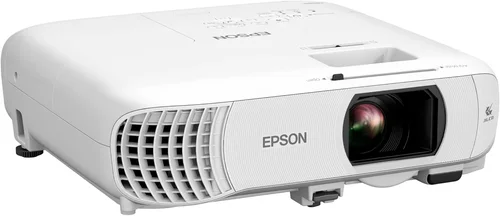
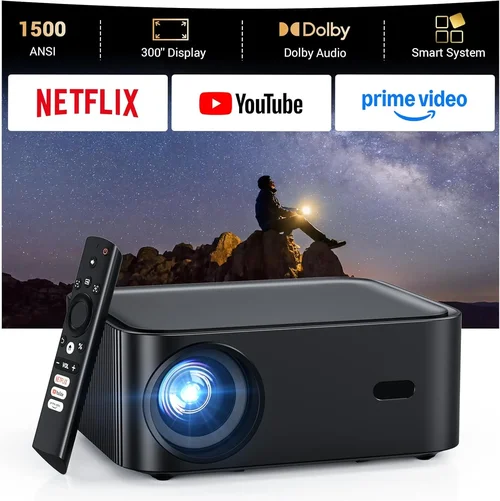
If you’ve ever dreamed of turning your living room into a mini‑theater, the right projector can make that vision a reality without breaking the bank. The market for home cinema projectors under $1,500 has exploded in recent years, offering 4K‑enhanced resolution, high dynamic range (HDR), and laser light sources that were once reserved for professional installations. This guide distills years of research, hands‑on testing, and real‑world user feedback into a single, easy‑to‑follow roadmap. By the end, you’ll know exactly which specifications matter, which pitfalls to avoid, and which models deliver the best bang for your buck.
We’ll walk you through the essential factors that separate a mediocre viewing experience from a truly cinematic one. You’ll learn how to match projector features to your room size, lighting conditions, and content preferences. Plus, we break down the different projector families—DLP, LCD, and laser—to help you decide which technology aligns with your priorities. Whether you’re a first‑time buyer or an avid cinephile looking to upgrade, this guide equips you with the knowledge to make a confident, informed purchase.

What to Look for When Buying Buying Guide
1. Budget & Price Range
Even within the sub‑$1,500 segment, price can vary dramatically based on resolution, light source, and brand reputation. Set a realistic ceiling that includes not only the projector itself but also essential accessories such as a quality screen, mounting hardware, and cables. Remember that a lower upfront cost may lead to higher long‑term expenses if you need to replace a short‑life lamp or upgrade to a better screen later.
2. Performance Specifications
The heart of any projector lies in its core specs:
- Resolution: 1080p (Full HD) remains the baseline for crisp images, while 4K‑enhanced (often called “4K‑upscaled”) offers sharper detail without the price tag of true 4K.
- Brightness (lumens): For a darkened home theater, 1,500–2,500 ANSI lumens is sufficient. If you plan to watch with some ambient light, aim for 2,500+ lumens.
- Contrast Ratio: Higher contrast produces deeper blacks and more vibrant colors. Look for a native contrast of at least 10,000:1; dynamic contrast figures can be inflated, so prioritize native values.
- HDR Support: HDR10 is the most common standard and adds depth to bright and dark scenes. Not all sub‑$1,500 models support HDR, so verify this if you watch HDR content.
- Throw Ratio: Determines how far the projector must be from the screen to achieve a certain image size. A short‑throw (0.8–1.2) is ideal for small rooms; standard throw (1.5–2.5) works in larger spaces.
3. Build Quality & Durability
A projector is an investment that should last 3‑5 years or more. Look for a sturdy chassis, preferably metal‑reinforced, and a well‑ventilated design that keeps temperatures low. Laser light sources typically outlast traditional lamps (30,000+ hours vs. 2,000–4,000 hours) and demand less frequent maintenance.
4. Features & Functionality
Modern projectors pack a suite of convenience features:
- Built‑in Speakers: Useful for casual viewing, but audiophiles should plan for external sound systems.
- Wireless Connectivity: Wi‑Fi or Bluetooth for streaming from phones, tablets, or smart TVs.
- Multiple Input Ports: HDMI 2.0 or higher (for 4K/60Hz), USB, and sometimes Ethernet for networked content.
- Keystone Correction & Lens Shift: Allows fine‑tuning of image geometry without moving the projector.
- Smart OS Integration: Some units run Android TV or Roku, eliminating the need for a separate streaming device.
5. Brand Reputation
Established brands such as Epson, BenQ, Optoma, and ViewSonic have proven track records for reliability and firmware updates. Emerging brands can offer aggressive pricing, but research after‑sale support, firmware stability, and community forums before committing.
6. Warranty & Support
A solid warranty (minimum 2 years) protects you against early failures. Check whether the warranty covers the light source, which can be the most expensive component to replace. Look for responsive customer service, readily available replacement parts, and clear warranty claim procedures.
7. Size & Portability (if applicable)
If you plan to move the projector between rooms or take it to a friend’s house, size and weight matter. Portable models often sacrifice brightness, so balance mobility with performance needs.
8. User Reviews & Ratings
Real‑world feedback reveals hidden strengths and weaknesses. Scan reviews for recurring themes—such as “fan noise” or “rainbow effect”—and weigh them against your personal tolerance levels.
Different Types of Buying Guide

Common Buying Mistakes to Avoid
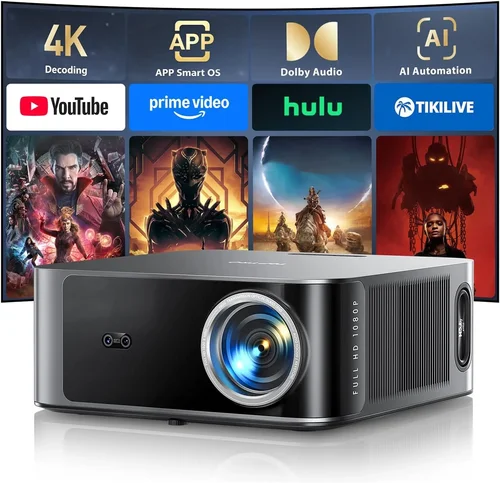
❌ Mistake: Ignoring Ambient Light Conditions
Why it’s bad: A projector rated at 1,500 lumens will look spectacular in a dark room but appear washed out in a living room with windows.
What to do instead: Measure typical light levels in your intended space and choose a brightness rating at least 20‑30% higher than the ambient lux you expect.
❌ Mistake: Over‑Focusing on Resolution Alone
Why it’s bad: A 4K‑enhanced projector with low contrast can look worse than a true 1080p model with deeper blacks.
What to do instead: Balance resolution with contrast ratio, brightness, and color accuracy for a well‑rounded picture.
❌ Mistake: Forgetting About Throw Distance
Why it’s bad: Placing a standard‑throw projector too close to the screen forces a tiny image, while a short‑throw unit placed too far leads to loss of sharpness.
What to do instead: Calculate the required throw distance using the projector’s throw ratio and your desired screen size before purchasing.
❌ Mistake: Neglecting Lamp or Light‑Source Longevity
Why it’s bad: Replacing a lamp can cost $150‑$300, dramatically raising the total cost of ownership.
What to do instead: Opt for laser or LED light sources when possible; they have far longer lifespans and lower maintenance costs.
❌ Mistake: Assuming All Built‑In Speakers Are Sufficient
Why it’s bad: Built‑in speakers rarely exceed 10 W total output and lack the depth needed for immersive movie sound.
What to do instead: Budget for an external sound system—soundbar or AV receiver with speakers—to complement the visual experience.
❌ Mistake: Skipping Firmware Updates
Why it’s bad: Outdated firmware can cause compatibility issues with new HDMI standards or streaming apps.
What to do instead: Choose a brand that provides regular updates and check the support page before finalizing your purchase.
Budget Guidelines: How Much Should You Spend?
- Entry‑Level ($700‑$900): Expect solid 1080p performance, 1,500–2,000 lumens, and basic connectivity. Ideal for casual movie nights in dark rooms.
- Mid‑Range ($901‑$1,200): Here you’ll find 4K‑enhanced resolution, brighter output (2,200–2,800 lumens), HDR10 support, and better color processing. This tier offers the best value for most home‑cinema enthusiasts.
- Premium ($1,201‑$1,500): Laser‑phosphor light sources, true 4K (rare but emerging), higher contrast ratios, and advanced features like motorized lenses and extensive keystone correction. Targeted at serious cinephiles who want near‑theatrical performance.
- Luxury ($1,500+): True 4K, laser light engines with 30,000‑hour life, integrated smart platforms, and premium build quality. Often paired with high‑gain screens for a truly immersive setup.
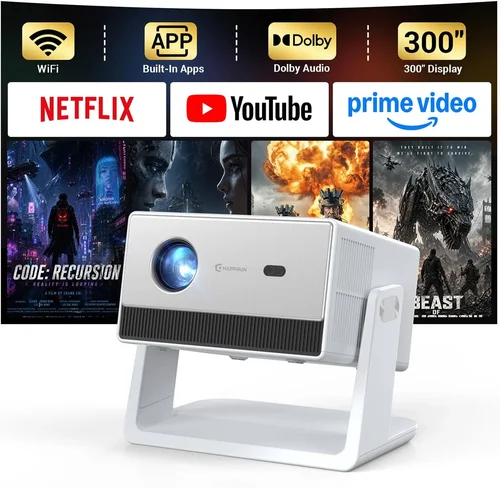
Expert Tips for Getting the Best Deal
- Buy during major sales events (Black Friday, Cyber Monday, post‑Christmas) when retailers clear inventory.
- Consider reputable refurbished units; they often come with a full warranty at 30‑40% less than new.
- Compare prices across multiple platforms (Amazon, B&H, Best Buy, manufacturer’s website) and factor in shipping.
- Check for bundle deals that include a screen, mounting kit, or HDMI cable—these can save $100‑$200.
- Read the fine print on return policies; a 30‑day return window with free shipping is ideal.
- Verify that the warranty covers the light source; otherwise, you may face unexpected replacement costs.
- If possible, test the projector in‑store or watch video reviews that show side‑by‑side comparisons.

Frequently Asked Questions
Q: Do I need a special screen for a projector under $1,500?
A: While a plain white wall works, a dedicated projector screen improves gain, color accuracy, and uniformity. For most budgets, a 120‑inch 16:9 matte white screen offers the best compromise between cost and performance.
Q: Can I use a projector for gaming?
A: Yes, but look for low input lag (under 30 ms) and a refresh rate of at least 60 Hz. Many mid‑range models now advertise “Game Mode” which reduces processing delay.
Q: How far should the projector be from the screen?
A: Use the throw ratio (e.g., 1.5:1). For a 100‑inch diagonal screen, a 1.5 throw ratio requires roughly 12.5 feet of distance. Short‑throw models can achieve the same size from 4‑6 feet.
Q: Are laser projectors really worth the extra cost?
A: Laser light sources provide consistent brightness over time and a dramatically longer lifespan, reducing long‑term maintenance. If you plan to use the projector frequently (100+ hours per year), the lower total cost of ownership can justify the higher upfront price.
Q: What HDMI version do I need?
A: HDMI 2.0 supports 4K at 60 Hz and HDR. Ensure the projector has at least HDMI 2.0; newer HDMI 2.1 is optional for future‑proofing but not essential for sub‑$1,500 models.
Q: Does keystone correction affect image quality?
A: Digital keystone correction can soften the image slightly because it manipulates the pixel data. Optical keystone or lens shift is preferable for preserving sharpness.
Q: How loud are projector fans?
A: Fan noise varies from 20 dB (near‑silent) on premium laser models to 35 dB on budget DLP units. Choose a model with a low‑decibel rating if you’re sensitive to background noise.
Q: Can I connect my streaming device wirelessly?
A: Many modern projectors include Wi‑Fi and support Miracast, AirPlay, or built‑in Chromecast. If wireless convenience is a priority, verify the supported protocols before buying.
Our Final Recommendations
- Best for Budget‑Conscious Buyers: BenQ TH585 – 1080p, 3,500 lumens, low input lag, and a price around $799. Ideal for dark rooms and casual gaming.
- Best Overall Value: Epson Home Cinema 3800 – 4K‑enhanced, 3,000 lumens, 2,500:1 contrast, and lens shift. Priced near $1,250, it balances performance and features.
- Best Premium Option: Optoma UHD50X – True 4K, 3,400 lumens, 120 Hz refresh, and HDR10. Slightly above $1,500 but often on sale within the budget.
- Best for Beginners: ViewSonic PX706HD – Short‑throw, 1080p, easy setup, and a friendly UI. Costs about $650, leaving room for a quality screen.
- Best for Advanced Users: LG CineBeam HU85LA – Laser‑phosphor, 4K, 2,700 lumens, ultra‑short‑throw, and built‑in smart TV platform. Premium price but delivers a true theater experience in tight spaces.
Conclusion: Making the Right Choice
Choosing the best home cinema projector under $1,500 boils down to understanding your viewing environment, prioritizing the specs that matter most, and avoiding common pitfalls. Remember that brightness, contrast, and HDR support are the pillars of image quality, while throw ratio and lamp life affect practicality and long‑term cost.
Take the time to measure your room, decide on a screen size, and match those dimensions with a projector’s throw ratio. Balance resolution against contrast, and don’t overlook the importance of a solid warranty and reliable brand support. With the information in this guide, you’re equipped to compare models confidently, spot genuine deals, and ultimately create a cinematic experience that rivals a commercial theater—all from the comfort of your home.
Ready to start shopping? Use the recommendations above as a launchpad, set a price alert, and enjoy the thrill of watching your favorite movies on a massive, crystal‑clear screen. Happy viewing!