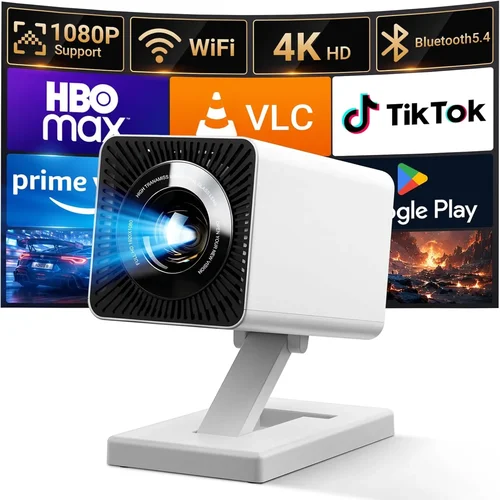
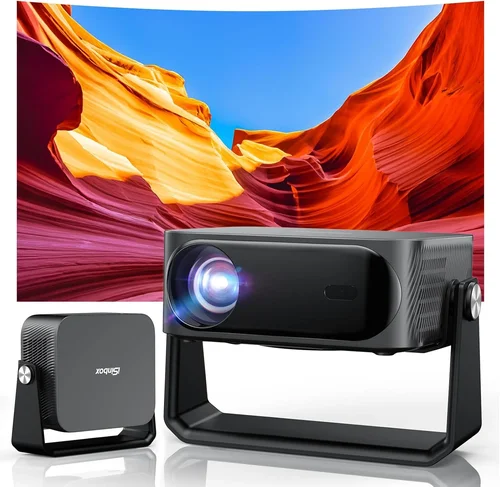
Choosing a home projector that delivers cinema‑like immersion without breaking the bank can feel overwhelming. The market is flooded with models that promise 4K resolution, HDR brilliance, and a “home‑theater ready” experience, yet many of them sit well above the $1,000 mark. This guide narrows the field to the best home projector under $1,000 for 2026, helping you cut through the hype and focus on what truly matters for your living room, gaming den, or backyard movie night.
By the end of this article you will understand the most important specifications, know which projector type fits your space, avoid common pitfalls, and walk away with a clear recommendation that matches your budget and viewing habits. Whether you are a first‑time buyer or looking to upgrade from an older lamp‑based unit, the information here is designed to make your decision fast, confident, and future‑proof.

What to Look for When Buying Buying Guide
1. Budget & Price Range
Even though the focus is on models under $1,000, the price you actually pay can vary based on sales, bundles, and optional accessories. Set a firm ceiling (for example, $950) and then allocate roughly 60% of that budget to the projector itself, 20% to a quality screen or wall treatment, and the remaining 20% for cables, mounting hardware, and a warranty extension. Sticking to a realistic budget prevents you from overspending on features you’ll never use, like ultra‑high‑resolution 4K in a room where the throw distance limits effective pixel density.
2. Performance Specifications
Key specs that dictate picture quality include brightness (measured in ANSI lumens), contrast ratio, resolution, and color accuracy. For a home projector under $1,000, aim for at least 2,500–3,000 lumens if you plan to use it in a partially lit room; a higher contrast ratio (10,000:1 or more) ensures deep blacks for movies. While true 4K is rare at this price point, most top‑tier units offer 1080p native resolution with “4K‑enhancement” processing that upscales lower‑resolution content.
3. Build Quality & Durability
Projectors in the sub‑$1,000 segment often use plastic housings to keep costs low, but the internal components—especially the light engine—must be robust. Look for a metal heat‑sink, sealed optics, and a reliable fan design that runs quietly (under 30 dB). A well‑constructed projector will survive frequent power cycles and the occasional accidental bump.
4. Features & Functionality
Modern projectors are more than just light sources. Important features include:
- Lens shift – Allows vertical/horizontal adjustment without moving the projector.
- Keystone correction – Digital correction (preferably < 10%) for angled installations.
- Built‑in speakers – Useful for casual viewing, though most audiophiles will add external speakers.
- Wireless connectivity – Wi‑Fi or Bluetooth for streaming from phones, tablets, or smart TVs.
- Multiple input ports – HDMI 2.0 (or newer), USB‑C, and sometimes VGA for legacy devices.
Prioritize the features you’ll actually use; each added function can increase price and complexity.
5. Brand Reputation
Established brands such as Epson, BenQ, Optoma, and ViewSonic have a proven track record for reliability and service. Newer entrants may offer aggressive pricing but could lack a robust support network. Research the brand’s warranty length, availability of service centers, and community forums where owners share tips and troubleshooting advice.
6. Warranty & Support
A solid warranty (minimum two years) is a safety net against early failures, especially for the lamp or laser light source. Verify whether the warranty covers the entire unit or only the light engine, and check if on‑site repair is offered. Some manufacturers also provide extended warranty plans at a reasonable cost, which can be a wise investment for a device that sees heavy weekly use.
7. Size & Portability
If you intend to move the projector between rooms, a compact “short‑throw” or “portable” model is essential. Short‑throw projectors can sit just a foot or two from the screen and still produce a 100‑inch image, reducing shadows and glare. Portable units often come with a built‑in battery, making them ideal for outdoor movie nights.
8. User Reviews & Ratings
Real‑world feedback uncovers issues that spec sheets hide. Look for reviews that mention long‑term reliability, fan noise, and how well the projector performs with streaming devices. Pay attention to recurring themes—if multiple users report a specific problem, treat it as a red flag.
Different Types of Buying Guide

Common Buying Mistakes to Avoid
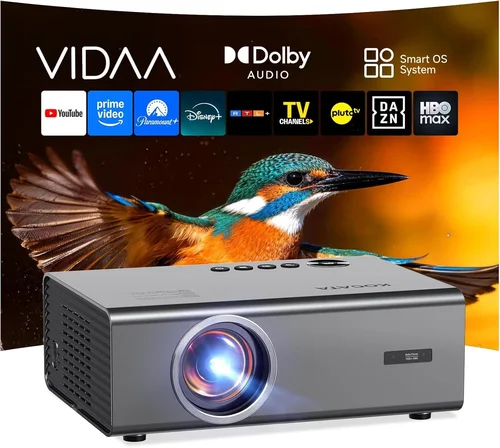
❌ Mistake: Ignoring Ambient Light Conditions
Why it’s bad: Selecting a projector with low lumen output for a bright living room results in washed‑out images and a frustrating viewing experience.
What to do instead: Measure the typical ambient light level and choose a projector with at least 2,500 lumens for rooms with windows or moderate lighting. If you can control lighting, a slightly lower lumen model may suffice.
❌ Mistake: Over‑Prioritizing Resolution Over Brightness
Why it’s bad: A 1080p projector that can’t produce enough brightness will look worse than a 720p unit with higher lumens in most home environments.
What to do instead: Balance resolution with brightness. For sub‑$1,000 models, 1080p + 2,500+ lumens is the sweet spot.
❌ Mistake: Forgetting About Throw Distance
Why it’s bad: Buying a standard‑throw projector for a tiny apartment may force you to place the unit too far away, resulting in a small image.
What to do instead: Measure the distance from the mounting spot to the screen and use a throw‑ratio calculator. Choose a short‑throw or ultra‑short‑throw projector if the distance is under 6 feet.
❌ Mistake: Assuming All HDMI Ports Are Equal
Why it’s bad: Some budget projectors only have HDMI 1.3, which can’t handle 4K @ 60 Hz or HDR signals.
What to do instead: Verify that the HDMI ports are at least HDMI 2.0 (or HDMI 2.1 on newer models) to future‑proof your setup.
❌ Mistake: Neglecting Fan Noise
Why it’s bad: A loud cooling fan can distract from movies and games, especially in quiet scenes.
What to do instead: Look for spec sheets that list fan noise in decibels (dB). Aim for ≤30 dB for a near‑silent experience.
❌ Mistake: Skipping Warranty Details
Why it’s bad: A cheap projector may have a 1‑year limited warranty that excludes the light source, leaving you with costly repairs.
What to do instead: Choose a model with at least a 2‑year comprehensive warranty that covers the lamp or laser module.
Budget Guidelines: How Much Should You Spend?
- Entry‑Level ($500 – $700): Expect 2,000–2,500 lumens, 720p or 1080p with basic keystone correction, limited lens shift, and plastic construction. Ideal for occasional movie nights in dark rooms.
- Mid‑Range ($700 – $900): Typically 2,500–3,200 lumens, true 1080p, better contrast ratios, some lens shift, and quieter fans. This tier balances performance and price for most households.
- Premium ($900 – $1,000): You’ll find laser or hybrid light sources, 1080p with 4K‑enhancement, higher contrast (15,000:1+), robust build, and advanced connectivity (Wi‑Fi, Bluetooth, multiple HDMI). Best for frequent users who want longevity.
- Luxury ($1,000+): True 4K, HDR10+, premium optics, and ultra‑short‑throw designs. While some models dip just below $1,000 during sales, they often stretch the budget limit.
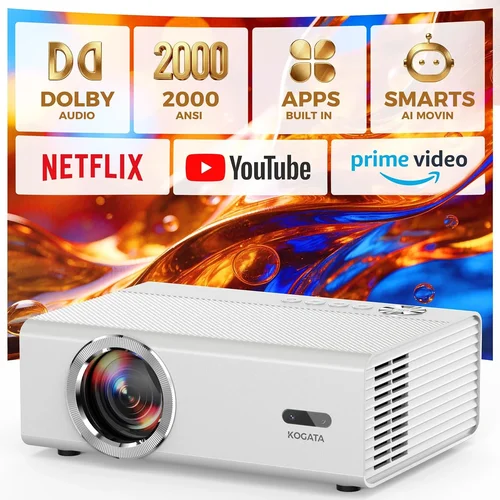
Expert Tips for Getting the Best Deal
- Shop Seasonal Sales: Retailers discount projectors heavily during year‑end holidays and back‑to‑school periods.
- Compare Refurbished Units: Manufacturer‑refurbished models come with full warranties and can be 20% cheaper.
- Bundle with Screens: Some vendors offer a free or discounted screen when you buy a projector; a proper screen can improve contrast dramatically.
- Check Return Policies: A 30‑day return window lets you test the projector in your actual room lighting before committing.
- Read the Fine Print on Lamp Life: Laser projectors list “up to 20,000 hours”; LED units often promise 30,000 hours. This translates to lower long‑term costs.
- Use Price‑Tracking Tools: Websites like CamelCamelCamel track Amazon price history and can alert you when a price drops.
- Consider Future‑Proof Ports: HDMI 2.1 will become standard for 4K @ 120 Hz gaming; buying a projector with this port now may extend its relevance.
- Test Fan Noise In‑Store: If possible, ask a sales associate to power on the unit; listen for buzzing that could be irritating.

Frequently Asked Questions
Q: Can I use a home projector under $1,000 for gaming?
A: Yes, but you need a model with low input lag (under 30 ms) and at least 1080p resolution. Look for “Game Mode” settings that disable image processing to keep latency minimal. Some mid‑range units also support 120 Hz refresh rates via HDMI 2.1.
Q: Do I need a separate screen, or can I project onto a wall?
A: You can project onto a smooth, white wall, but a dedicated screen improves gain, reduces hotspots, and enhances contrast. For budget‑conscious buyers, a 120‑inch pull‑down screen costs $80‑$120 and makes a noticeable difference.
Q: How long does the lamp or laser last?
A: Traditional UHP lamps last 2,000–4,000 hours, which translates to 2‑3 years of regular use. Laser or LED light sources typically last 15,000–30,000 hours, often outlasting the projector itself.
Q: Is a short‑throw projector worth the extra cost?
A: If you have limited throw distance (under 6 feet) or want to avoid shadows from people walking in front of the image, a short‑throw model is a smart investment. They usually cost $150‑$250 more than standard throw units but save space and improve flexibility.
Q: What is the ideal screen size for a projector under $1,000?
A: For a 1080p projector, a 100‑120‑inch diagonal screen offers the best pixel density without visible grain. Larger screens dilute pixel density unless you have a native 4K projector.
Q: Do I need a separate audio solution?
A: Built‑in speakers are convenient but often underpowered. Pair the projector with a soundbar or Bluetooth speakers for richer dialogue and immersive sound, especially for movies and games.
Q: Can I mount the projector on the ceiling?
A: Absolutely—most models include a standard ¼‑inch mounting thread. Ensure the ceiling mount can support the projector’s weight and provides enough ventilation.
Q: How do I maintain my projector?
A: Keep the air filters clean (check monthly), dust the lens with a microfiber cloth, and ensure proper ventilation. For lamp‑based units, replace the lamp before it reaches the rated life to avoid dimming.
Q: Is HDR really noticeable on budget projectors?
A: HDR can improve contrast, but budget projectors often lack the peak brightness (≥600 nits) to fully showcase HDR. You’ll notice a modest improvement, but true HDR performance remains a premium feature.
Our Final Recommendations
- Best for Budget‑Conscious Buyers: BenQ TH585 – 3,500 lumens, 1080p, low input lag, and a price around $650.
- Best Overall Value: Epson Home Cinema 2150 – 2,500 lumens, 1080p, lens shift, wireless streaming, typically $850.
- Best Premium Option (Just Under $1k): Optoma UHD50X – 3,400 lumens, 4K‑enhanced, 120 Hz gaming mode, priced at $999 during sales.
- Best for Beginners: ViewSonic M2 – Portable LED, 2,200 lumens, built‑in Harman Kardon speakers, easy setup, around $750.
- Best for Advanced Users: LG HU80KA (used or refurbished) – Laser light source, 2,500 lumens, 4K, ultra‑short‑throw, often found just under $1,000 refurbished.
Conclusion: Making the Right Choice
Choosing the best home projector under $1,000 boils down to matching your viewing environment, usage patterns, and budget. Prioritize brightness and contrast for everyday movies, consider short‑throw designs for cramped spaces, and never overlook warranty coverage. By following the factors, avoiding the common mistakes listed, and using the expert tips provided, you can confidently select a projector that delivers cinematic joy without stretching your finances.
Ready to transform your living room into a personal theater? Start by measuring your space, set a clear budget, and compare the models highlighted above. Happy viewing!